It doesn’t matter if you are a local entrepreneur or a global visionary; setting up a Delaware LLC is the final “power move” for your business. Delaware is known all over the world as the most business-friendly area in the United States, thanks to its esteemed Court of Chancery and its strong privacy laws, making it the preferred option for both Fortune 500 companies and international startups.
The following Step-by-Step Guide offers a straightforward plan enabling both US residents and non-US residents to register a Delaware LLC from a distance, obtain an EIN, and gain access to US business banking—all while staying at home. It is advisable to watch the full step-by-step tutorial below before you begin the process of registering your Delaware LLC.
A Personal Note from the Founder:
“I am a non-US resident. And I spent years looking for a trustworthy partner and tested four different companies for myself and my clients. I ultimately chose Registered Agents Inc for my own businesses. In my experience, they were the only provider that gave me a clear, flat rate with no monthly fees for a business address. I still use them today for my annual compliance because the process is headache-free. I wrote this guide to save you the time and stress I went through.”
Why I Avoid “$0” Filing Services:You frequently come across advertisements that advertise “$0 Entry Fees”. Exercise caution, since, as I’ve found, these low initial prices often result in higher costs later on, for example through recurring subscription charges for essential documents or monthly fees for a business address. It’s best to choose providers who are transparent in order to avoid falling into the “hidden fee” trap.
Step 1: Start the Delaware LLC
Formation Process
- Company Name: Enter your desired business name. For example, we used “OM Global Services LLC”.
Tip: Your name must end with an entity designator like “LLC” or “L.L.C.” - State: Select Delaware.
- Type of Business: Select Limited Liability Company (LLC).
- Lawsuit Copies: Select “No” (unless you have a specific legal reason otherwise).
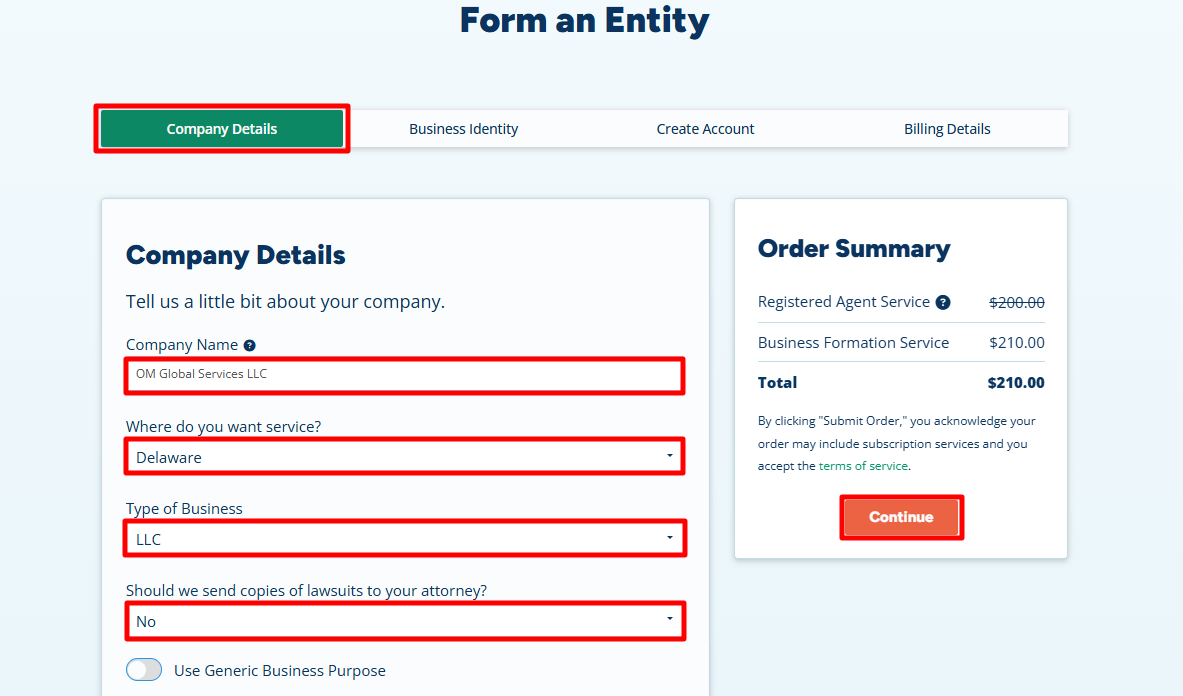
Business Details & Privacy Setup:
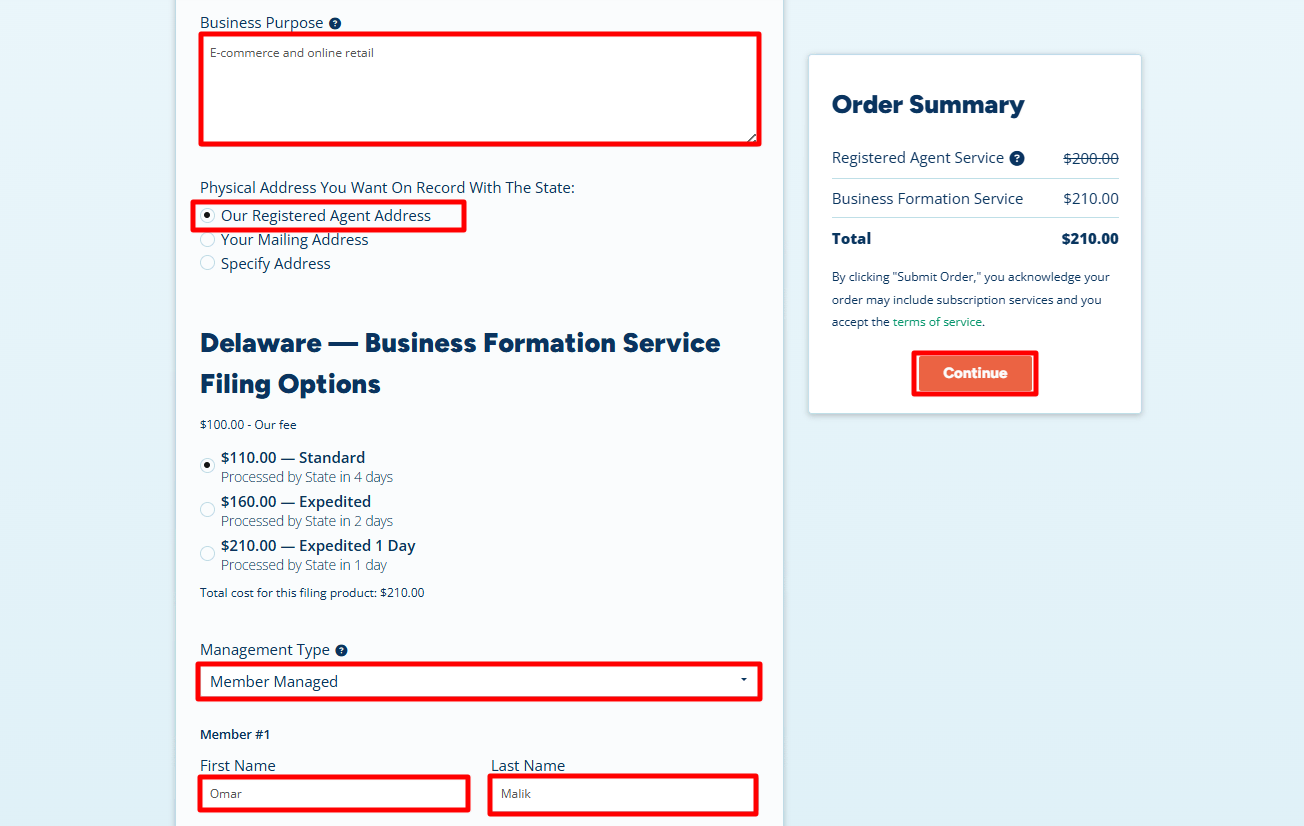
- Business Purpose: Write a brief, professional sentence about your activities.
Example: E-commerce and online retail - Physical Address: Select “Our Registered Agent Address”.
Critical Privacy Tip: Even if you live in the US, I highly recommend selecting the Registered Agent’s address. This keeps your personal home address off public records and away from the eyes of the internet. - Management Type: Choose Member-Managed. This means you, the owner, maintain full control of the business.
- Member Name: Enter your full legal name as it appears on your passport (e.g., Omar Malik).
- Click “Continue”.
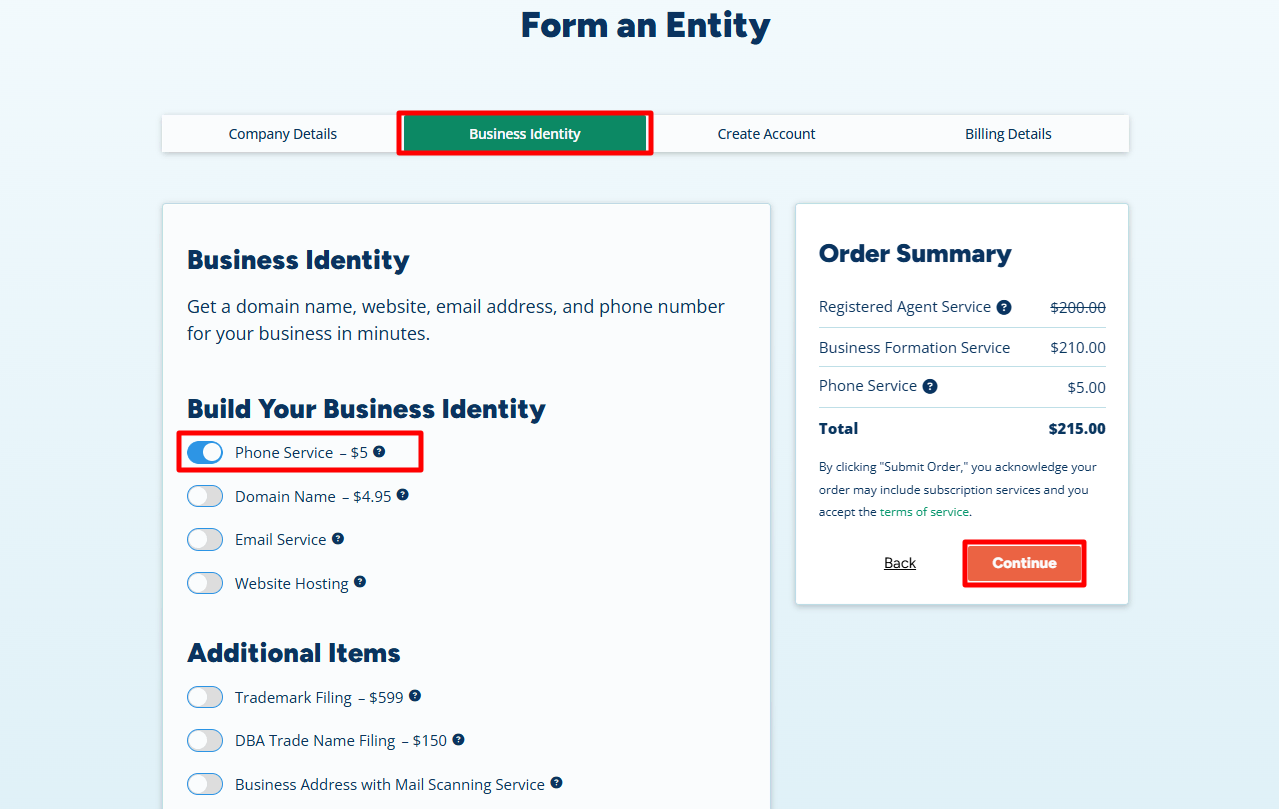
Step 2: Add Business Phone and Professional Services
- Business Phone Service ($5/month): We highly recommend adding this.
Why? A U.S. phone number is essential for opening business bank accounts like Mercury or Relay. It is also a standard requirement for verifying your identity on Stripe, Amazon, and PayPal. - Optional Extras: You can add a Domain Name or Business Email. While optional, these instantly build brand authority.
- Click “Continue”.
Step 3: Contact Information & Secure Login
- Contact Info: Enter your name and residential address exactly as they appear on your ID.
Note: This info is for internal billing and the Registered Agent’s records; it is not made public. - Phone Number: Use your current international phone number.
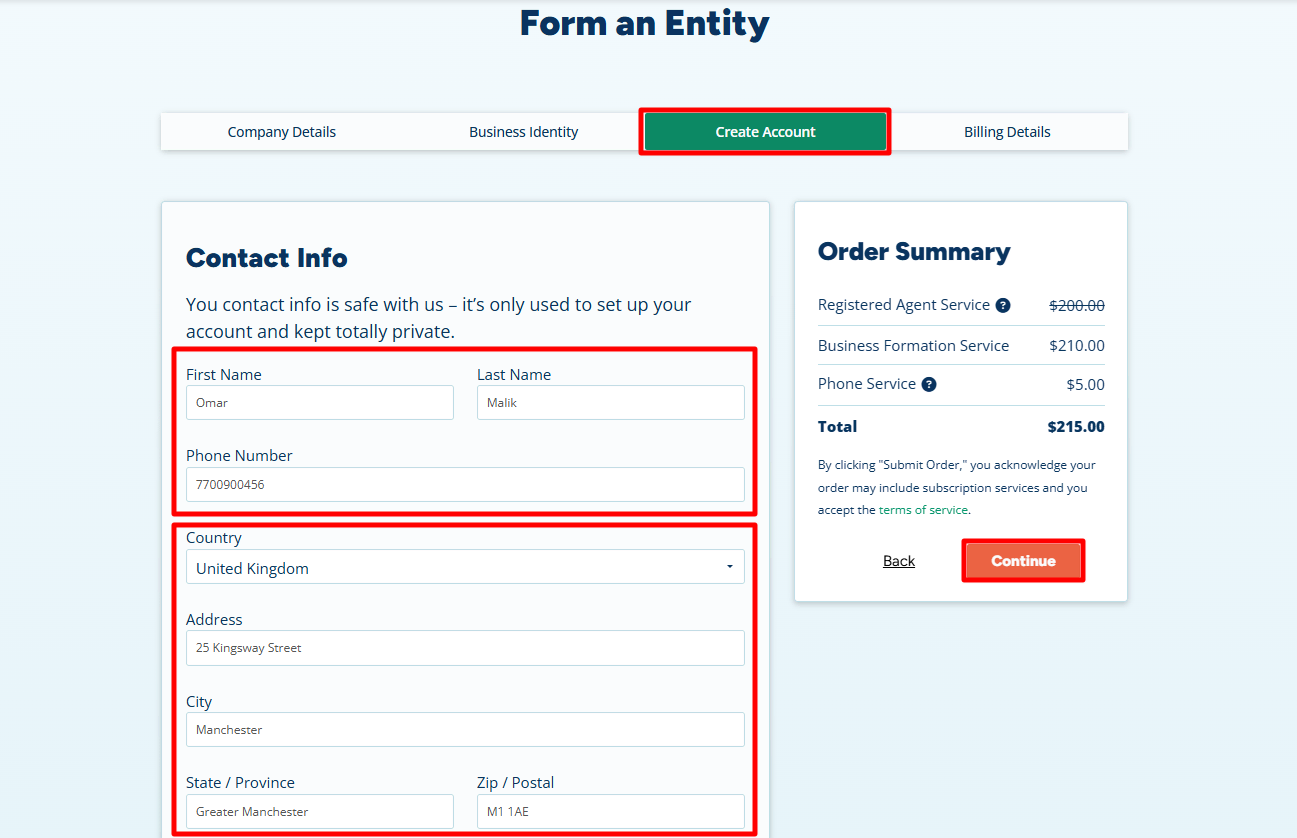
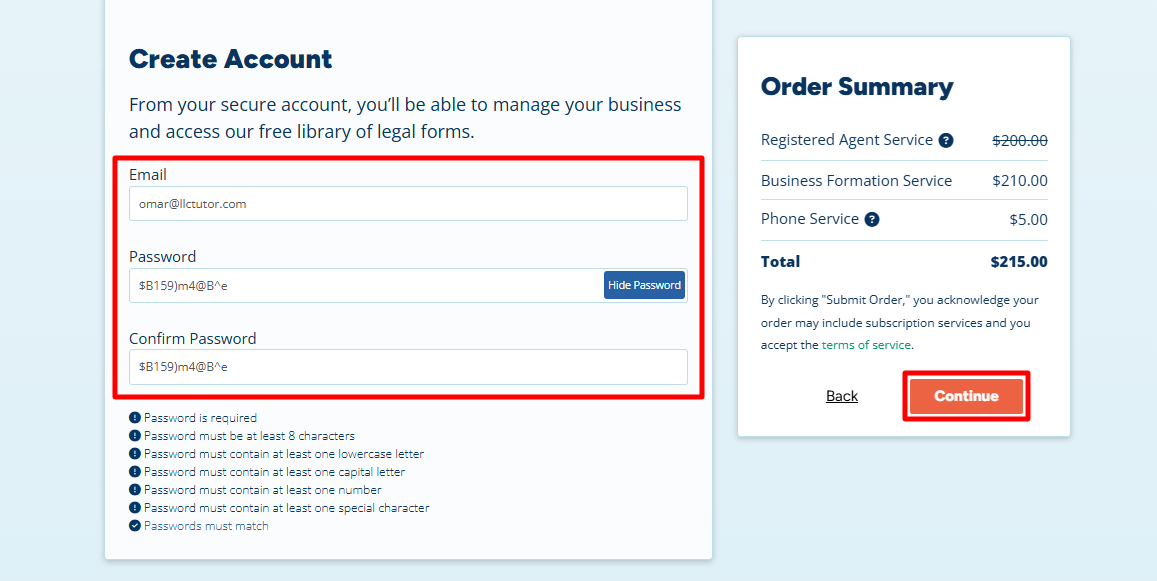
- Create Account: Enter a primary email and a strong password. You will need this to access your LLC Certificate and EIN later.
- Click “Continue”.
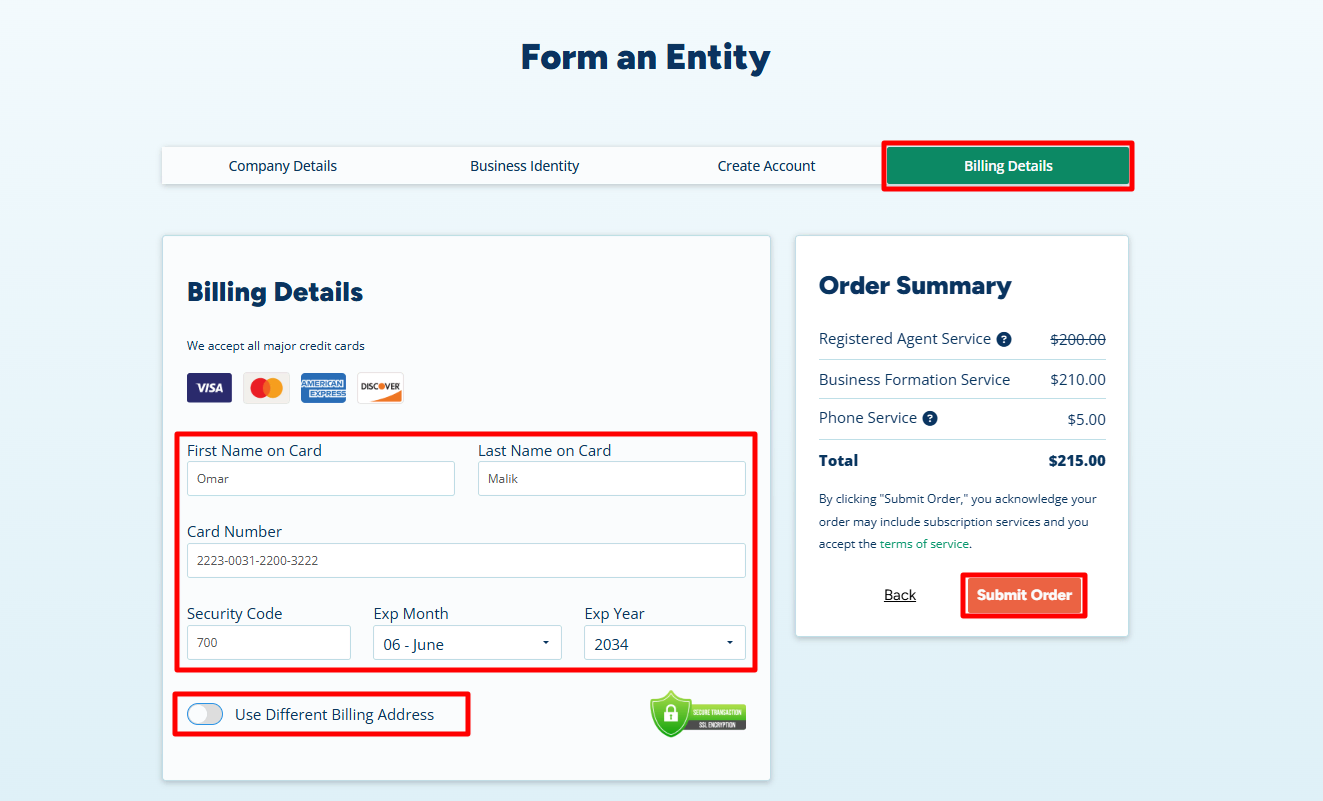
Step 4: Secure Payment Details
- Enter your payment information (Credit/Debit Card) and click Submit. This covers the Delaware state filing fees and your professional registered agent service for the year.
Step 5: Add State Filing Details and Download Your Invoice
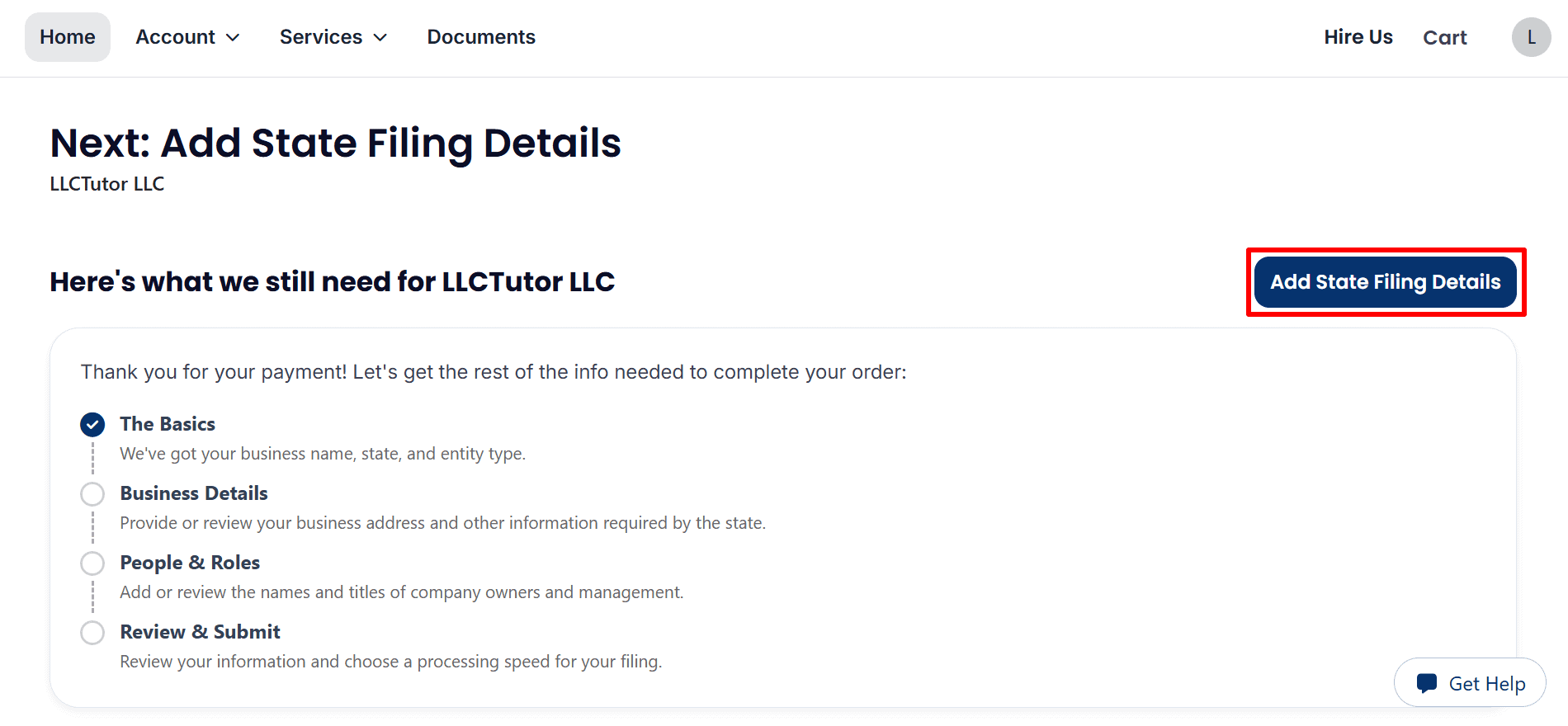
- Continue your application: click Add State Filing Details to enter in the remainder of the information for LLCTutor LLC.
- Complete the sections: Follow Business Details, People & Roles and Review & Submit.
- Check your status: payment is confirmed, further filing information is still required. This does not constitute state approval.
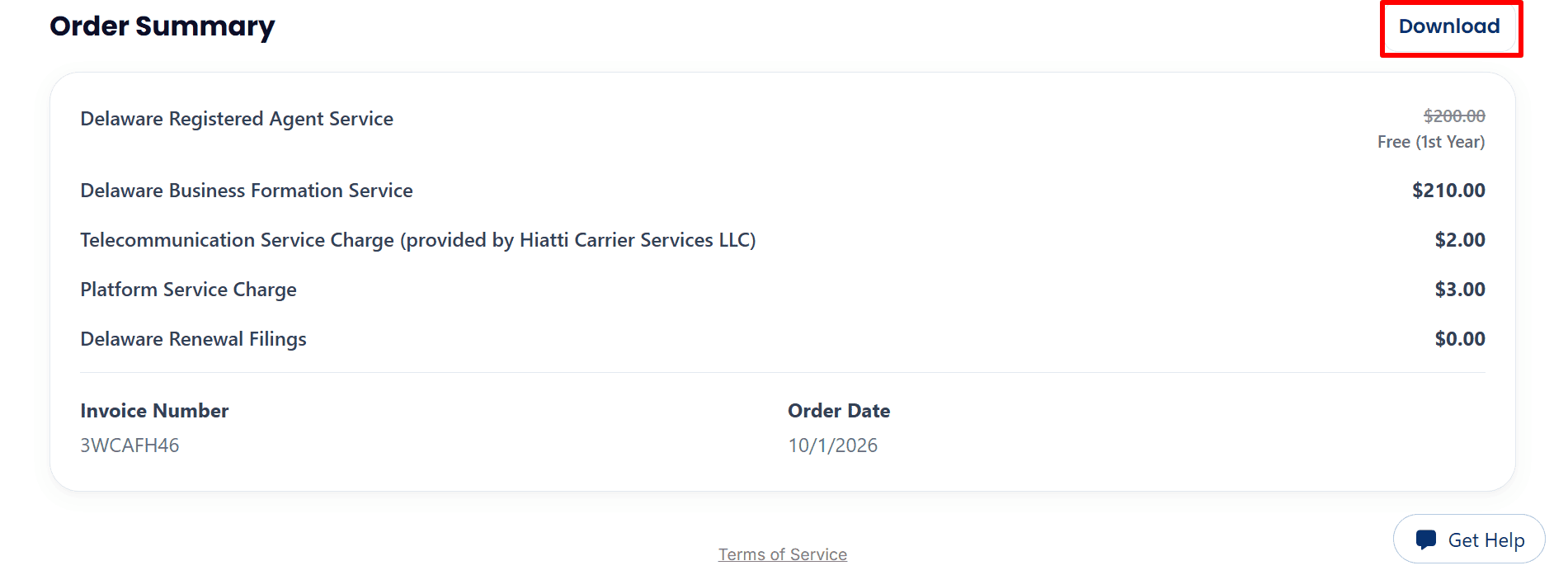
- Review the charges: $210 for Delaware business formation, $2 for telecom and $3 for the platform. Registered agent service is free for the first year.
- Download your invoice: simply click ‘Download‘ in the Order Summary section and save a copy for your records.
Step 6: Review Your Business Details and EIN Options
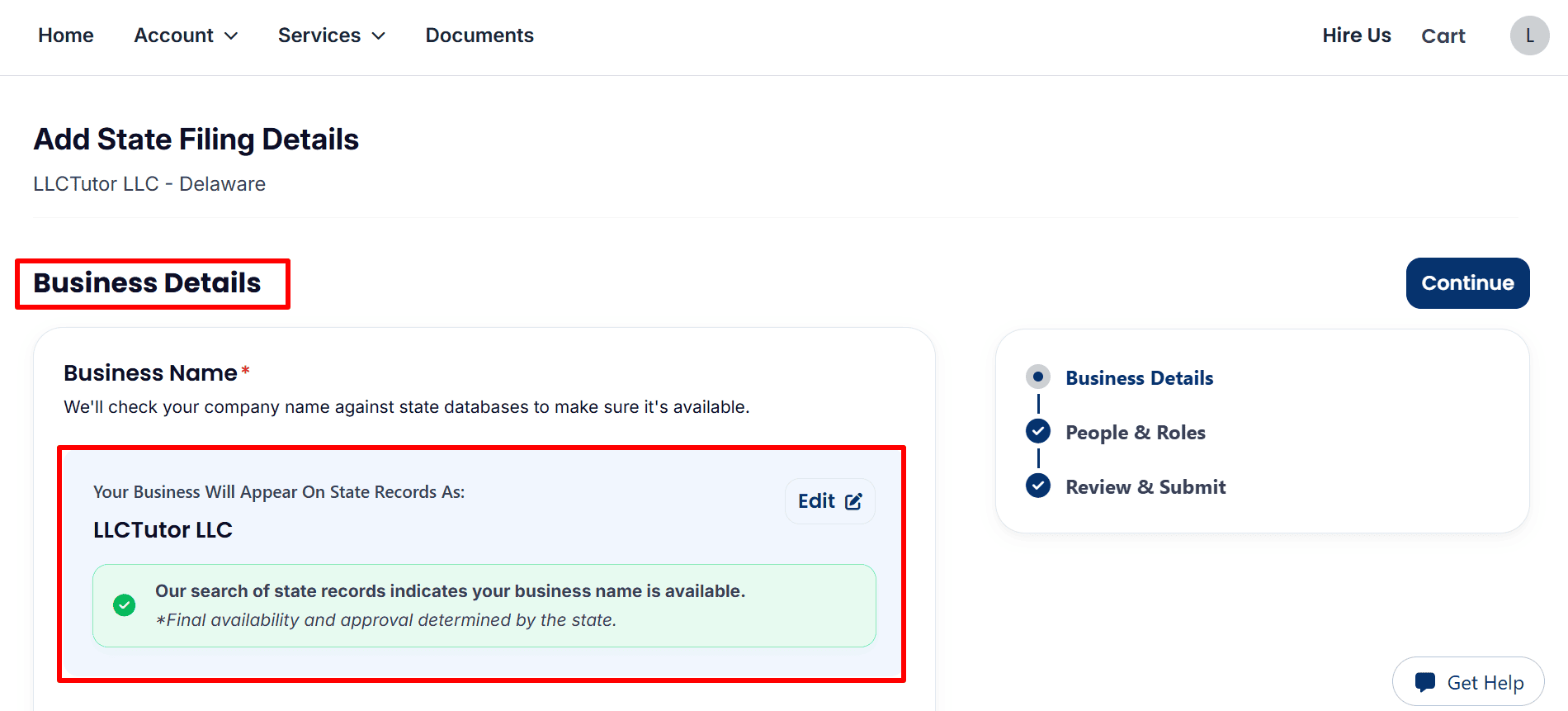
- Business name: Confirm that LLCTutor LLC is spelled correctly. If changes are required then click Edit.
- Name availability: The search shows the name is available, though of course final availability and approval is down to the state.
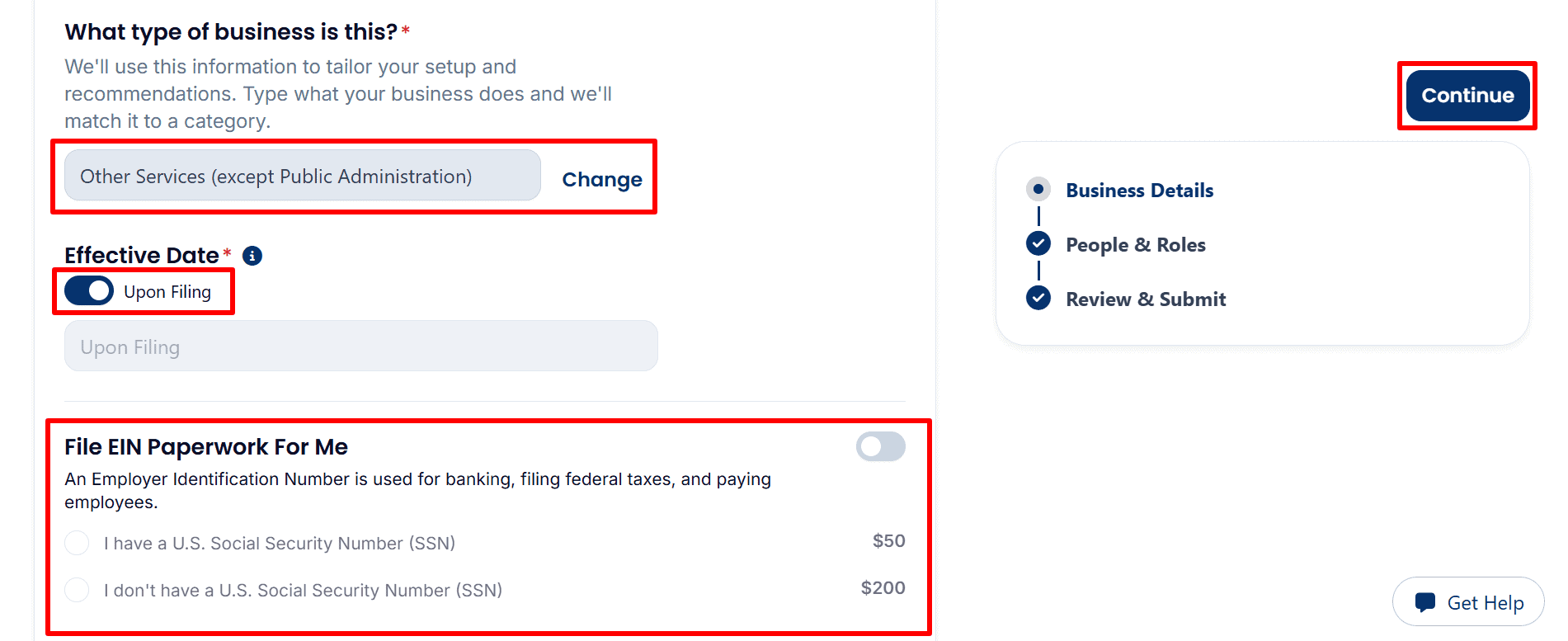
- Business activity: The example shows Other Services (except Public Administration). Click Change to choose a category that accurately describes your business.
- Effective date: Upon Filing is selected in the example. Review this setting before proceeding.
- Optional EIN service: The displayed processing fee is $50 with a U.S. SSN or $200 without a U.S. SSN. Enable File EIN Paperwork For Me only if you want this paid service.
EIN / Tax ID Note: The registered agent charges a processing fee for EIN assistance. You can also apply directly to the IRS yourself without an IRS application fee by following the appropriate guide:
- U.S. Residents or Citizens: Follow the step-by-step EIN guide here.
- Non-U.S. Residents: Follow the complete EIN guide here.
- Optional S corporation paperwork: The example shows this $100 service switched off. Leave it off unless you have determined that the election is appropriate and you meet the requirements.
- Continue: After reviewing all business details and optional services, click Continue.

Step 7: Review Management, Members and Filing Address
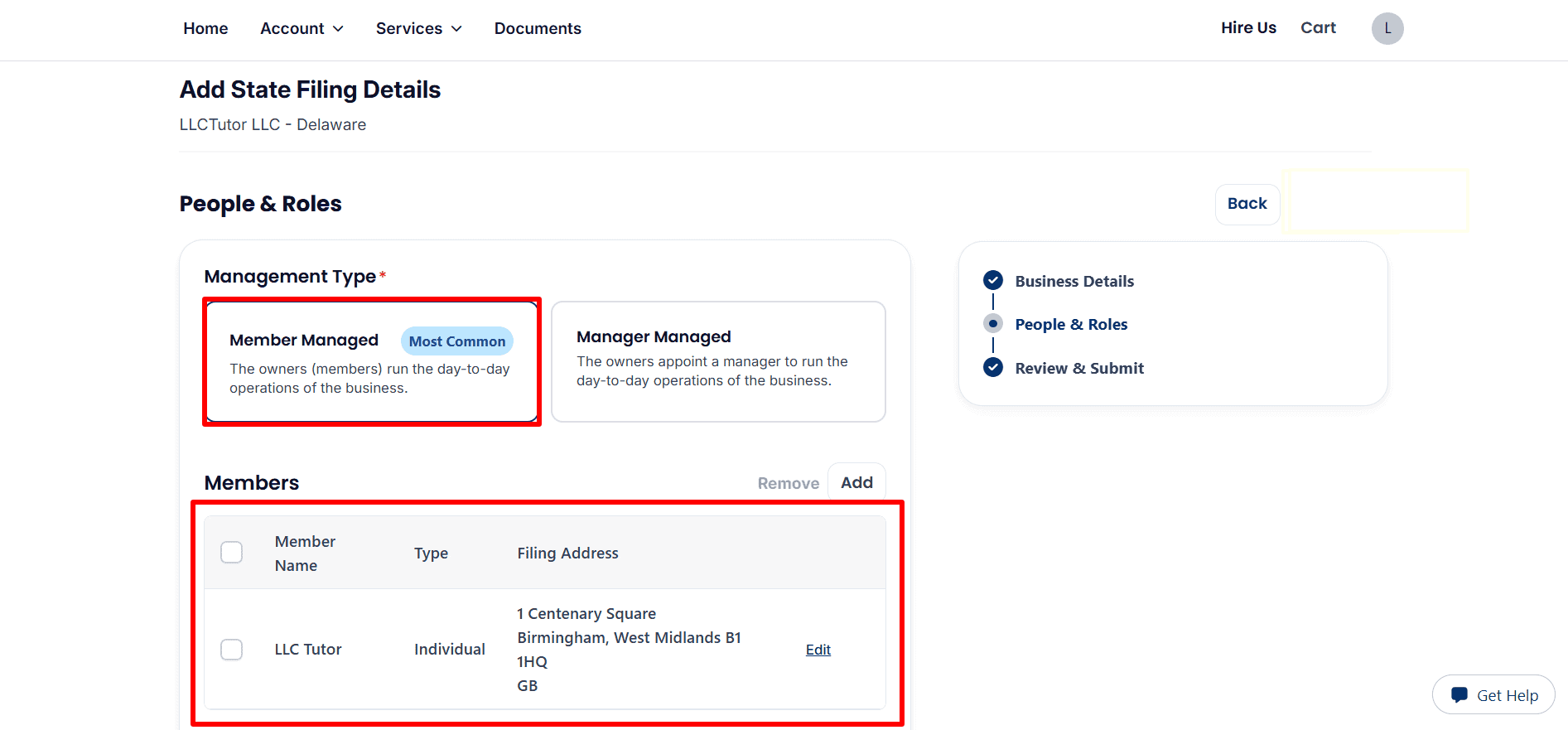
- Management type: Select Member Managed if the owners are running the day to day operations (as in this example). Select Manager Managed if the business is being run by appointed managers.
- Member details: view each member’s name, type and filing address. Click Edit to amend the details or Add to include another member. Use accurate owner details for your application.
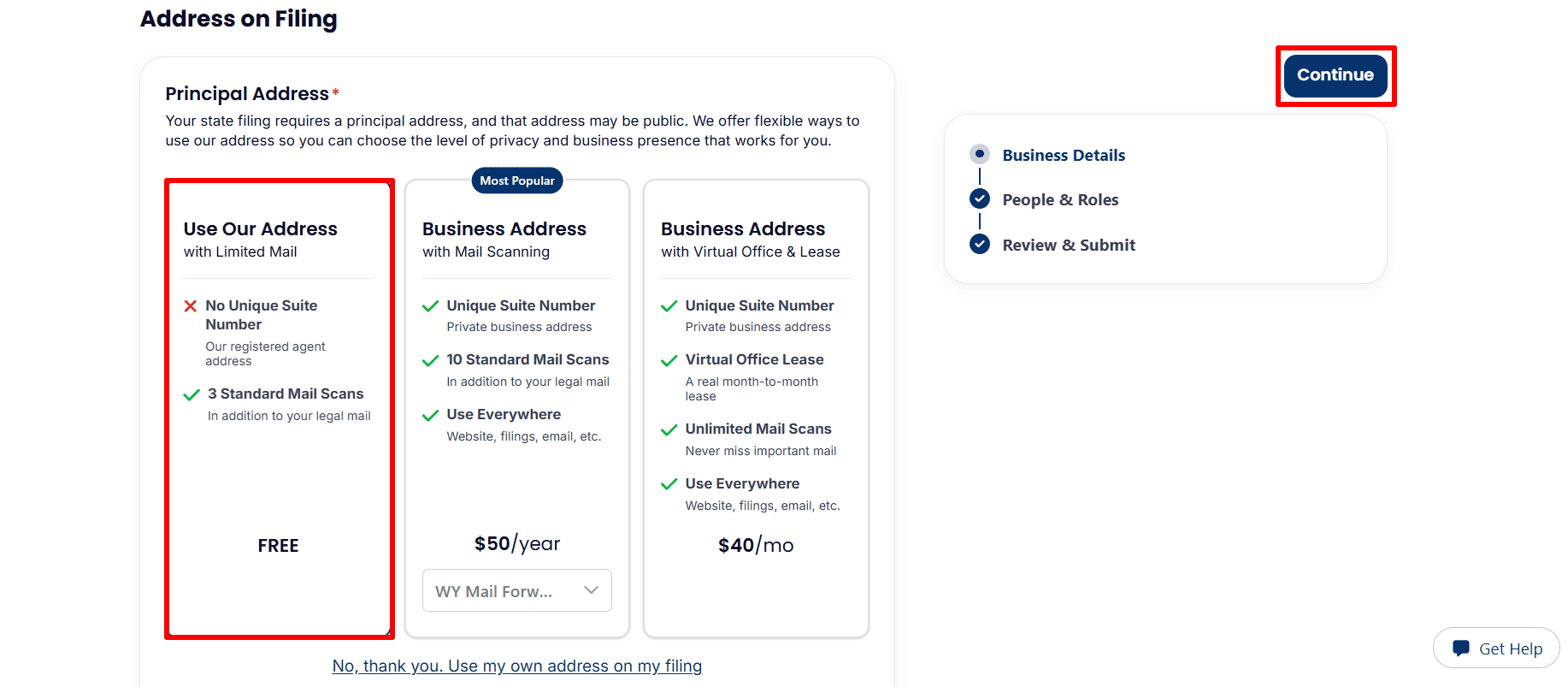
- Principal address: The highlighted Use Our Address option is free and includes limited mail service, with three standard mail scans and no unique suite number.
- Other address choices: Optional upgrades are displayed at $50 per year or $40 per month. To provide your own address, click No, thank you. Use my own address on my filing.
- Continue: Review your choice, noting that the filing address may be public, then click Continue.
Step 8: Review Your Filing Details and Submit Your Order
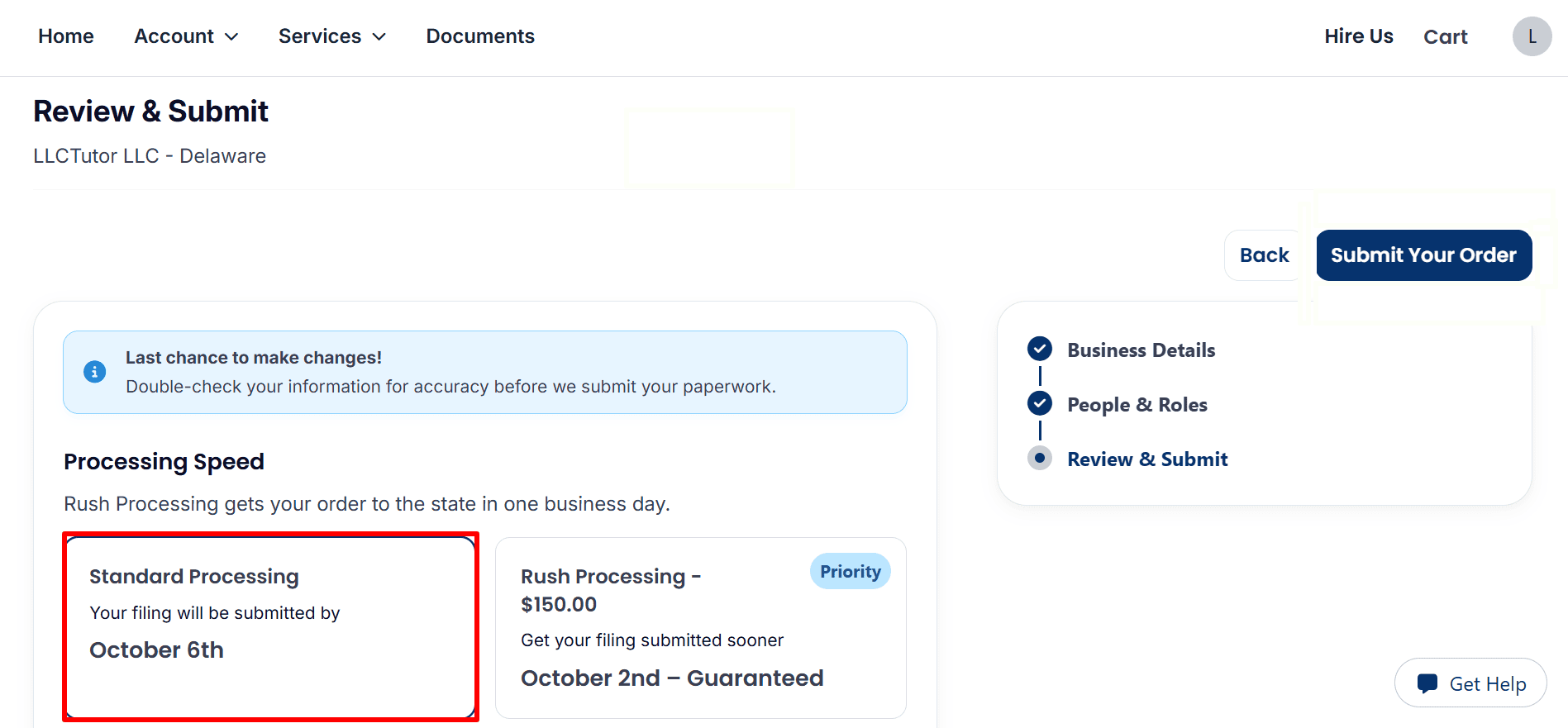
- Processing speed: Standard Processing is selected, showing submission by October 6th. Optional Rush Processing costs $150, with submission shown for October 2nd.
- Check the dates: These are the submission dates displayed in the example, not state approval dates. Review the dates shown in your own account.
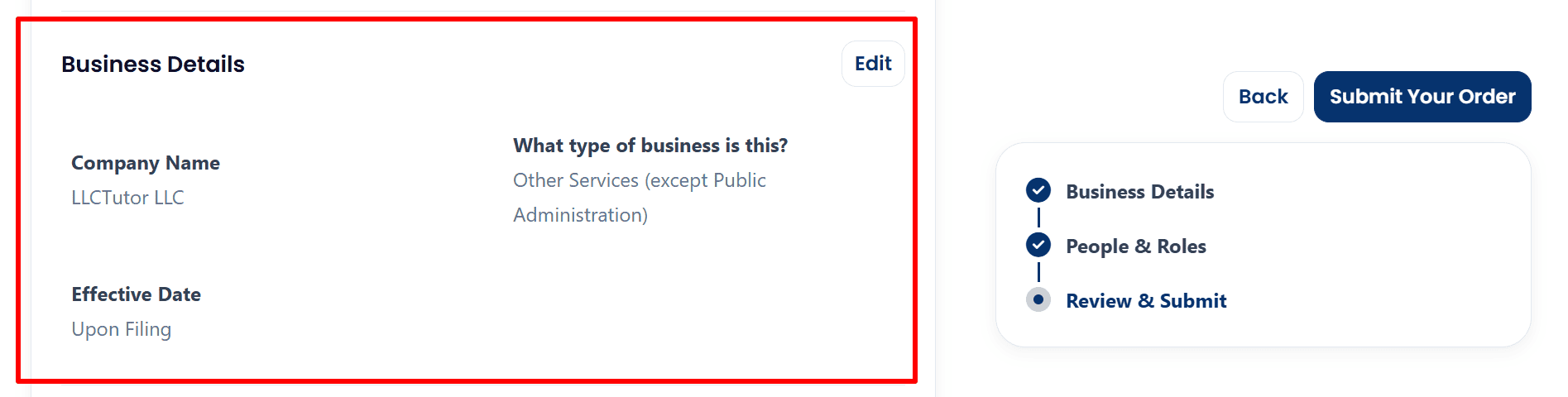
- Business details: Verify the company name, business activity ,and effective date. The example shows LLCTutor LLC, Other Services (except Public Administration) ,and Upon Filing.
- Make corrections: Click Edit if any business information needs updating.
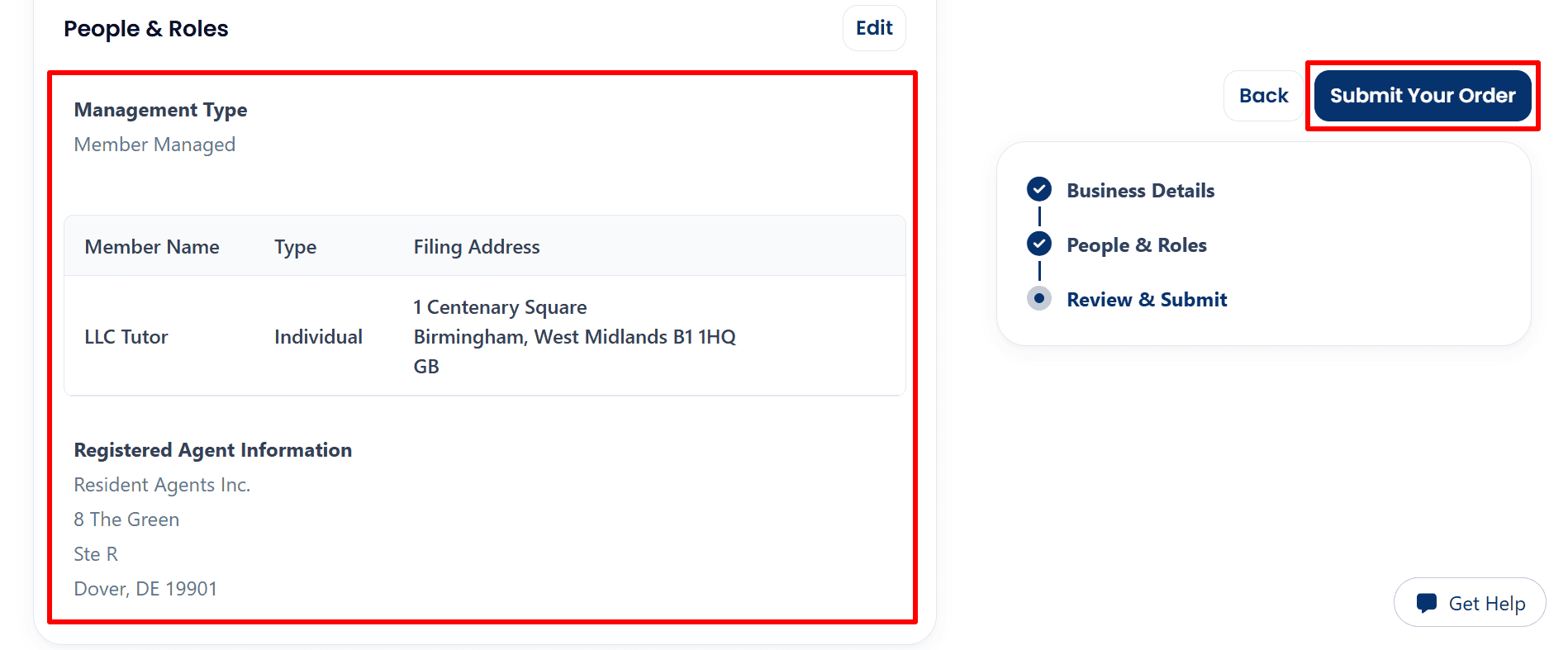
- People and roles: Confirm the Member Managed structure and check each member’s name, type and filing address.
- Registered agent: Review the displayed details for Resident Agents Inc. in Dover, Delaware.
- Submit your order: Once everything is correct, click Submit Your Order. This sends your completed details to the provider; it does not confirm state approval.
Step 9: Confirm Submission and Return to Home
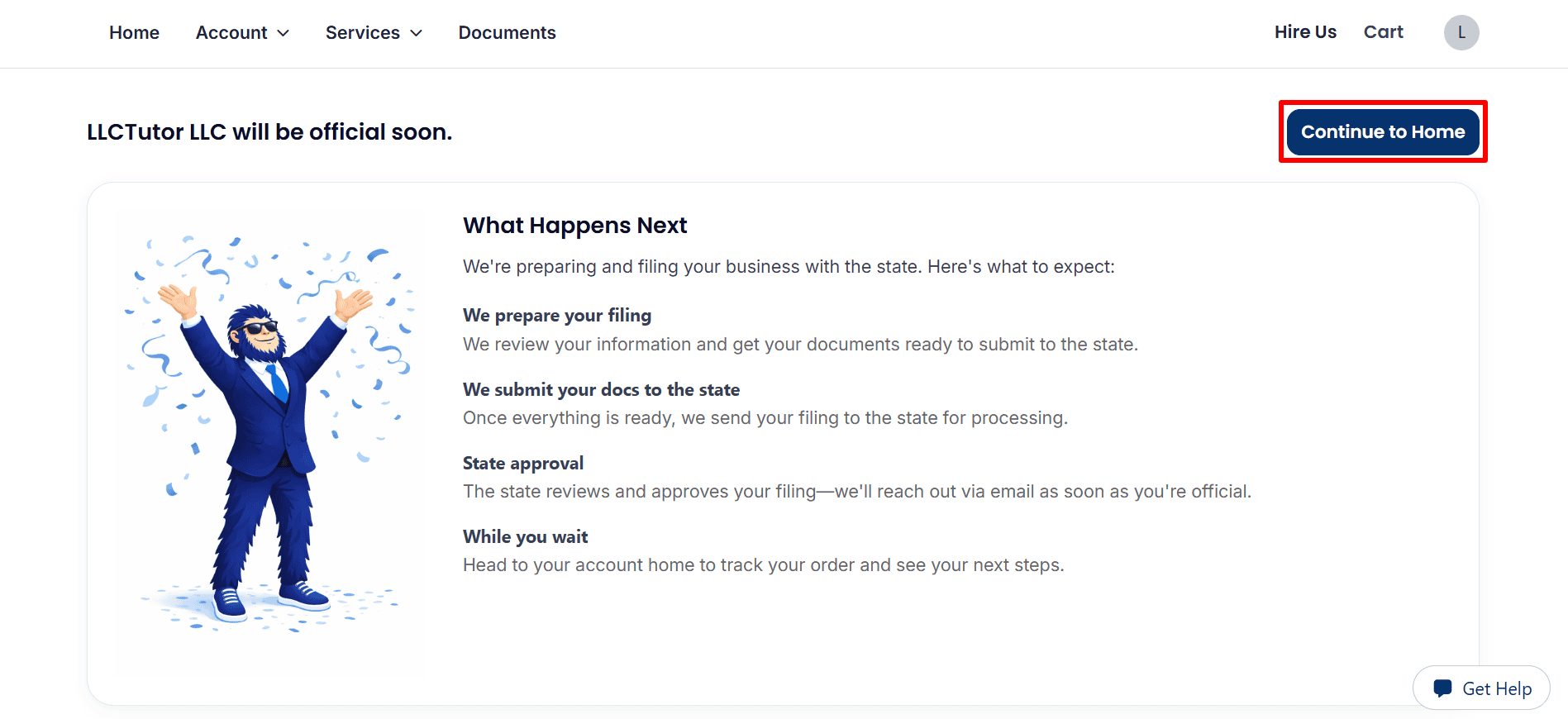
- Submission received: the page states that they will review your details, prepare the forms and submit them to the state. State approval is still pending.
- Next action: Click ‘Continue to Home‘ to track your order. You’ll be looking in your email for any updates or requests.
Step 10: Track Your Order and Check Your Documents
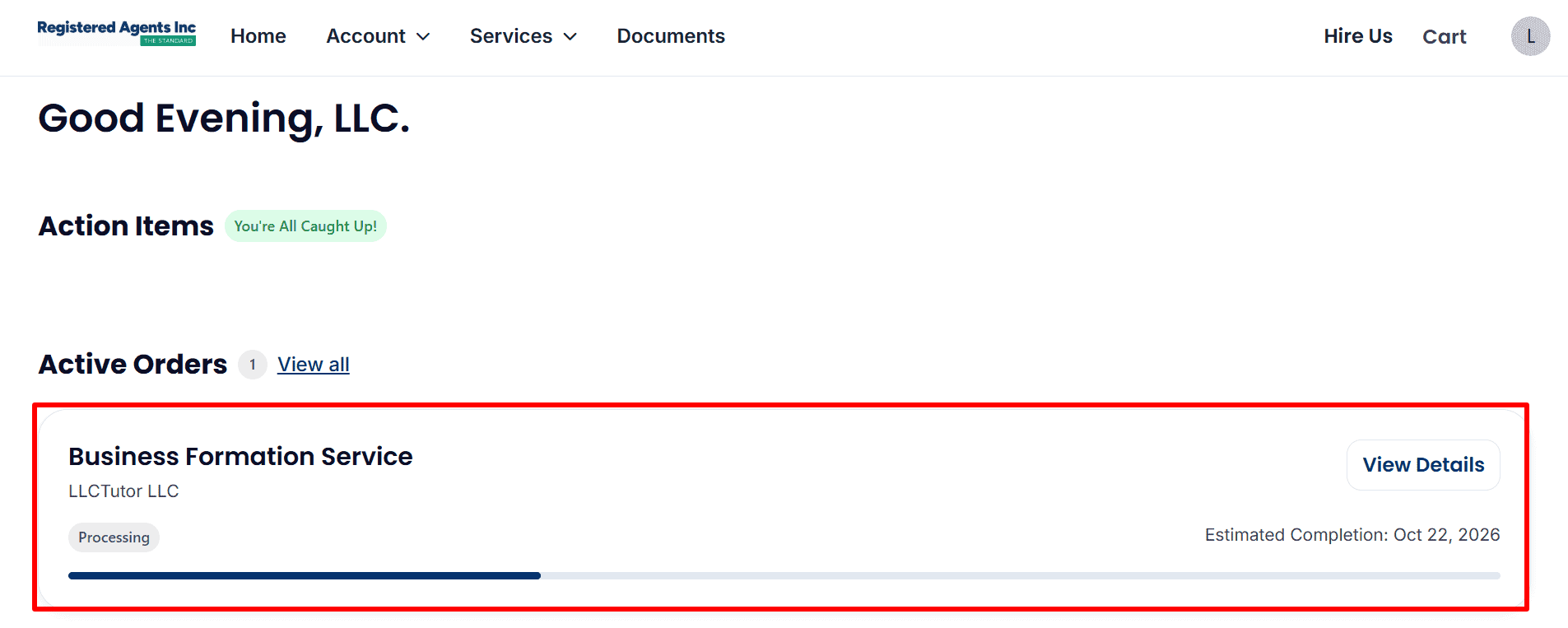
- Order status: Status is Processing on the dashboard (Business Formation Service for LLCTutor LLC).
- Estimated completion: 22nd October 2026 (this is an estimate, not approval).
- View progress: Click View Details for more information. You’re All Caught Up means there are no action items at this point.
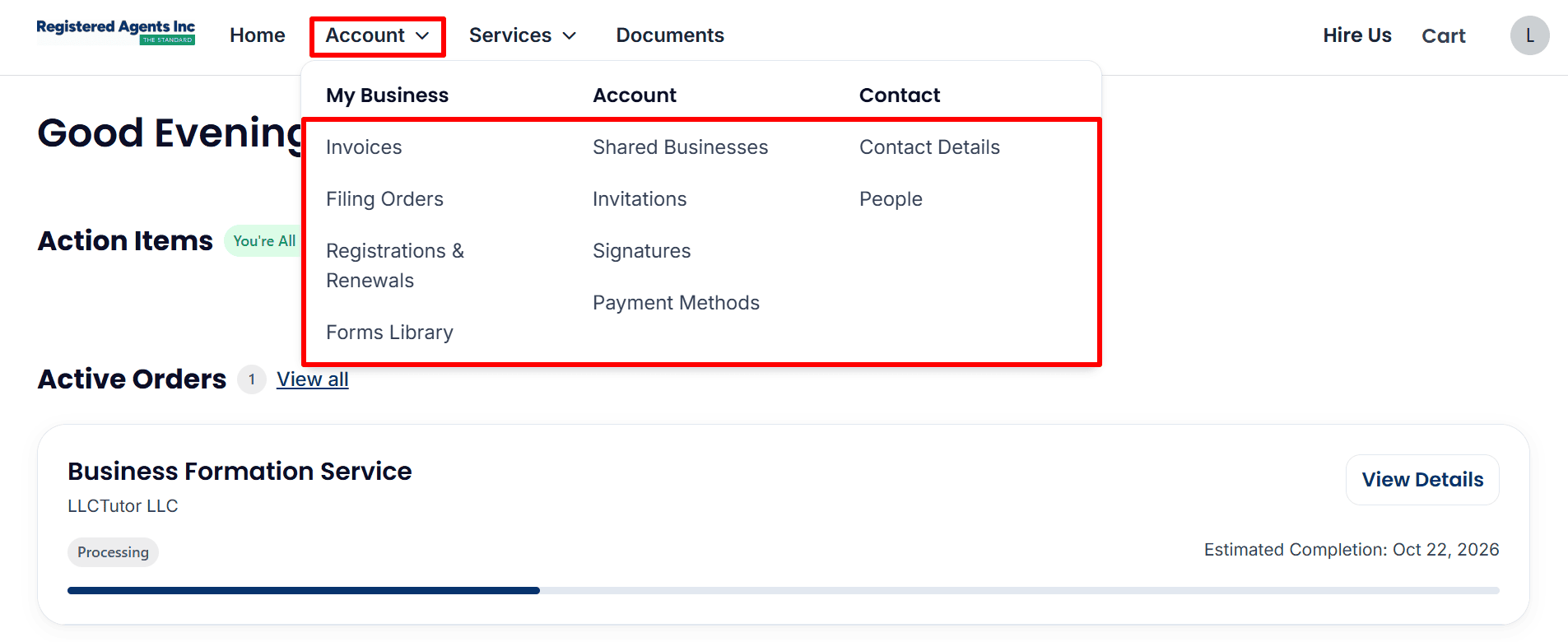
- Account menu: Open Account to access Invoices, Filing Orders, and Registrations & Renewals. Update your contact information when needed
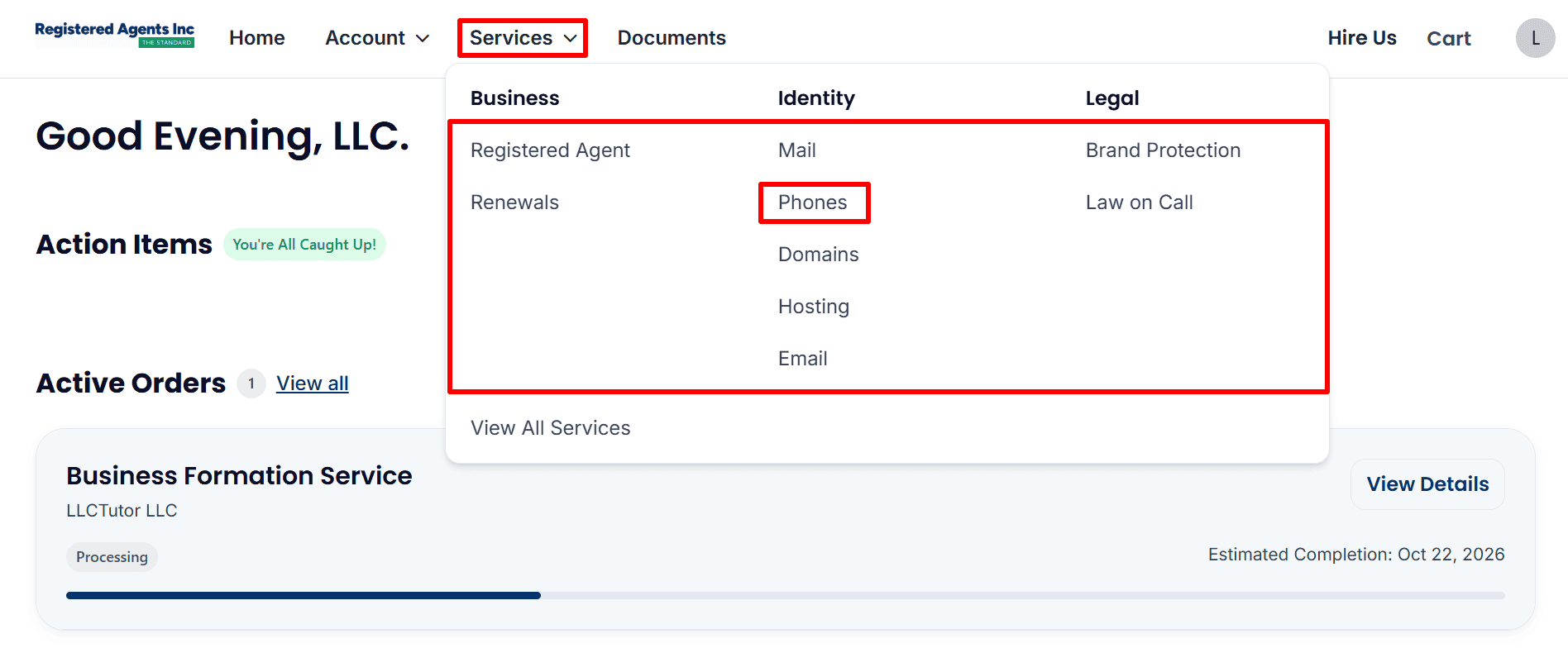
- Business phone: Open Services → Phones to review the business phone service and any number setup options. This screenshot does not display an assigned phone number.
- Other services: Review additional services only if your business needs them.
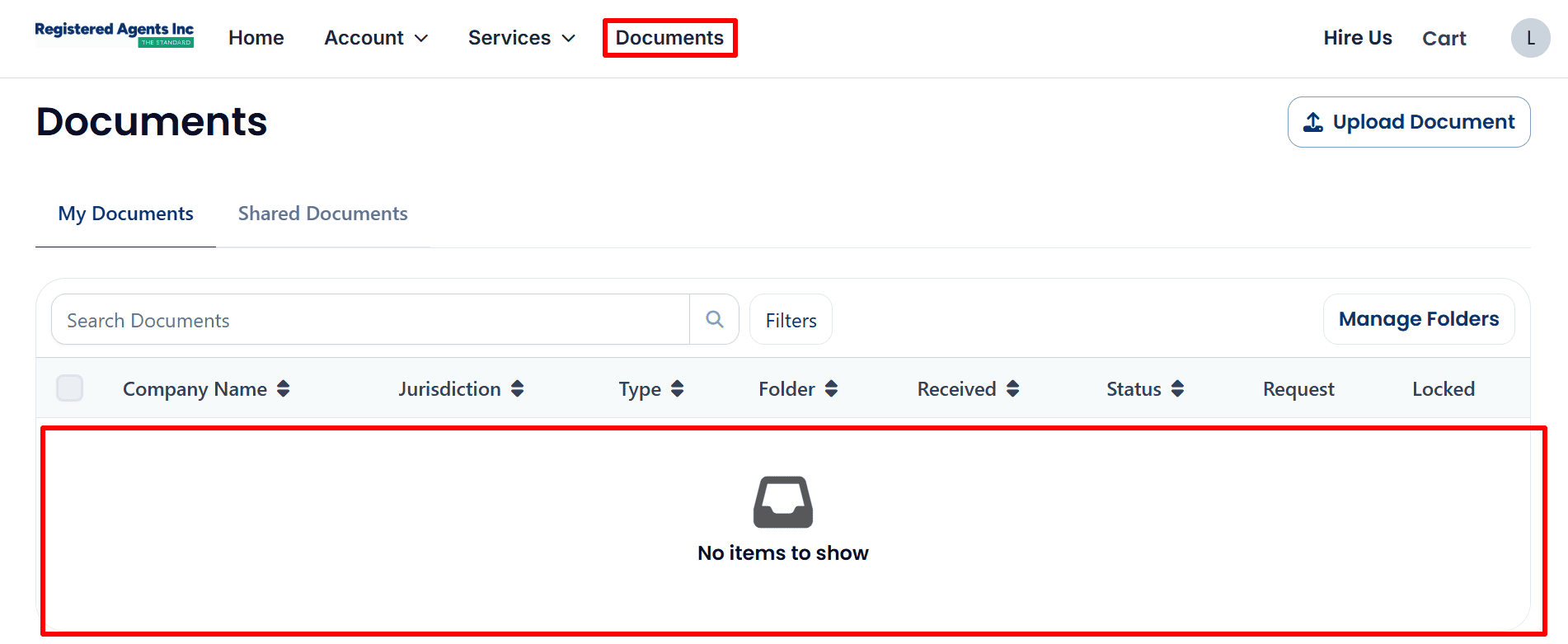
- Check documents: Open Documents → My Documents to look for available files.
- Current availability: The example shows No items to show. No formation or approval documents are visibly available yet; check again as processing progresses.
What to Do After Submitting Your Delaware LLC Application
Your Delaware LLC is still being formed. The example dashboard is showing “Processing” and no documents are available at this time.
Monitor your status: check the dashboard and select View Details for the latest updates.
Respond to requests: watch your email and account notifications. Get back to us promptly with any requested corrections or information.
Save your records: keep your invoice and download your filing documents when they become available.
Follow up on your EIN: if you’ve purchased EIN assistance then check the account for any updates or information requests. If you haven’t purchased EIN assistance then use the Read the EIN Guide.
Evaluate banking and payments: check Mercury eligibility, explore Airwallex or review Square payments. Of course your eligibility will depend on the provider’s requirements, your location and your business activity.
Get your online presence sorted: look at the Hostinger plans for a website and the Google Workspace plans for business email. Just check the pricing and terms out before you go ahead and buy.
Helpful Resources
Links marked “partner/affiliate” may earn LLCTutor.com a commission.
- Start Your LLC here
- Read the EIN Guide
- Explore ITIN Assistance (Save $50 with code
REGISTERUSLLC50) - Review Square Payments
- Check Mercury Eligibility
- Explore Airwallex
- View Hostinger Plans
- Explore Google Workspace
Final Thoughts
Complete the application (this is a crucial step in forming your LLC) and check every detail. Keep your payment records and keep an eye on the dashboard as it goes through the processing. Once you’ve received confirmation and have the relevant state documents you can treat your LLC as approved.
Once the docs are available, save them securely and then plan the business tools you’ll need for your activities. To get started with Registered Agents Inc simply select ‘Start Your LLC’.
Related Articles from LLCTutor.com
- Start an LLC in New Mexico Step by Step Guide
- How to Form an LLC in Wyoming Step-by-Step Guide
- https://llctutor.com/llc-registration-process-guide/
- How to Fill SS-4 Form for EIN Non-US Residents Step-by-Step Guide
Disclaimer: LLCTutor.com is an educational site and we do not give any legal or financial advice. We do however promote legal and ethical business practice in accordance with Islamic principles. We do not endorse any illegal activity, any form of fraud, gambling, riba (interest) based business models or any arrangements which are not based on real ownership, real responsibility and real commercial risk. You are responsible for making sure that whatever you do is in line with the law and with ethical standards. And just a quick note, some of the links in this description are affiliate links. If you click on them and go on to buy something then I will get a small commission at no extra cost to you. I only ever recommend services that I have myself used and that I trust. That in turn helps to support the blog/channel so that I can keep producing free content like this!