Setting up a business is an exciting experience, and deciding on the correct business structure is the first important move towards achieving success. For a great many entrepreneurs, particularly those who are not residents of the United States and people running online businesses, a Wyoming LLC is the gold standard since it provides privacy, has low fees, and benefits from a business-friendly atmosphere which is difficult to match. Yet the process of setting up the business can seem rather daunting if you don’t know where to begin. The present guide eliminates the confusion and shows you the precise way of registering your Wyoming LLC online from anywhere around the world.
Before you begin the online process of forming a Wyoming LLC, watch the following complete step-by-step tutorial. The video illustrates the precise procedure for both U.S. residents and non-U.S. entrepreneurs who are registering a Wyoming LLC from anywhere in the world.
Step 1: Start the Registration Process
To begin, click here to open the official application portal.
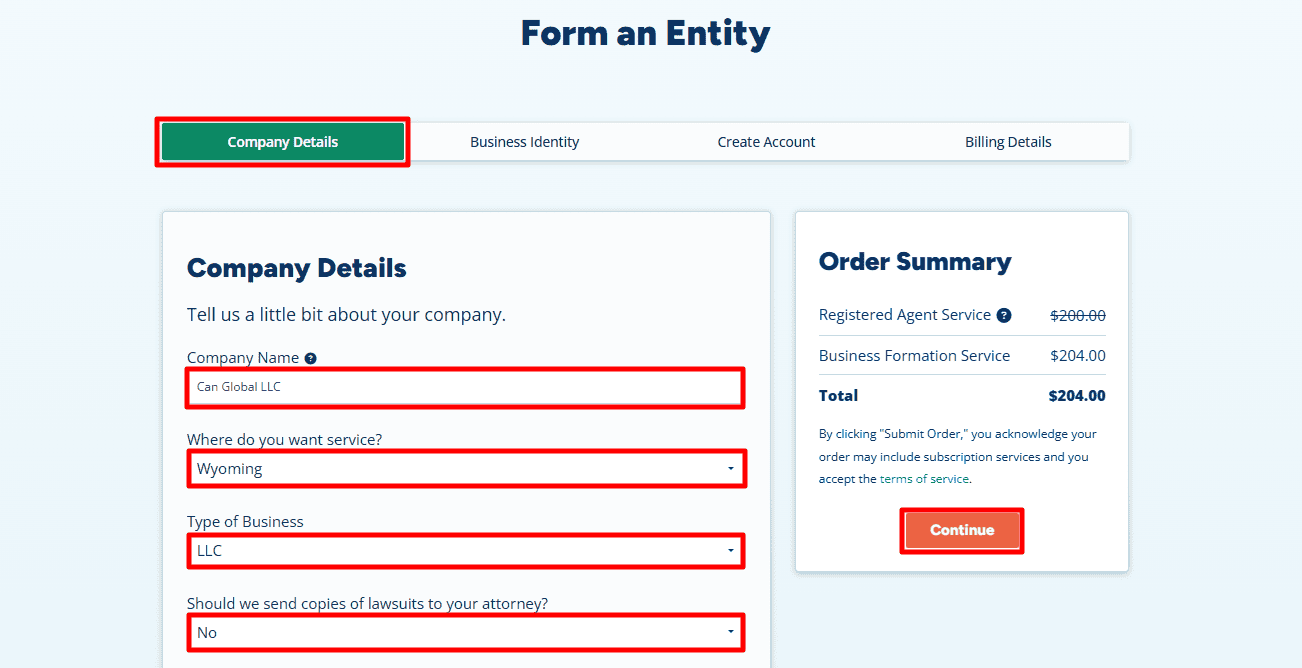
- Company Name: Type in your desired Company Name here (for example, “Can Global LLC”)
- State: Select Wyoming. This ensures you are filing in the correct jurisdiction.
- Type of Business: Select LLC here.
- Lawsuit Copies: Simply select No (unless you have a specific legal reason otherwise).
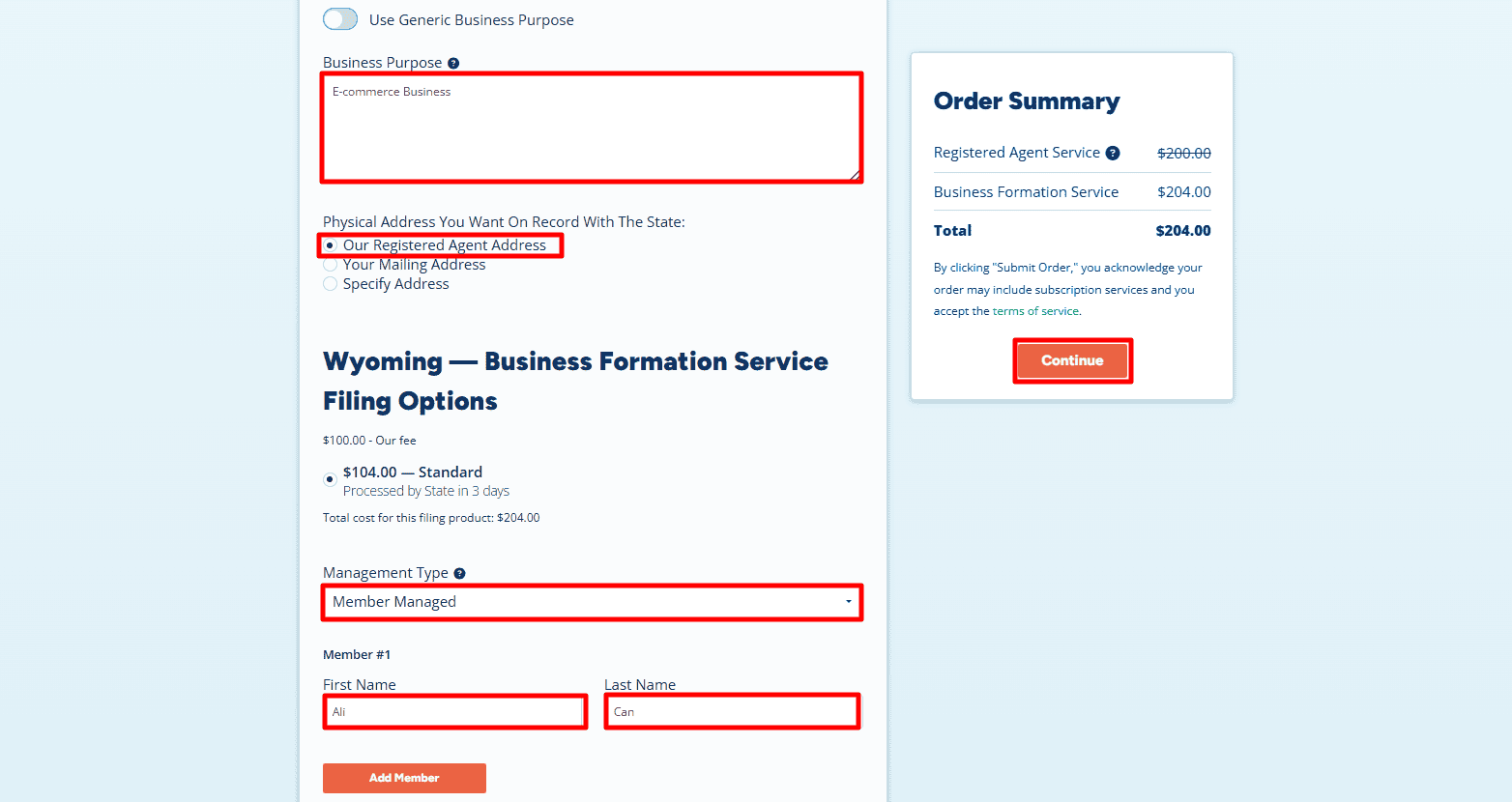
- Business Purpose: Here you need to provide a brief description of what your business does.
- Physical Address: If you do not have an address in Wyoming or want to keep your home address private, select “Our Registered Agent Address.” Otherwise, you may select “Your Mailing Address.”
- Management Type: Select Member-Managed if you (the owner) will run the business, or Manager-Managed if you will hire someone else to run it.
- Member Name: Enter the First and Last Name of the owner (Member)
- And click “Continue”.
Step 2: Add Business Phone and Additional Items
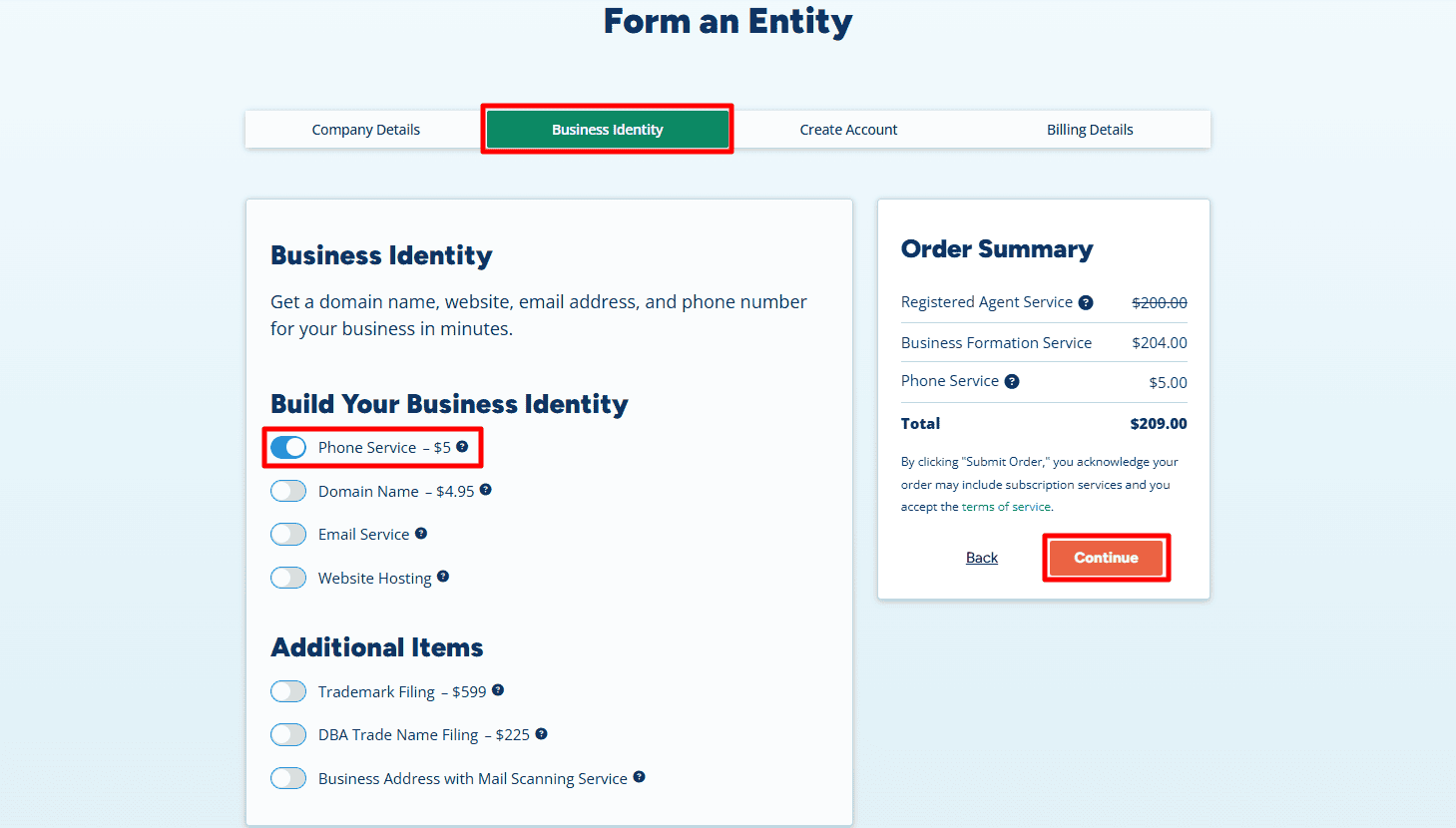
- Phone Service ($5/month): If you want a US business phone number then you can add the Phone Service option here for a small fee.
- Optional: And if you need a domain name or website, you can select those options here, but they are optional.
- Now click “Continue”.
Step 3: Contact Information and Create Login Credentials
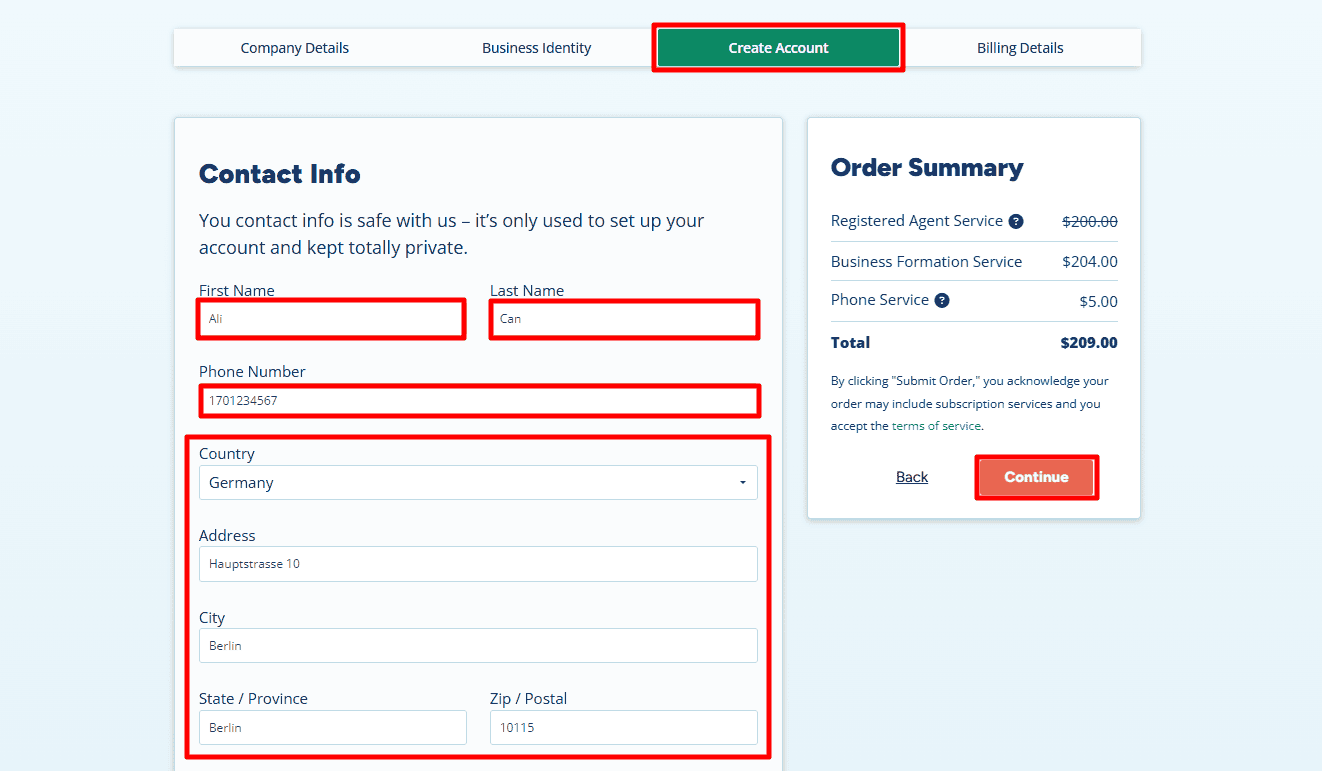
- Contact Information: Now you must provide your Contact Info. This information is kept private and is only used by the registered agent to contact you. Enter your First Name and Last Name. In the phone number field, enter your own country’s phone number. Under the “Country” dropdown, select your actual country of residence (for example, Germany). Enter your Home Address exactly as it appears on your government-issued ID or passport.
- Create an Account: provide an email address that is valid and that you check regularly since official documents will be sent to this address. Set a strong and secure password and be sure to save your login information right away, as you’ll need it later to log in to your dashboard and to get your LLC documents.
- Press Continue when you are ready.
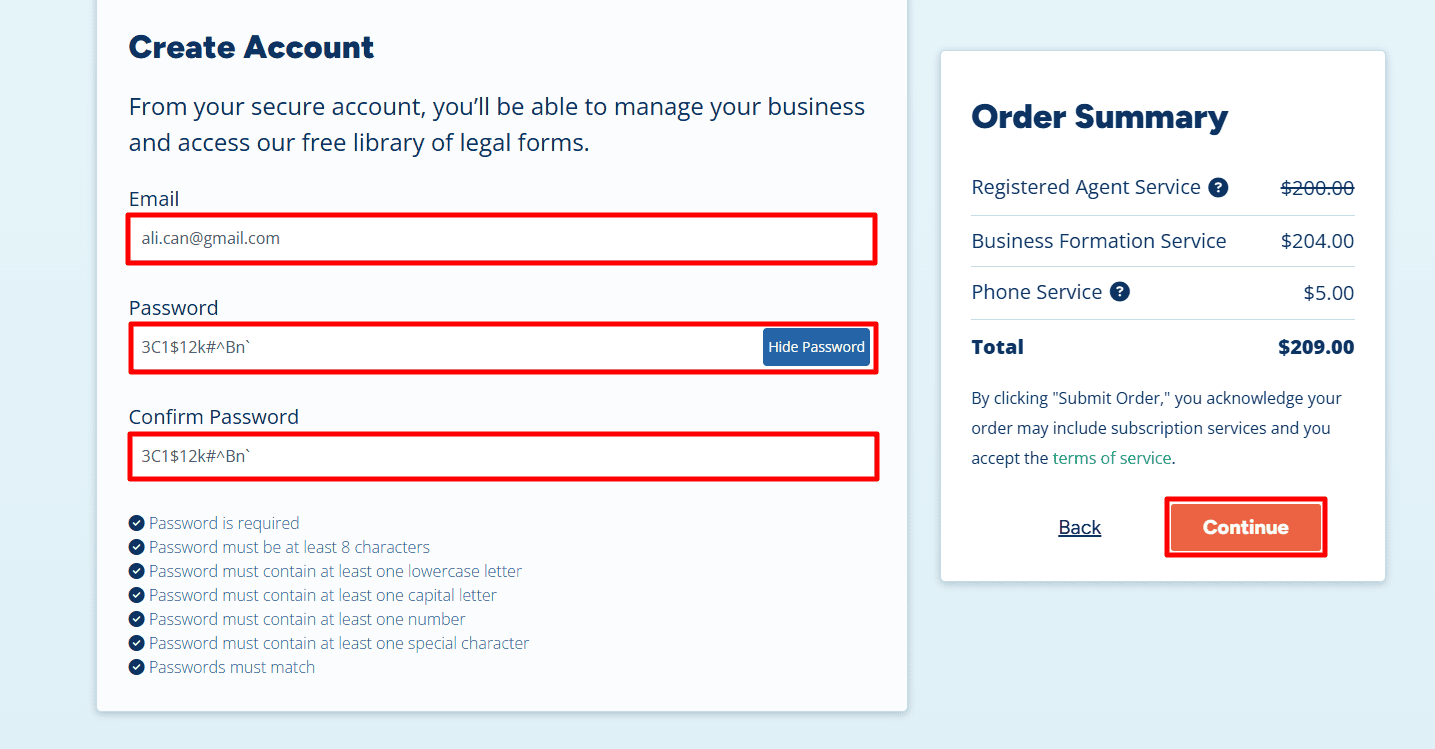
Step 4: Payment Details
- Billing Details: Here, you will enter the details of your credit/debit card.
- And click Submit Order.
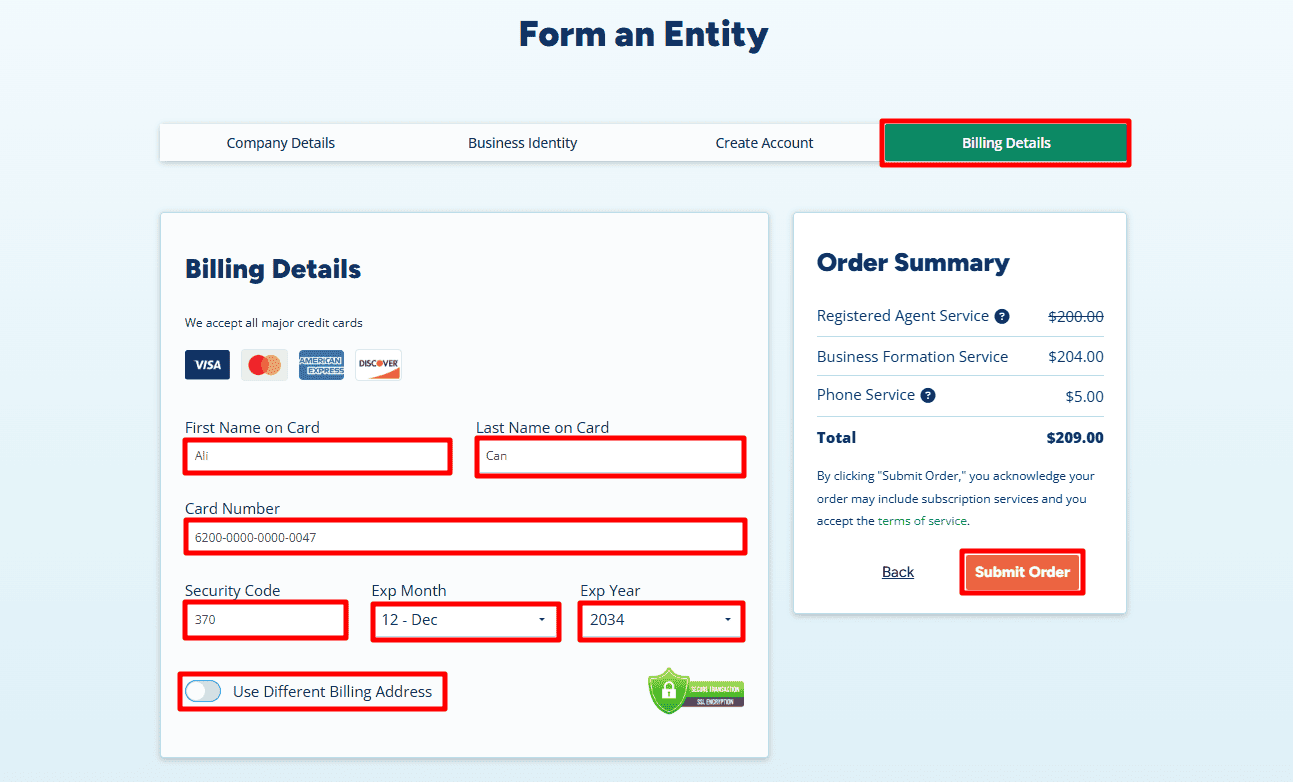
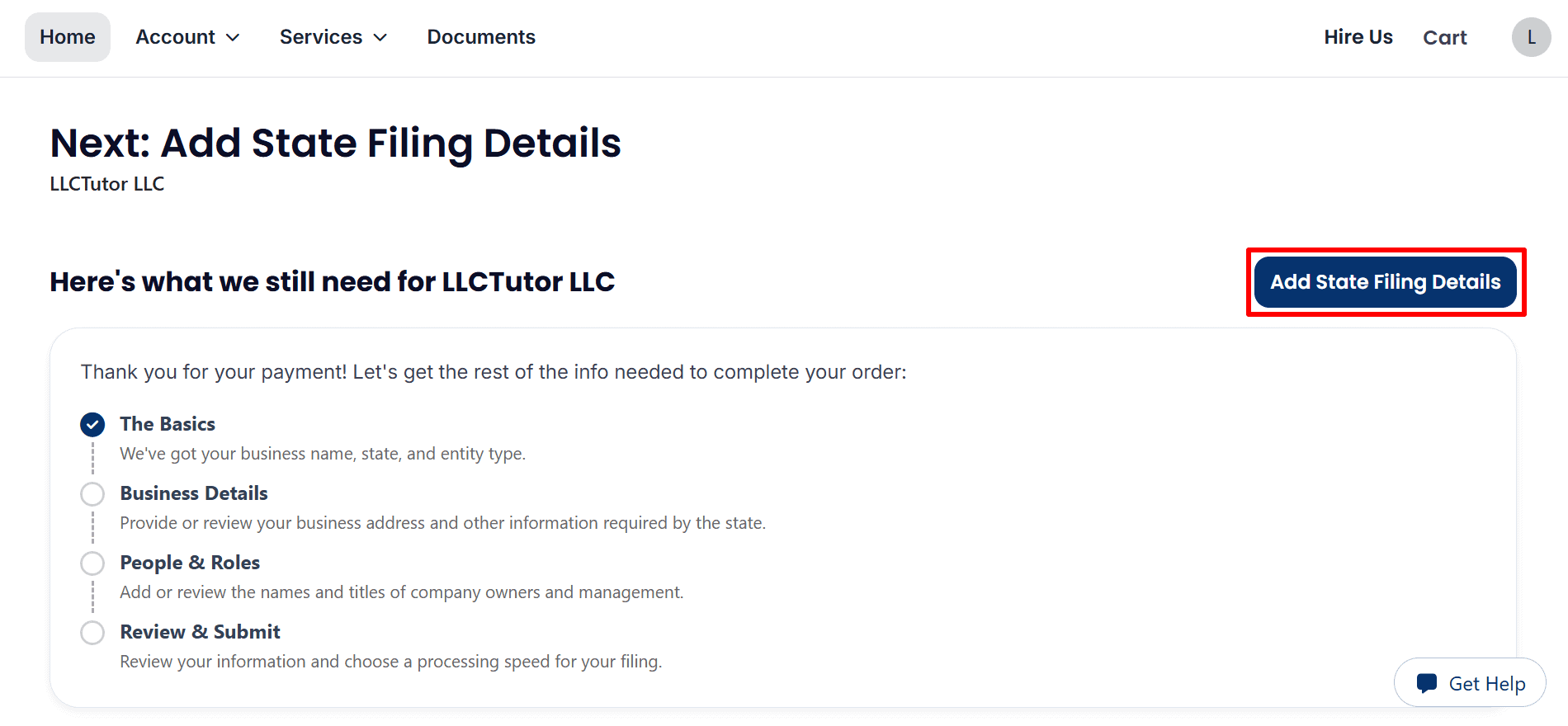
Step 5: Add State Filing Details and Download Your Invoice
- Add filing details: Click Add State Filing Details to enter the remaining business and ownership information.
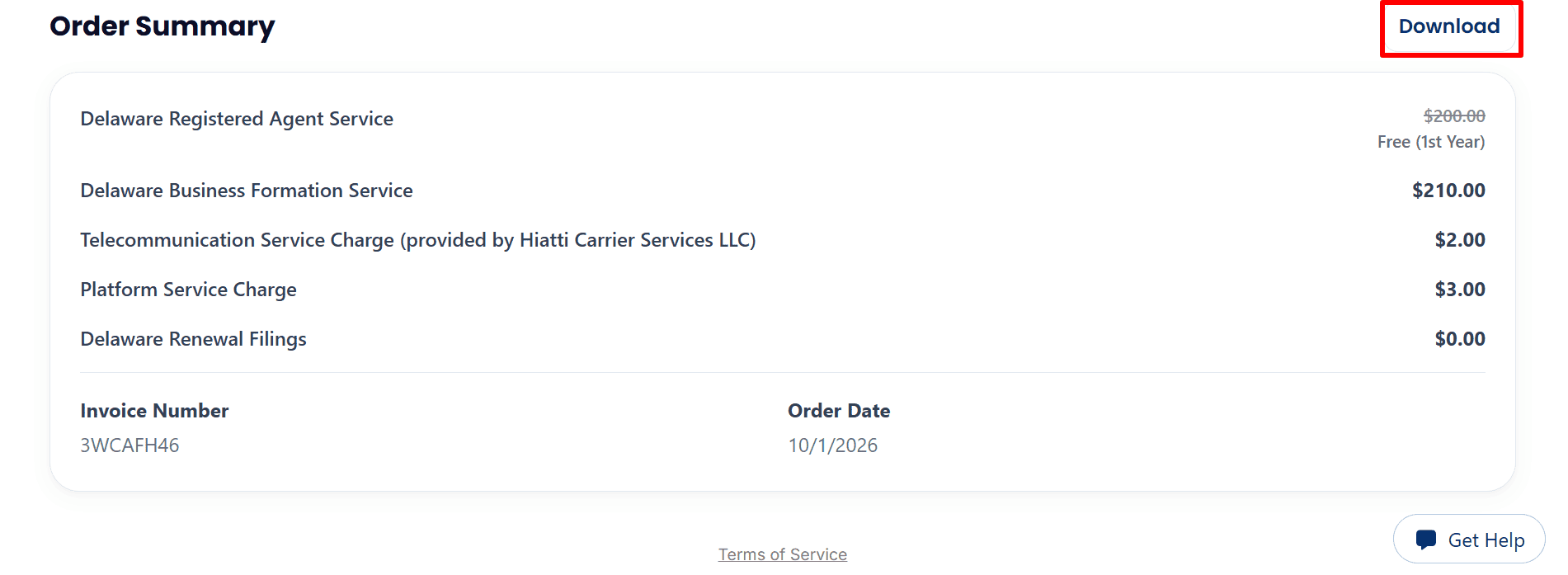
- Save your invoice: Review the order summary and click Download. Payment confirmation does not mean your LLC has received state approval.
Step 6: Review Your Business Details and EIN Options
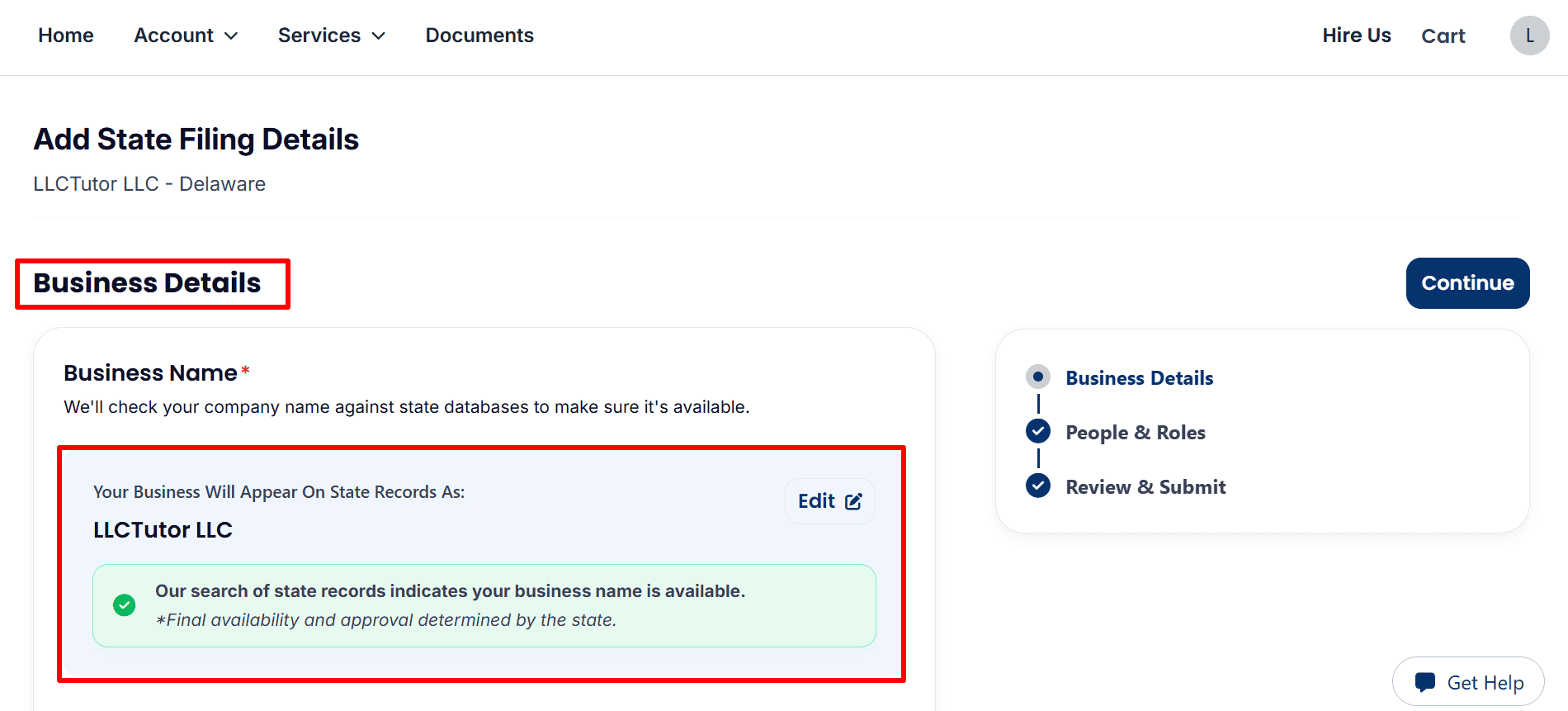
- Confirm your business name: Review LLCTutor LLC and click Edit if needed. The name check indicates availability, but final approval rests with the state.
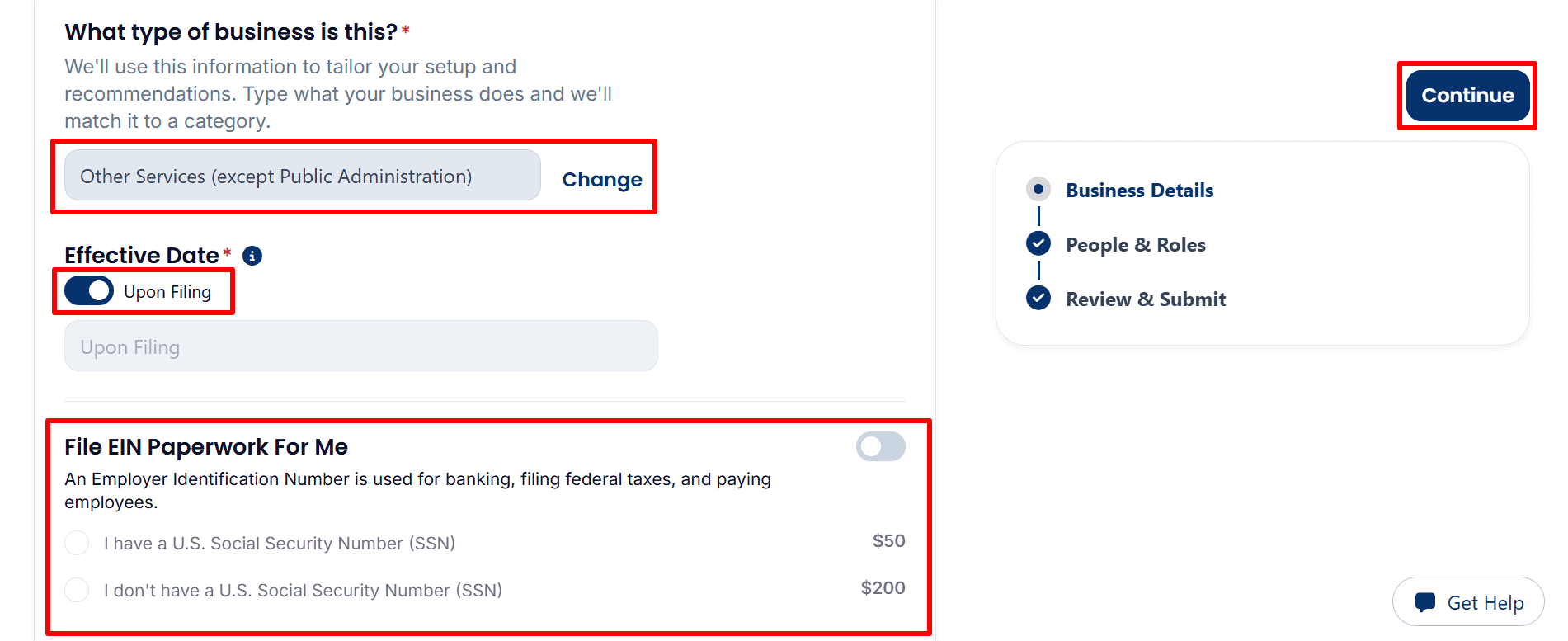
- Review activity and EIN options: Choose the category that matches your business and review Upon Filing as the effective date. Optional EIN assistance shows $50 with an SSN or $200 without an SSN.
EIN/Tax ID Note: The registered agent charges a processing fee for EIN assistance. You can also apply directly to the IRS yourself without an IRS application fee by following the appropriate guide:
- U.S. Residents or Citizens: Follow the step-by-step EIN guide here.
- Non-U.S. Residents: Follow the complete EIN guide here.
- Review the optional S corporation service: The screenshot shows a $100 paperwork service switched off. Leave it off unless you intend to request this service, then click Continue after reviewing the page.

Step 7: Review Management and Filing Address
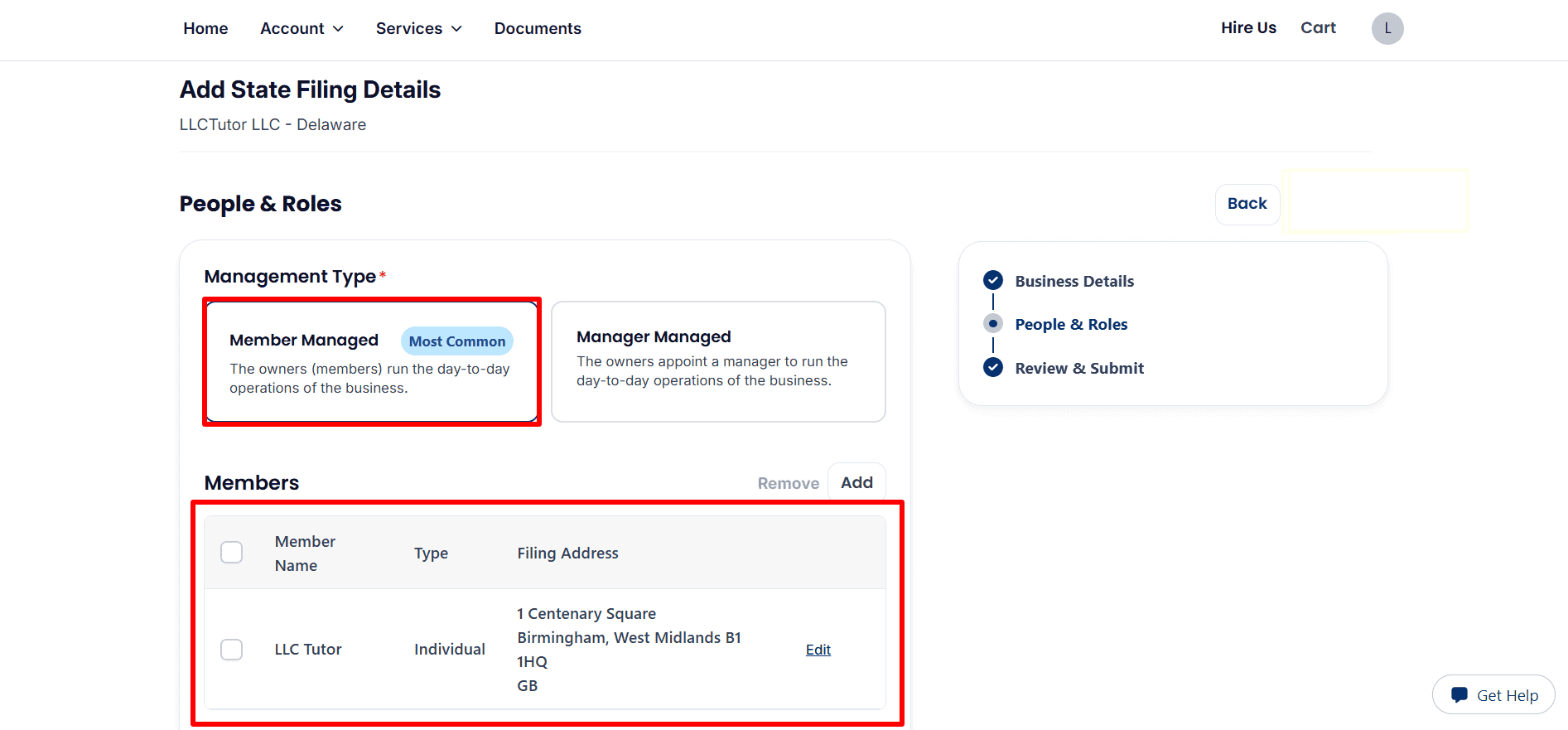
- Confirm management and members: The example selects Member Managed. Review each member’s name and filing address; use Add or Edit to enter accurate ownership details.
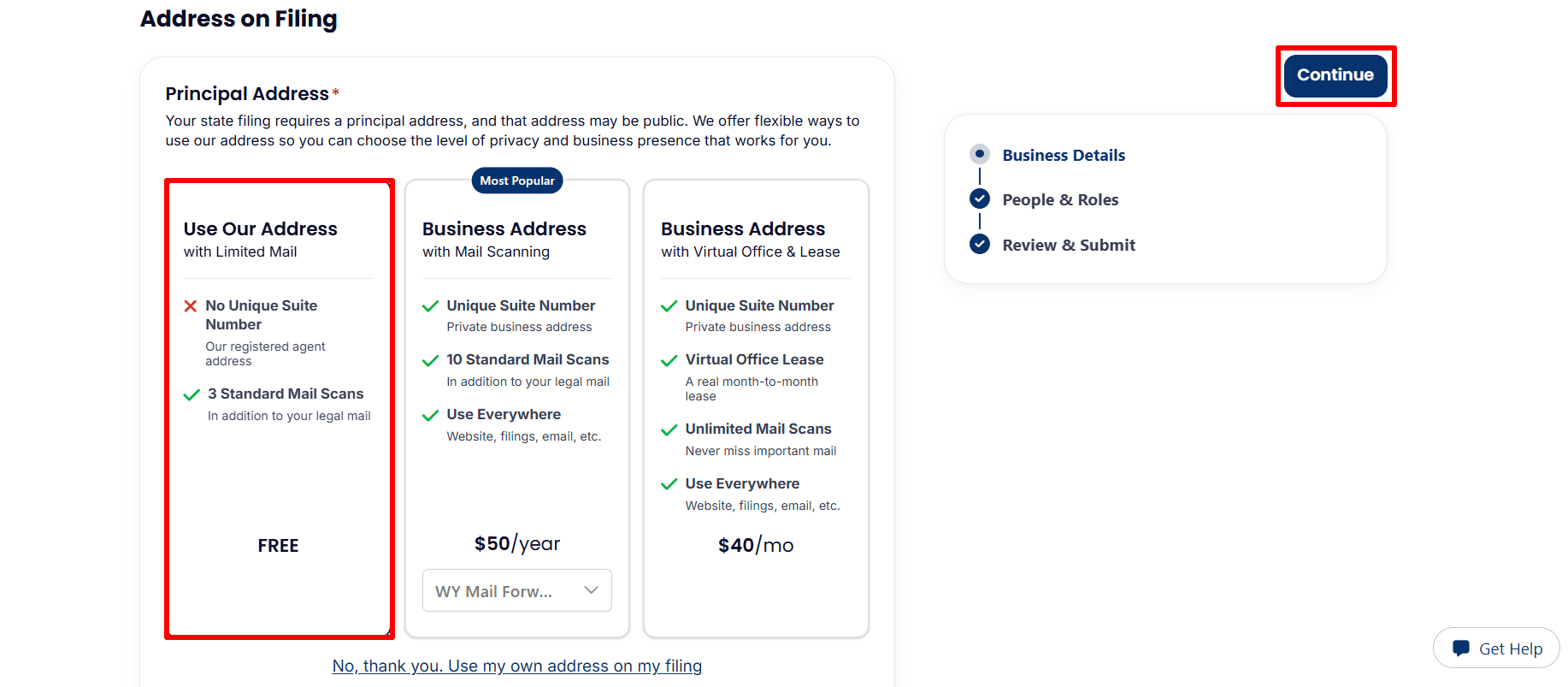
- Choose your filing address: The example highlights the free Use Our Address option with limited mail service. Review the available options or select Use my own address on my filing, then click Continue.
Step 8: Review Your Information and Submit Your Order
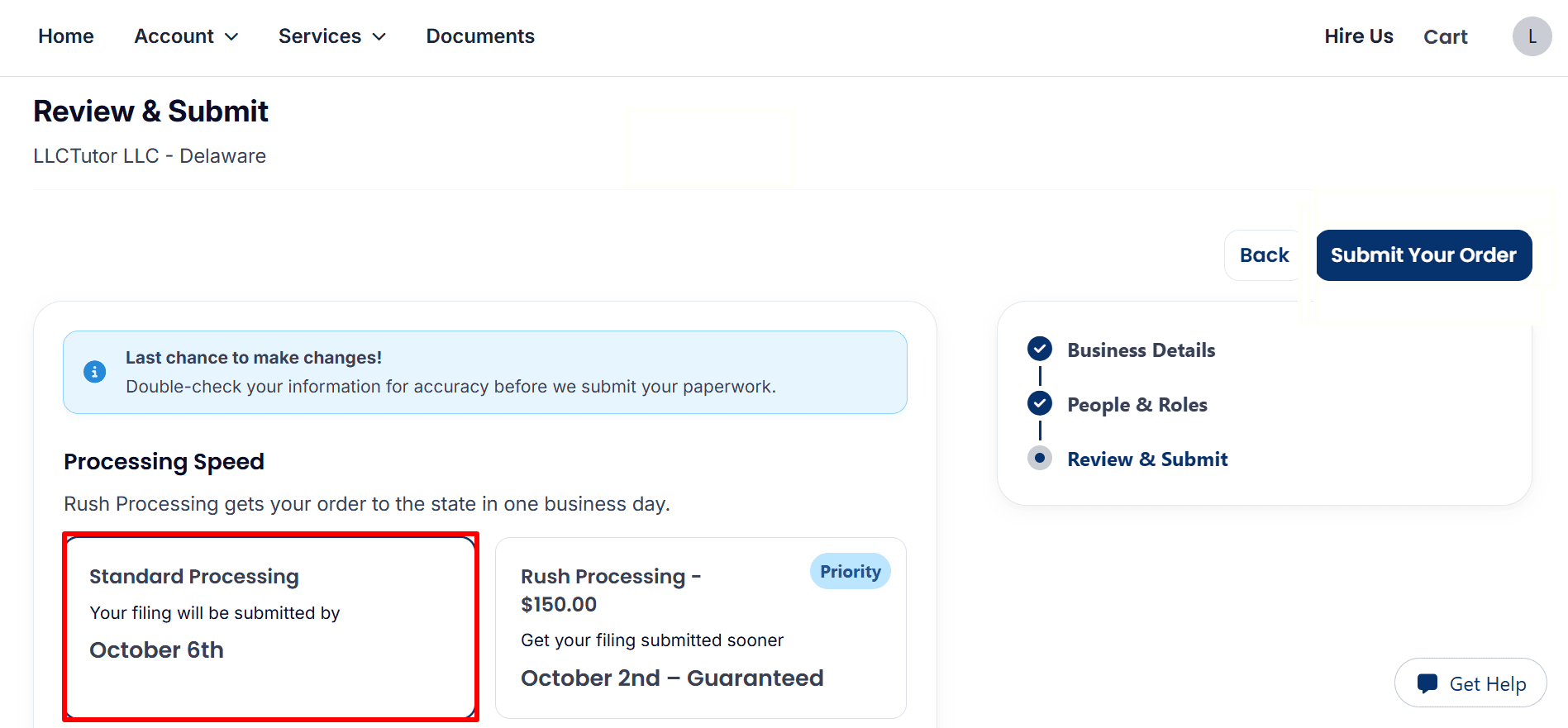
- Choose processing speed: Keep Standard Processing or select the optional $150 Rush Processing shown. The displayed dates refer to submission to the state, not state approval.
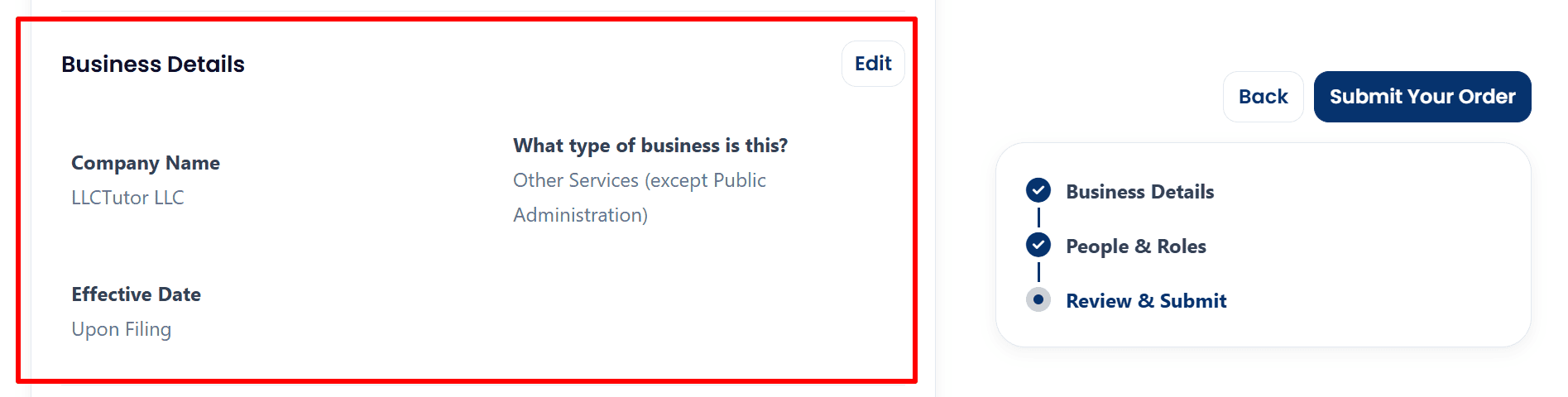
- Check business details: Confirm your company name, business activity, and Upon Filing effective date. Click Edit to correct any information.
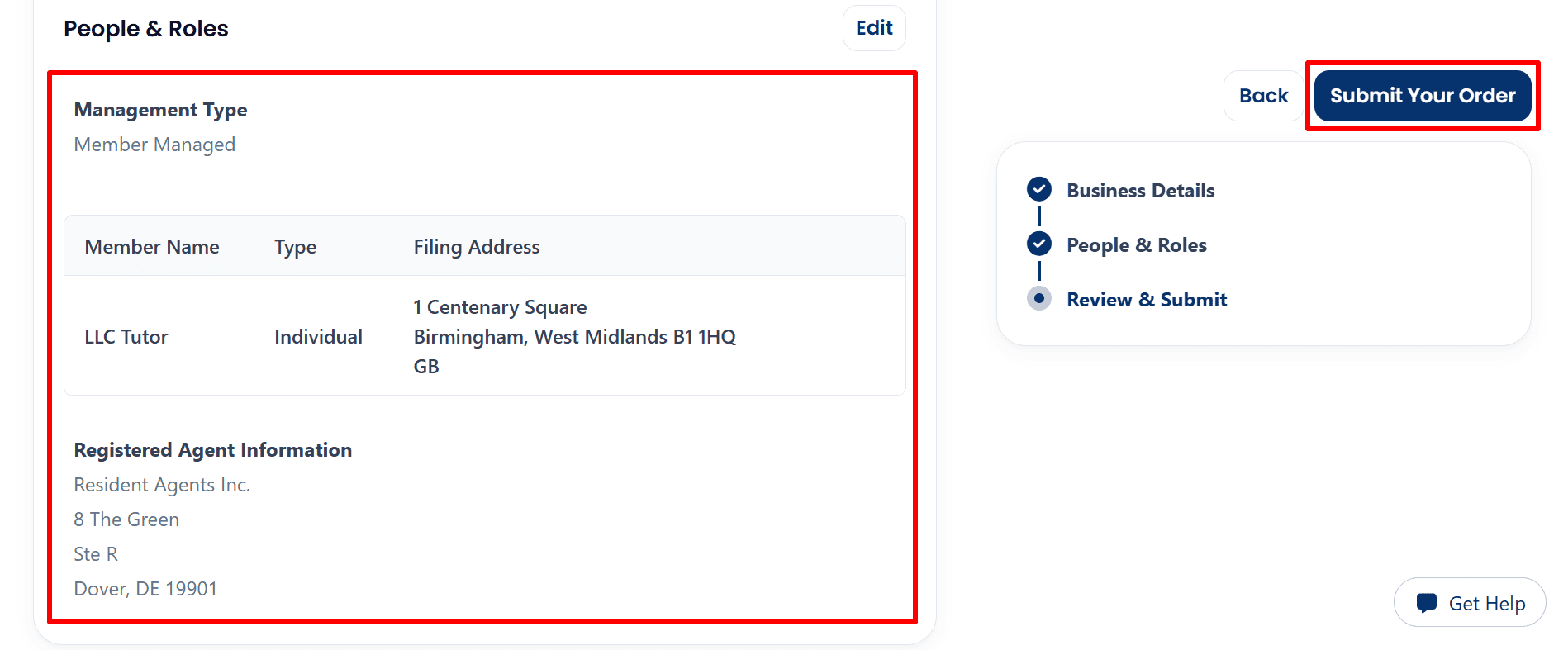
- Review ownership and submit: Check the management type, member details, filing address, and registered agent information. Once everything is accurate, click Submit Your Order.
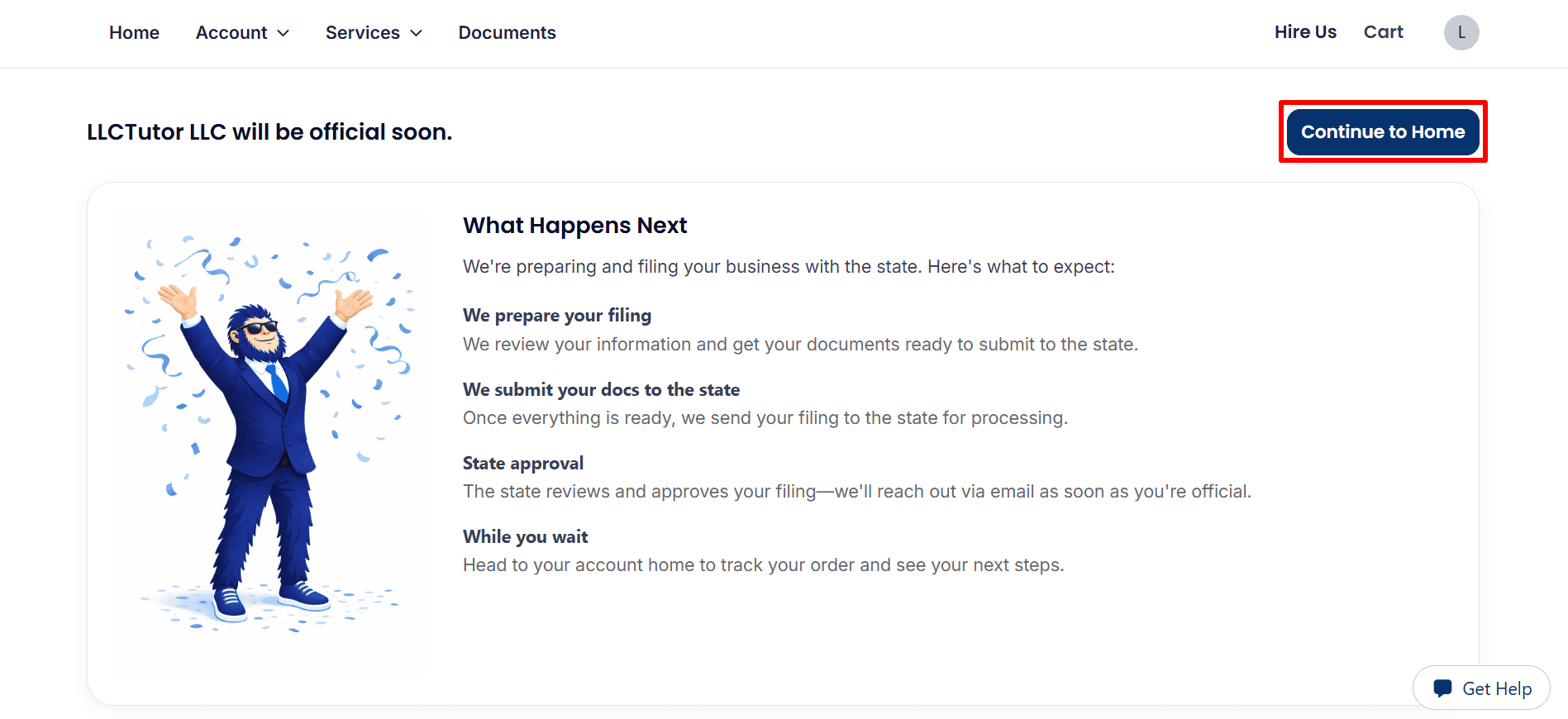
Step 9: Confirm Submission and Track Your Order
- Return to your dashboard: The confirmation page explains that the provider will prepare and submit your filing. Click Continue to Home to track progress; state approval is still pending.
Step 10: Track Your Filing and Check Your Documents
- Check your order status: The dashboard shows Processing. Click View Details for updates; the estimated completion date does not confirm state approval.
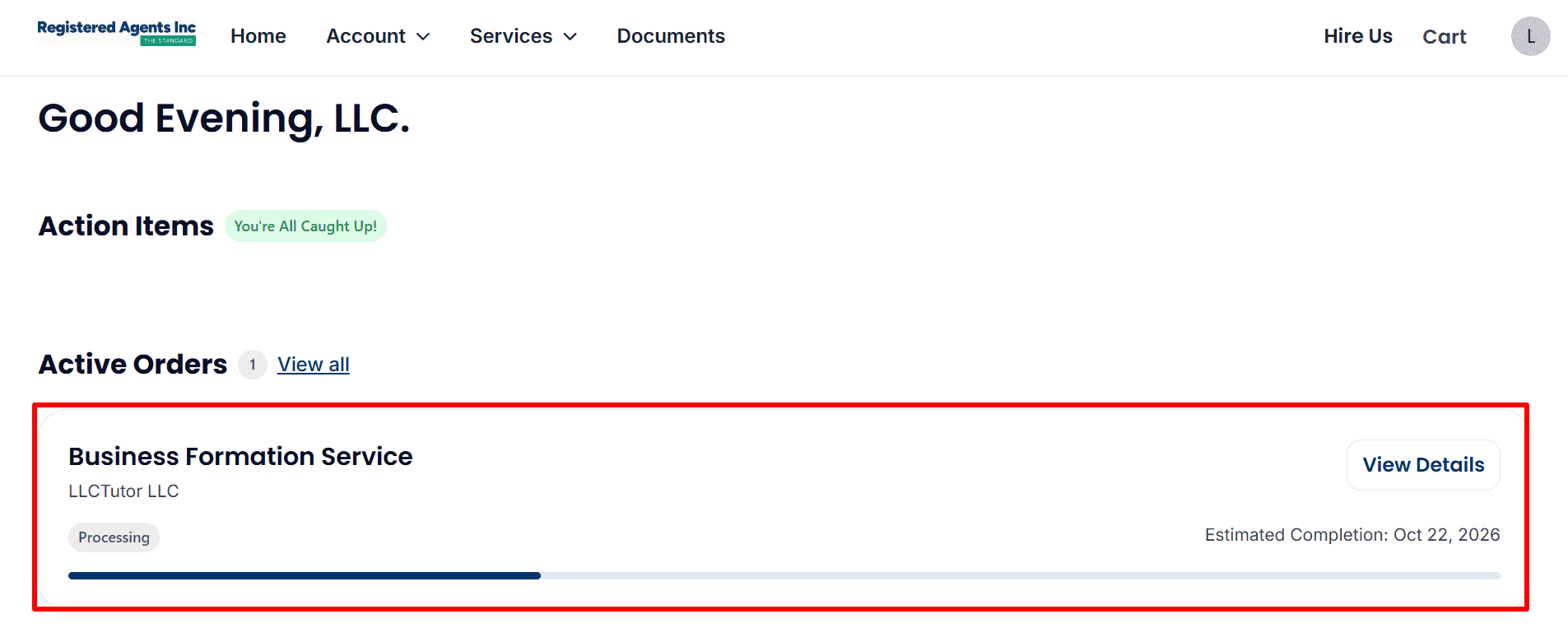
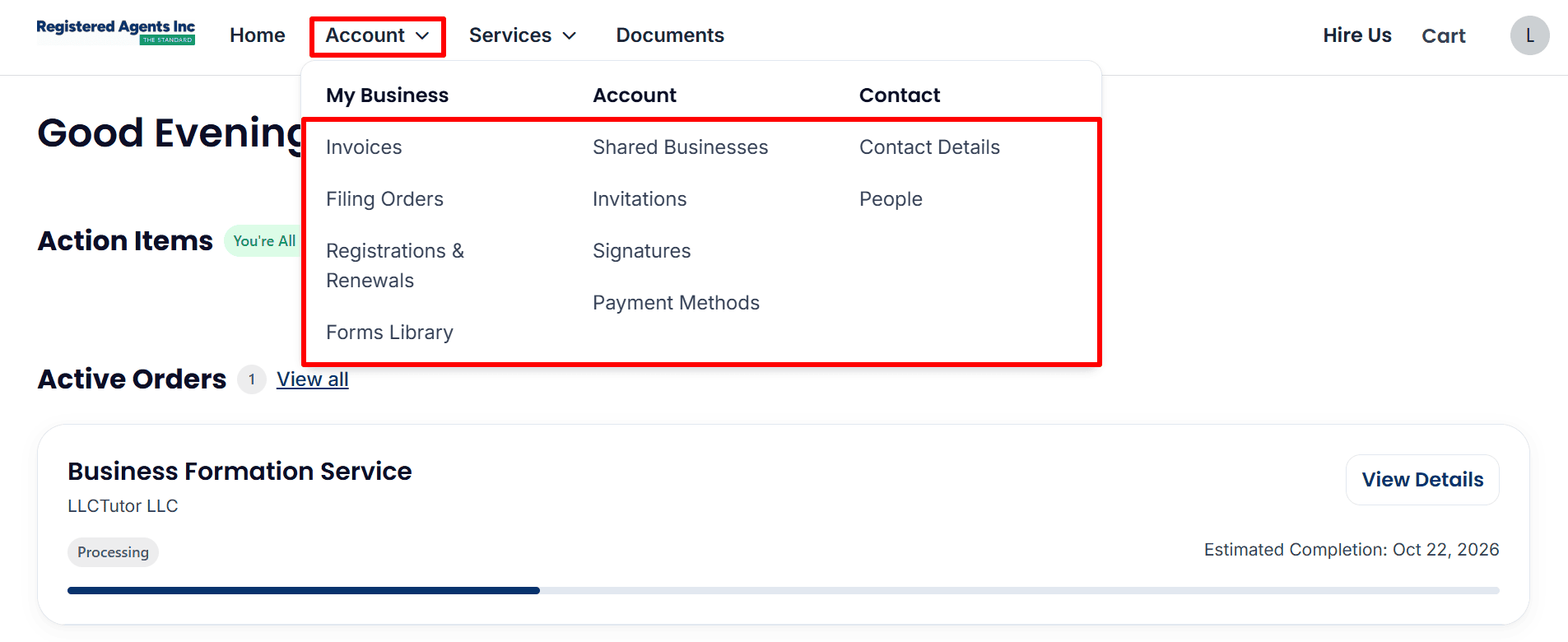
- Access account tools: Open Account to view invoices, filing orders, registrations and renewals, or update your contact details.
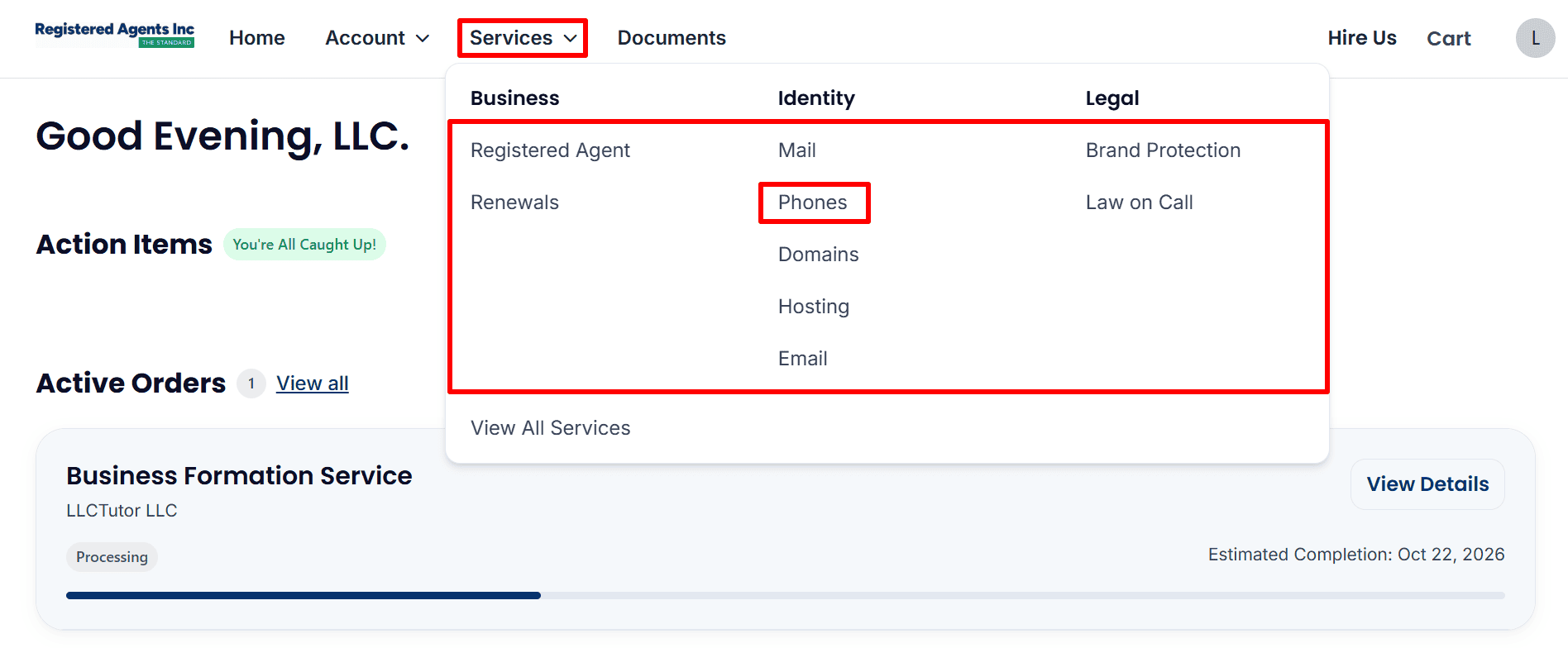
- Find phone services: Open Services → Phones to review the available business phone service and any applicable charges.
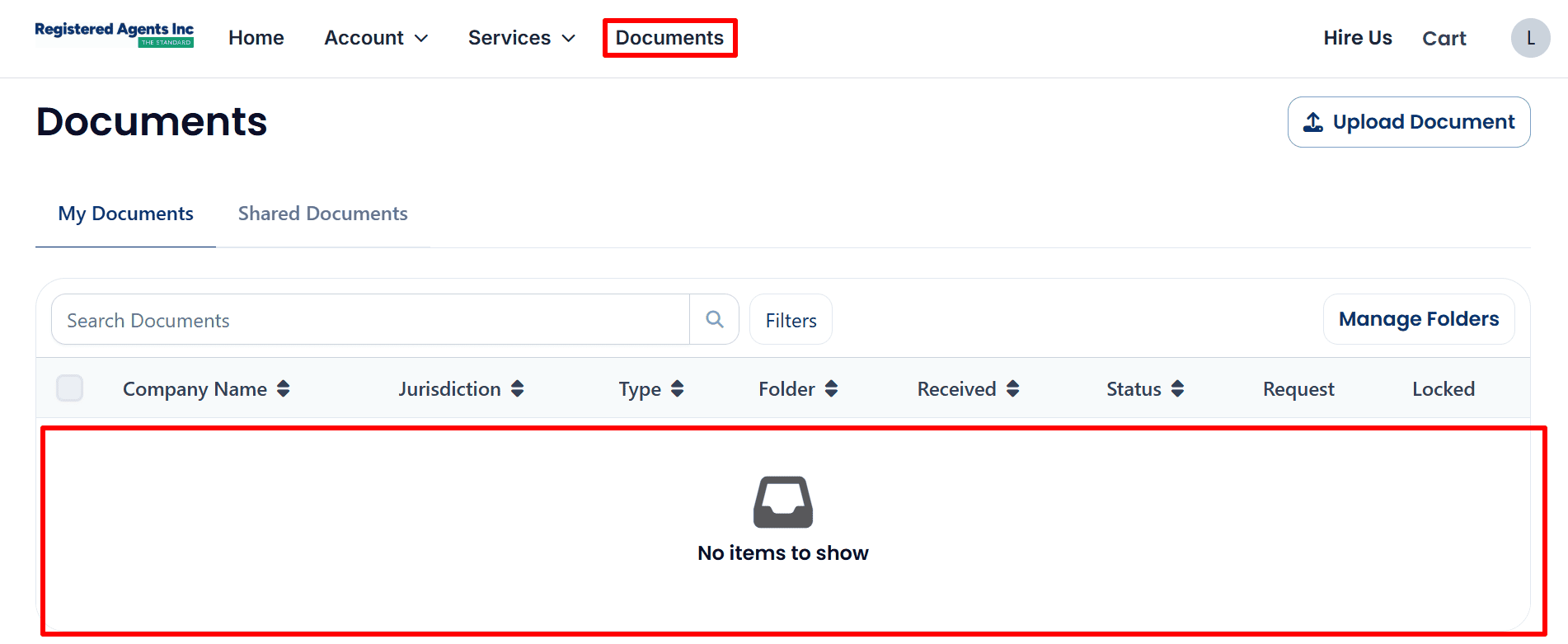
- Check for documents: Open Documents to view available files. This example shows no items to show, so no documents are currently listed.
What to Do After Submitting Your Wyoming LLC Application
If your dashboard is still showing Processing and you haven’t seen any documents then your formation is still being processed. The screenshots don’t indicate that you have state approval yet.
- Check your status: monitor your dashboard and click View Details to see any updates.
- Respond to requests: check your email and account notifications and send over any information that is requested.
- Save your records: keep your invoice and download your formation documents as soon as they’re ready.
- Follow up on your EIN: if you’ve asked for assistance with your EIN then check your account for any updates or requests. If you haven’t then use the EIN Guide for the instructions on how to apply.
- Get your business tools sorted out: see if you qualify for Mercury or Airwallex. For payments, look at Square Payments. For your website, have a look at Hostinger Plans and for your business email, Google Workspace. Each of those providers will have their own eligibility requirements.
Helpful Resources
• Start Your LLC with Registered Agents Inc
• Read the EIN Guide
• Explore ITIN Assistance(Save $50 with code
REGISTERUSLLC50)
• Review Square Payments.
• Check Mercury Eligibility
• Explore Airwallex.
• View Hostinger Plans
• Explore Google Workspace
Final Thoughts
Complete your online application (this is a very important step in forming your Wyoming LLC). Take a careful look at your information, keep your payment records and just keep an eye on your dashboard until the filing outcome is confirmed.
As docs come in, save them securely and get the tools your business will need. To get started with Registered Agents Inc simply click here
Related Articles from LLCTutor.com
- How to Get an EIN for U.S. Residents and Citizens Guide
- How to Form an LLC in Delaware
- How to Start an LLC in New Mexico
- Start an LLC in Texas
Disclaimer: LLCTutor.com is an educational site and we don’t give any legal or financial advice. We do however promote legitimate and ethical business practice in accordance with Islamic principles. We will not in any way support illegal activity, fraud, gambling, interest based businesses or any arrangement which is devoid of real ownership, real responsibility or real commercial risk. You are responsible for ensuring that whatever you do is in accordance with the law and ethical standards. And just a quick note, some of the links in this description are affiliate links. If you click on them and go on to buy a product/service I will receive a small commission at no extra cost to you. I only ever recommend services that I have myself used and that I personally trust. This helps to keep the blog/channel going so that I can continue to produce free content like this!