Step 1: Start the Registration Process
- Get Started from here first.
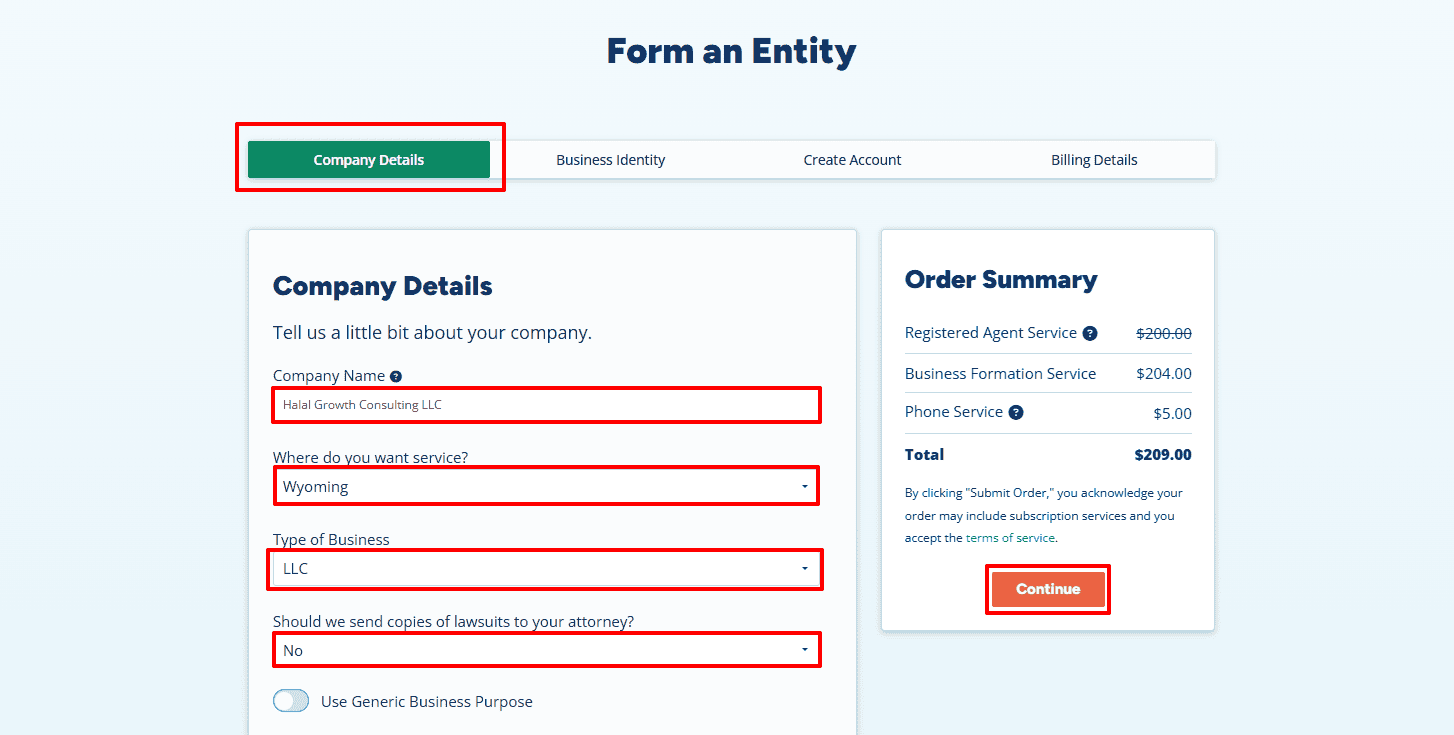
- Once you click the link, the registration form will open. Begin by entering your Company Name — in this example, “Halal Growth Consulting LLC.”
- Next, select the State where you want to form your LLC. Most entrepreneurs choose Wyoming for its privacy benefits and simplicity, but you can choose any state according to your needs.
Note: This example uses Wyoming. If you choose a different state, replace “Wyoming” with your selected state name. - Now choose your Business Type as LLC.
- When asked if you want to send copies of lawsuits to your attorney, select No to keep things simple.
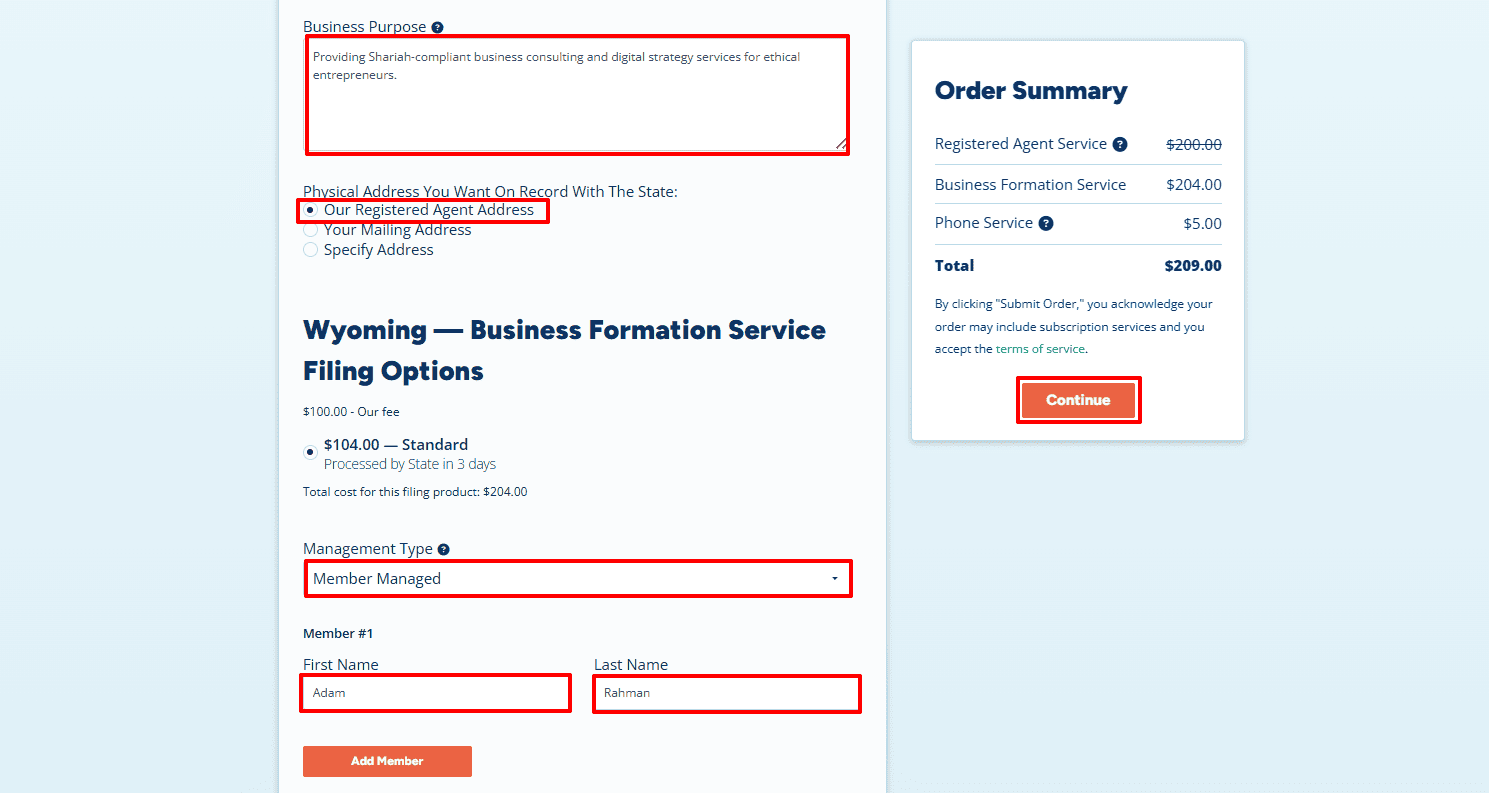
- Enter your Business Purpose (within 500 characters). For example: “Providing Shariah-compliant business consulting and digital strategy services for ethical entrepreneurs.”
- In the Physical Address section, select Our Registered Agent Address if you don’t have a local address in the state or prefer not to display your own address on public documents. If you already have an address in that state, you can select Your Mailing Address and enter it manually.
- Under Management Type, select Member-Managed if you want the owners to manage the business directly. Alternatively, choose Manager-Managed if your company will have appointed managers.
- Finally, enter the Member Name — for example, Adam Rahman — and click Continue to move to the next step.
Step 2: Add Business Phone and Additional Items
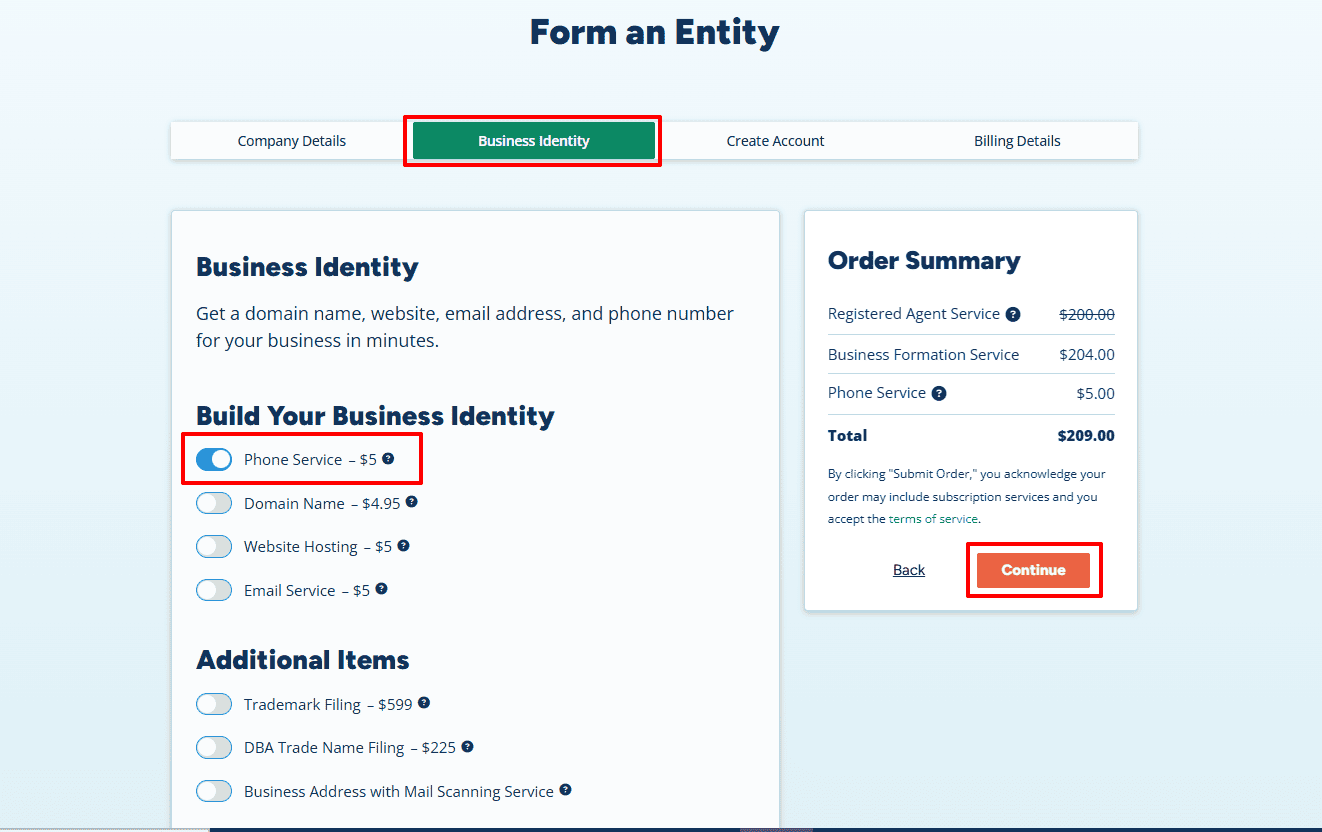
- In this section, you can enhance your business identity. If you need a U.S.-based business phone number, toggle Phone Service – $5 to enable it. You can also explore optional add-ons such as Domain Name, Website Hosting, or Email Service to strengthen your professional presence.
- Once done, click Continue to proceed.
Step 3: Contact Information and Create Login Credentials
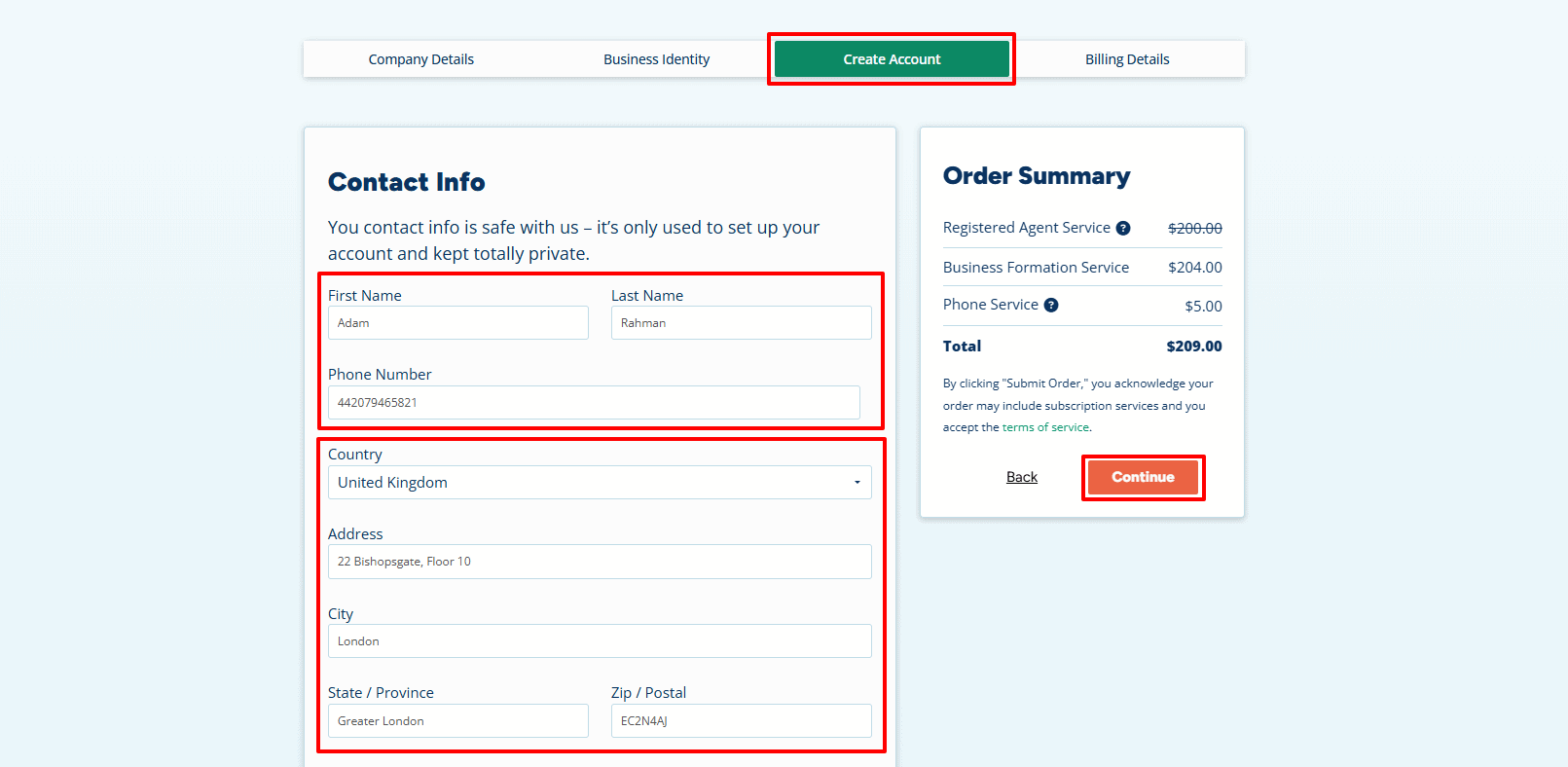
Now fill out your Contact Information accurately. Enter your full name, international phone number, and your complete address as it appears on your official ID.
- Name: Adam Rahman
- Phone Number: 44 20 7946 5821
- Country: United Kingdom
- Address: 22 Bishopsgate, Floor 10, London, Greater London, EC2N 4AJ
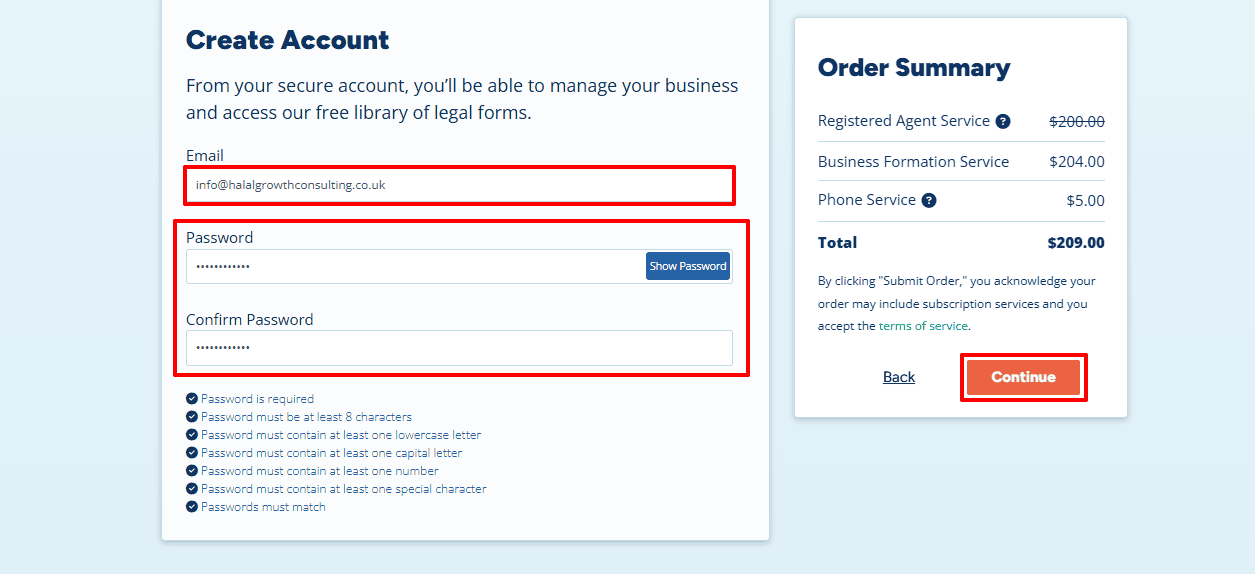
- Now please enter your Email Address (for example, info@halalgrowthconsulting.co.uk) and set up a strong password. Make sure to confirm your password and verify that it satisfies all the security requirements. Keep your login details safe since you’ll need them to log in to your Registered Agent dashboard at any time.
- Click Continue to proceed.
Step 4: Payment Details
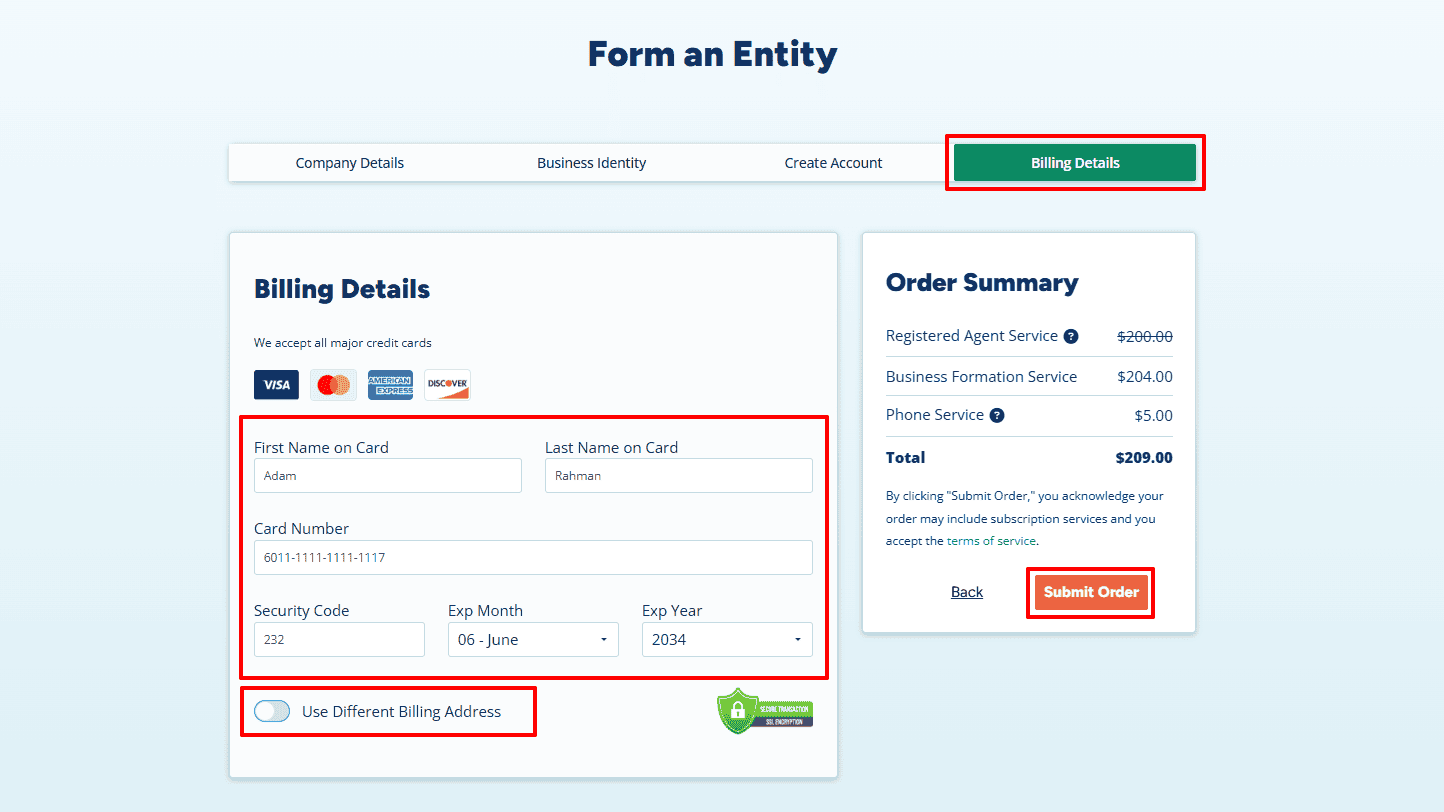
- To fill in the Billing Details page, put in the name of the cardholder, the card number, the CVV (which is the security code), and the month and year of expiration. You may use the existing billing address or choose ‘Use Different Billing Address’ if you need to.
- Once you’ve checked the details, click Submit Order to securely complete the payment. The system protects your financial information by using encrypted SSL technology.
Step 5: Add State Filing Details and Download Your Invoice
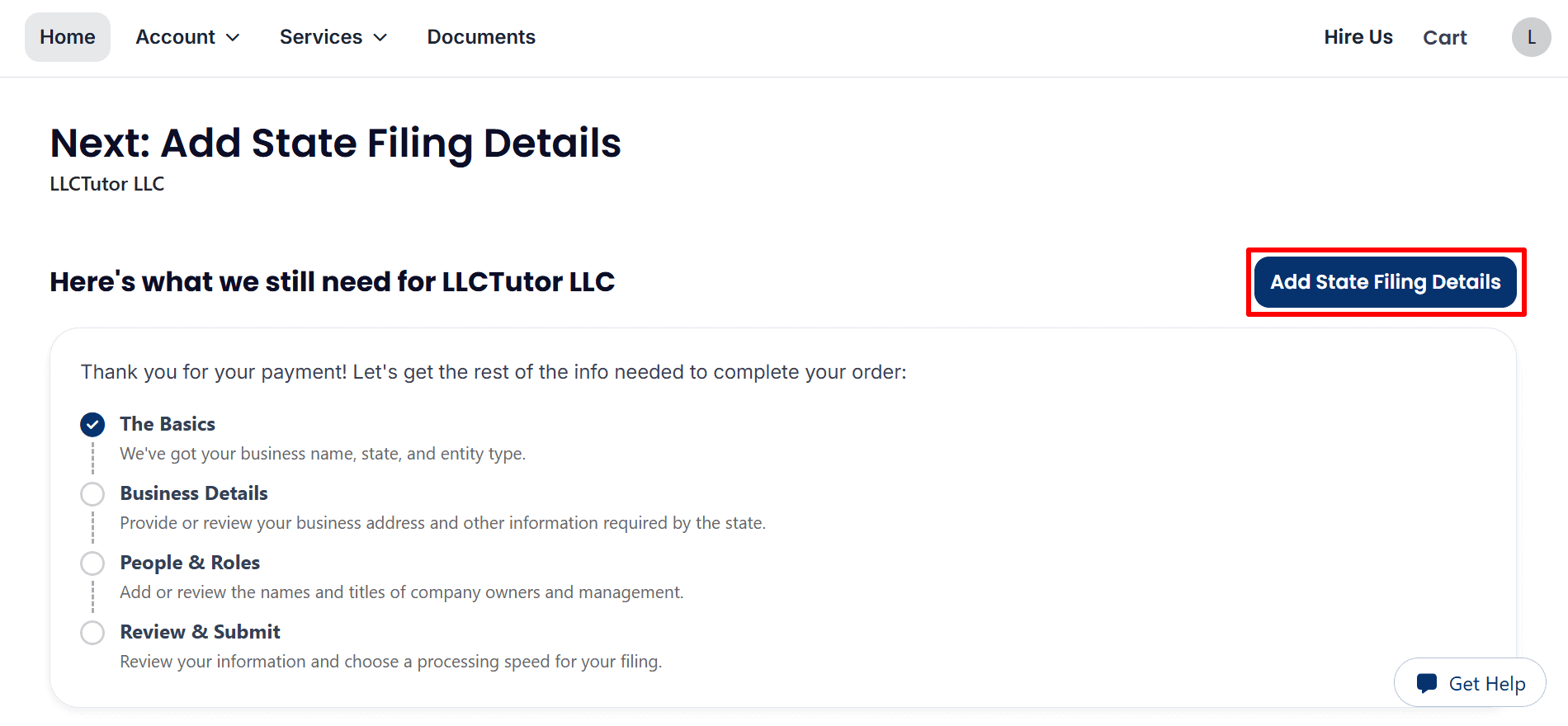
- Add State Filing Details: After payment, click “Add State Filing Details” to enter the remaining information required for your LLC filing.
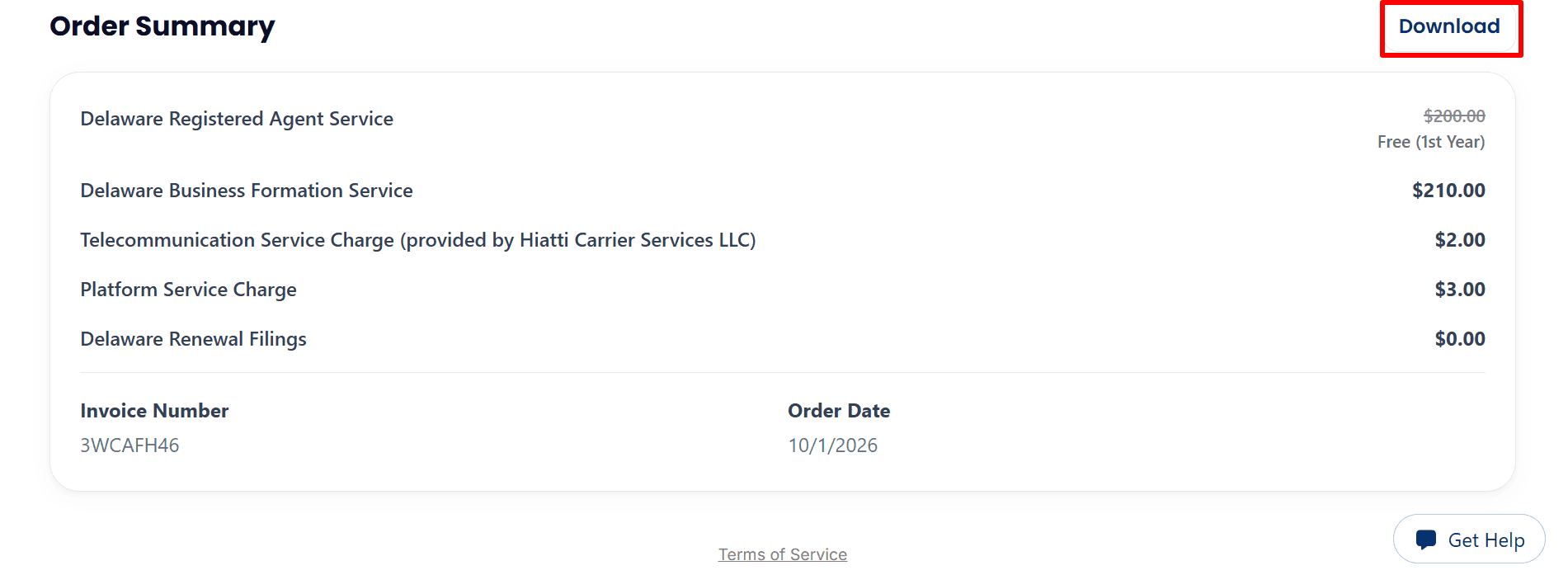
- Download Your Invoice: Review the Order Summary and click “Download” to save your LLC formation invoice.
Step 6: Review Your Business Details and Optional Tax Services
- Confirm Your Business Name: Check that your LLC name is correct and click “Edit” if needed. The availability message is preliminary; final approval comes from the state.
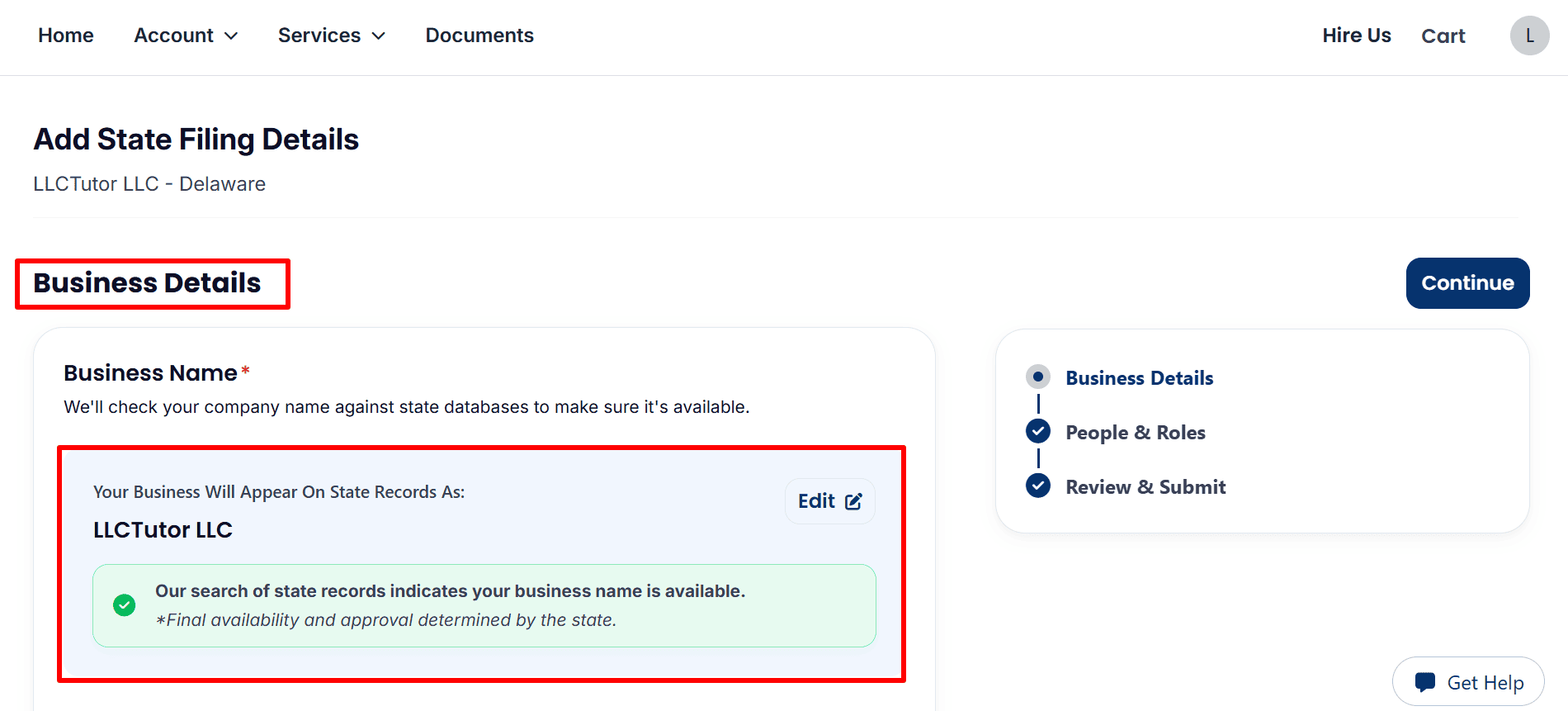
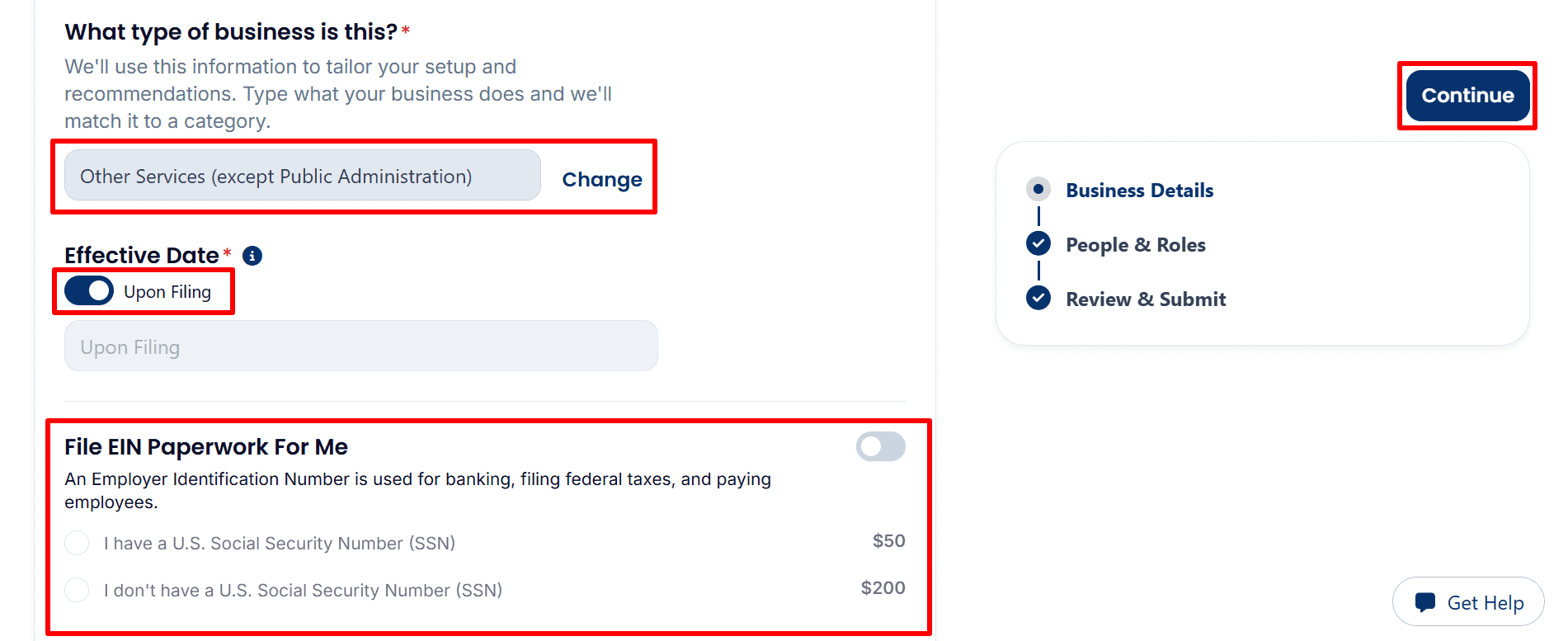
- Select Your Business Type, Effective Date, and EIN Option: Choose the category that matches your business and review the “Upon Filing” effective date. For “File EIN Paperwork For Me,” the screenshot shows a processing fee of $50 with a U.S. SSN or $200 without a U.S. SSN. Leave this option off if you plan to apply yourself.
- If you want Northwest Registered Agent to obtain your Tax ID or Employer Identification Number (EIN), you must pay its processing fee. Alternatively, apply directly to the IRS yourself with no IRS application fee, following the appropriate guide below.1. U.S. Residents or Citizens: Follow our step-by-step EIN guide here.
2. Non-U.S. Residents: Follow our complete EIN guide here.
- Review the Optional S Corporation Filing Service: The“File S Corp Paperwork For Me” option is priced at $100. Don’t select it unless you actually intend to elect S corp tax status and you meet the requirements for such an election. If you don’t intend to elect S corp status, then just leave it off and click “Continue” when you’ve completed entering your business information.

Step 7: Confirm Your LLC Management and Filing Address
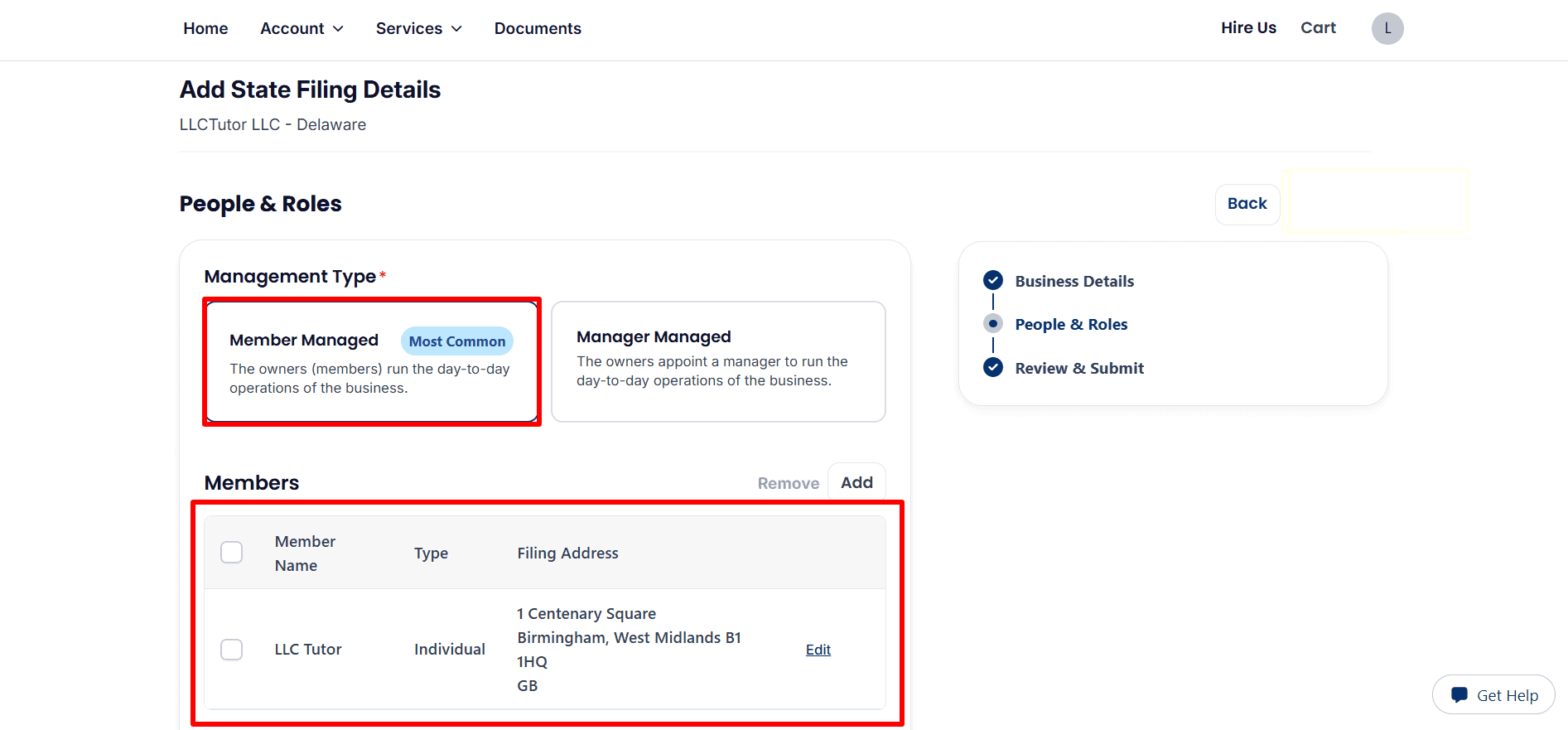
- Choose Your Management Type: Select “Member Managed” if the owners will run the business, or “Manager Managed” if they appoint a manager. Review the member information and use “Add” or “Edit” to make changes.
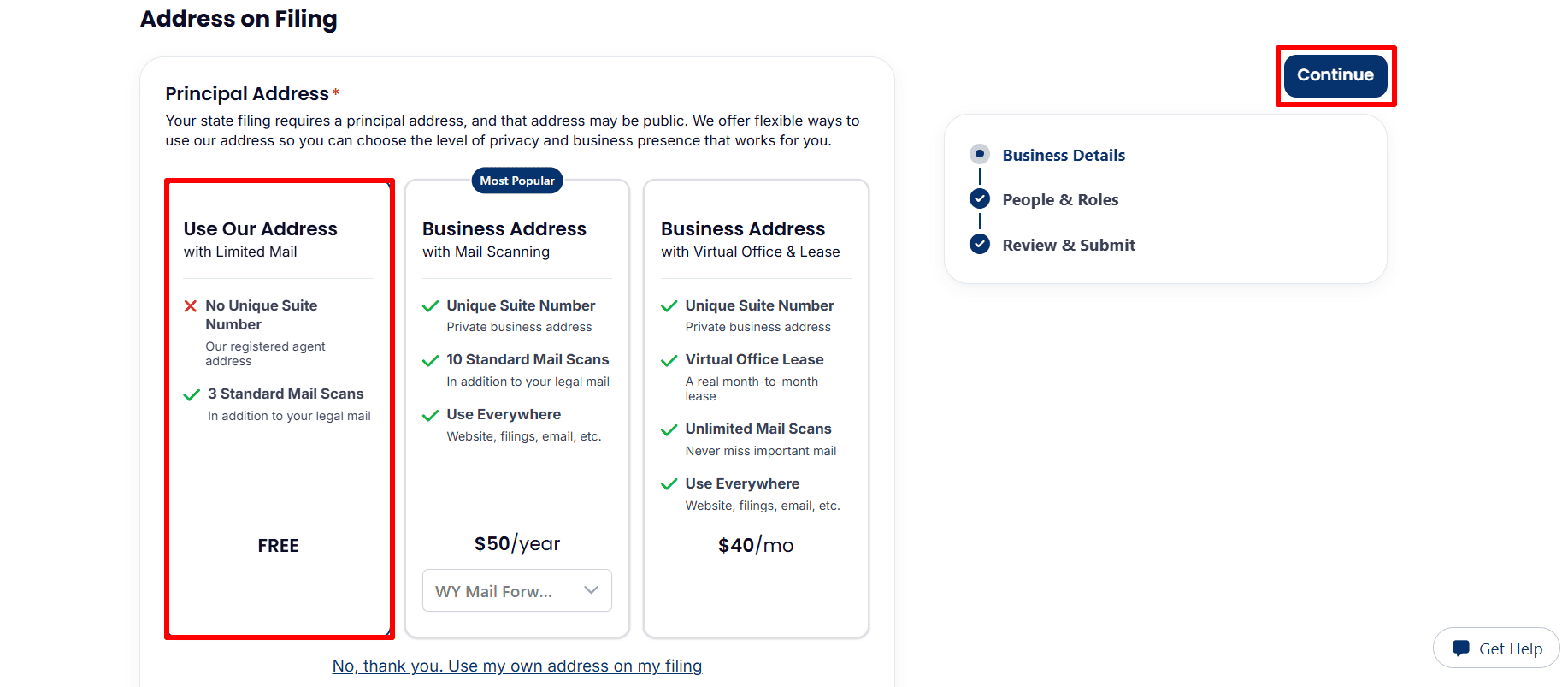
- Select Your Filing Address: Choose “Use Our Address” for the free limited-mail option shown, or select a paid address service if needed. You can also choose “Use my own address on my filing.” Review your selection and click “Continue.”
Step 8: Review and Submit Your LLC Filing Details
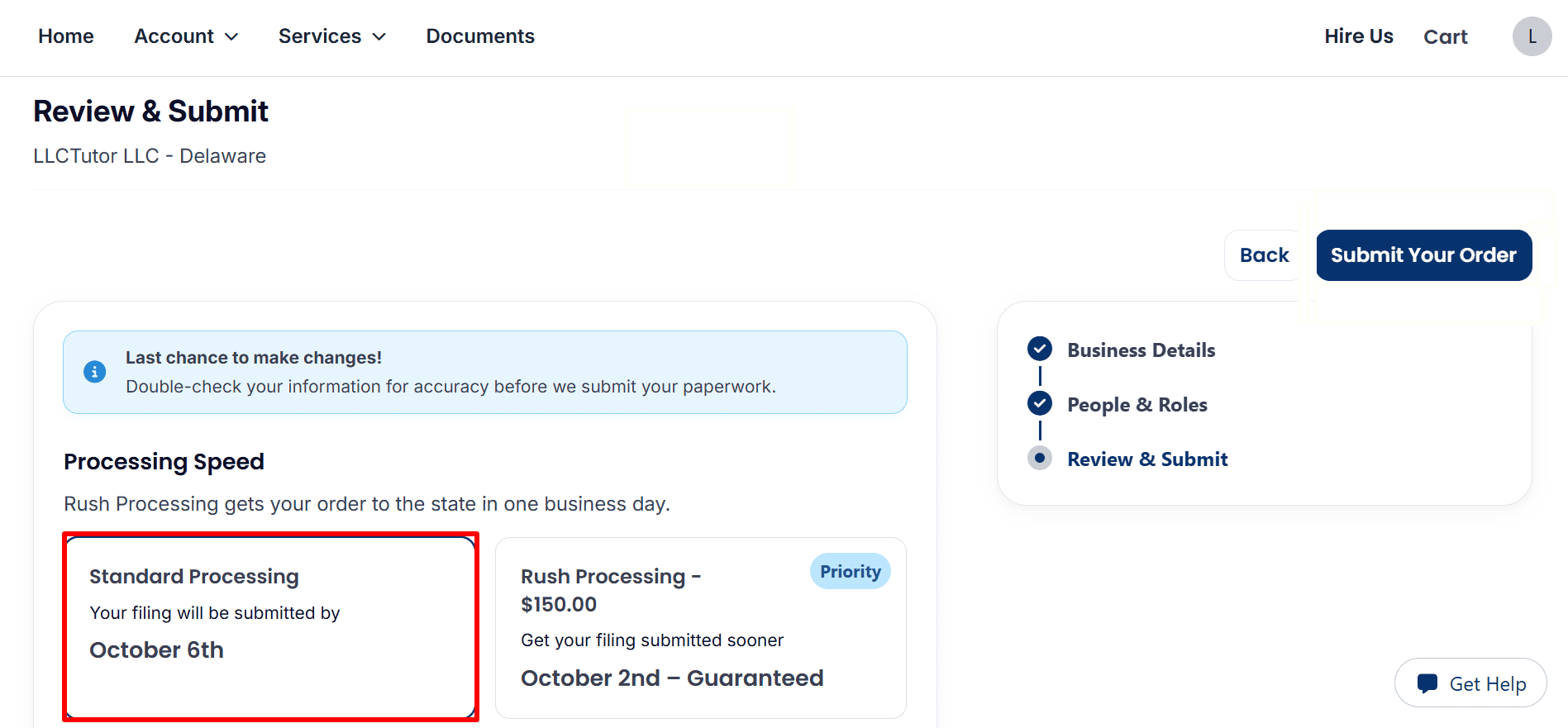
- Choose Your Processing Speed: Select “Standard Processing” or the optional $150 Rush Processing shown. Check the displayed submission dates, which indicate when your paperwork will be sent to the state, rather than when the state will approve it.
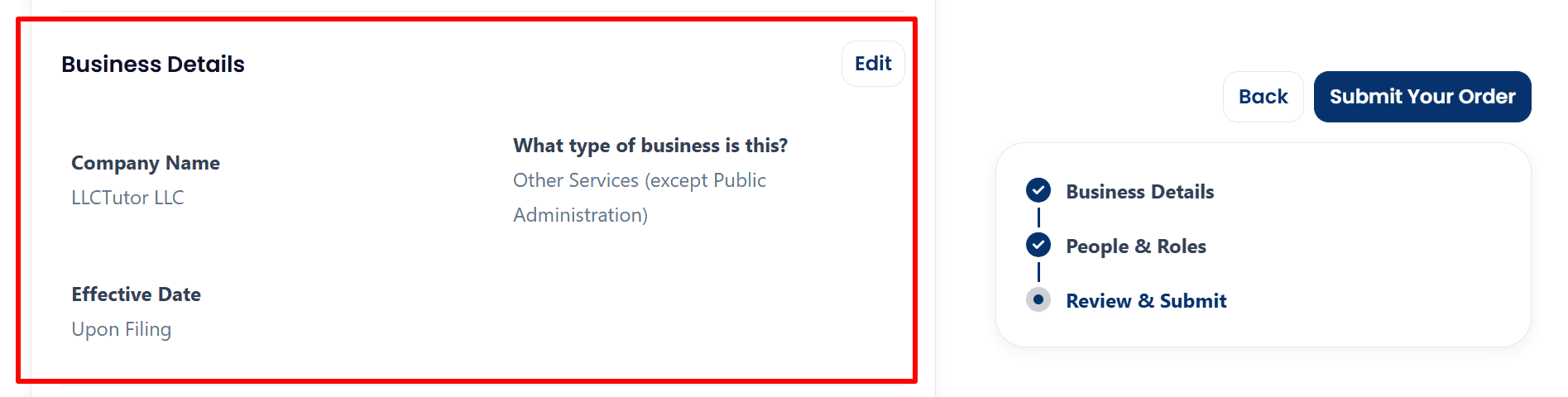
- Verify Your Business Details: Review your company name, business category, and effective date. Use “Edit” to correct any information before proceeding.
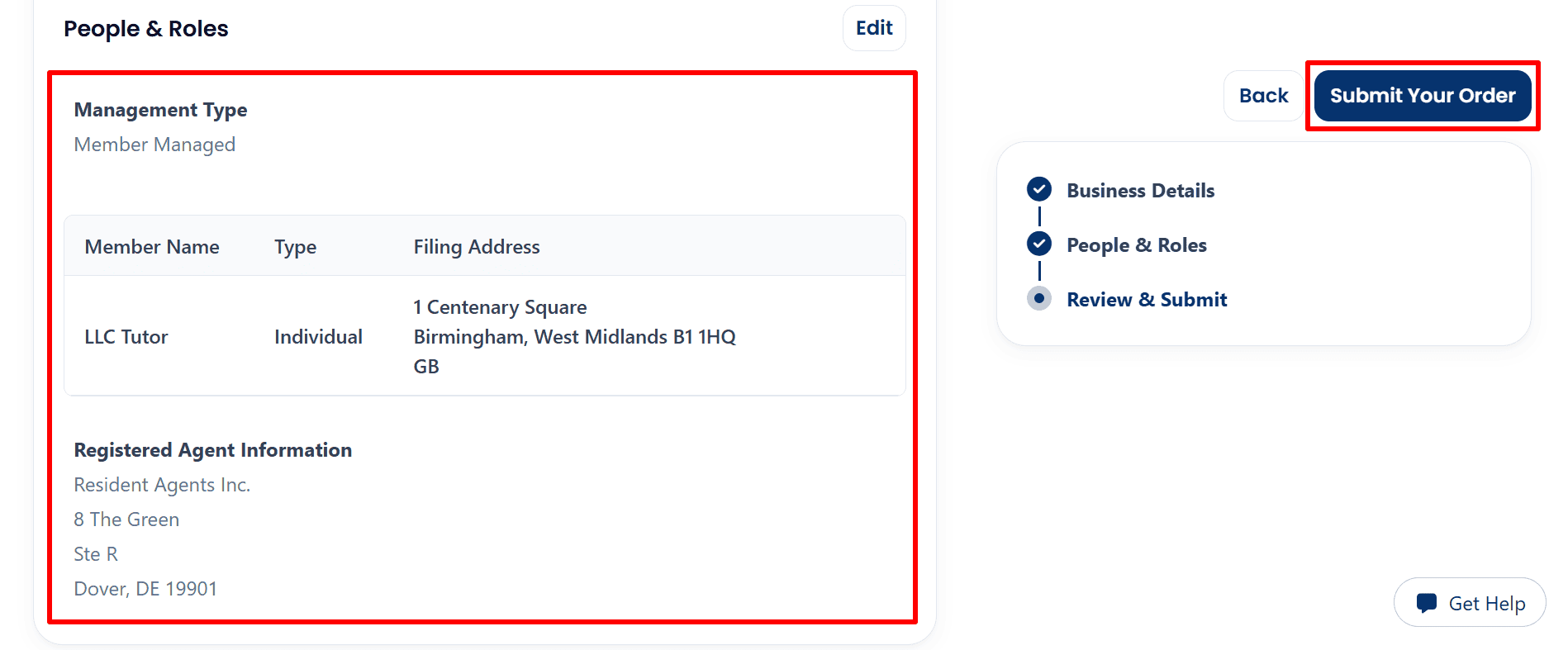
- Confirm People and Roles, Then Submit: Check your management type, member details, filing address, and registered agent information. Once everything is correct, click “Submit Your Order.”
Step 9: Confirm Your Submission and Track Your LLC Order
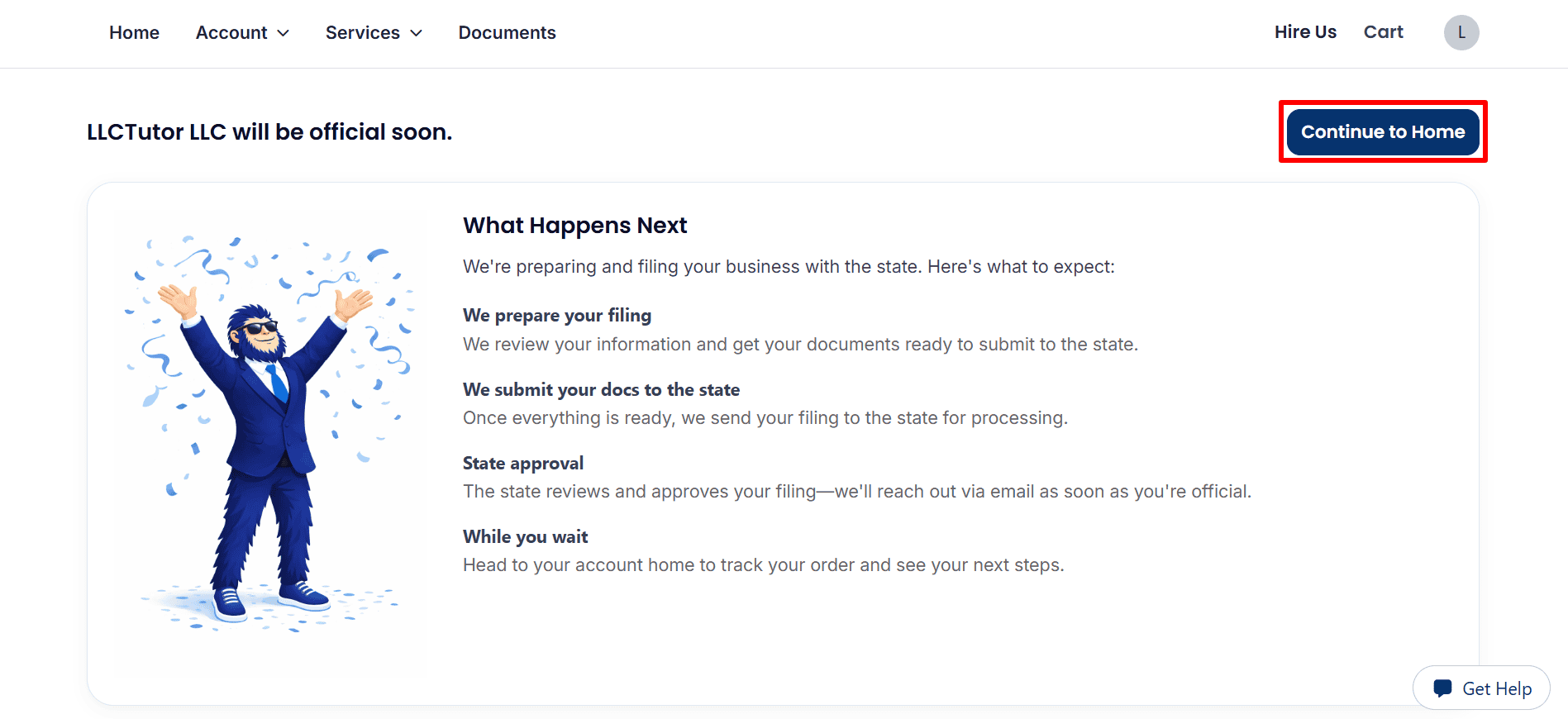
- Continue to Your Dashboard: Your order has been received for filing preparation and submission to the state. Click “Continue to Home” to track its progress, and watch for an email confirming state approval.
Step 10: Track Your LLC Order and Explore Your Dashboard
- Check Your Order Status: Under “Active Orders,” review your Business Formation Service status and estimated completion date. Click “View Details” for more information about your order.
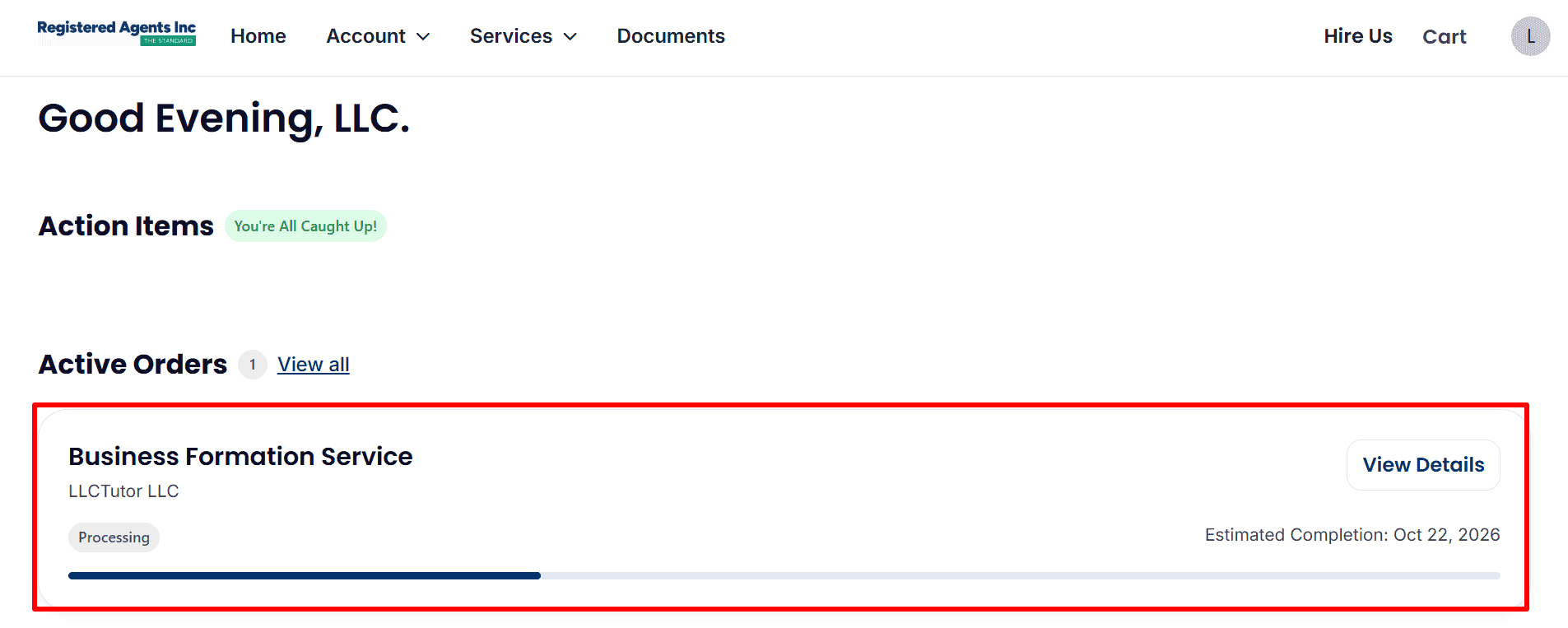
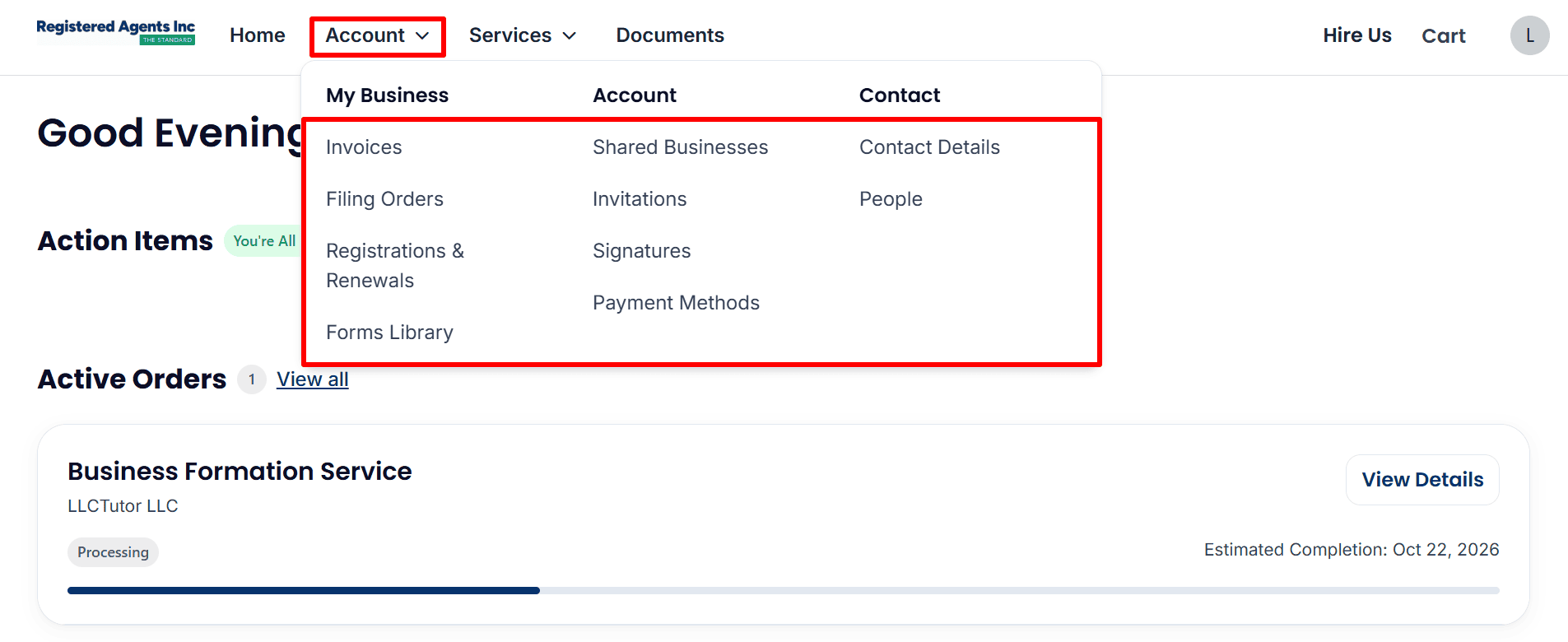
- Access Your Account Options: Open “Account” to find your invoices, filing orders, registrations and renewals, payment methods, and contact information.
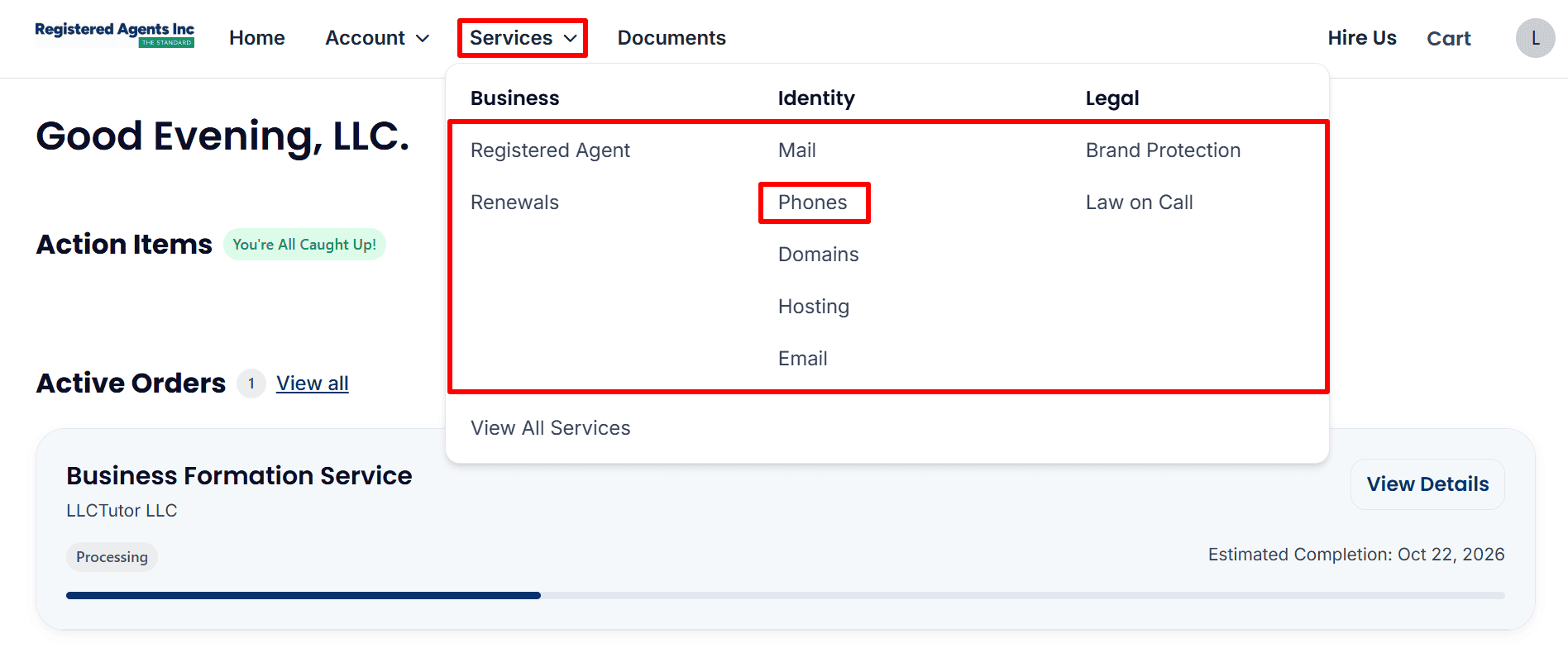
- Find the Optional Phone Service: Open “Services” and select “Phones” to access business phone service options and review phone number setup if needed. You can also access other optional services from the same menu.
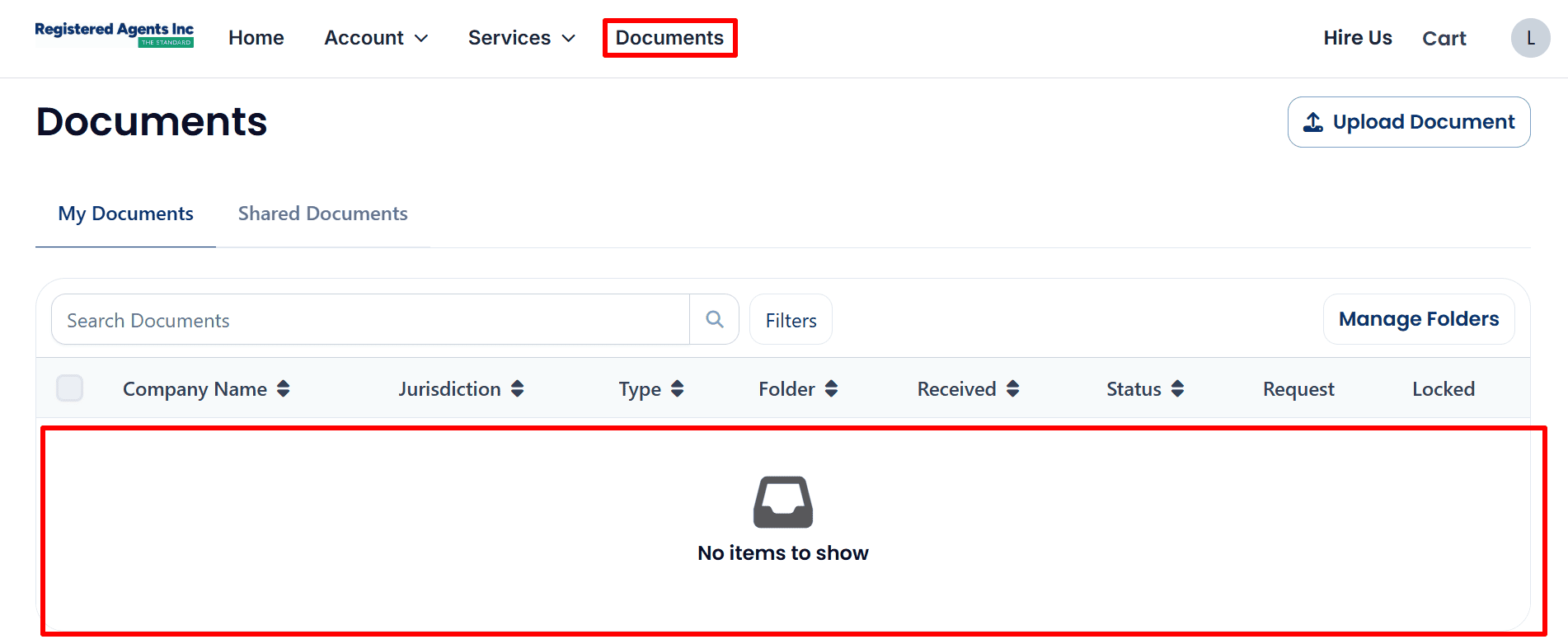
- Check Your Documents: Click “Documents” and open “My Documents” to check for available files. The screenshot shows “No items to show,” so check again as you file more documents
What to Do After Submitting Your LLC Order
- Check your formation status: log into your dashboard and under Active Orders select “View Details”. The date displayed there is your estimated completion date.
- Respond to Information Requests: check your account and email for any requests to correct or complete your information.
- Save your documents: check “My Documents” and download your formation documents when they are available. Make sure you have copies of your invoice, your filing records and your operating agreement.
- Follow up on your EIN: if you’ve purchased EIN assistance then check the account for any updates or requests. If you’re intending to apply yourself then use ‘Read the EIN Guide’.
- Evaluate Business Banking: look at the account requirements, the fees and the range of business activities that are supported. Use ‘Check Mercury Eligibility’ or ‘Explore Airwallex’ to see what works for you. Approval is subject to the provider’s assessment.
- Review Square Payments: use ‘Review Square Payments’ to check that their services are appropriate for your business location and type of activity prior to applying.
- Build your online presence: use ‘View Hostinger Plans’ to look at website hosting and ‘Explore Google Workspace’ to look at business email. Both of these are optional.
Helpful Resources
- Start Your LLC — Registered Agents Inc.
- Read the EIN Guide,
- Explore ITIN Assistance (Save $50 with code
REGISTERUSLLC50) - Review Square Payments
- Check Mercury Eligibility
- Explore Airwallex
- View Hostinger Plans
- Explore Google Workspace
Final Thoughts
Submitting your LLC order is the key step, but the screenshots indicate that formation is still in progress. In the case of the Delaware example in this guide, just keep checking your dashboard and your email until you get the confirmation of state approval.
Related Articles from LLCTutor.com
Disclaimer: LLCTutor.com is an educational site and we give no legal or financial advice. We do however promote legitimate and ethical business practice in line with Islamic principles. We will in no way support any form of unlawful activity, fraud, gambling, riba (interest) based businesses or any arrangement which is purely speculative with no real ownership, no real responsibility and no real commercial risk. The viewer is entirely responsible for their own activities and must ensure that they are in accordance with the law and ethical standards. Of course some of the links in this description are affiliate links. If you click on them and go on to purchase a product or service you will be charged nothing extra and I will receive a small commission. I only ever recommend services that I have myself used and that I have trust in. This in turn helps to support the blog/channel and allows me to keep producing free content such as this.