Are you trying to start an Amazon FBA business or use Stripe to accept international payments, but keep getting rejected because you live outside the USA?
You are not alone. Thousands of entrepreneurs from Asia, Europe, the Middle East, and Africa face this exact roadblock. You have the skills, but you lack the financial infrastructure.
The solution is not a VPN or a fake address—that will get you banned. The only long-term, legitimate solution is opening a US Limited Liability Company (LLC).
A US LLC acts as your “financial passport.” It allows you to legally obtain a US EIN (Tax ID), open real US business bank accounts (like Mercury or Relay), and verify your Amazon Seller Central account without living in America.
In this guide, we will show non-residents the exact, step-by-step process to build an “Amazon-Ready” LLC infrastructure that actually works.
Why Amazon FBA Sellers Need a Specific Setup
If your goal is just to own a US company, any generic setup will do. But if your goal is to get verified on Amazon FBA and Stripe, you need to be careful.
Amazon’s verification bots are aggressive. If they suspect your business address is a cheap “virtual PO Box” used by thousands of others, they will flag your account.
The “Amazon-Ready” Infrastructure requires three things:
-
A Clean US LLC: Registered in a business-friendly state.
-
A Unique Address Strategy: Ensuring your address doesn’t trigger “Section 3” verification issues.
-
A US Bank Account: To receive USD payouts without massive currency conversion fees.
Below, we walk through the exact process we use for international founders.
Watch the complete step by step tutorial below to see exactly how non-US founders set up a US LLC for Amazon FBA, Stripe payments, and US business banking.
A Personal Note from the Founder: “As a person who doesn’t reside in the United States, I have spent many years searching for a reliable partner and personally evaluated four different companies. I finally decided to go with Registered Agents Inc .for my own businesses. On the basis of my experience, they were the sole company that offered me a straightforward fixed rate with no monthly charges for a business address. I still use them now for my annual compliance since the procedure is not at all troublesome. I have prepared this guide in order to help you avoid the time and stress that I endured.”
Why I Avoid “$0” Filing Services: The reason I steer clear of “$0” filing services is that you will frequently come across advertisements offering “$0 entry fees”. You should be cautious since, as I’ve found out, these initially low prices usually result in additional costs later on, for example recurring subscription fees for important documents or monthly charges for a business address.
Step 1: Start the LLC Registration Process
To begin, you need to visit the formation portal from here.
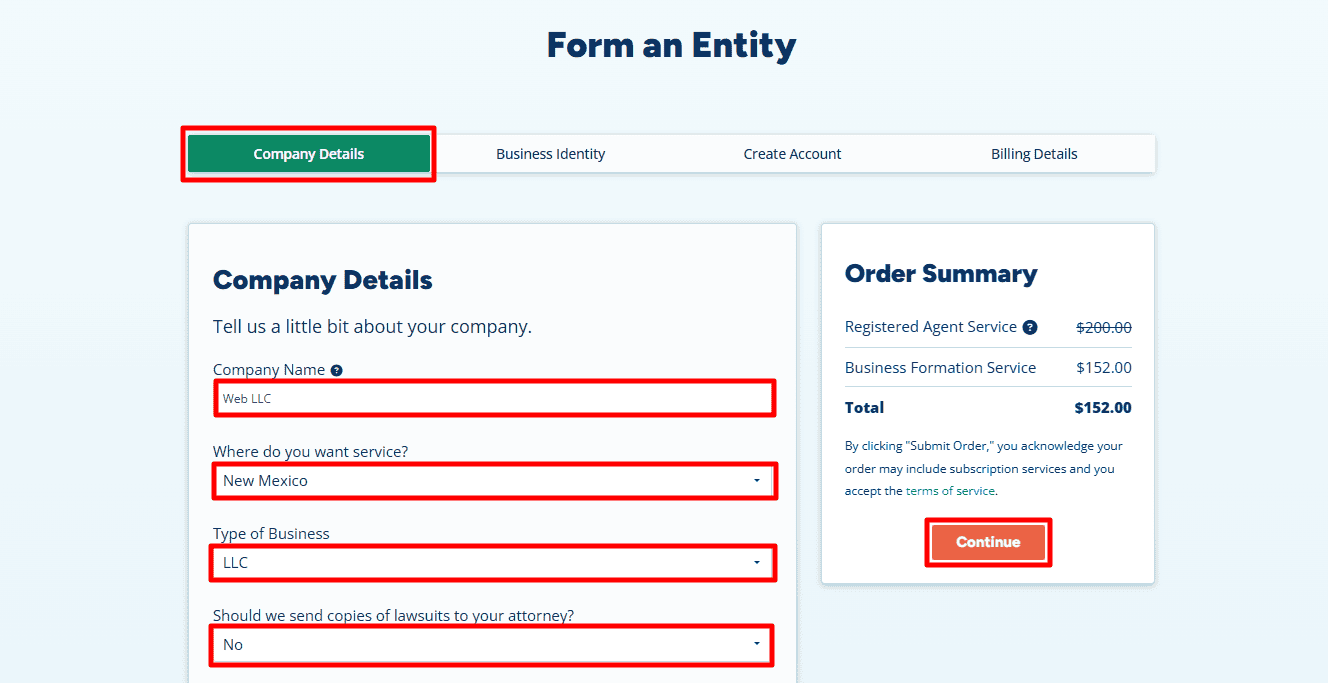
Then, fill out the details as shown below:
- Company Name: Enter your desired business name. In our example, we used “Web LLC”.
- State: Select New Mexico. Why New Mexico? For non-US residents, New Mexico is the “Hidden Gem.” It offers $0 annual reporting fees, high privacy (your name isn’t on the public record), and no state income tax for non-residents.
Note: If you prefer a different state (like Delaware or Wyoming or any other), you are free to select it from the menu. - Type of Business: Select LLC.
- Lawsuit Copies: Select “No” (unless you have a specific legal reason otherwise).
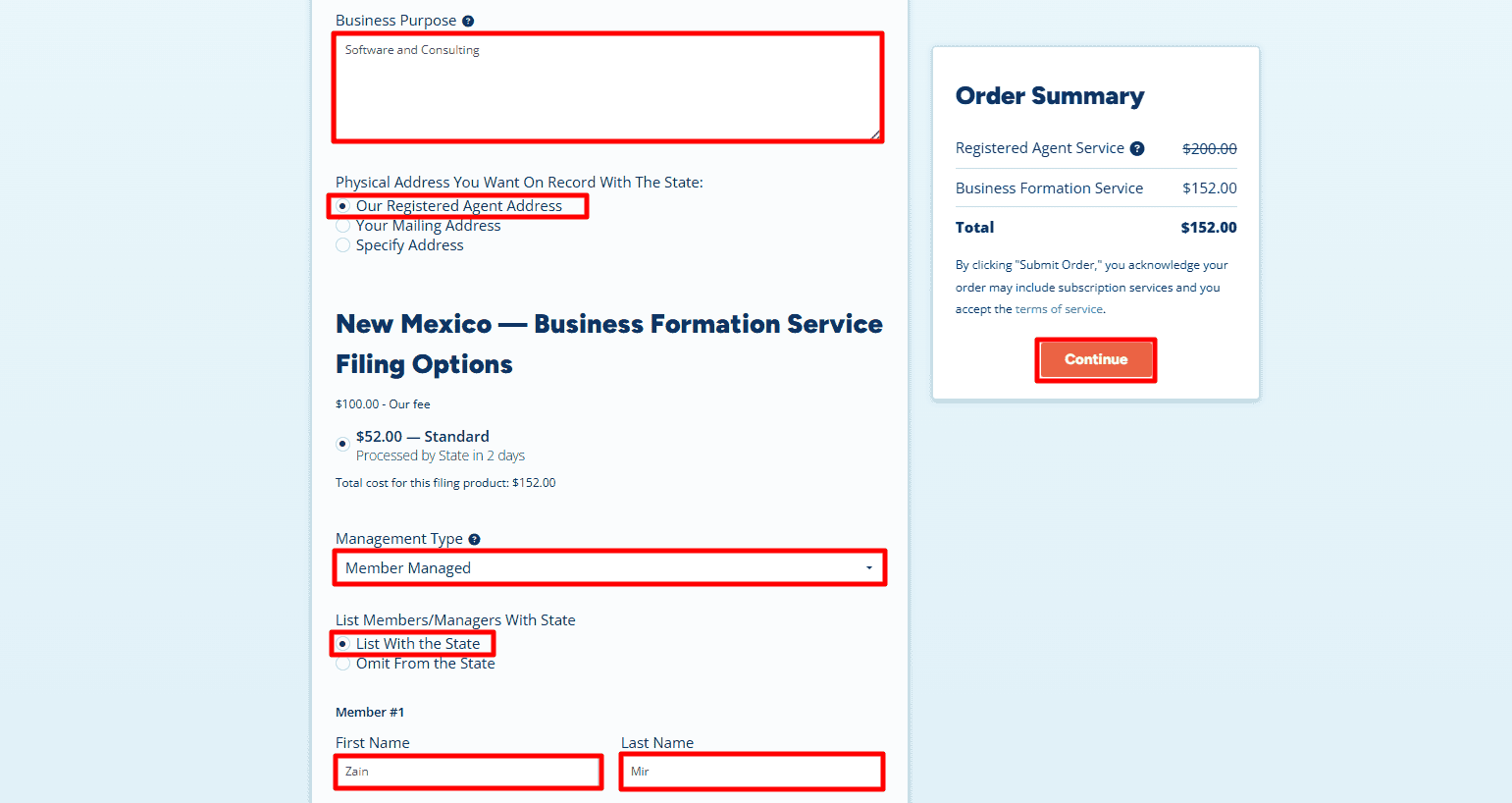
- Business Purpose: Write a brief sentence about what you do.
- Example: “Software and Consulting” or “E-commerce sales.”
- Physical Address: Select “Our Registered Agent Address”.
- Critical: We recommend using the Registered Agent Address to keep your personal details off the public record. This is also required if you don’t actually live in the state. However, if you already have a valid local address in New Mexico (or the state you selected), you can choose Your Mailing Address to enter it yourself.
- Management Type: Choose Member-Managed (this means you, the owner, run the business).
- Member Name: Enter your full name (e.g., Zain Mir).
- Click “Continue“.
Step 2: Add Business Phone and Additional Services
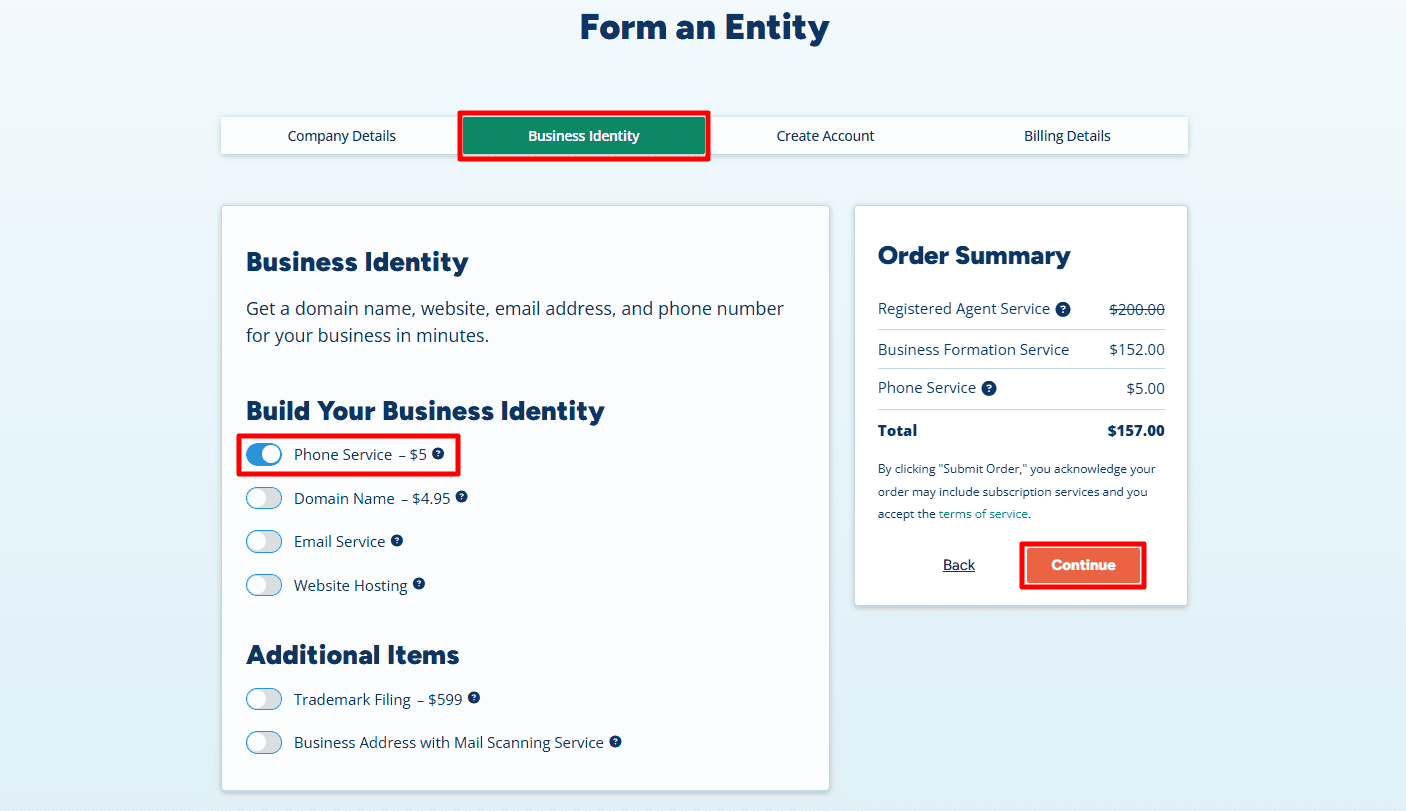
- Phone Service ($5/month): We highly recommend adding the Business Phone Service.
- Why? A U.S. phone number is strongly recommended for opening U.S. business bank accounts such as Mercury or Relay, and it is required for OTP verification when using Amazon Seller Central. Getting it here is cheaper and easier than trying to verify a VoIP number later.
- Optional: You can also add optional services like a Domain Name or Business Email to professionalize your brand.
- Click “Continue”.
Step 3: Contact Information & Login
- Contact Info: Enter your name and home country or residential address exactly as they appear on your official ID/Passport.
- Note: As shown in the example, “Zain Mir” is using his actual international address in Lahore, Pakistan (House 5, Street 10, Model Town). This information is for the Registered Agent’s internal billing only and is not made public.
- Phone Number: Enter your international mobile number so they can reach you if needed.
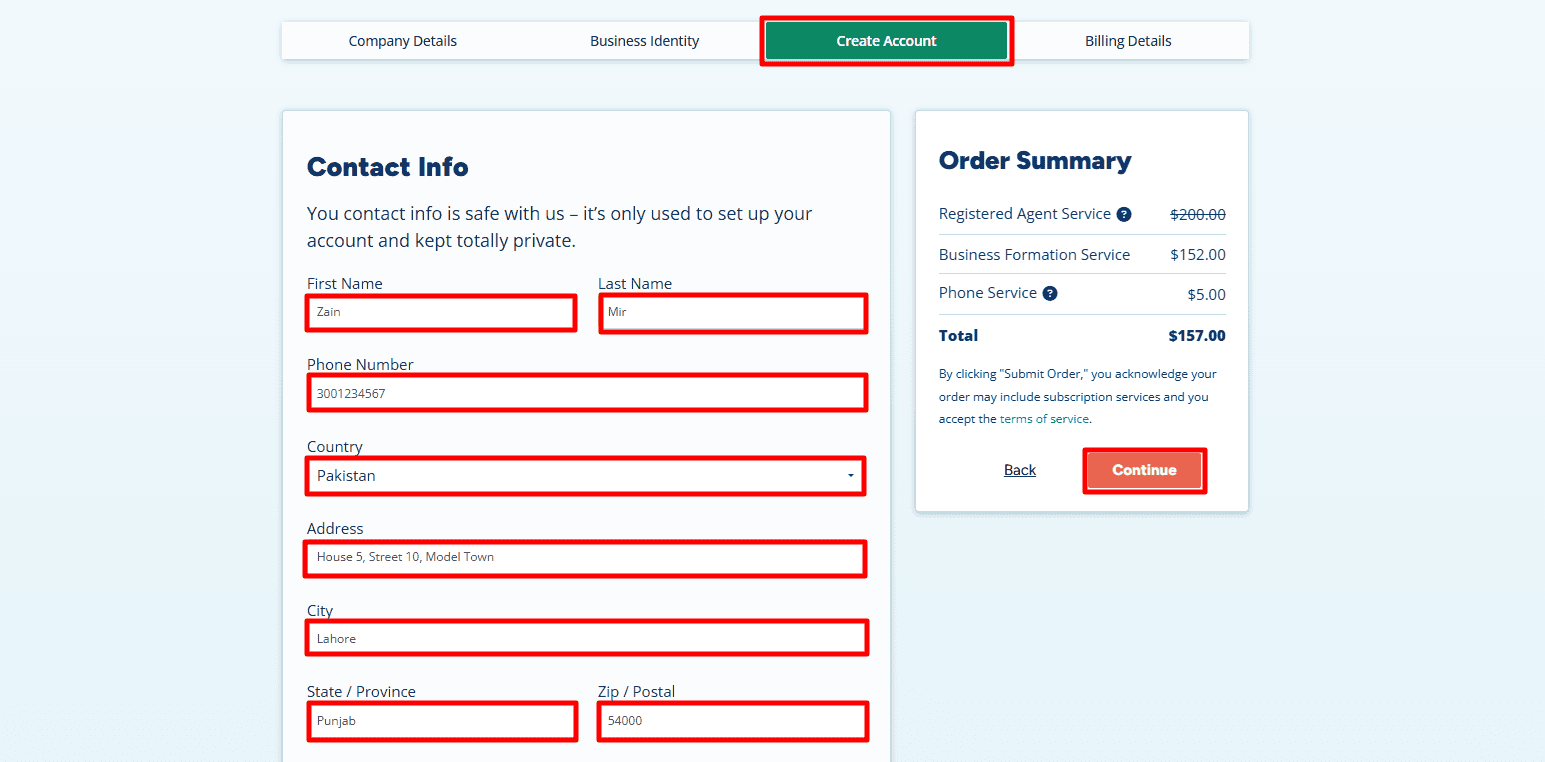
- Create Account: Enter your email (e.g., zain.mir.biz@gmail.com) and create a strong password. You will use this to log into your dashboard later to access your documents.
- Click “Continue”.
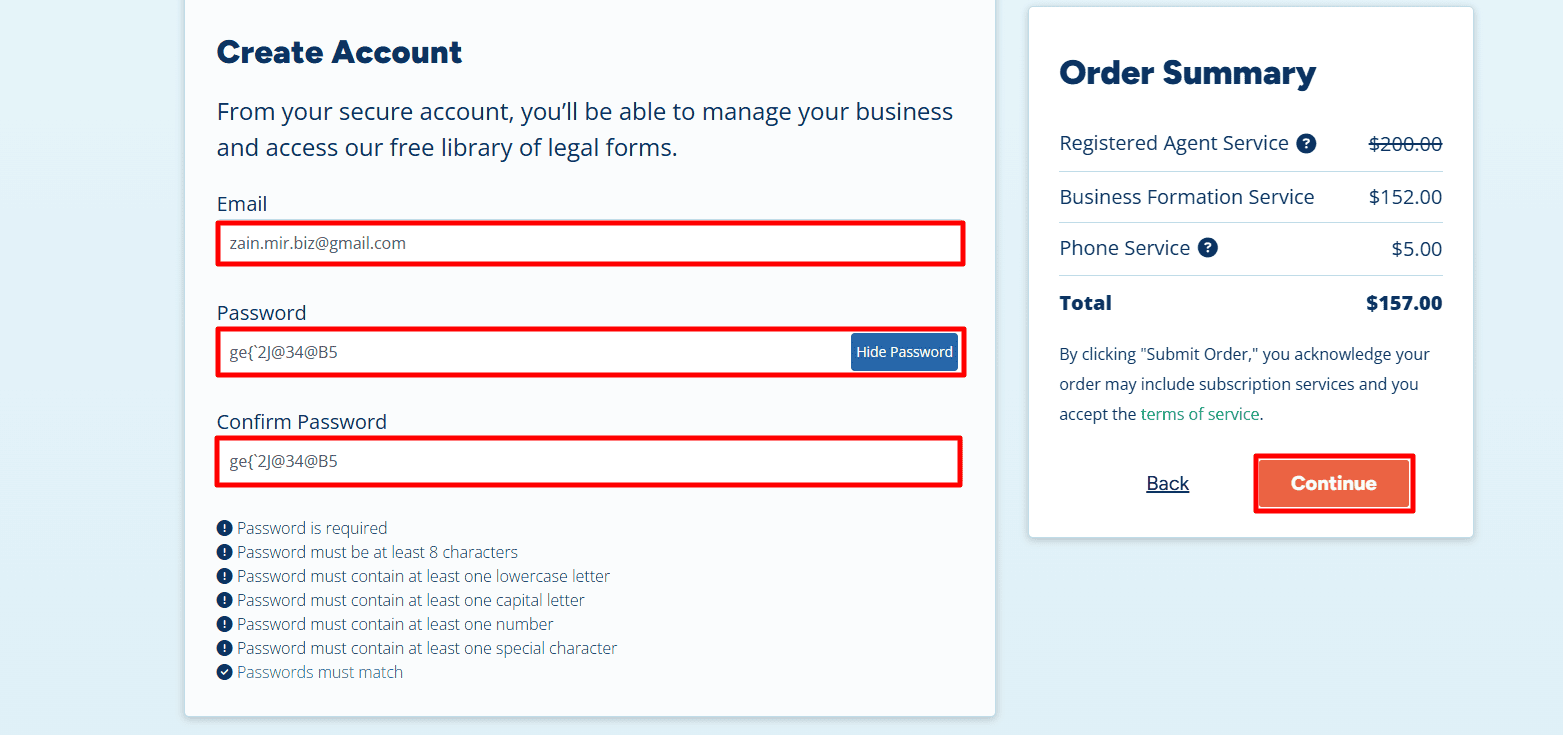
Step 4: Payment Details
- Review your order summary. You will notice that by using this specific portal, you get a clear, upfront price (usually around $152 – $157 for New Mexico, covering state fees and service).
- Enter your credit/debit card details. You can use an international card from your home country (Pakistan, India, etc.).
- Click Submit Order.
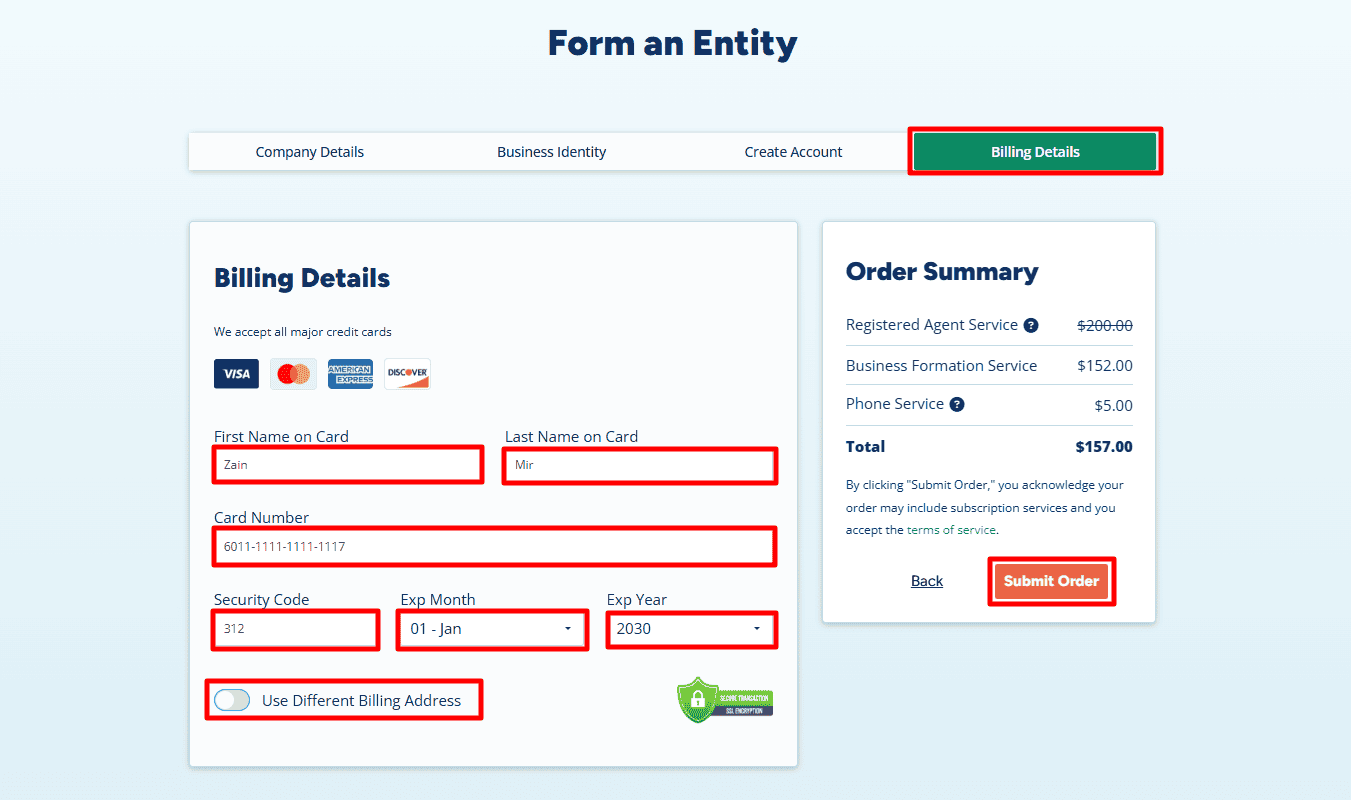
Step 5: Add State Filing Details and Download Your Invoice
- Add State Filing Details: After payment, click Add State Filing Details to provide the remaining information needed for your LLC filing.
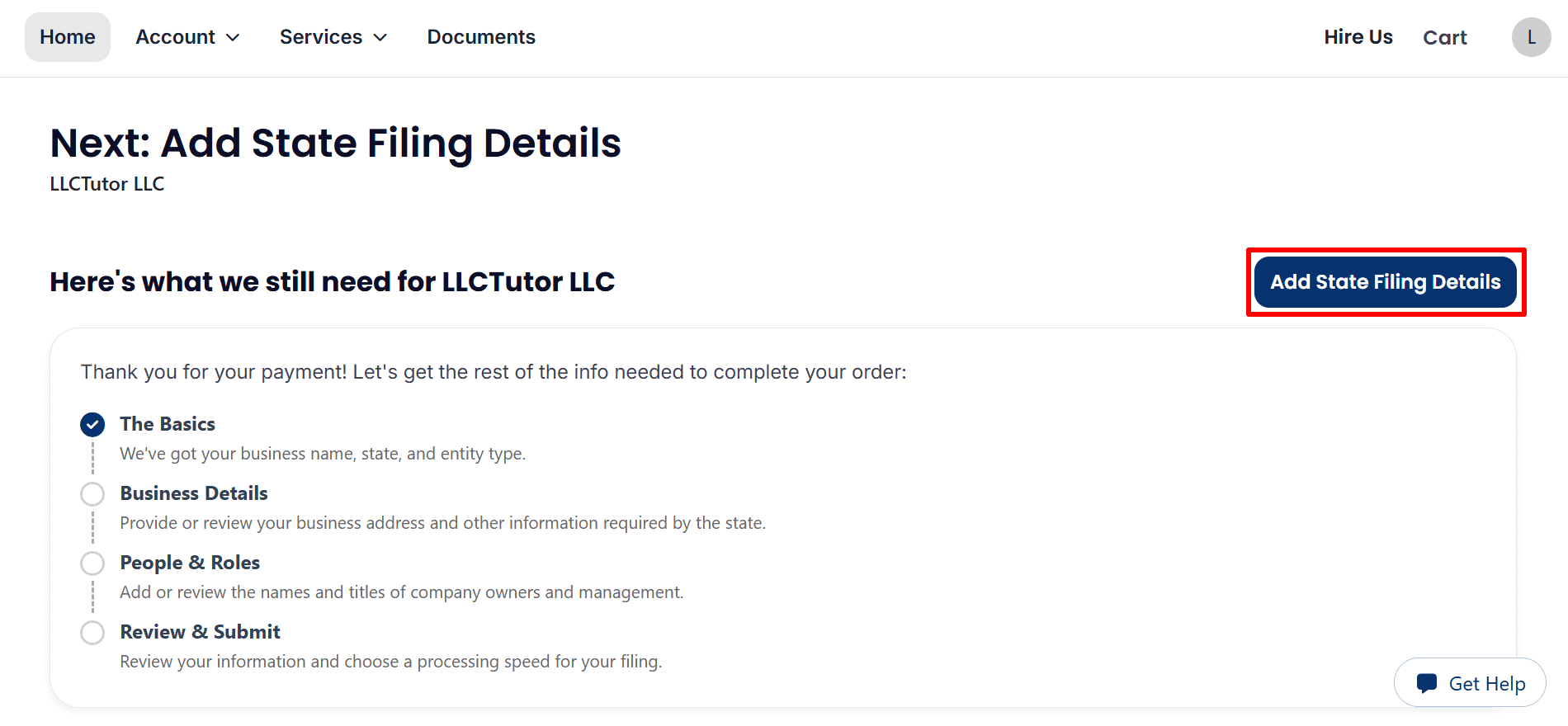
- Download Your Invoice: Review the Order Summary and click Download to save your invoice.
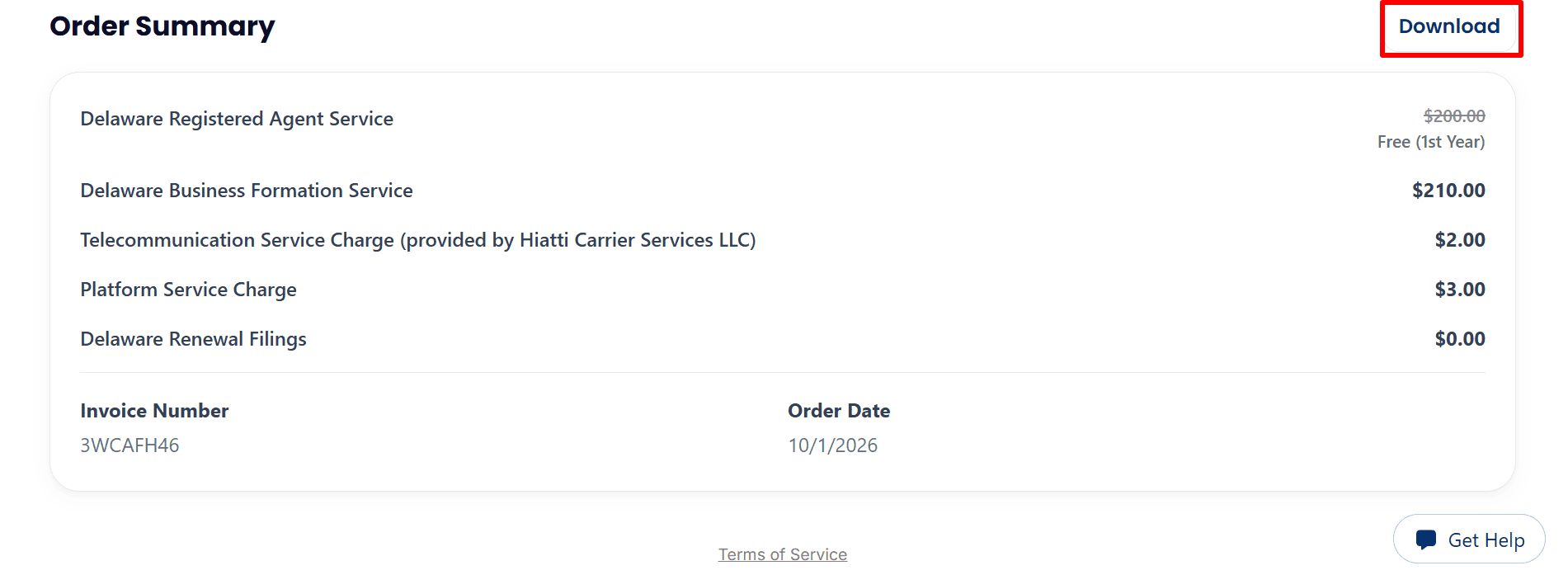
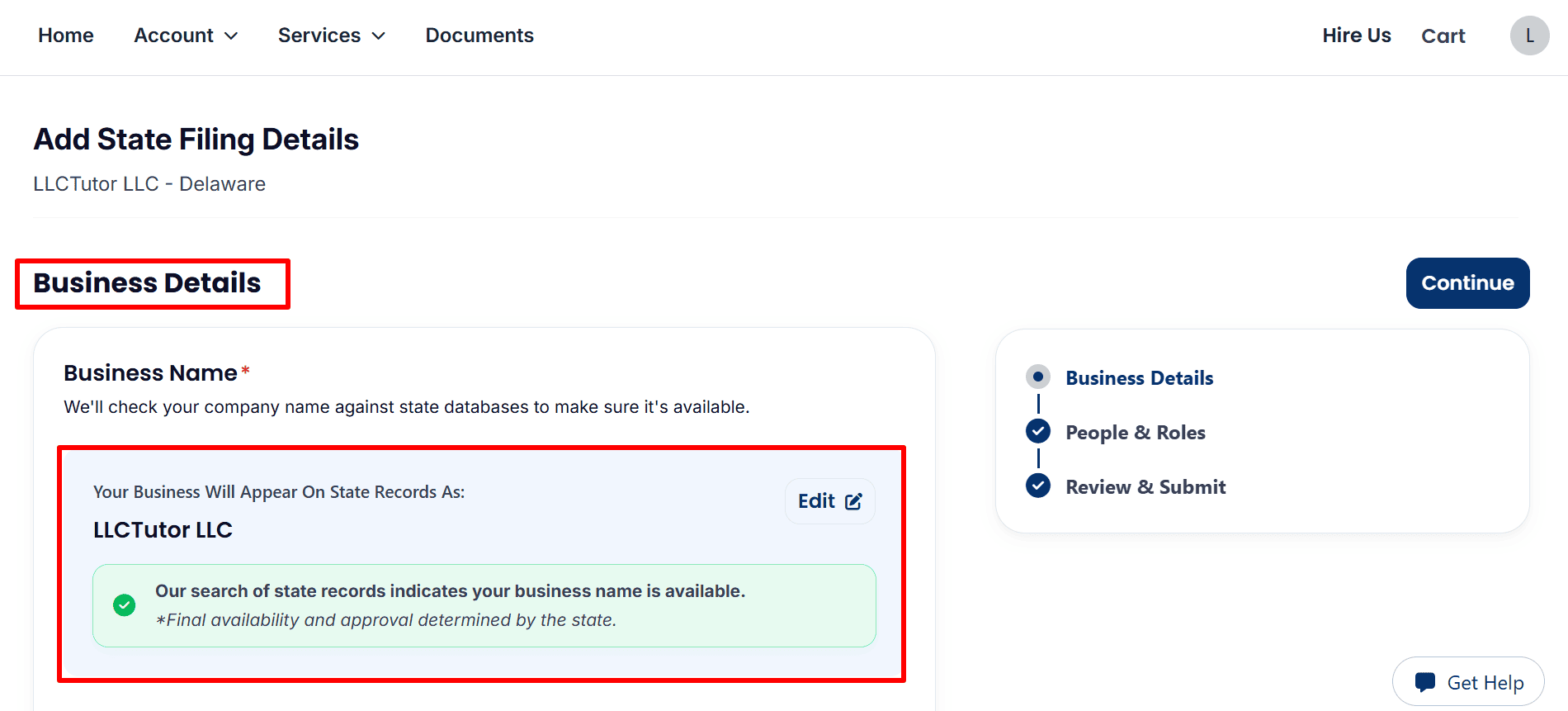
Step 6: Complete Your Business Details and Review EIN Options
- Review Your Business Name: The example shows LLCTutor LLC with a preliminary name availability confirmation. Check your company name and click Edit if needed. Final approval rests with the state.
- Select Your Business Details and EIN Option: Choose an accurate business category and review the Upon Filing effective date. Optional EIN processing costs $50 with a U.S. SSN or $200 without one,
- as displayed. Alternatively, apply directly to the IRS for free using our guide
- U.S. Residents or Citizens: Follow the step-by-step guide from here.
- Non-U.S. Residents: Follow the complete guide from here.
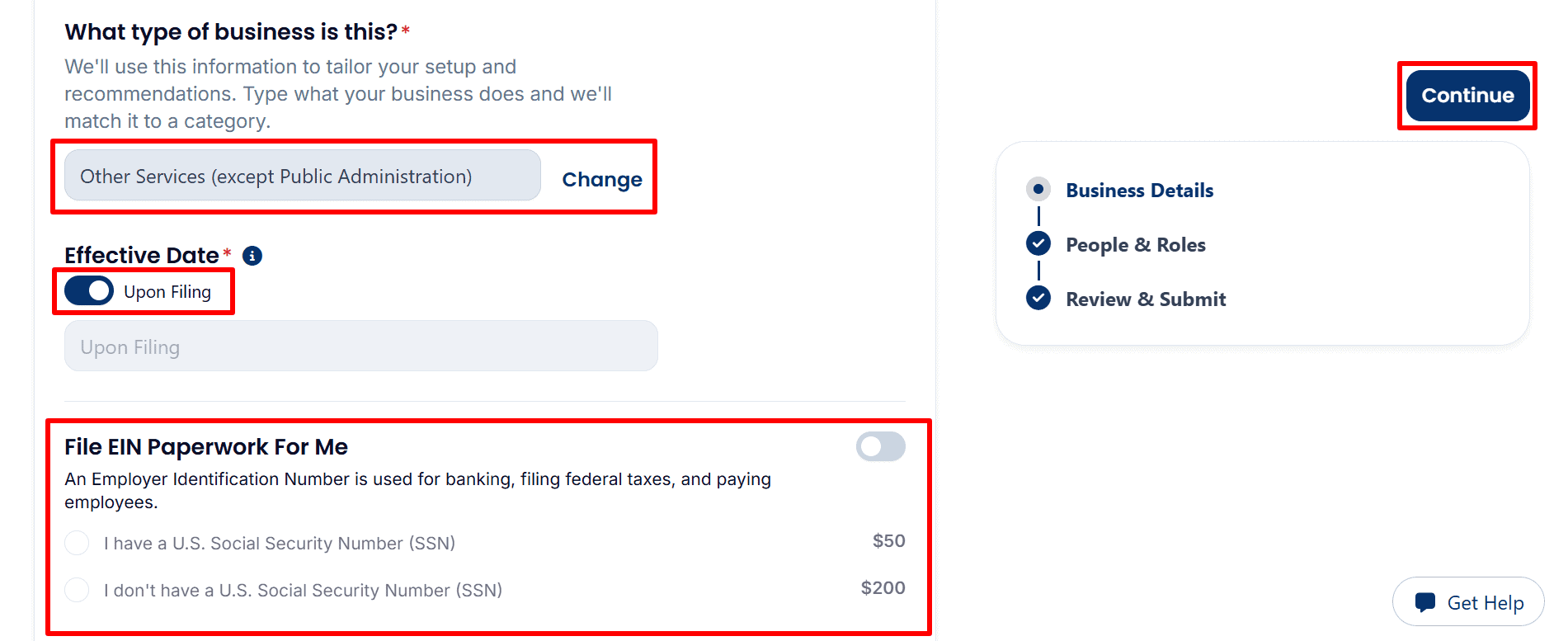
- Review the Optional S Corp Service: The example leaves the $100 S Corp paperwork service switched off. Review your selections, then click Continue, shown in the preceding image.

Step 7: Review Management, Members and Filing Address
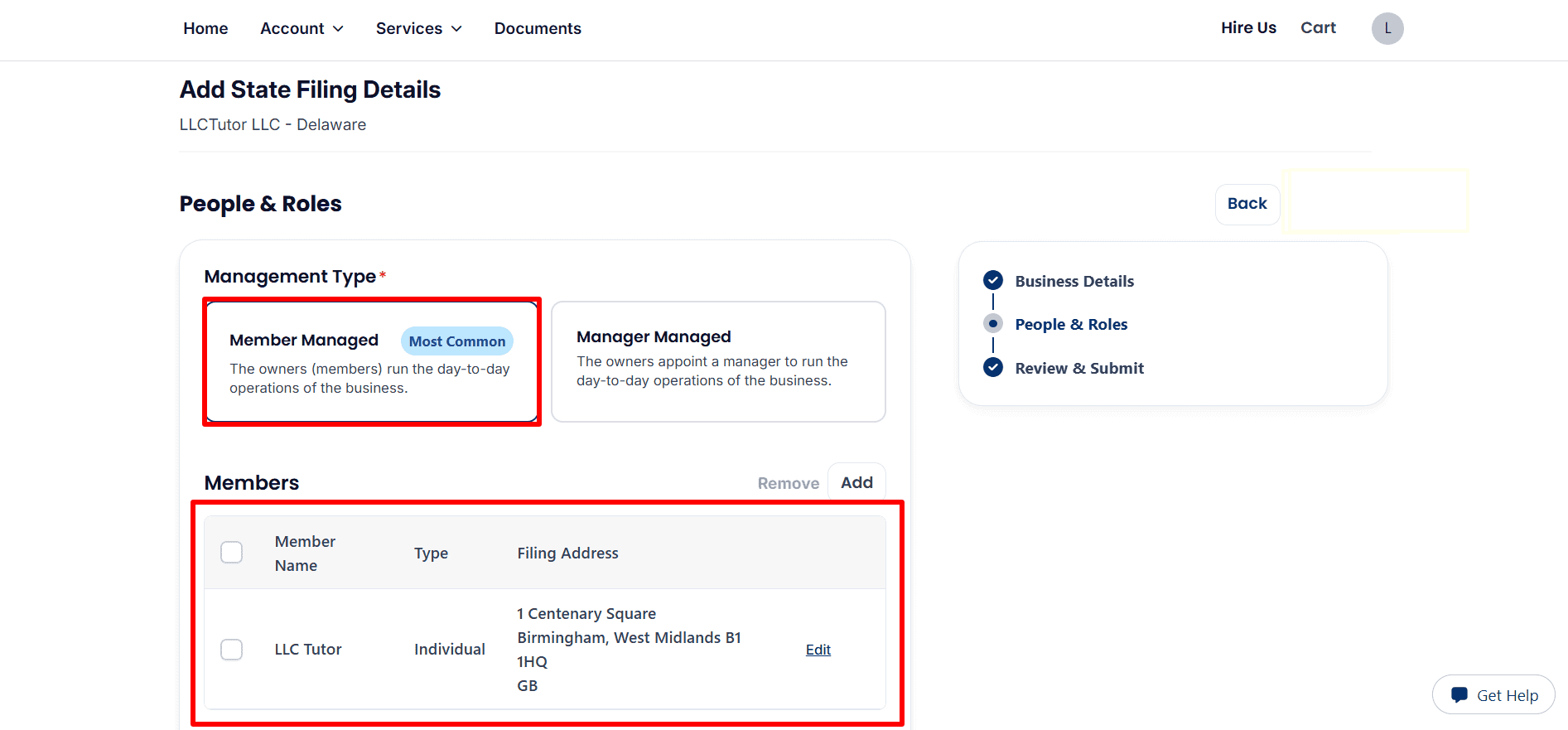
- Confirm Management and Member Details: The example selects Member Managed, meaning the owners run daily operations. Review the member’s name, individual status ,and filing address. Click Edit to correct details or Add to include another member.
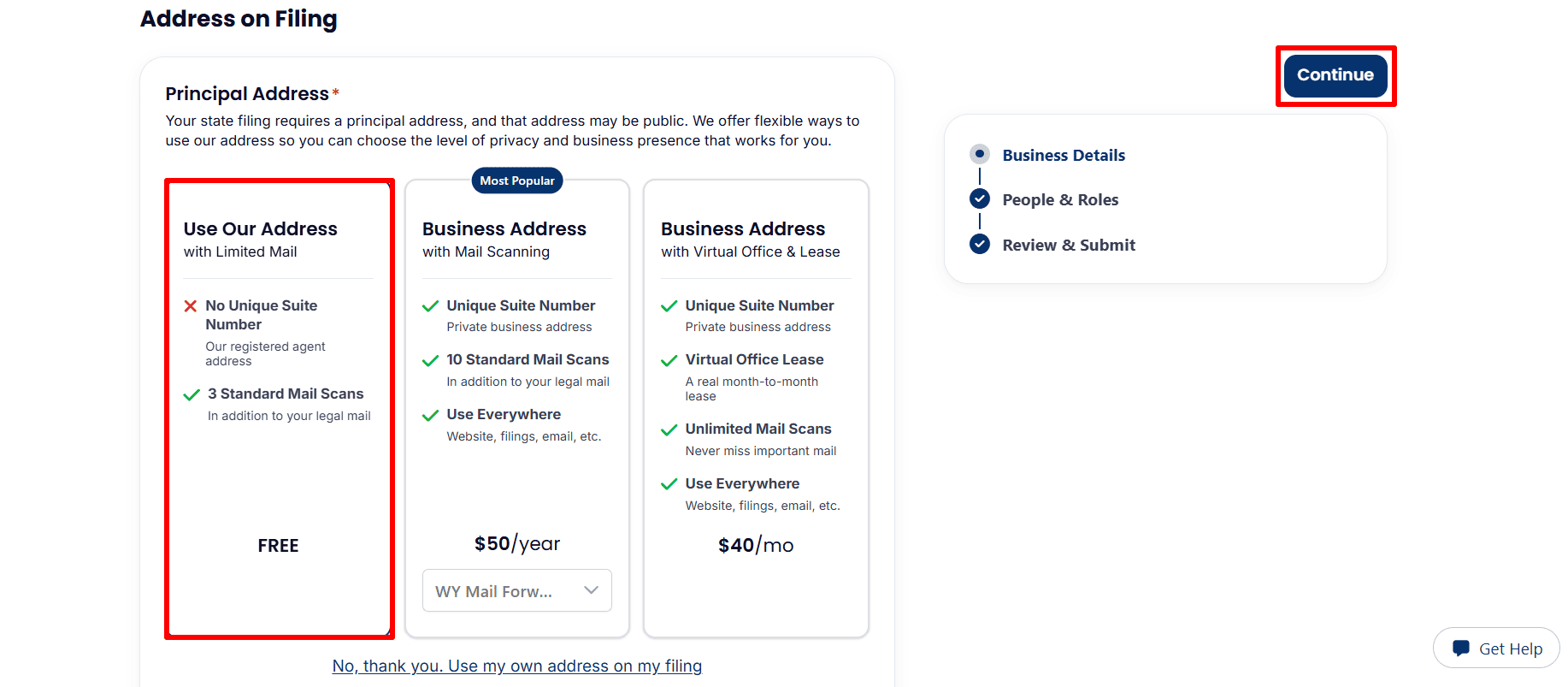
- Choose Your Filing Address: The example selects the free Use Our Address option, which lists no unique suite number and three standard mail scans in addition to legal mail. Paid address services are optional; you can also select Use my own address on my filing. Review your choice and click Continue.
Step 8: Review Your Details and Submit Your Order
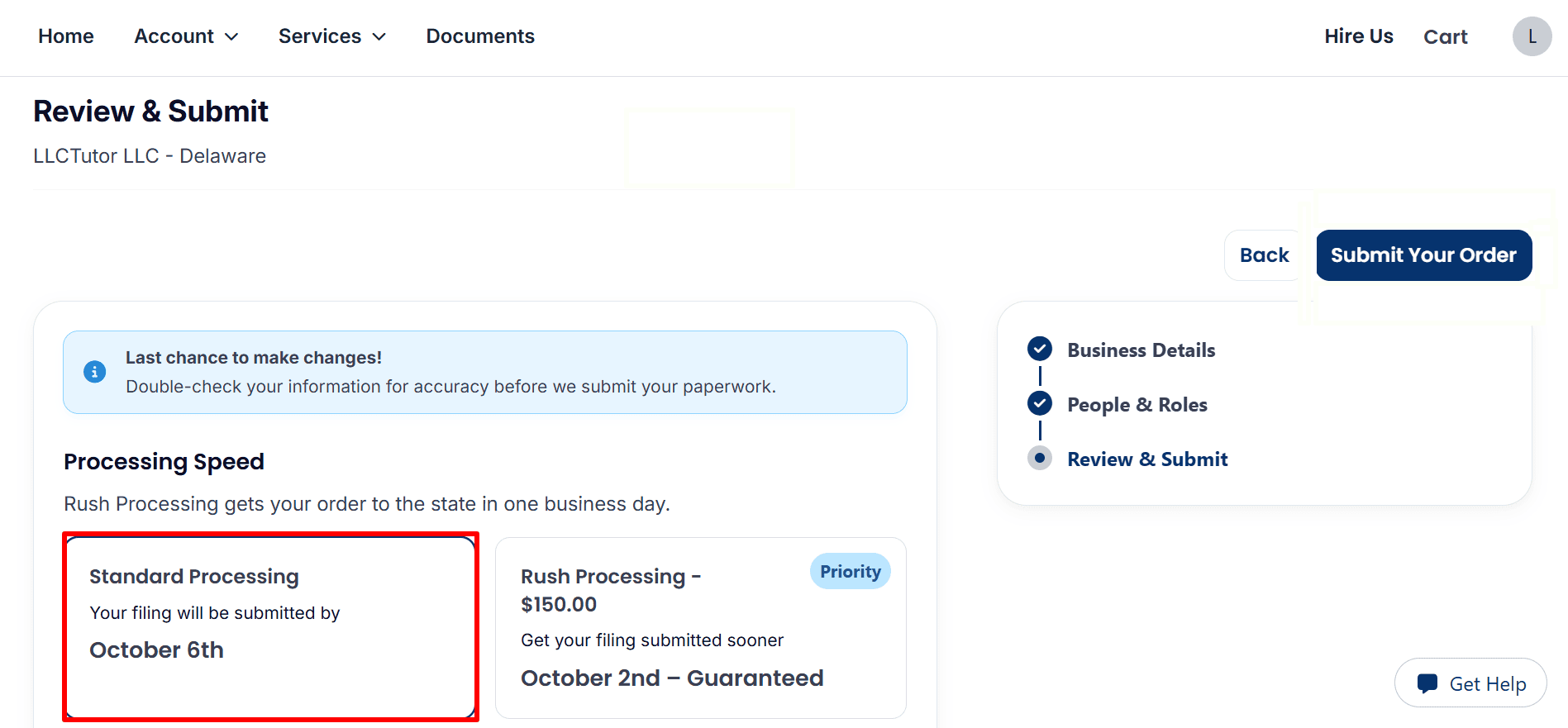
- Choose Processing Speed: The example selects Standard Processing. Optional Rush Processing is displayed at $150. Review the submission estimate shown for your order; it is not a state approval date.
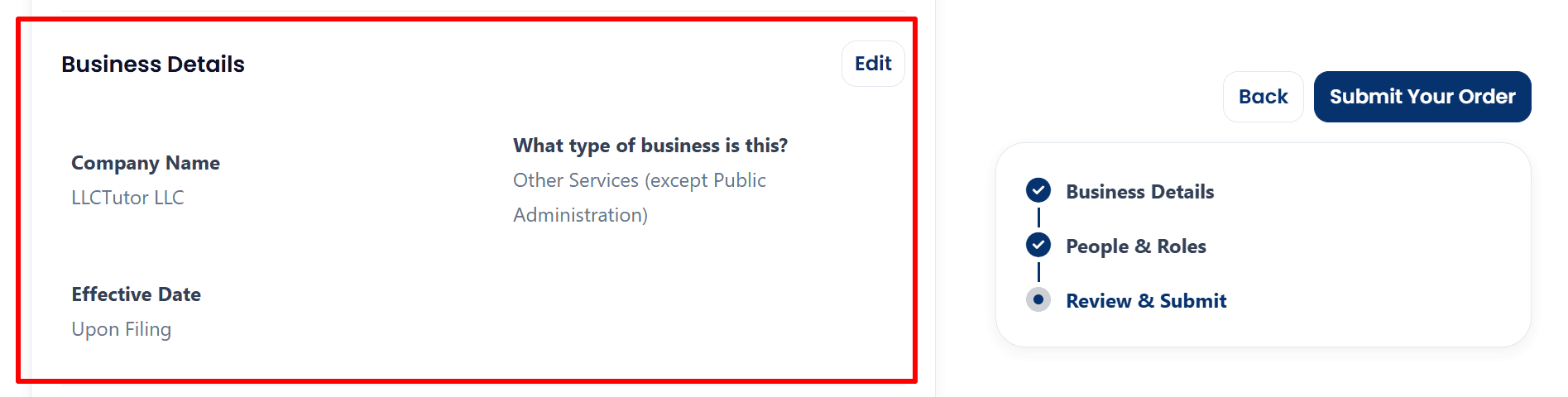
- Check Business Details: Confirm your company name, business category ,and effective date. The example shows LLCTutor LLC, Other Services (except Public Administration) ,and Upon Filing. Click Edit if anything needs correcting.
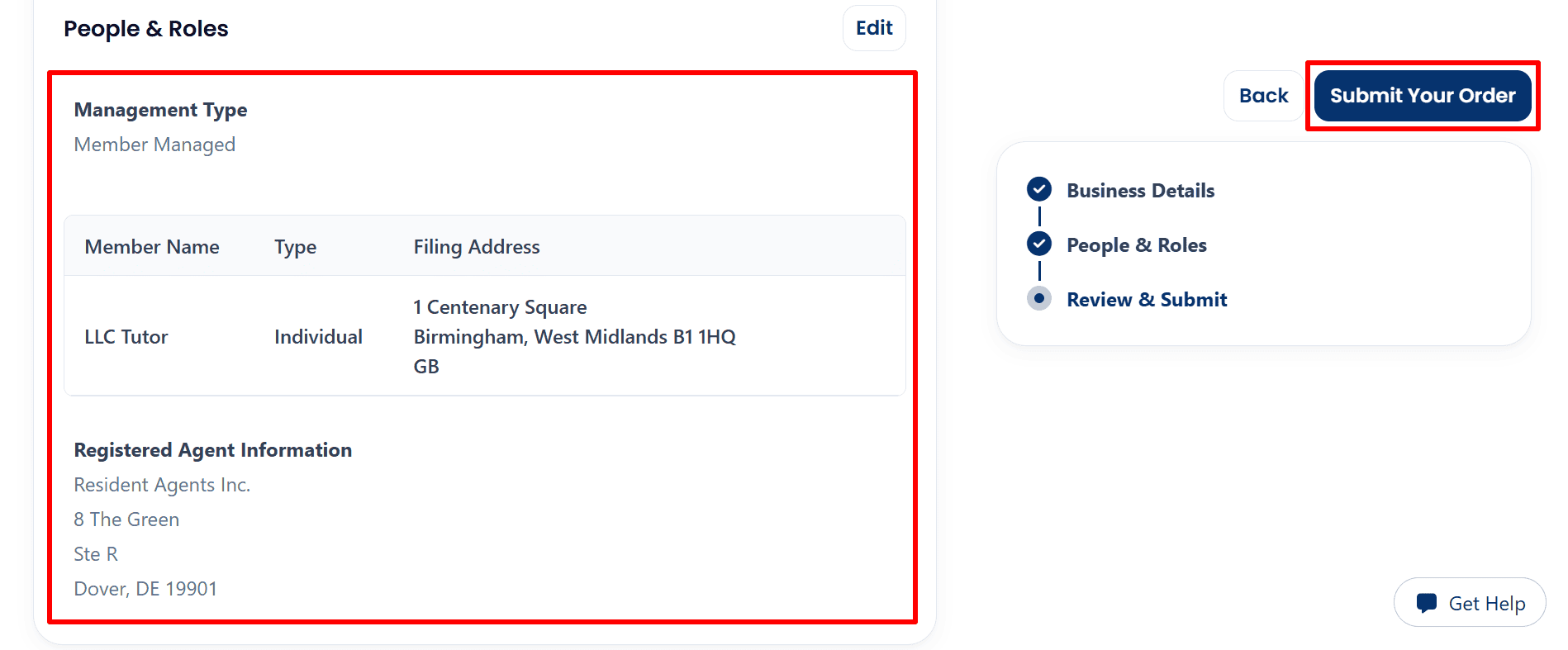
- Review People and Roles, Then Submit: Check the Member Managed structure, member information, filing address ,and registered agent details. Once everything is accurate, click Submit Your Order.
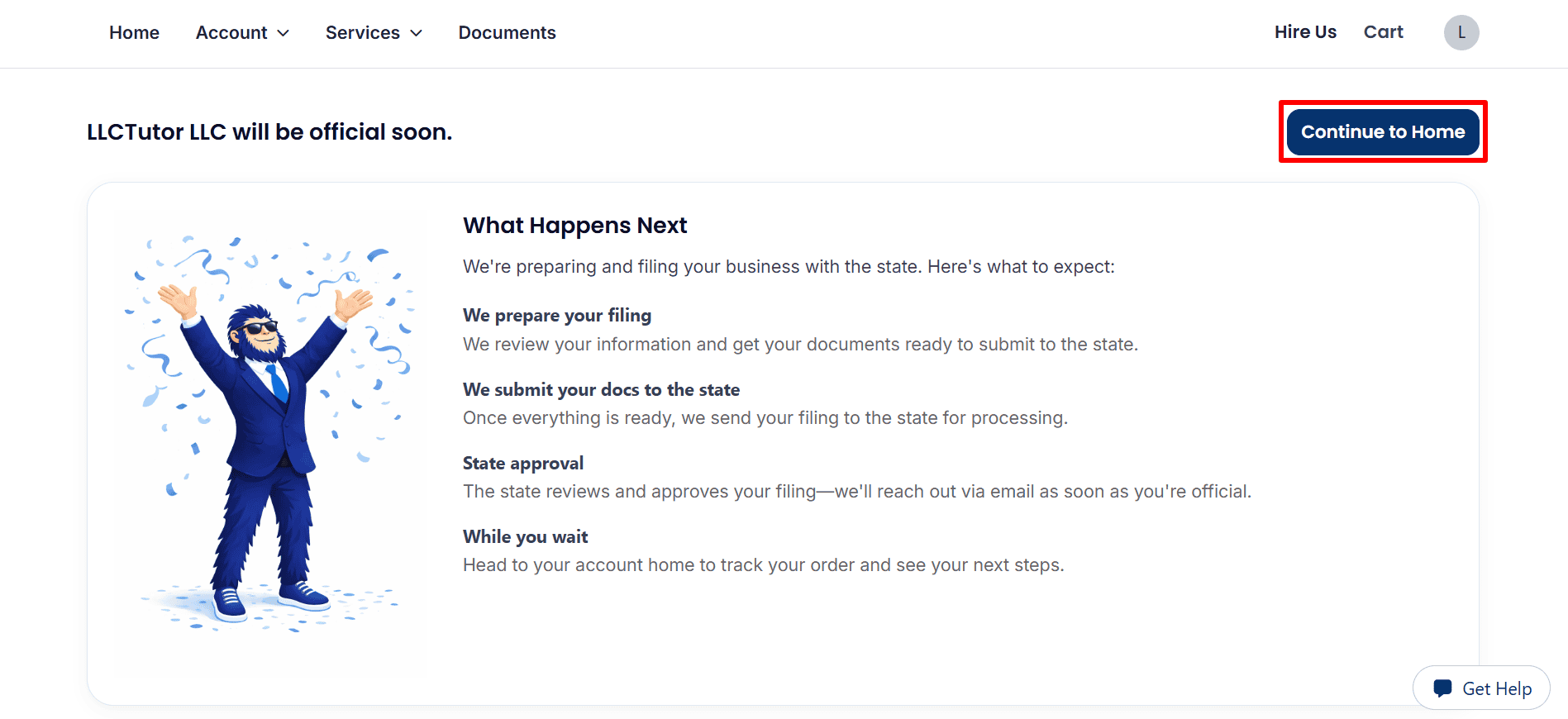
Step 9: Track Your LLC Formation Progress
- Return to Your Dashboard: The confirmation page says LLCTutor LLC will be official soon, indicating that formation is still in progress. Click Continue to Home to track your order, and monitor your email for updates or requests.
Step 10: Check Your Dashboard, Phone Services ,and Documents
- Check Your Formation Status: The dashboard shows LLCTutor LLC under Active Orders with a Processing status. Click View Details for updates. The displayed completion date is an estimate, and the screenshot does not confirm state approval.
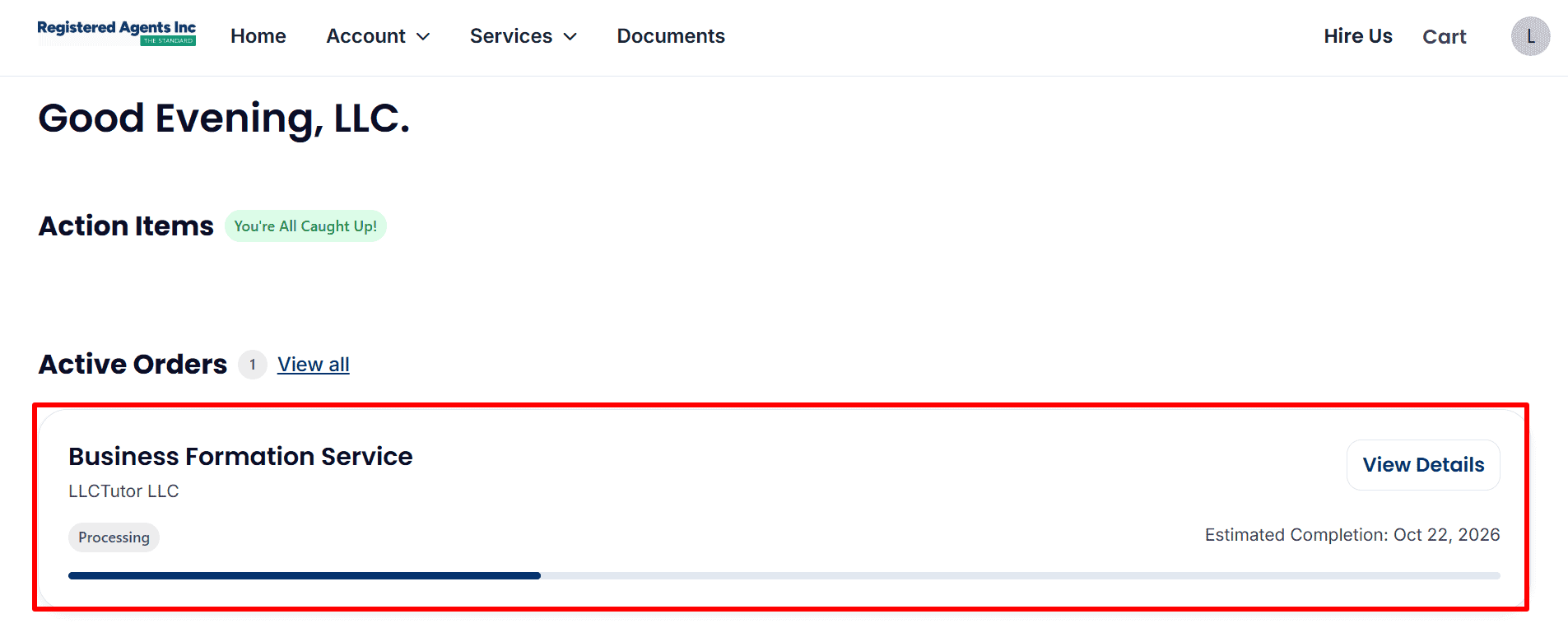
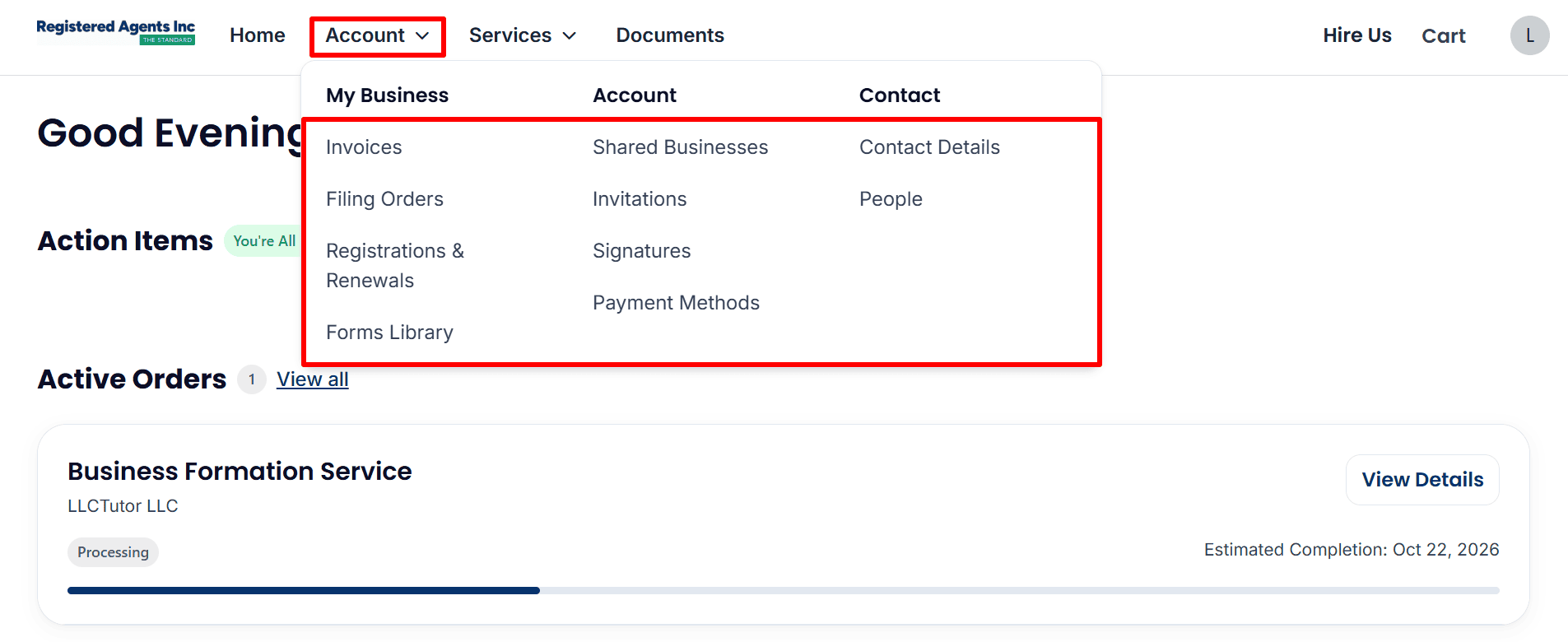
- Review Your Account Options: Open Account to access invoices, filing orders, registrations and renewals, or update your contact details and payment methods.
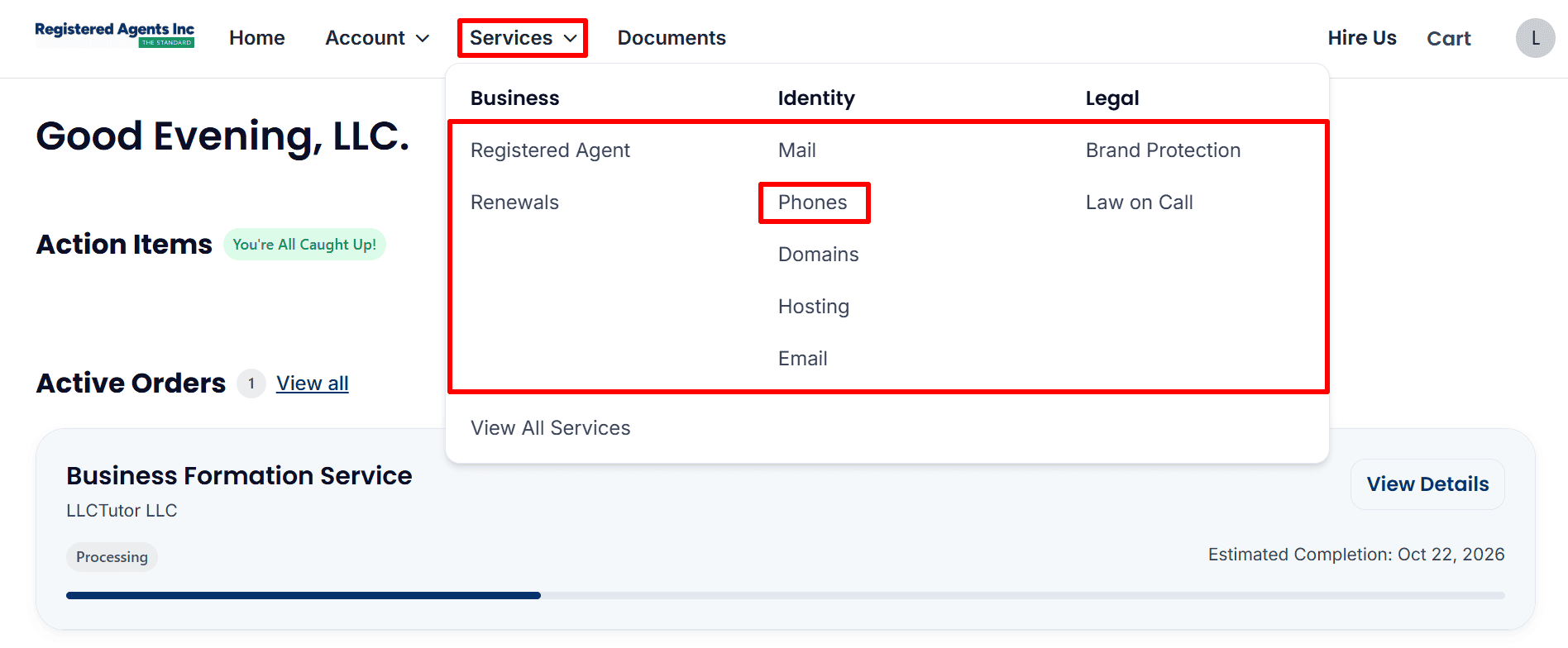
- Find Business Phone Services: Open Services, then select Phones to review the business phone service and any available number setup options. Other services, including mail, domains, hosting ,and email, are optional.
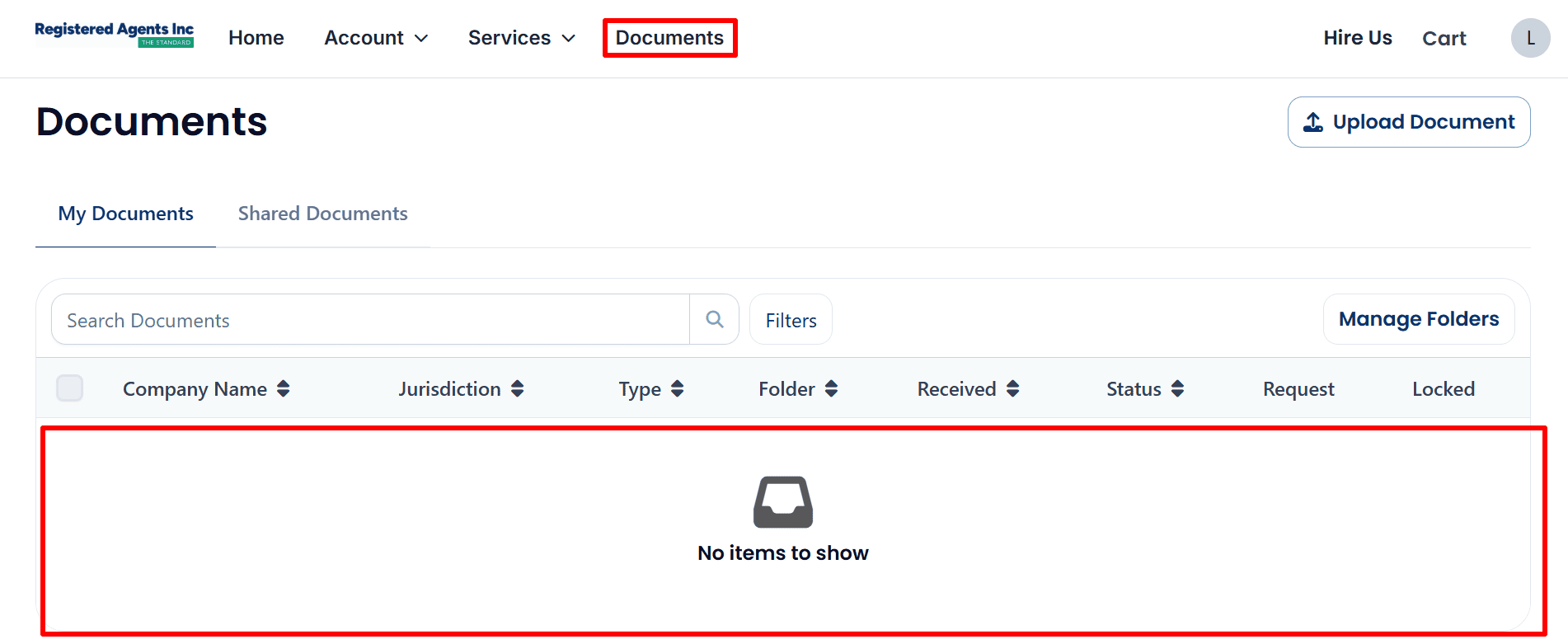
- Check Your Documents: Click Documents to look for company files when available. The example currently shows no items to show, so check again as your filing progresses.
What to Do After Submitting Your LLC Application
- Check your status: Open. View Details for updates. All completion dates are estimates.
- Respond to requests: monitor your email and your dashboard and get back to people when their requests are received.
- Save your documents: download your invoice and your formation documents when they become available.
- Follow up on your EIN: if you’ve purchased EIN assistance then you’ll need to follow up on that request separately. Otherwise just read the EIN Guide to find out how to apply yourself.
- Evaluate Banking and Payments: review the business account requirements and ensure that you have accurate ownership and business records. Amazon FBA, Stripe and the banking apps all require separate reviews. Formation of an LLC in no way guarantees approval.
- Build your business presence: consider a business phone number, a website and a professional email (where appropriate for your business).
Helpful Resources
Resources marked below are partner or referral resources.
- Start Your LLC with Registered Agents Inc
- Read the EIN Guide
- Explore ITIN Assistance (Save $50 with code
REGISTERUSLLC50) - Review Square Payments
- Check Mercury Eligibility
- Explore Airwallex
- View Hostinger Plans
- Explore Google Workspace
Final Thoughts
For a non-resident looking to use a US LLC for Amazon FBA, Stripe and US banking the key thing is to have the correct information and proper records. The order in this Delaware example is still processing so keep an eye on your dashboard for further updates.
Complete each application as thoroughly as possible and make sure you fully understand the requirements of each service before you go any further. When you’re ready to get going then it’s time to Start Your LLC with Registered Agents Inc here we’ll get a small commission at no extra cost to you.
Related Articles from LLCTutor.com
- How to Form an LLC in Wyoming Step-by-Step Guide
- LLC Registration Process Step-by-Step Guide 2026
- Start an LLC in Florida Step-by-Step Guide
- Start an LLC in California Step-by-Step Complete Guide
Disclaimer: LLCTutor.com is an educational site and we don’t give any legal or financial advice. We do however promote legal and ethical business practices in accordance with Islamic principles. We do not in any way support unlawful activity, fraud, gambling, riba (interest) based businesses or any arrangement which is purely speculative with no actual ownership, no real responsibility and no real commercial risk. The viewer is ultimately responsible for ensuring that whatever they do is in accordance with the law and with ethical standards. And just a quick note that some of the links in this description are affiliate links. If you click on them and go on to buy something then I will receive a small commission at no additional cost to you. I only ever recommend services that I have personally used and that I trust. That helps to support the blog/channel so that I can keep producing free content like this!
.