Can I open a US company if I don’t live there? This is the #1 question we get at LLCTutor. The short answer is: Yes.
You do not need to be a US citizen, have a Green Card, or even hold a US visa to own a US Limited Liability Company (LLC). Thousands of international entrepreneurs—from Europe to the Middle East, Asia to Africa—are forming US LLCs to access:
- Global Payment Gateways: Stripe, PayPal, and US bank accounts.
- Credibility: A US corporate identity builds trust with clients worldwide.
- Asset Protection: Keep your personal assets separate from business liabilities.
In this guide, we will walk you through the exact process using our trusted partner. We’ve documented every single click so you can follow along and form your entity today.
Before You Start: What You Need
- A Company Name: Something unique and ending with ‘LLC’.
- A Credit or Debit Card: To pay the state filing fees, a credit or debit card can be used.
- ~10 Minutes: the online application process is quick.
Step 1: Start the LLC Registration Process
To begin, you need to visit the formation portal from here.
Then,
- Company Name: Enter your desired business name. In our example, we used “Maple Crescent Solutions LLC”.
Tip: Your name must end with an entity designator like “LLC” or “L.L.C.”
- State: Select Wyoming.
Why Wyoming? For non-US residents, Wyoming is the “Gold Standard.” It offers low filing fees (approx. $100), high privacy (your name isn’t on the public record), and no state income tax for non-residents. If you prefer a different state (like Delaware or New Mexico), you are free to select it from the menu. The registration steps below are virtually identical for all states.
- Type of Business: Select LLC.
- Lawsuit Copies: Select “No” (unless you have a specific legal reason otherwise).
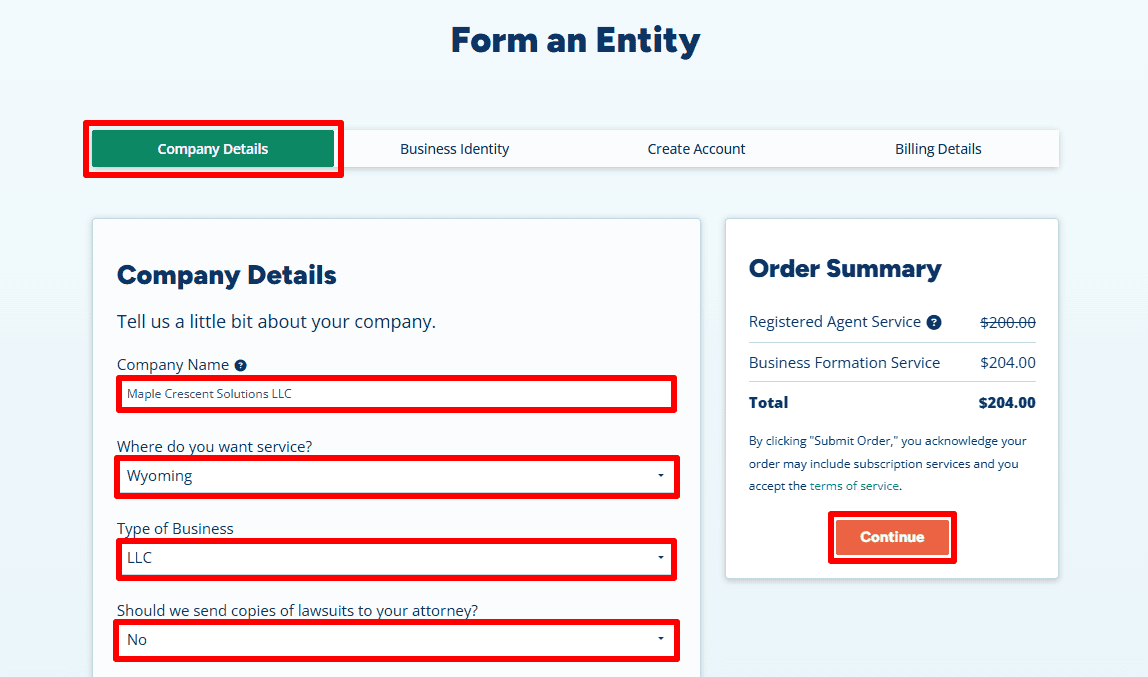
- Business Purpose: Write a brief sentence about what you do.
Example: “Providing business consulting and digital strategy services for ethical entrepreneurs.”
- Physical Address: Select “Our Registered Agent Address”.
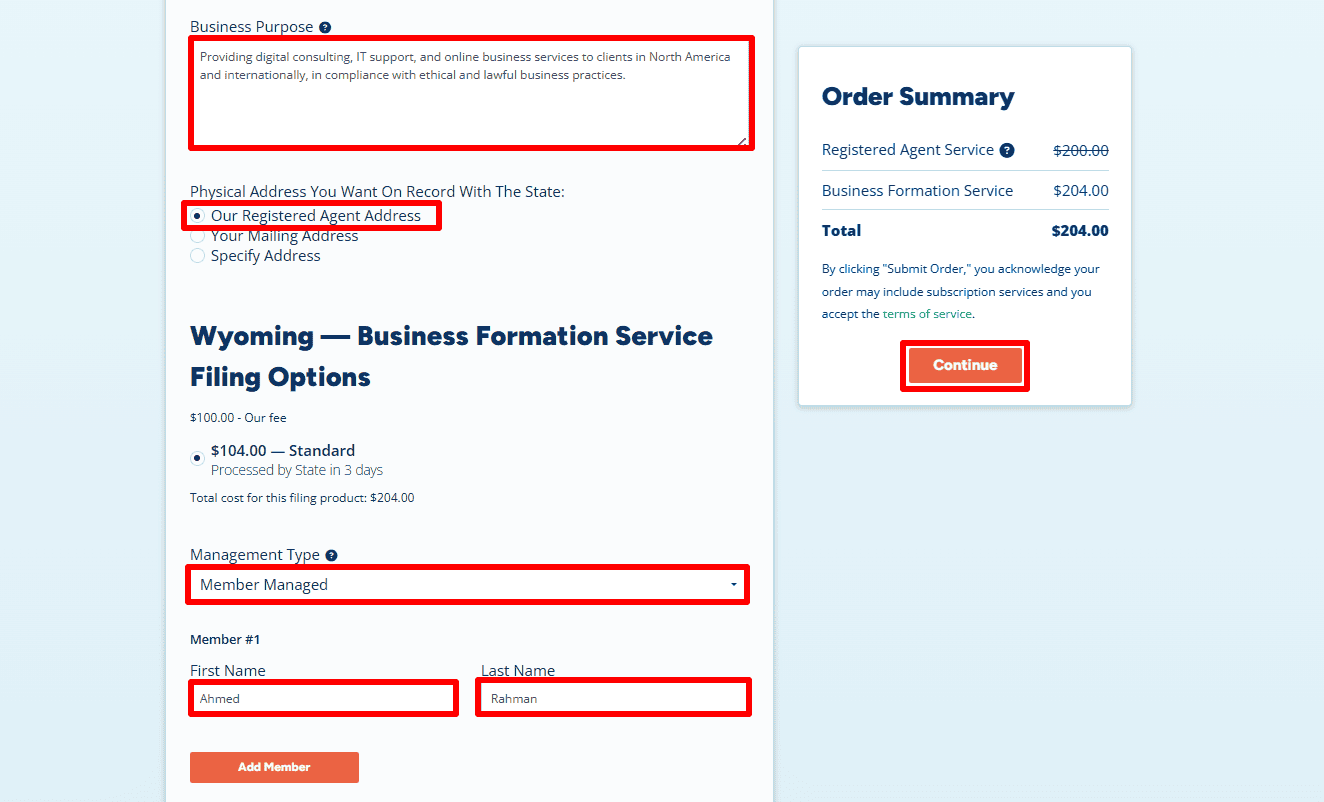
Critical: We recommend using the Registered Agent Address to keep your personal details off the public record. This is also required if you don’t actually live in the state. However, if you already have a valid local address in Wyoming (or the state you selected), you can choose Your Mailing Address to enter it yourself. - Management Type: Choose Member-Managed (this means you, the owner, run the business).
- Member Name: Enter your full name (e.g., Ahmed Rahman).
- Click “Continue”.
Step 2: Add Business Phone and Additional Services
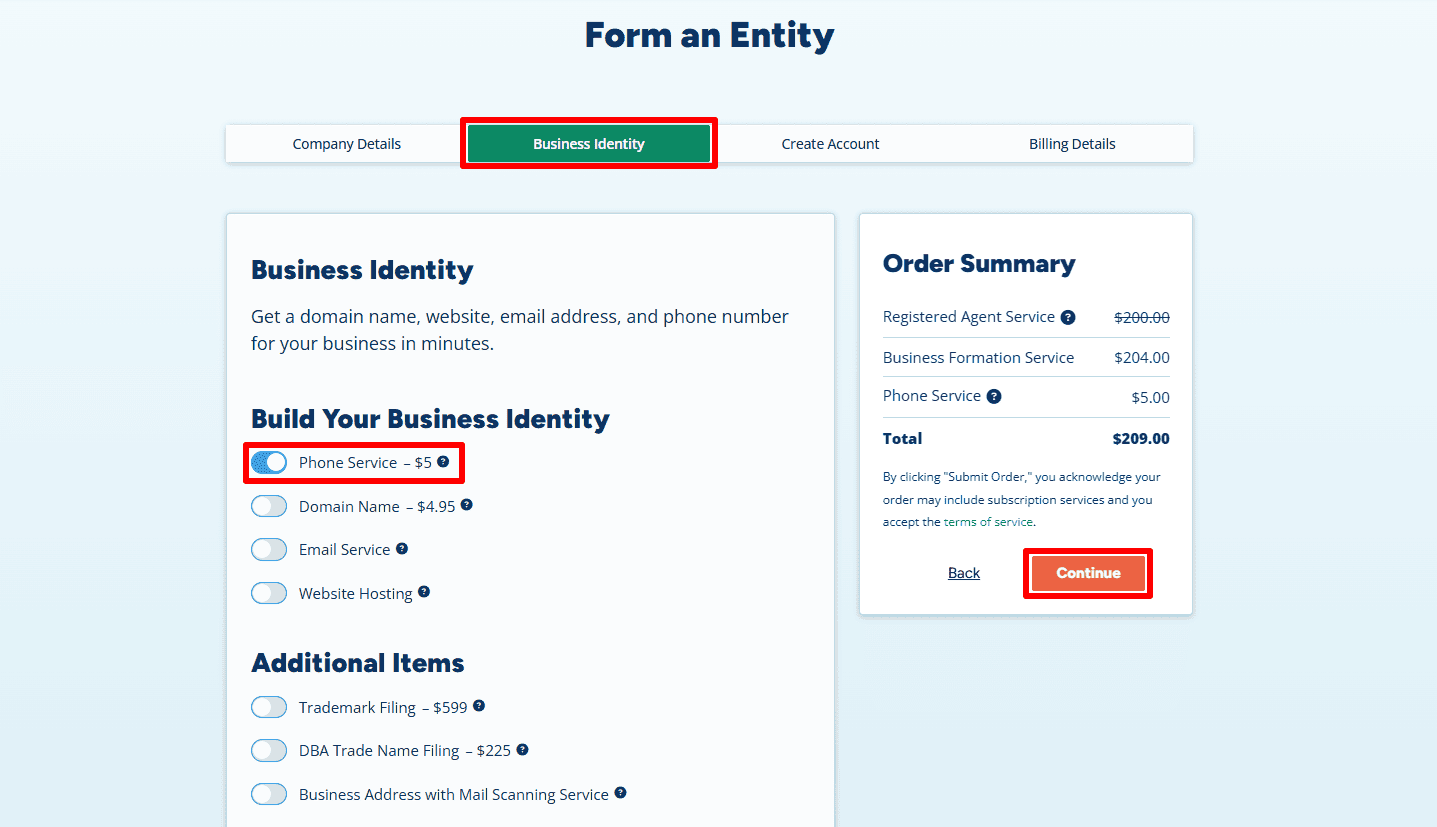
- Phone Service ($5/month): We highly recommend adding the Business Phone Service.
Why? A U.S. phone number is strongly recommended for opening U.S. business bank accounts such as Mercury or Relay, and it is often required for verification when using Stripe, Amazon, and other merchant platforms. Getting it here is often cheaper and easier than trying to verify a VoIP number later. - Optional: You can also add optional services like a Domain Name, Website Hosting, or Business Email to instantly build credibility and professionalize your brand.
- Click “Continue”.
Step 3: Contact Information & Login
- Contact Info: Enter your name and home country or residential address exactly as they appear on your official ID.
As shown in the example, “Ahmed Rahman” is using his actual international address (120 Carlton Street, Suite 400, Toronto, Ontario – M5A 4K2). This information is for the Registered Agent’s internal billing and is not made public. - Phone Number: Enter your international mobile number so they can reach you if needed.
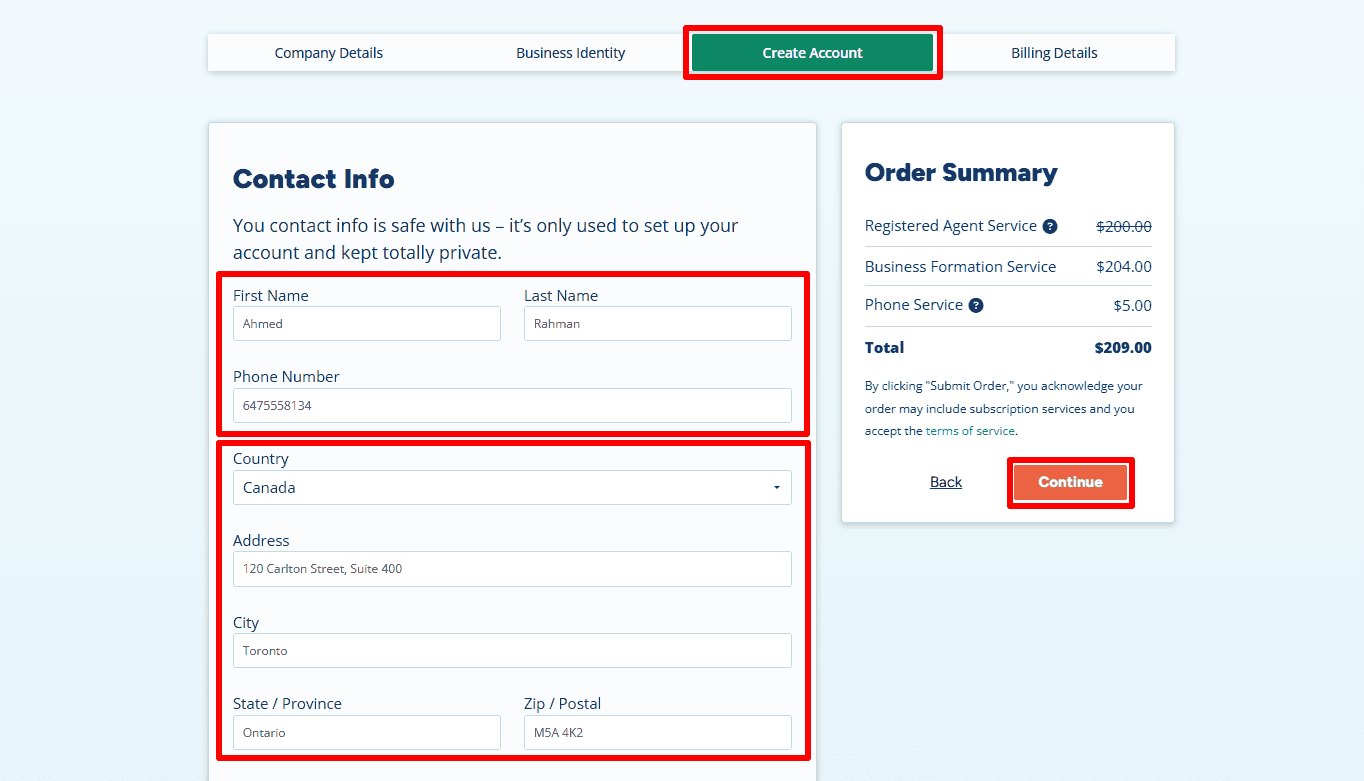
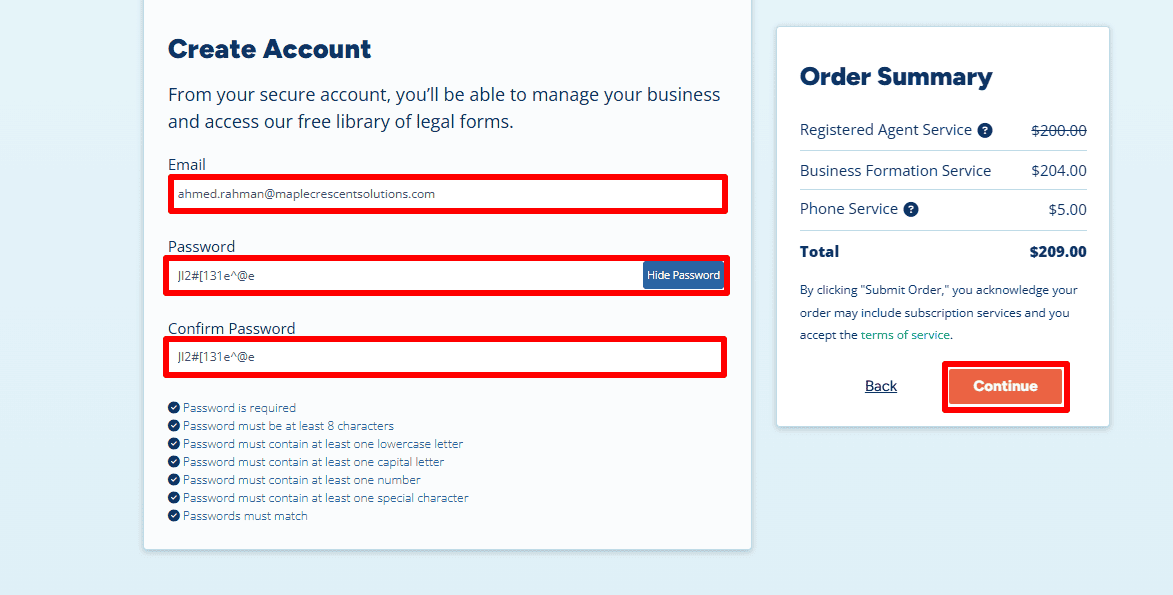
- Create Account: Enter your email (e.g., ahmed.rahman@maplecrescentsolutions.com) and create a strong password. You will use this to log into your dashboard later to access your documents.
- Click “Continue”.
Step 4: Payment Details
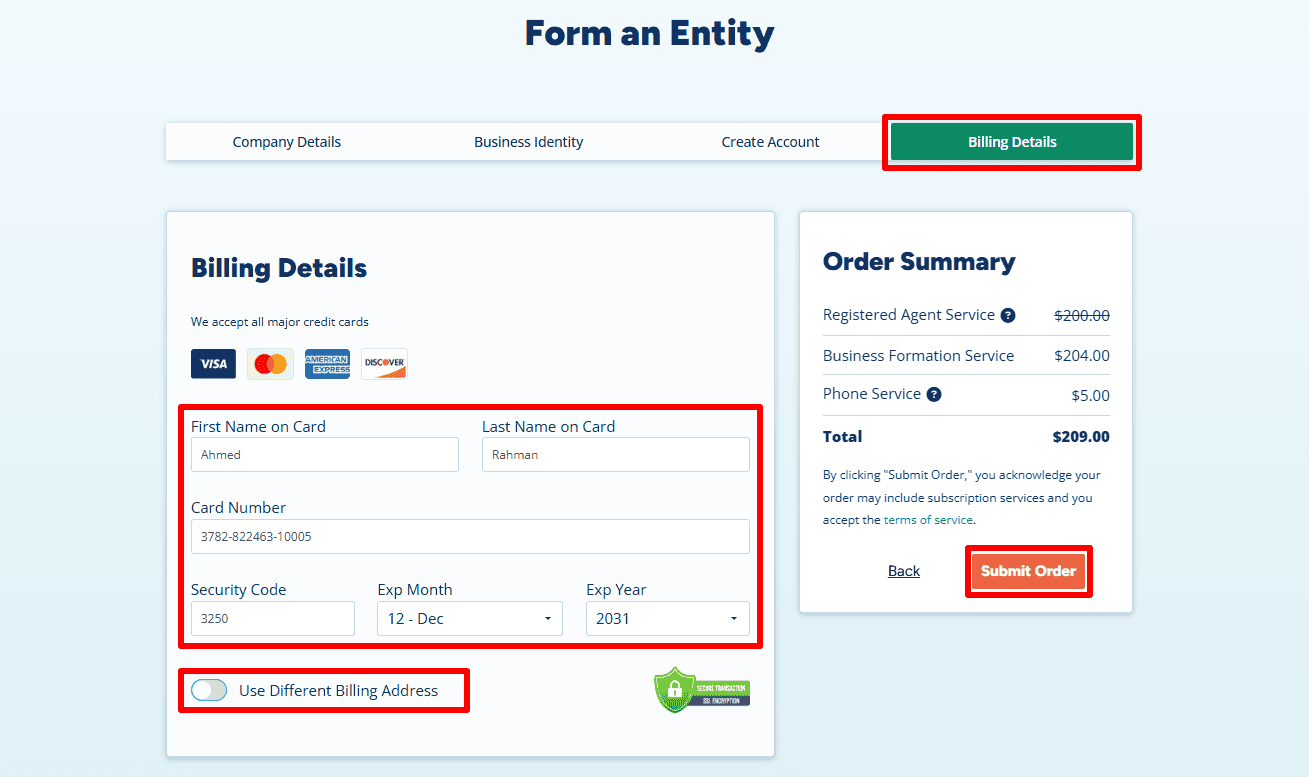
- Review your order summary. You will notice that by using this specific portal, you are often getting a “bundled” discount where the Registered Agent service fee is significantly reduced or waived for the first year, leaving you with a total around $209 (this covers the state filing fees and the service).
- Enter your credit/debit card details.
- Billing Address: You can use the same international address you entered in Step 3.
- Click Submit Order.
Step 5: Add State Filing Details and Download Your Invoice
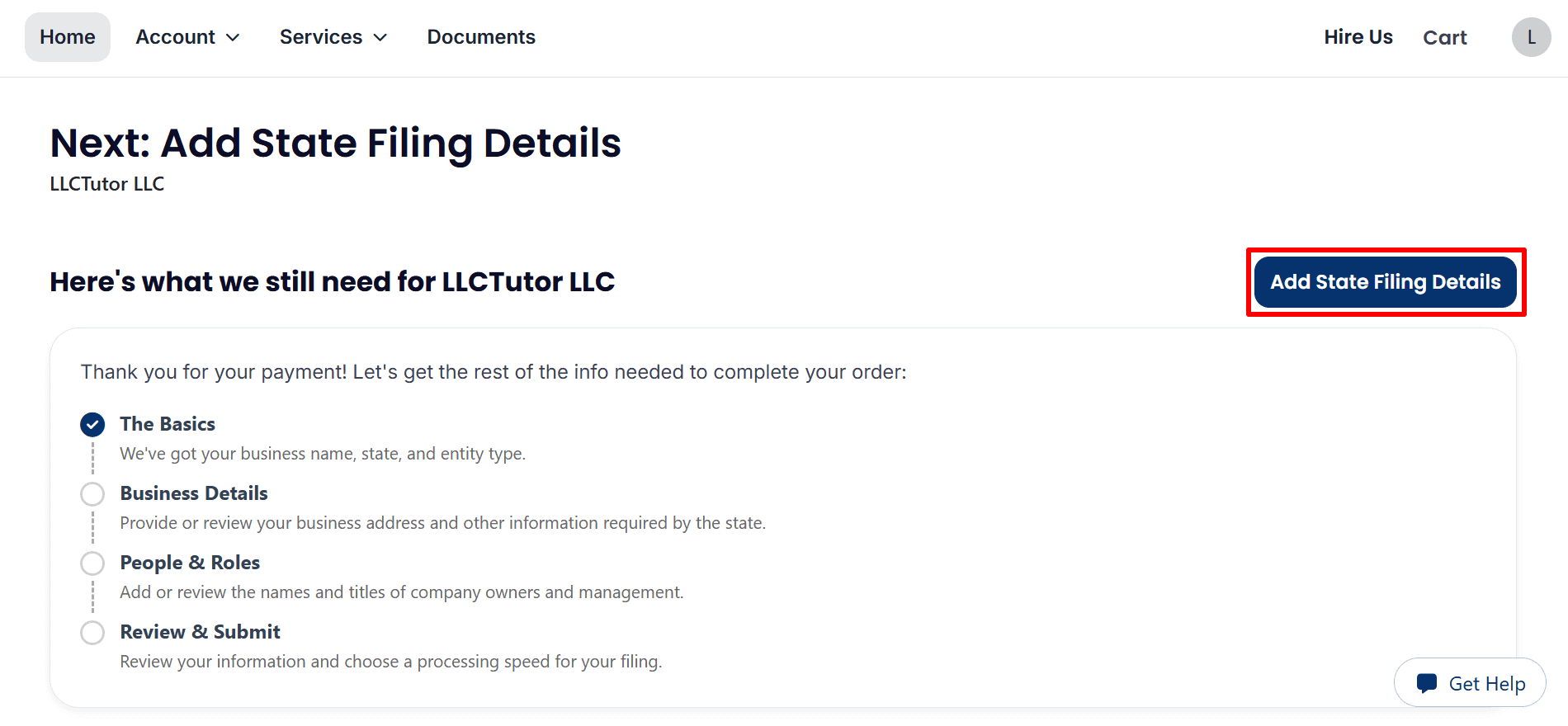
- Add State Filing Details: Click Add State Filing Details to enter the remaining information needed to complete your LLC formation order.
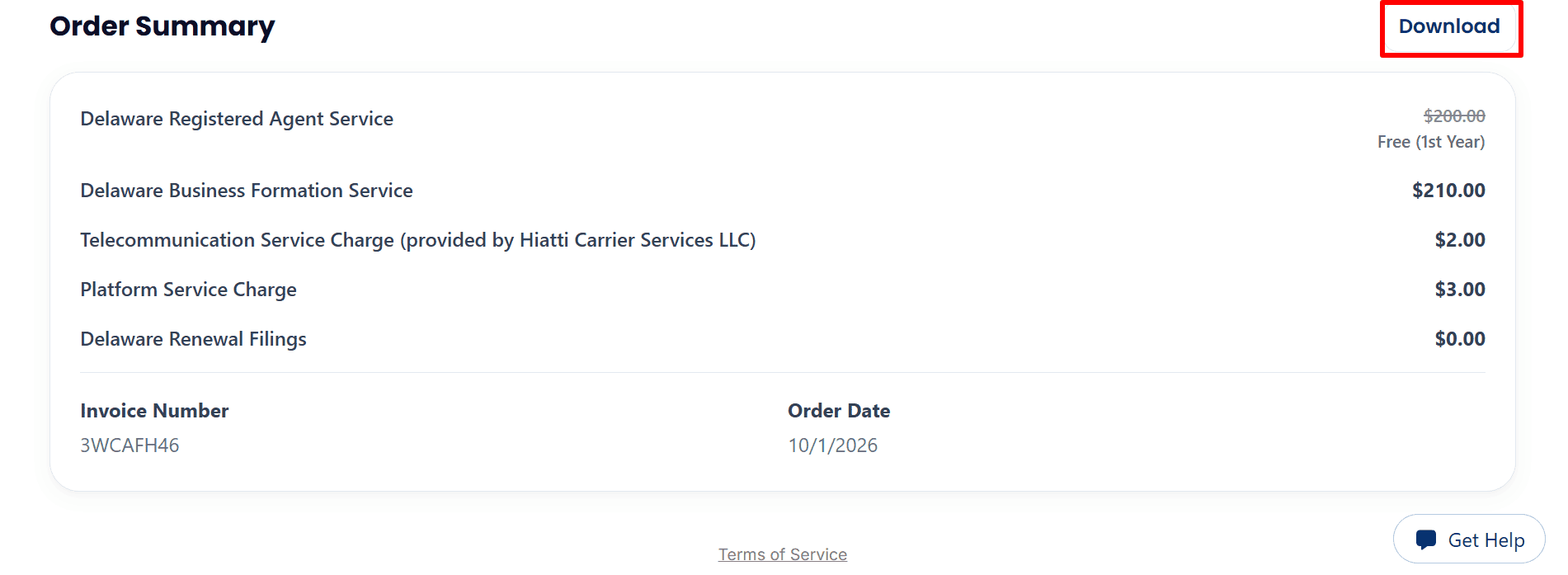
- Download Your Invoice: Review the services and charges in your order summary, then click Download to save your invoice.
Step 6: Review Your Business Details and Tax ID Options
- Review Your Business Name: Confirm that LLCTutor LLC is spelled correctly, or click Edit to change it. The preliminary search indicates availability, but final approval rests with the state.
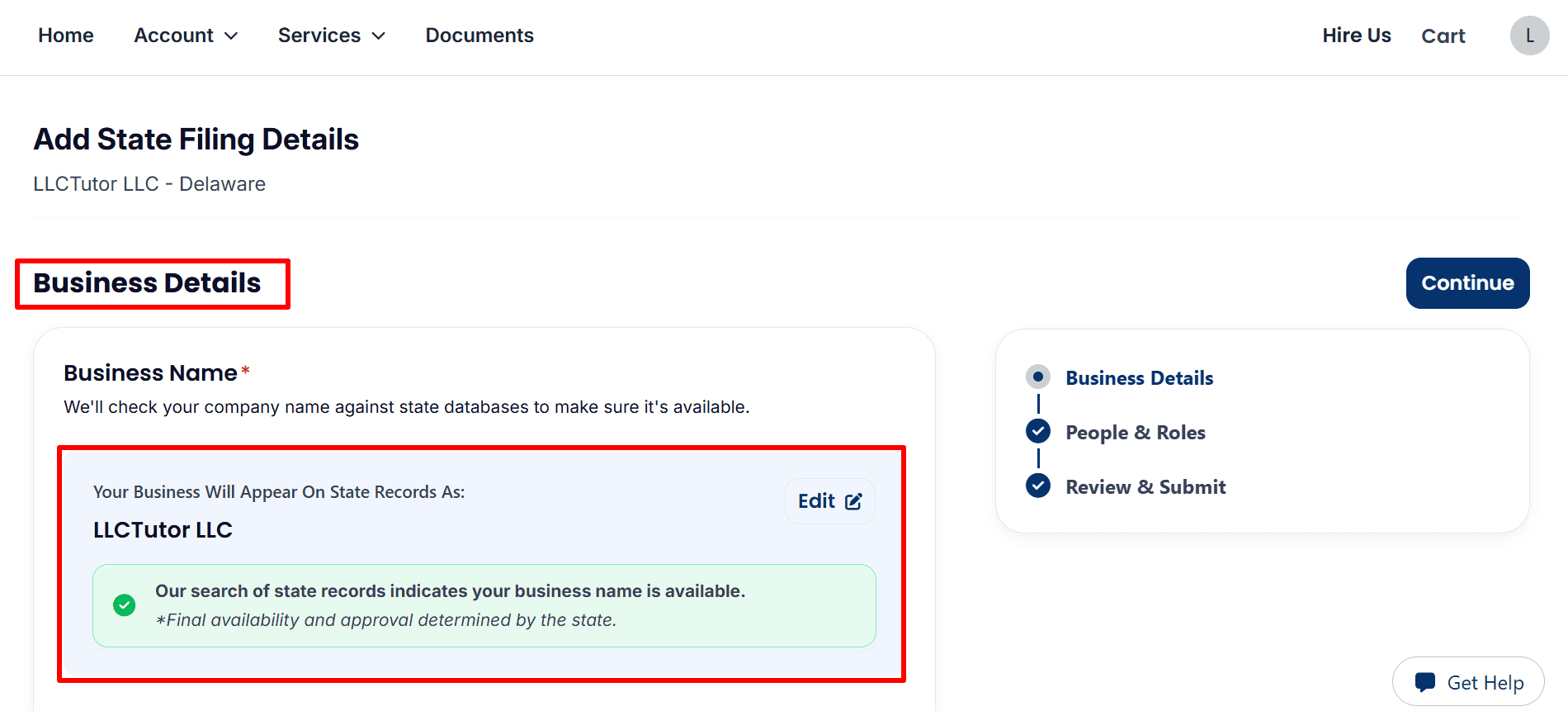
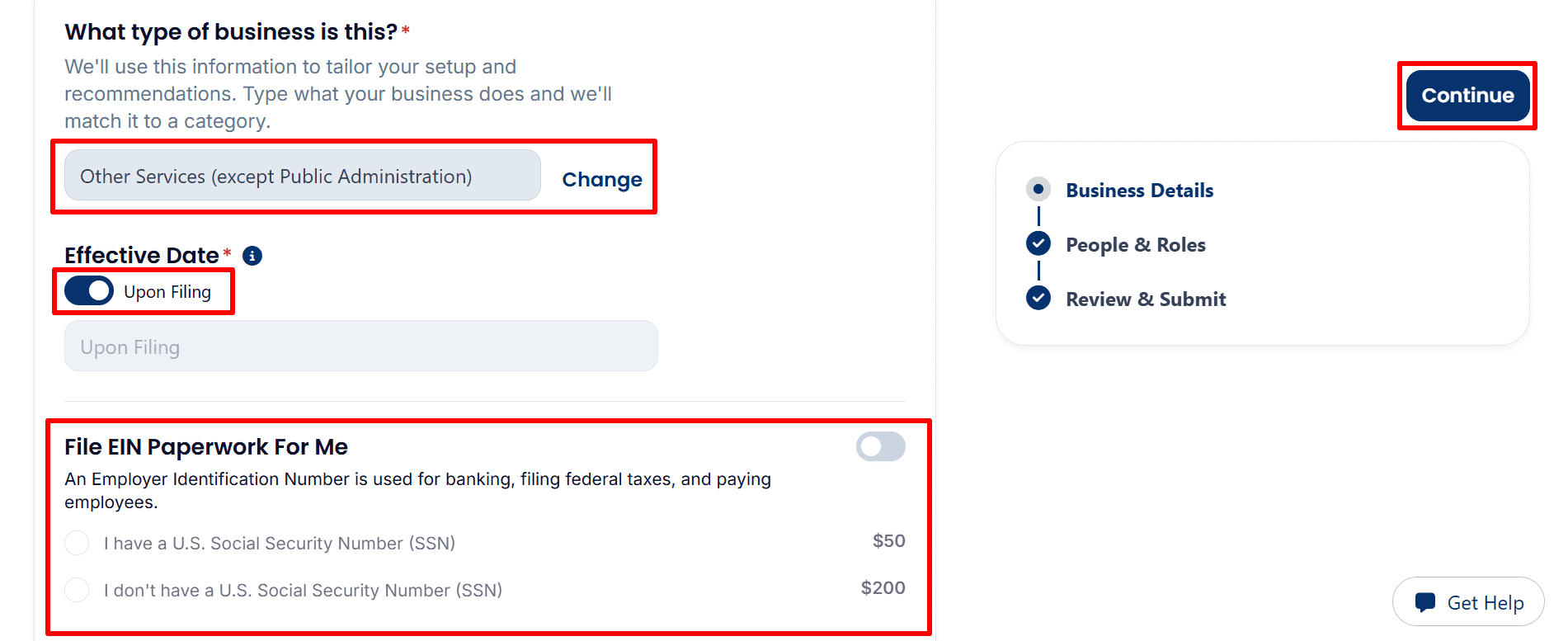
- Choose Your Business Type and EIN Option: Select the category matching your activities and review the Upon Filing effective date. Optional EIN processing costs $50 with an SSN or $200 without an SSN in this example. Leave File EIN Paperwork For Me switched off if you plan to apply yourself, then click Continue after reviewing the page.
- Apply for your EIN yourself: You can obtain an EIN directly from the IRS free of charge instead of paying the registered agent’s processing fee. Follow the appropriate guide:
- U.S. Residents or Citizens: Step-by-step EIN guide here
- Non-U.S. Residents: Complete EIN application guide here
- Review Optional S Corporation Filing: The screenshot shows File S Corp Paperwork For Me switched off, with a $100 service fee and an SSN requirement displayed. Keep it off unless you have confirmed eligibility and decided to request this tax election.

Step 7: Review Your LLC Management and Filing Address
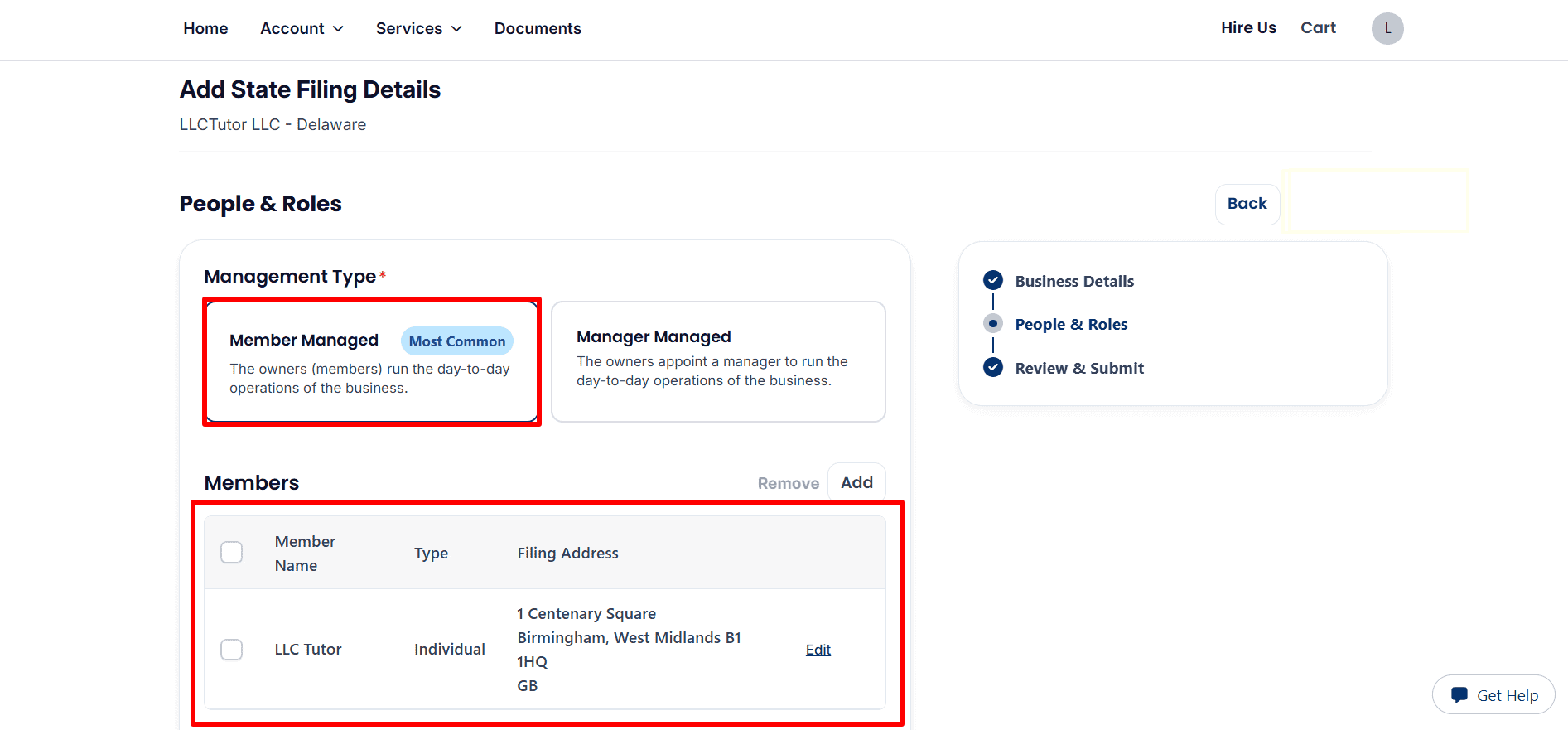
- Management and Members: The example shows Member Managed, meaning the owners handle daily operations. Review each member’s name and address, use Edit to correct details, or Add to include another member.
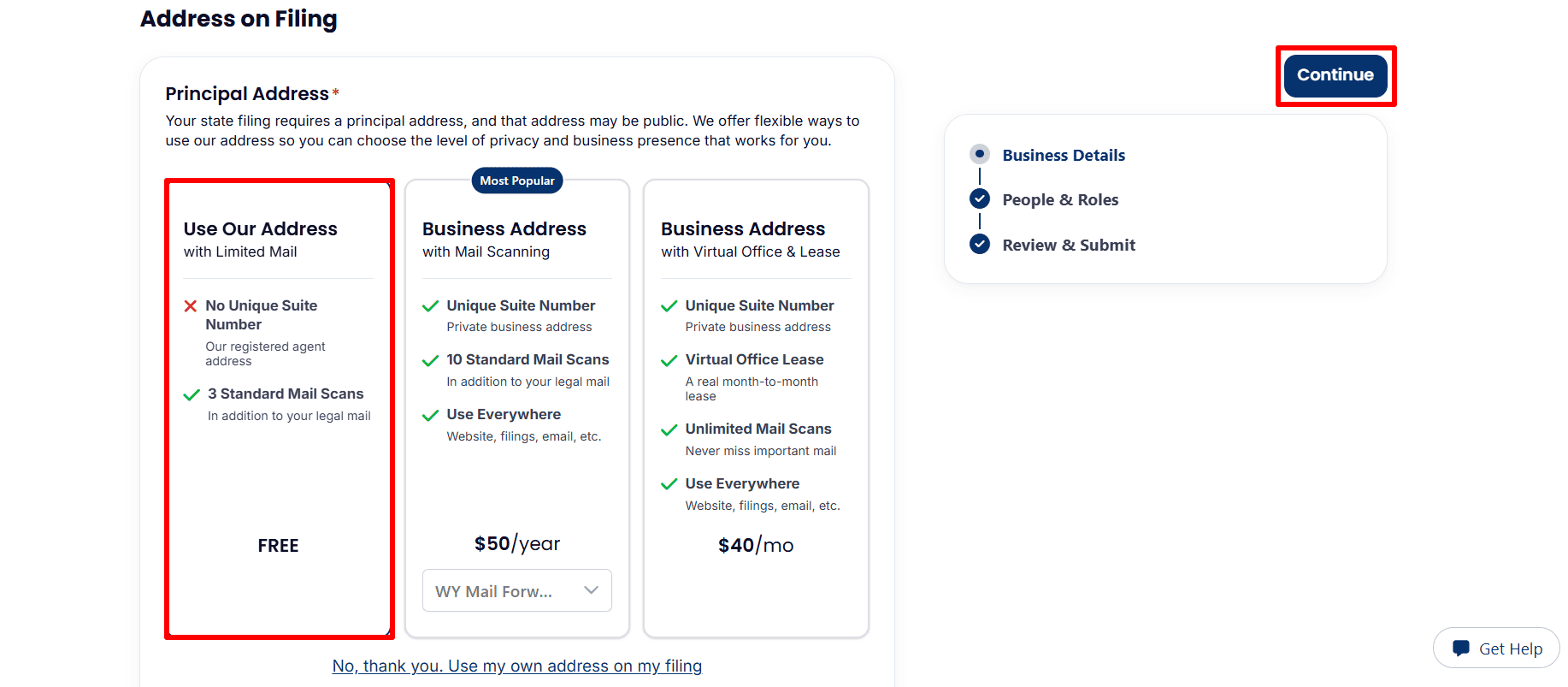
- Filing Address: The example highlights the free Use Our Address with Limited Mail option, which includes three standard mail scans and no unique suite number. Review the optional address upgrades briefly, or select Use my own address on my filing, then click Continue.
Step 8: Review Your Information and Submit Your Order
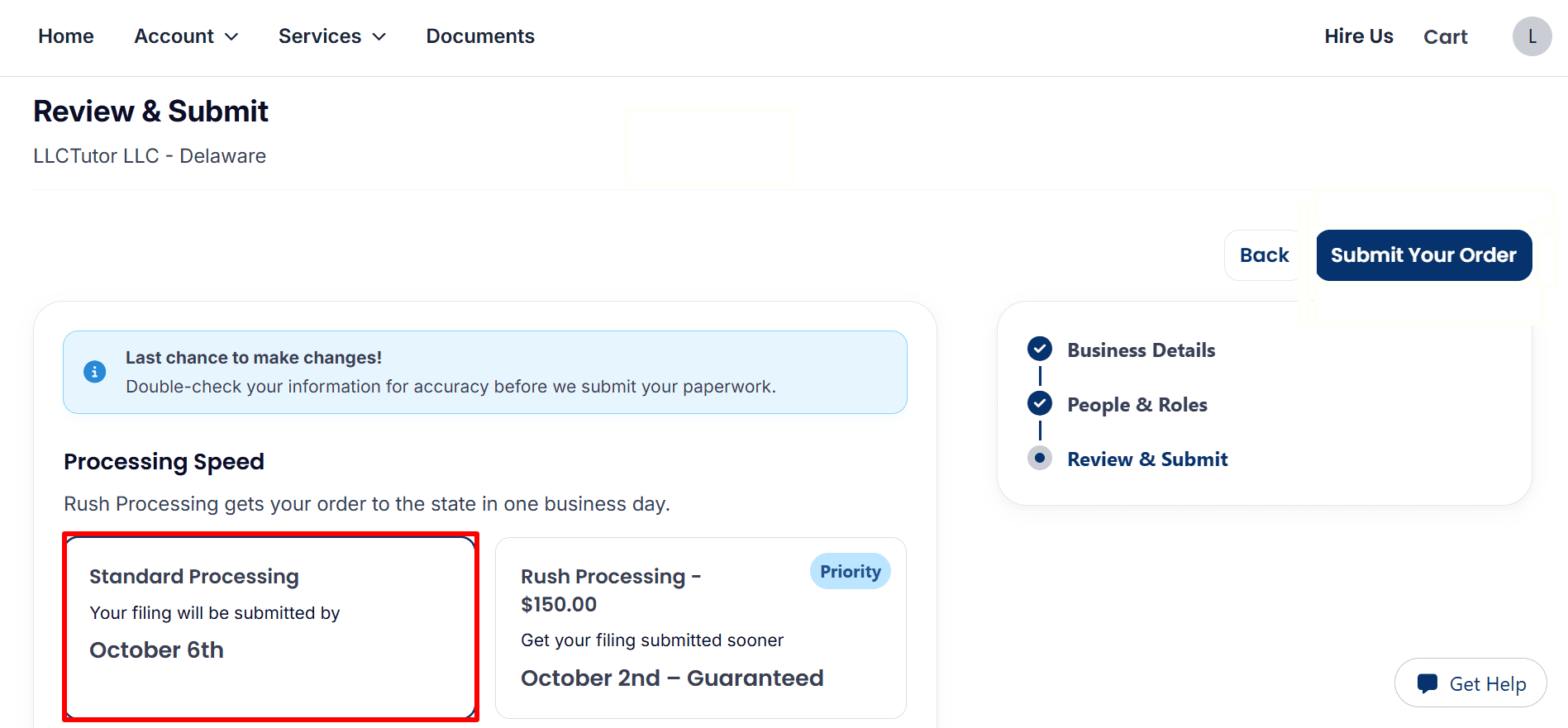
- Processing Speed: The example selects Standard Processing. Optional Rush Processing costs $150. Review the submission dates shown in your account; these refer to sending the filing to the state, not state approval.
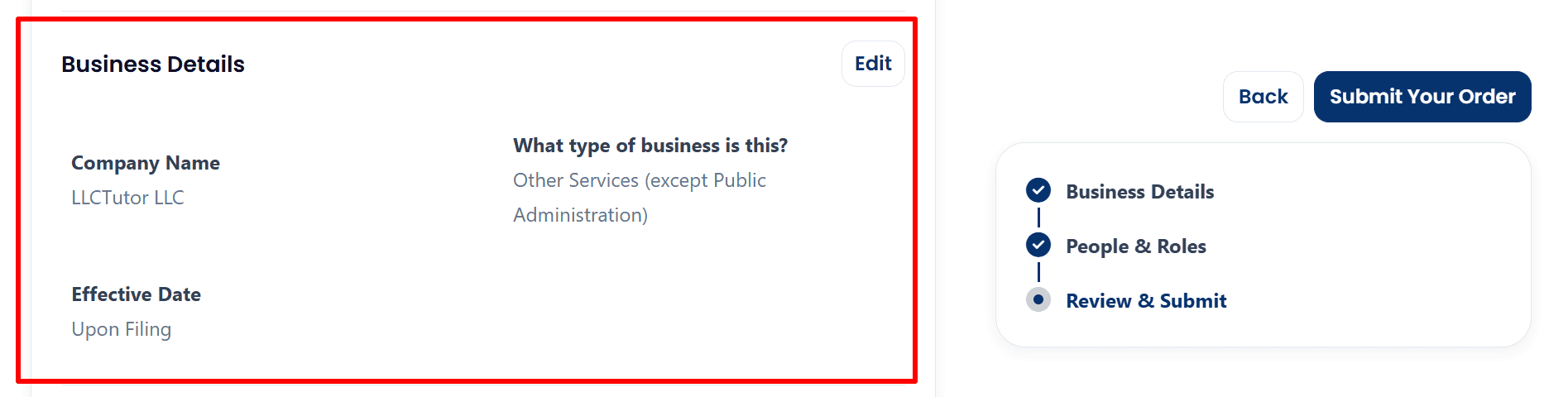
- Business Details: Check your company name, business category, and effective date. The example shows LLCTutor LLC, Other Services (except Public Administration), and Upon Filing. Click Edit if corrections are needed.
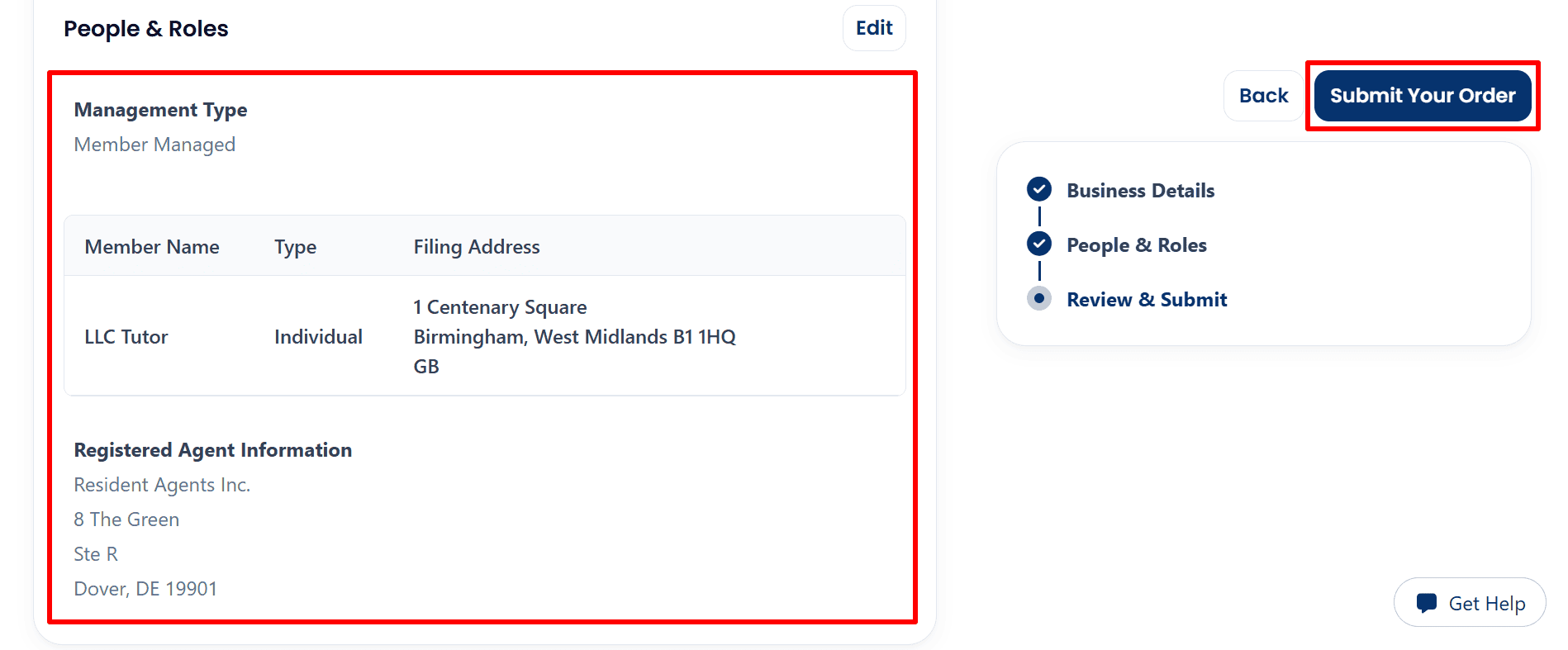
- People and Roles: Verify the management type, member information, filing address, and registered agent details. Once everything is accurate, click Submit Your Order.
Step 9: Track Your LLC Formation Progress
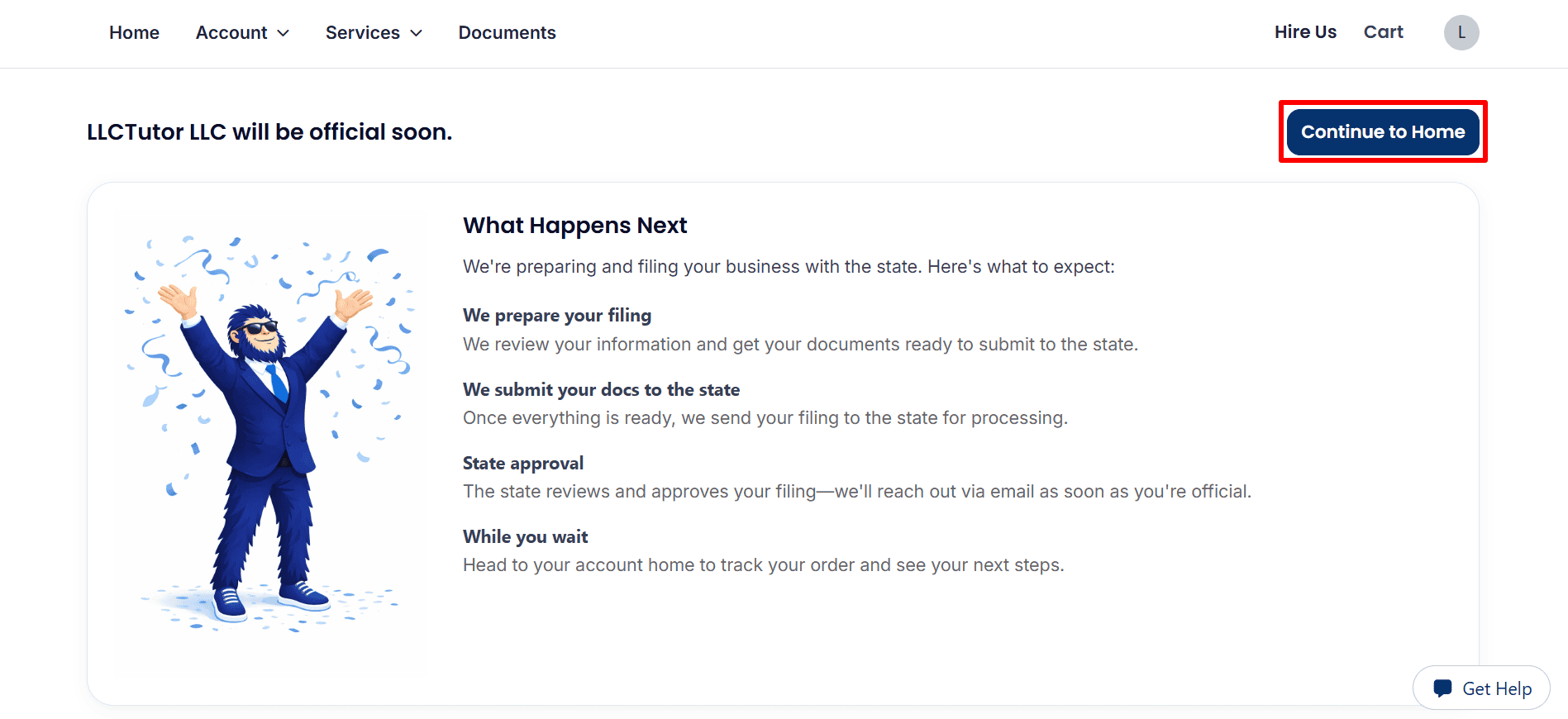
- Continue to Home: the confirmation page states that the provider will prepare your documents and submit them to the state. Your LLC is not yet approved. Click Continue to Home to track the progress and to be kept up to date by email.
Step 10: Monitor Your Order and Explore Your Account Dashboard
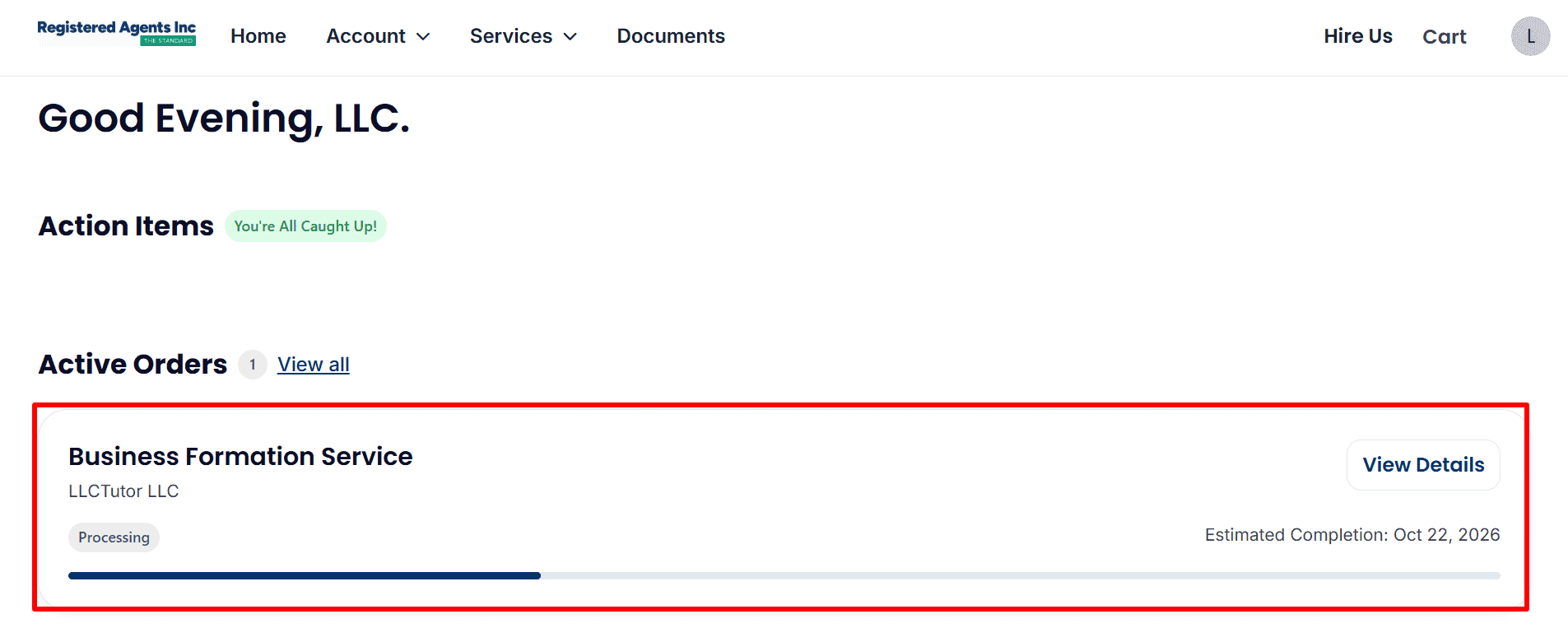
- Formation Status: The example shows LLCTutor LLC as Processing. Click View Details to check progress. The displayed completion date is an estimate, and the LLC is not yet shown as approved.
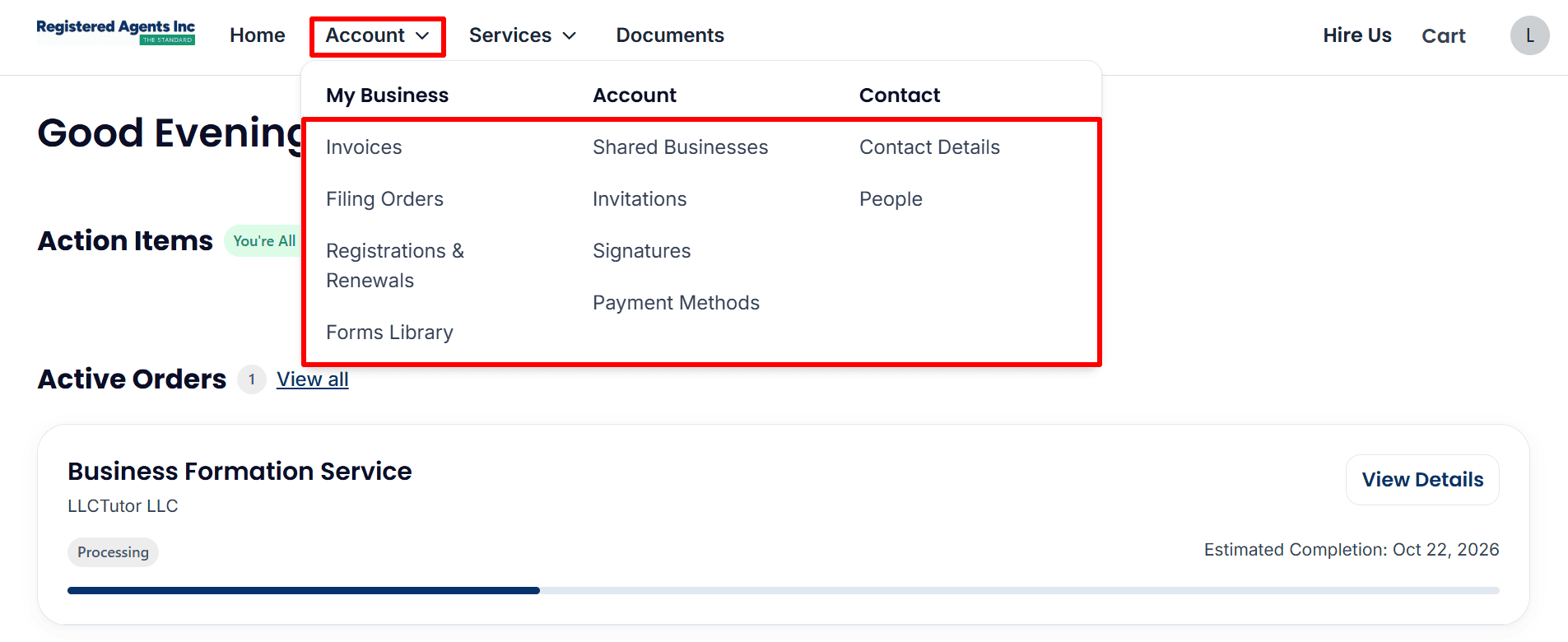
- Account Menu: Open Account to access invoices, filing orders, renewals, contact details, and payment methods.
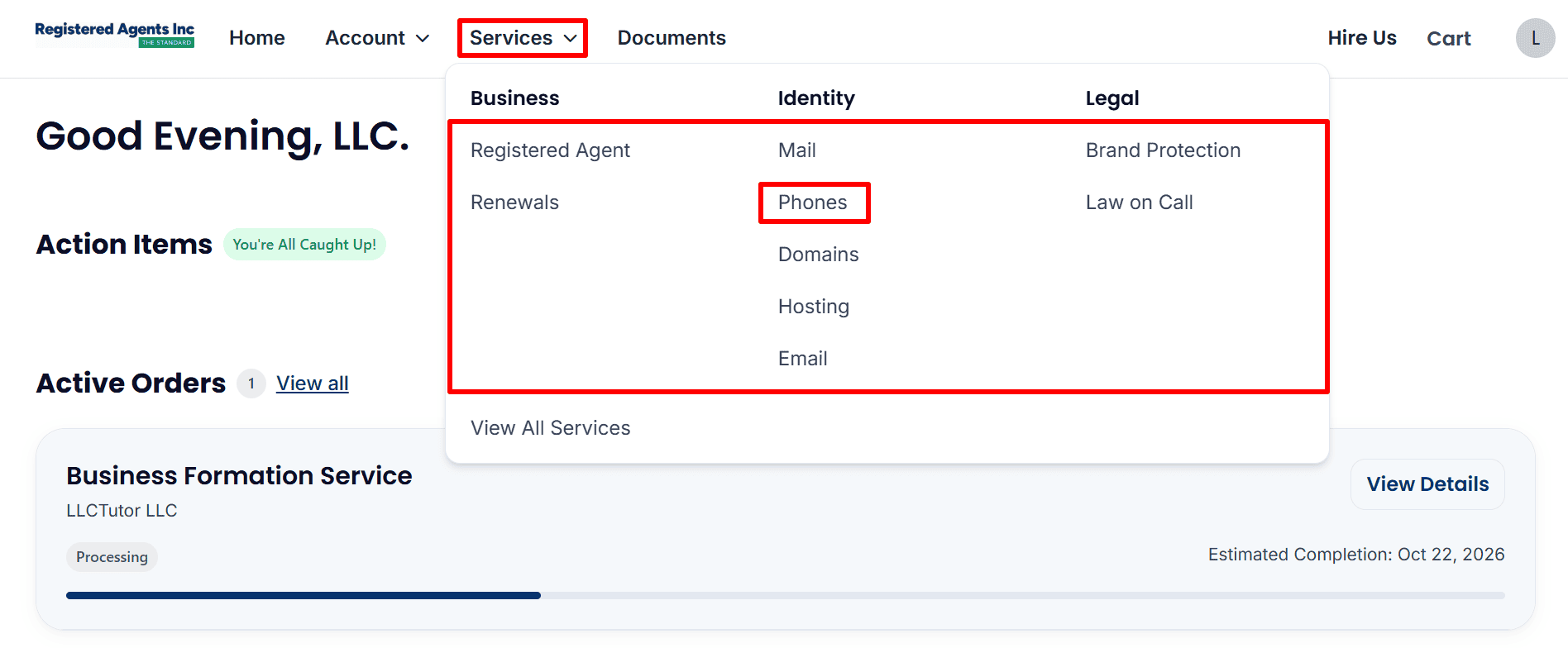
- Business Phone Service: Open Services → Phones to review the business phone service and any number setup options available in your account. Other optional services include mail, domains, hosting, and email.
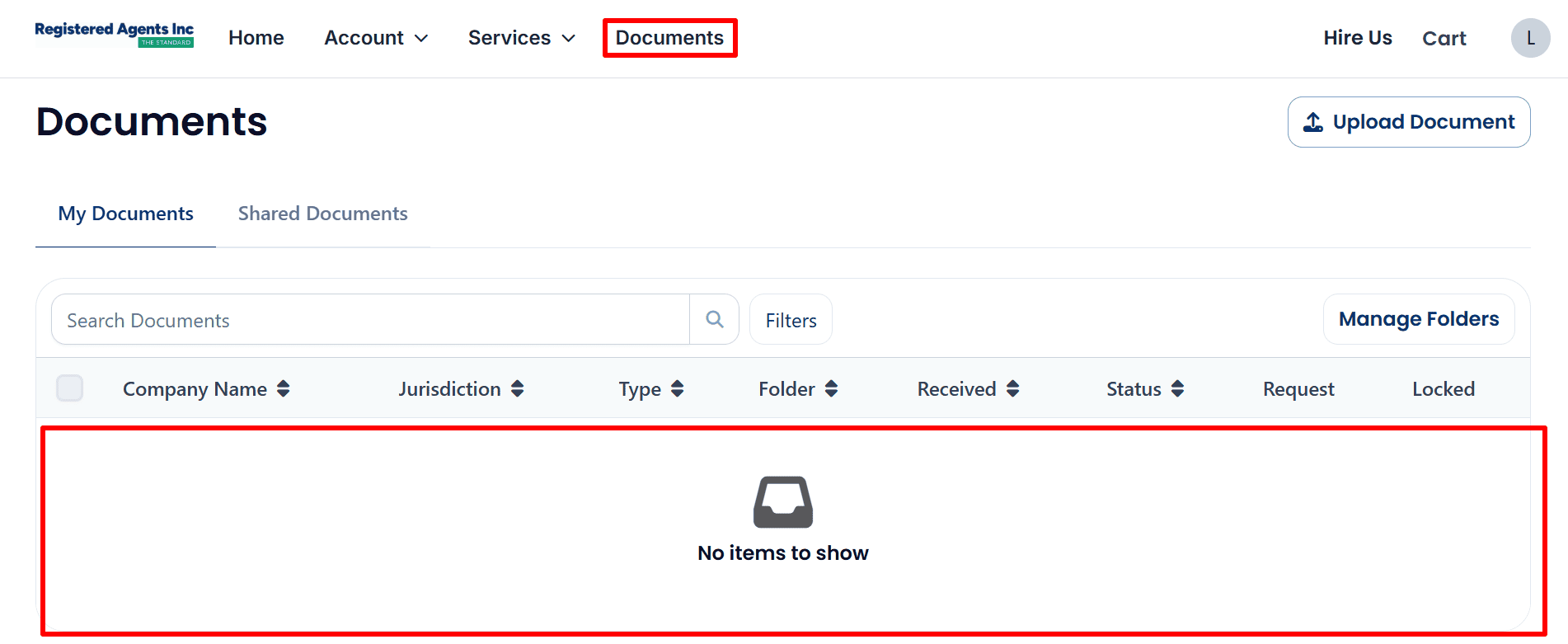
- Company Documents: Click Documents to check for files as they become available. The example displays No items to show, so there are currently no documents listed to download.
What to Do After Submitting Your LLC Order
The example shows your LLC formation order as Processing with no docs available at this time. Just monitor your account as the provider will be processing and submitting your filing.
- Check your status: Open. View Details in your dashboard and keep an eye out for email updates. Estimated completion dates are by no means guarantees of approval.
- Respond to requests: provide any further information or corrections as requested by the formation provider.
- Save your records: keep your invoice and keep the download formation documents when they become available.
- Follow up on your EIN: If you’ve gone down the route of purchasing EIN assistance then check in with the provider to see how that’s progressing. If you haven’t then just use the Read the EIN Guide to find out how to apply yourself.
- Evaluate Banking and Payments: Review Mercury eligibility, check out Airwallex and review Square payments. Availability and approval will be dependent on the individual provider’s requirements, your country and your business.
- Prepare your online presence: consider a website via View Hostinger Plans and professional email via Explore Google Workspace.
Helpful Resources
- Start Your LLC with Registered Agents Inc — affiliate link
- Read the EIN Guide
- Explore ITIN Assistance — affiliate link
- Review Square Payments
- Check Mercury Eligibility — referral link
- Explore Airwallex
- View Hostinger Plans — referral link
- Explore Google Workspace