Applying for an EIN (Employer Identification Number) is a required step after forming your LLC in the United States. If you are a U.S. resident or citizen, you can apply for an EIN online directly through the official IRS website for free and receive it instantly. In this guide, you will learn how to apply for an EIN online for an LLC, including exactly what information to enter on each IRS screen and how to complete the process correctly. This step-by-step IRS tutorial is designed to help you get your EIN quickly, safely, and without paying any third-party service.
🚀 STEP-BY-STEP EIN APPLICATION
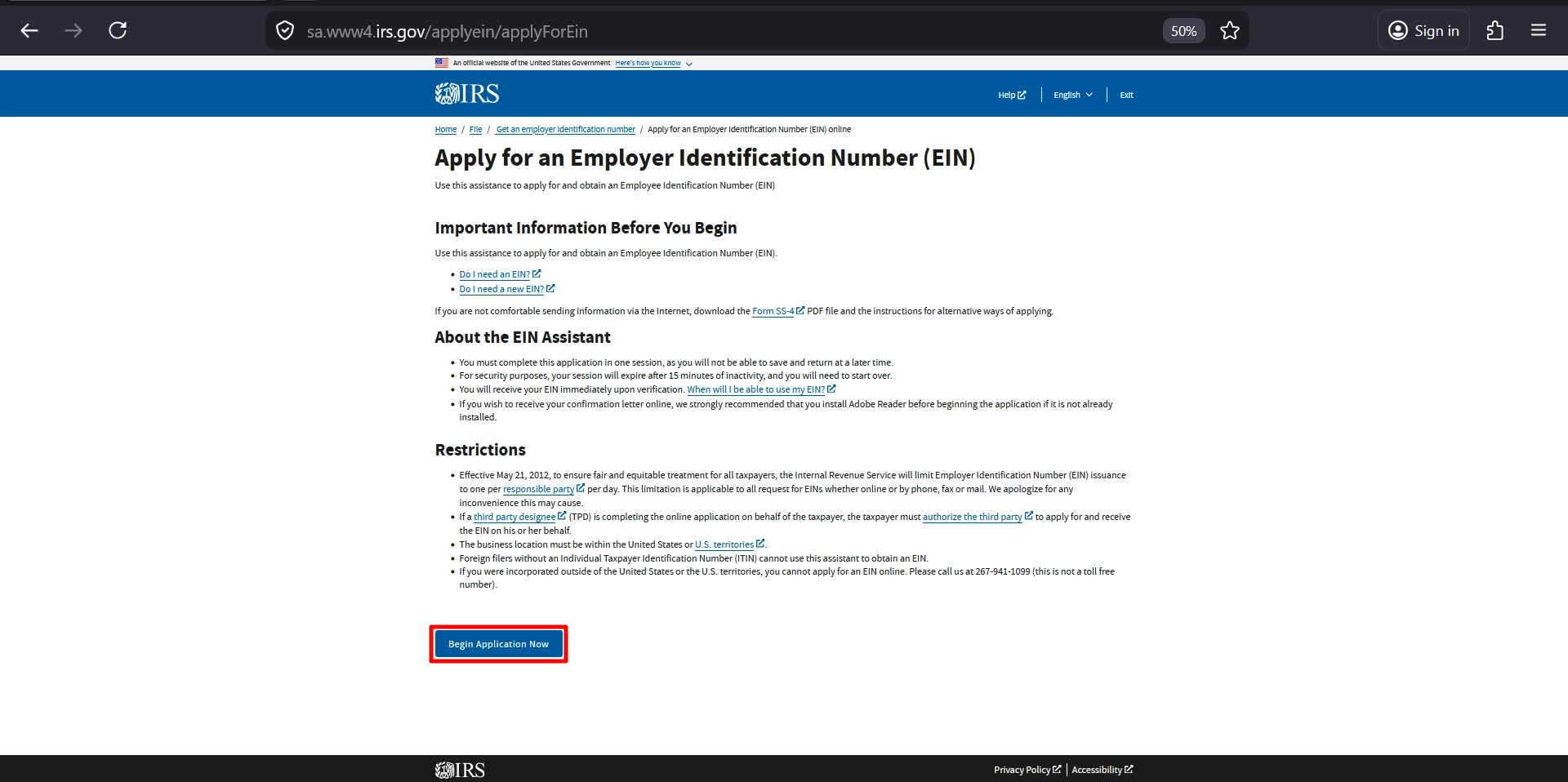
Step 1: Go to the Official IRS Website
- Visit the EIN application page from here.
- Click “Begin Application”
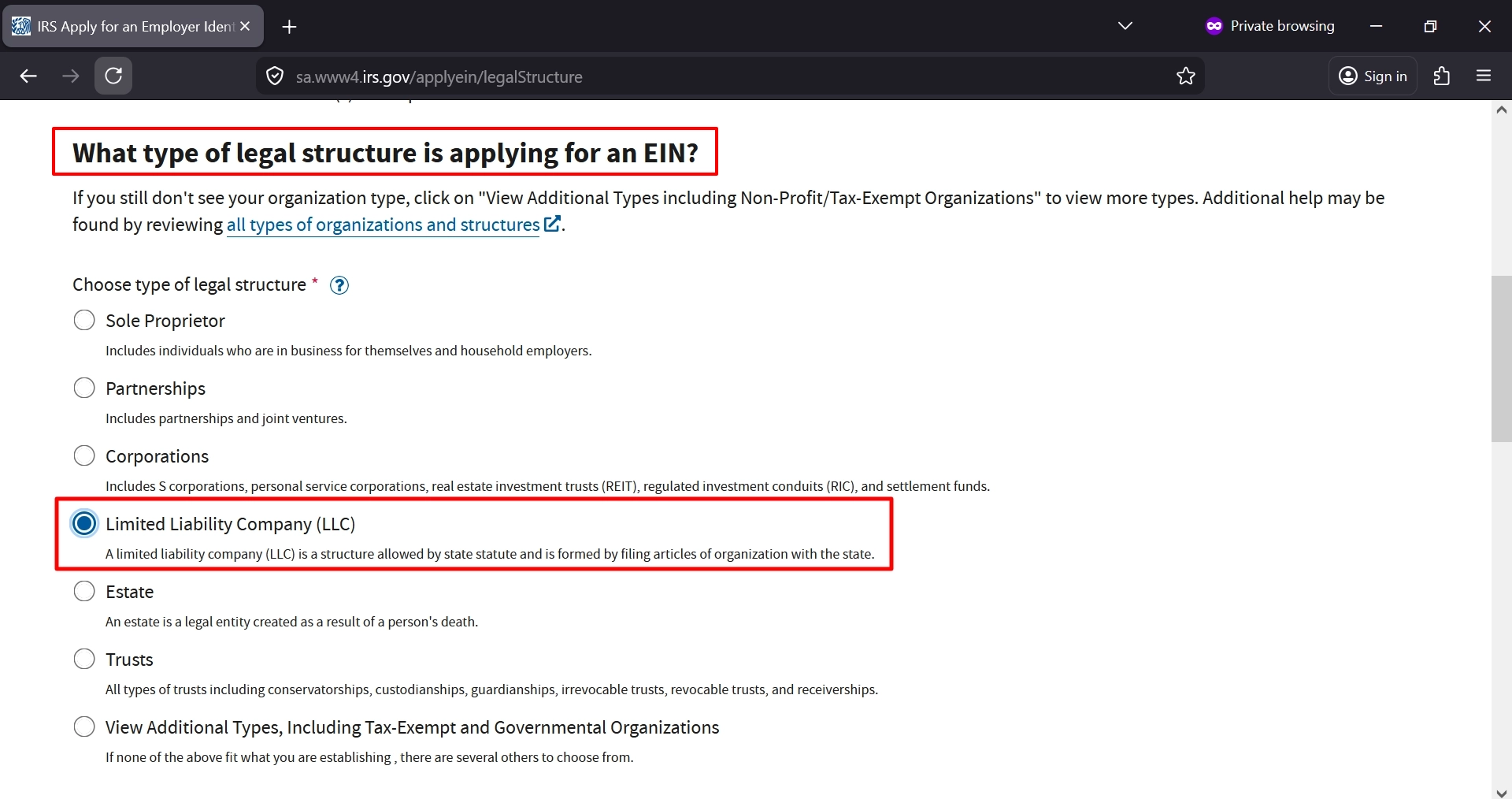
Step 2: Select Business Structure
- Choose: Limited Liability Company (LLC)
- Click Continue
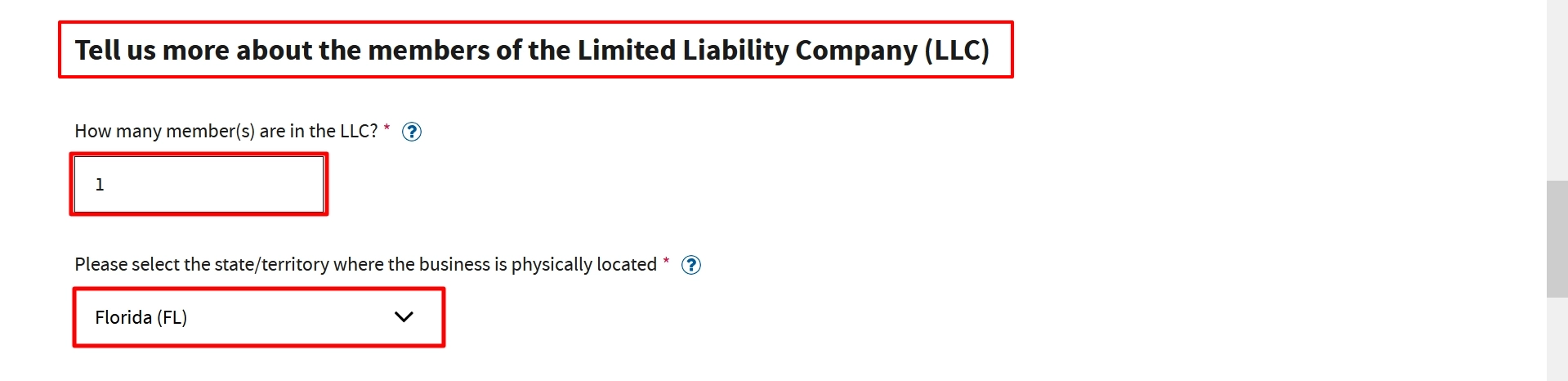
Step 3: Enter LLC Details
- Enter number of members.
Example: 1 member (Single-Member LLC) - Select your state
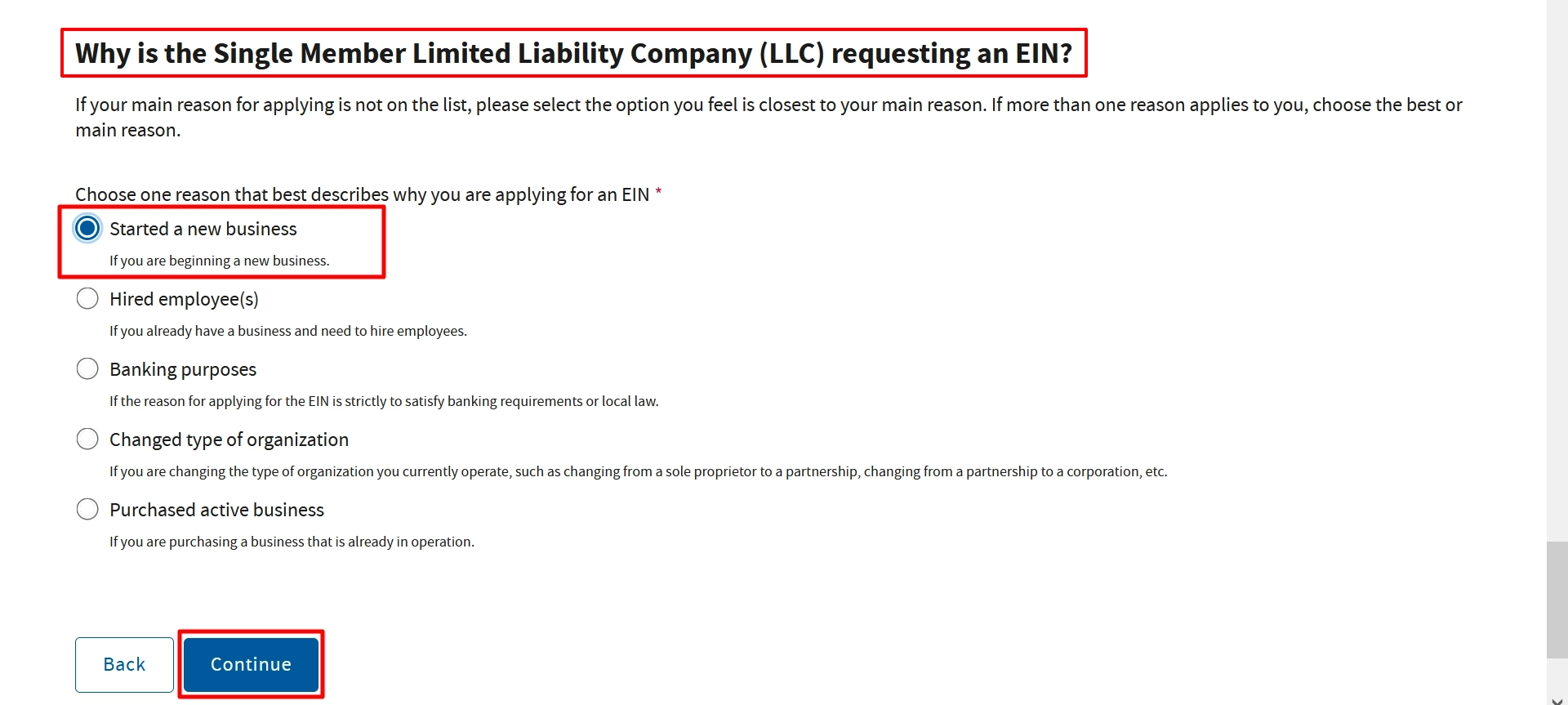
Step 4: Choose Reason for Applying
- Select: Started a new business
- Click Continue
Step 5: Enter Responsible Party Details
Fill in:
- SSN or ITIN
- Full legal name
- Select: I am the owner / managing member
- Click Continue
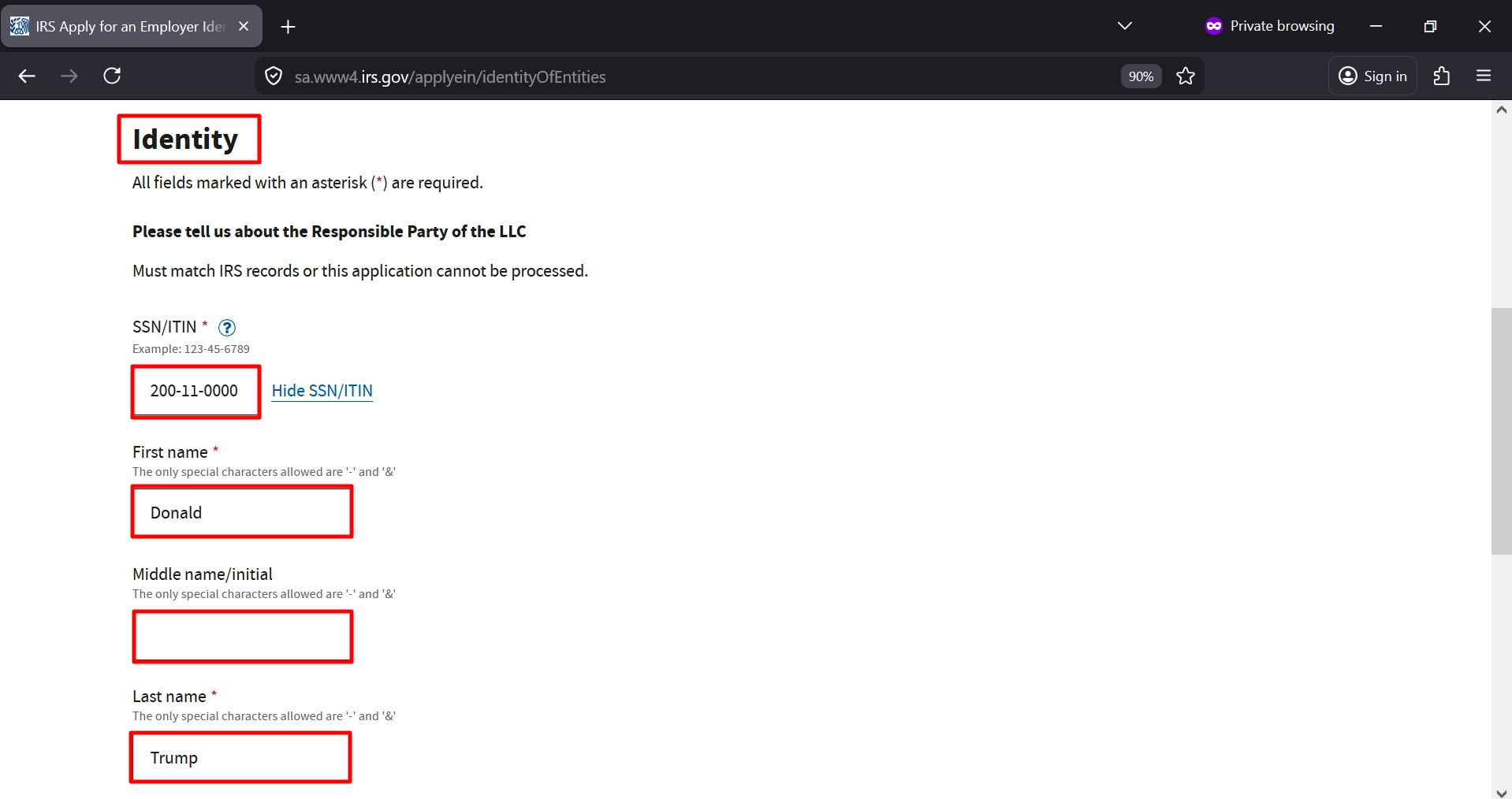
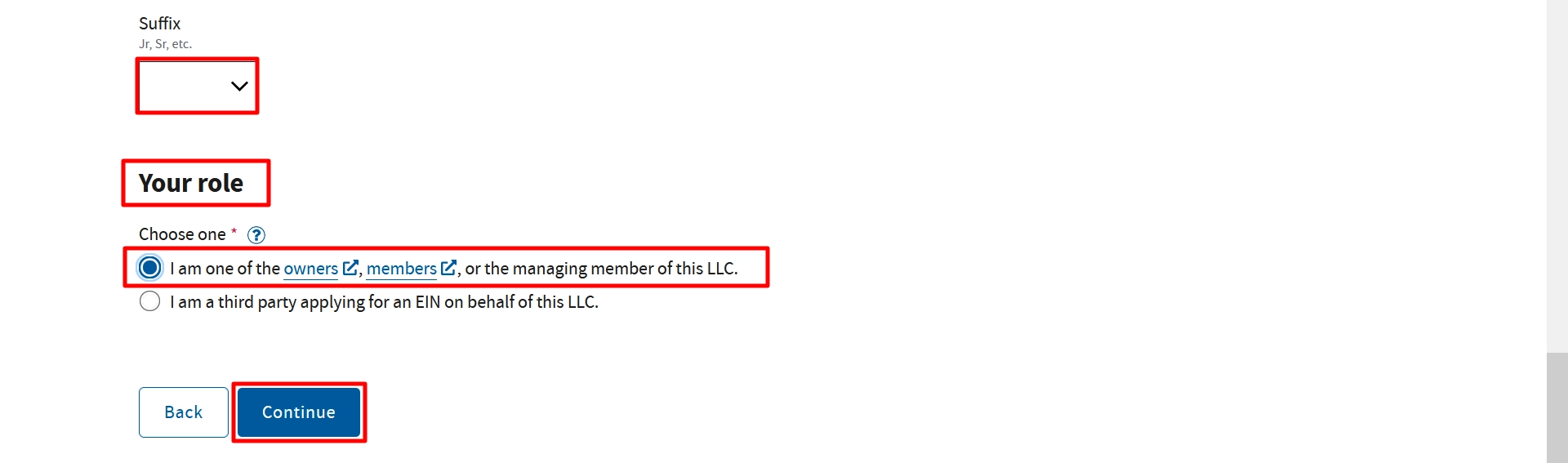
Step 6: Enter Business Address
Provide:
- Street address
- City, State, ZIP
- Phone number
- If mailing address is the same → select No
- Click Continue
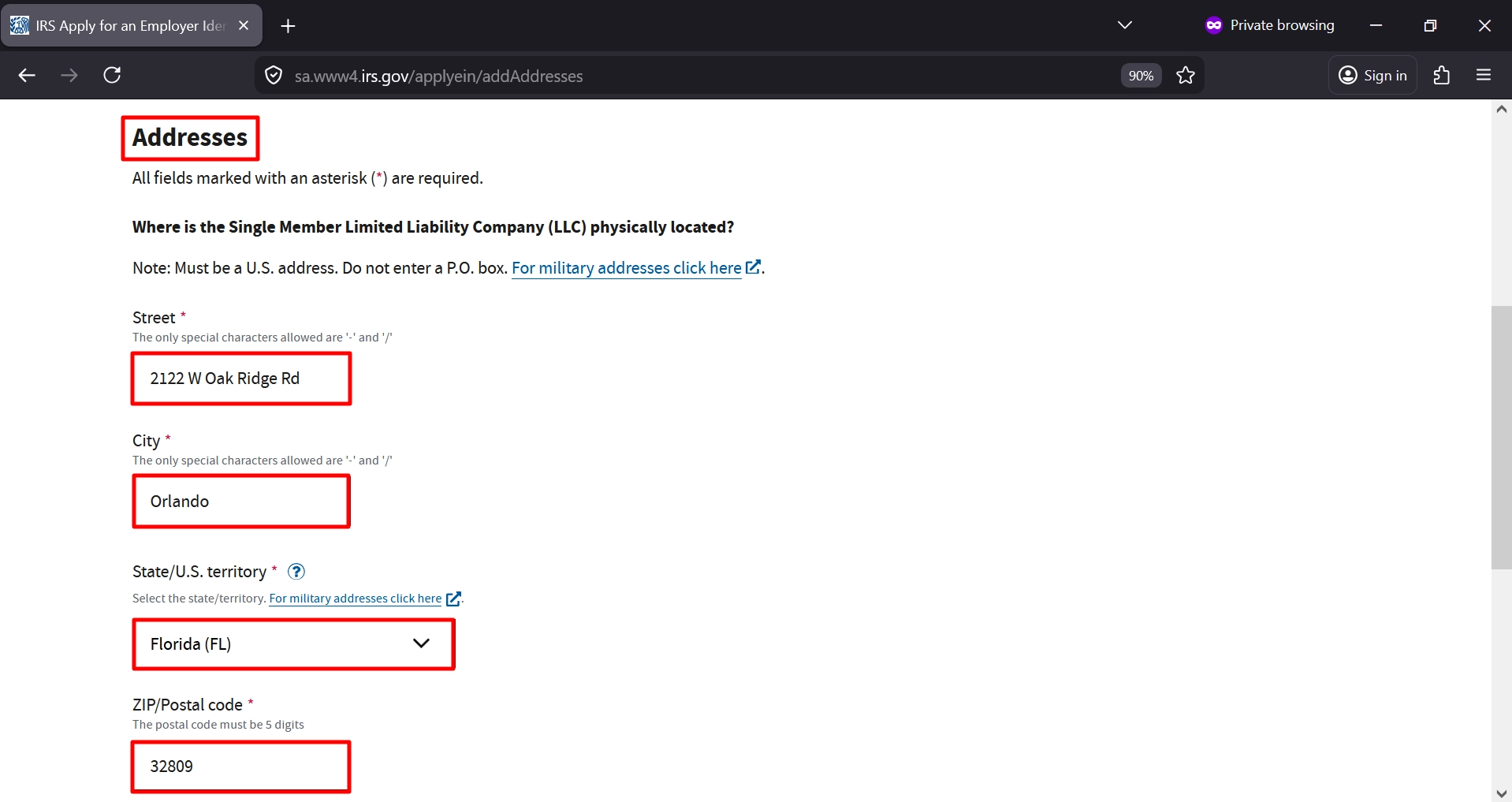
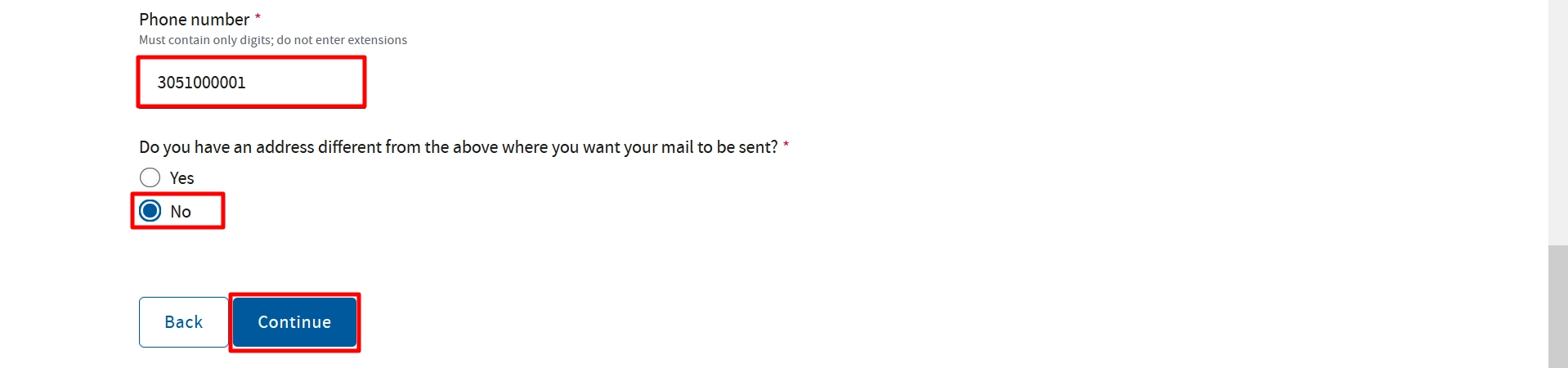
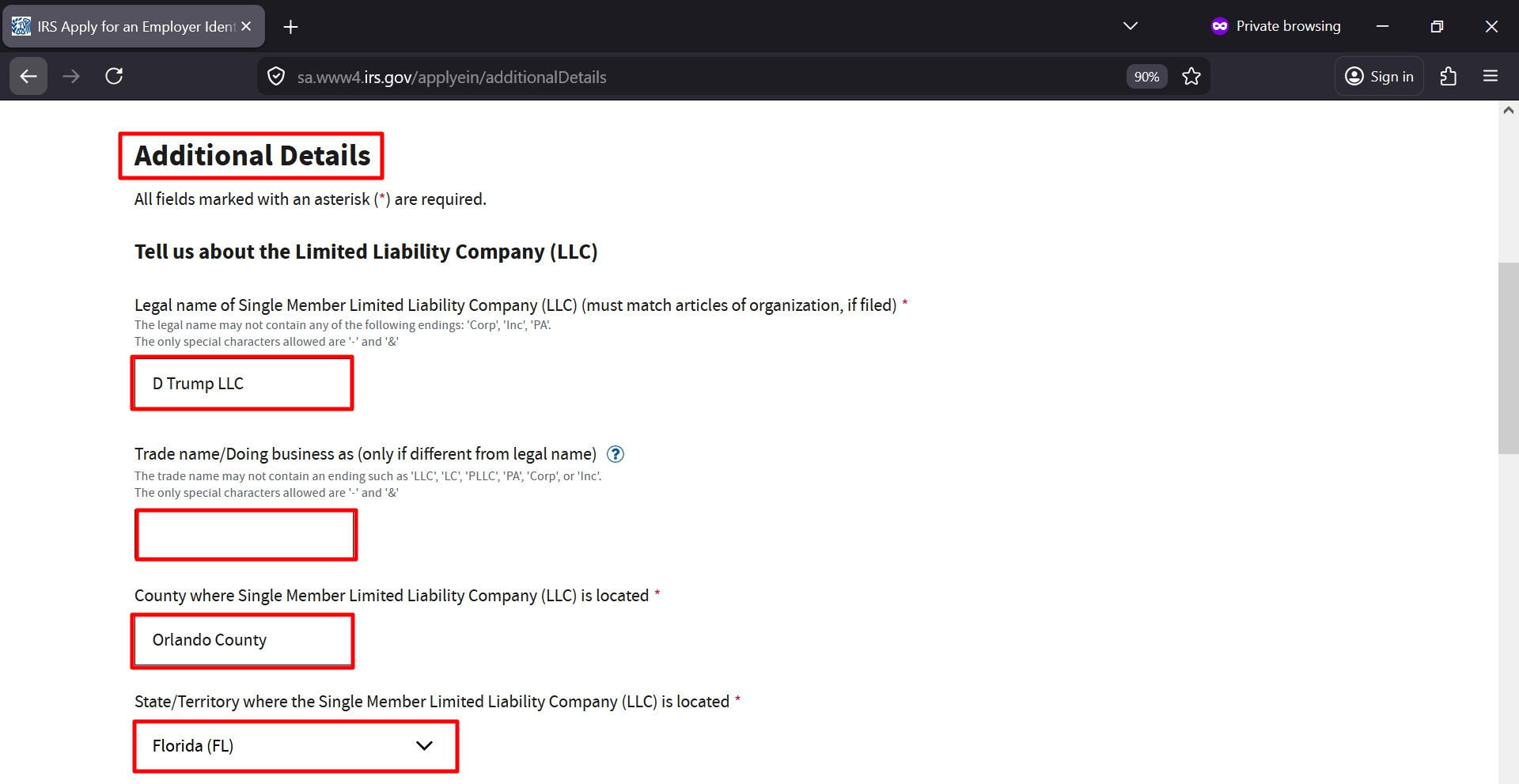
Step 7: Enter LLC Information
Fill in:
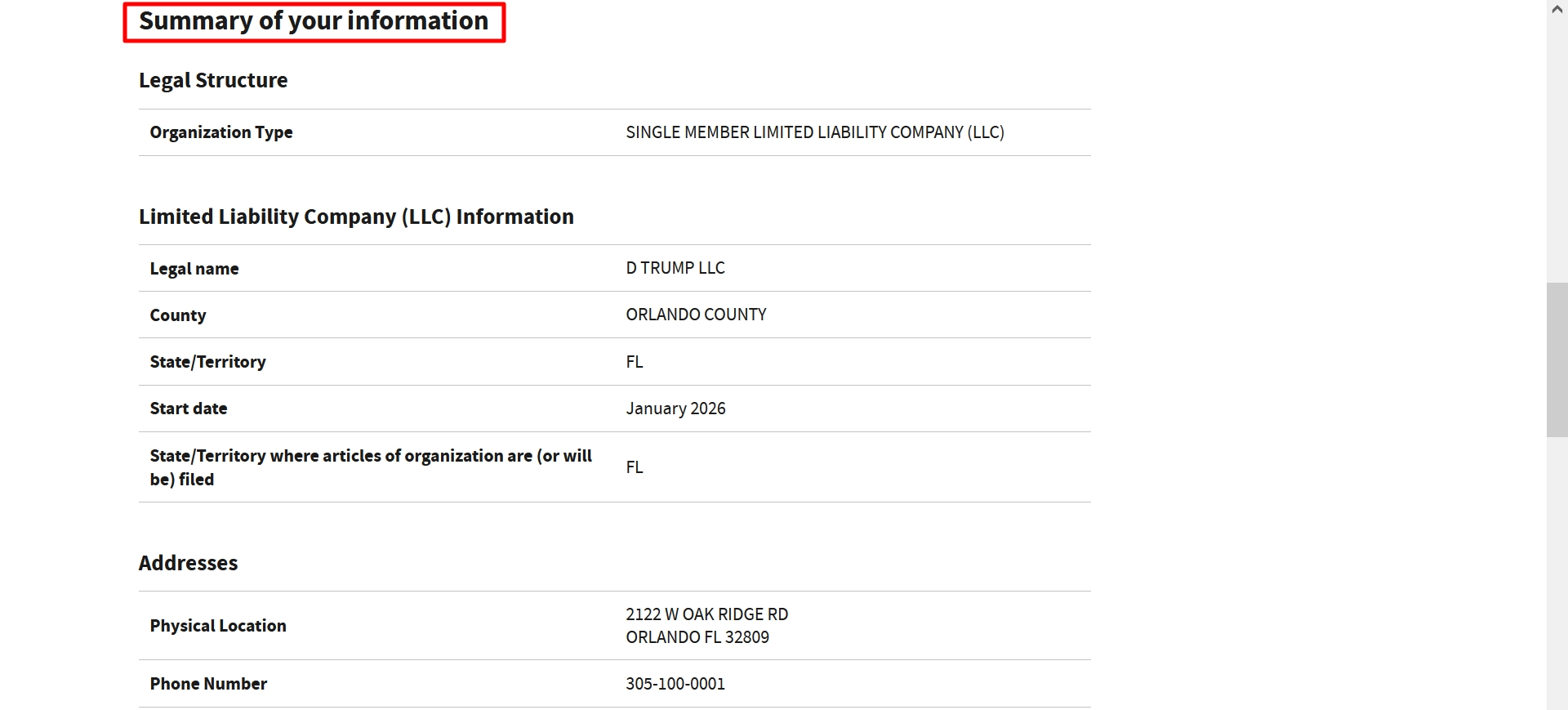
- LLC legal name
- County
- State
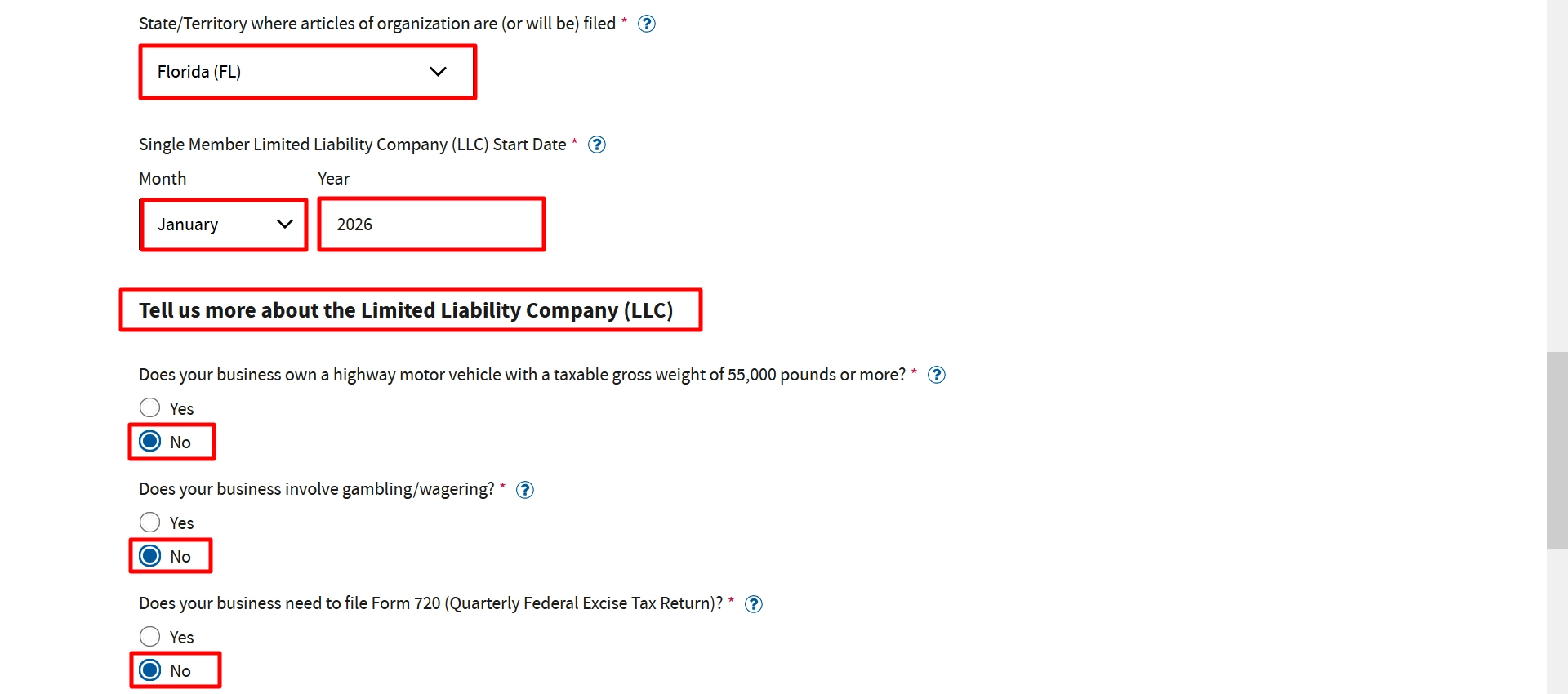
- Start date
Answer Business Questions
For most LLCs, select:
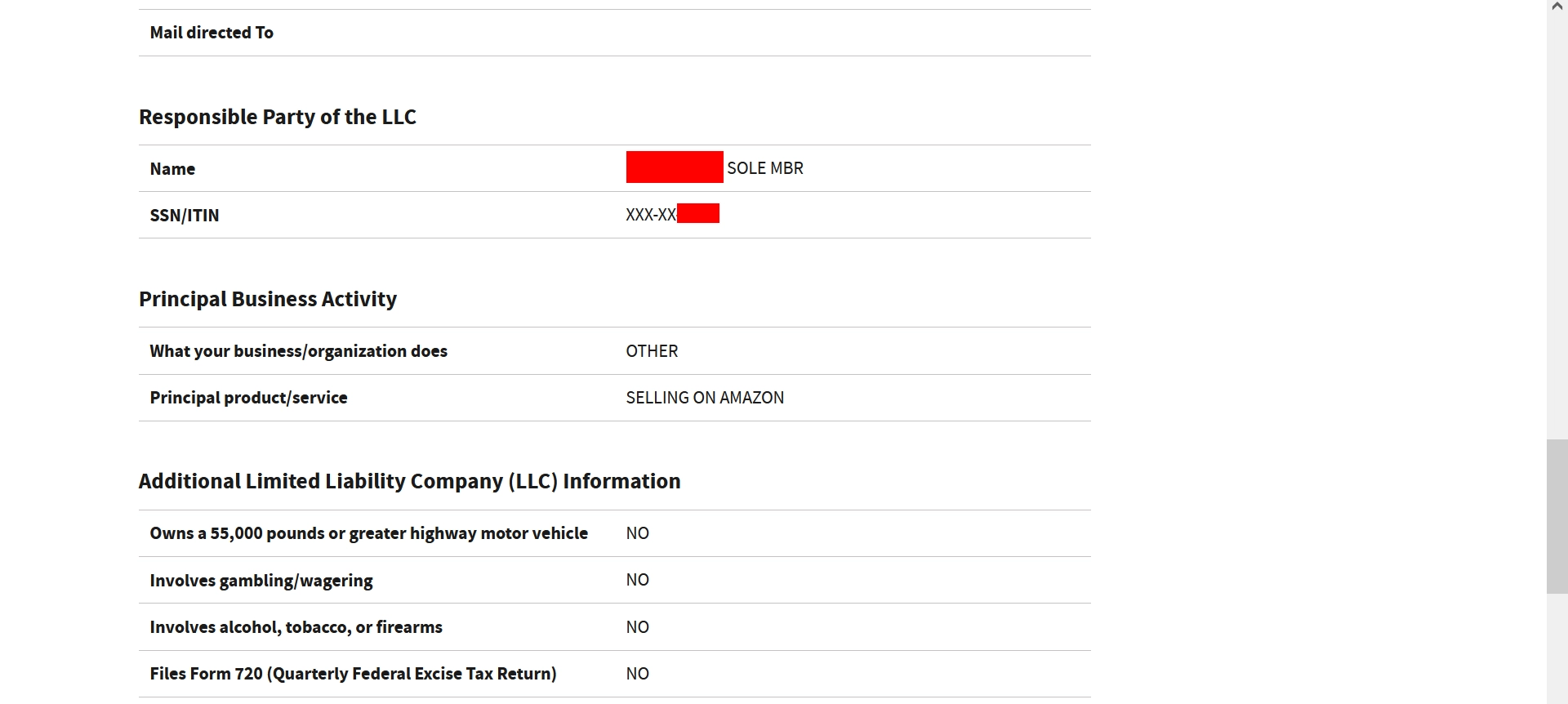
- Own heavy vehicle? → No
- Gambling/wagering? → No
- Alcohol/tobacco/firearms? → No
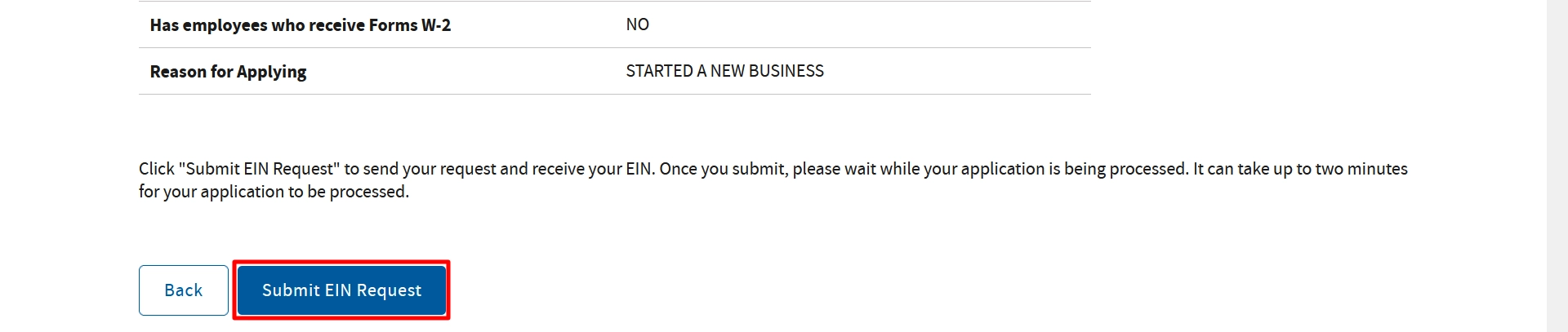
- Employees (W-2)? → No
- Click Continue

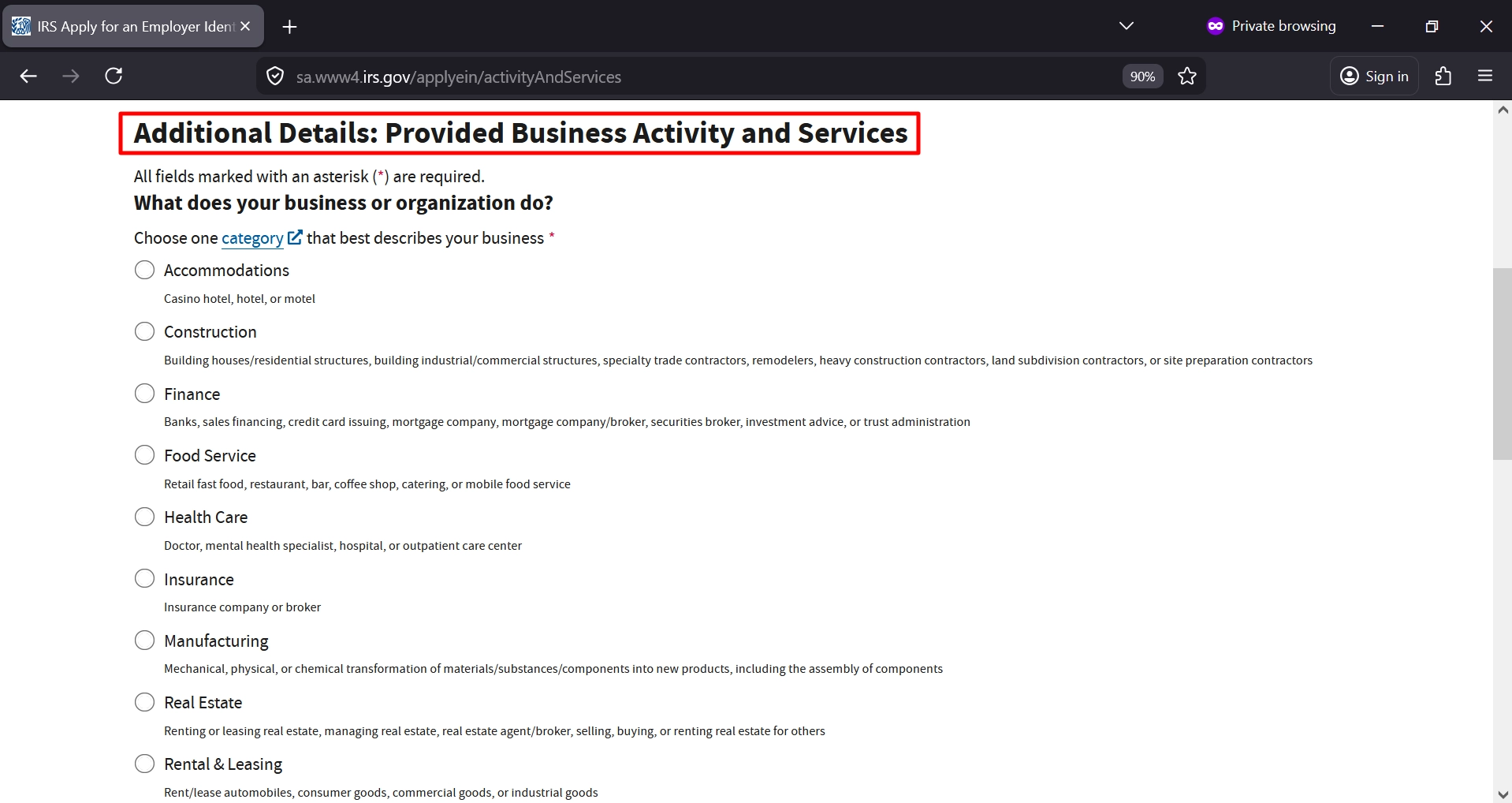
Step 8: Select Business Activity
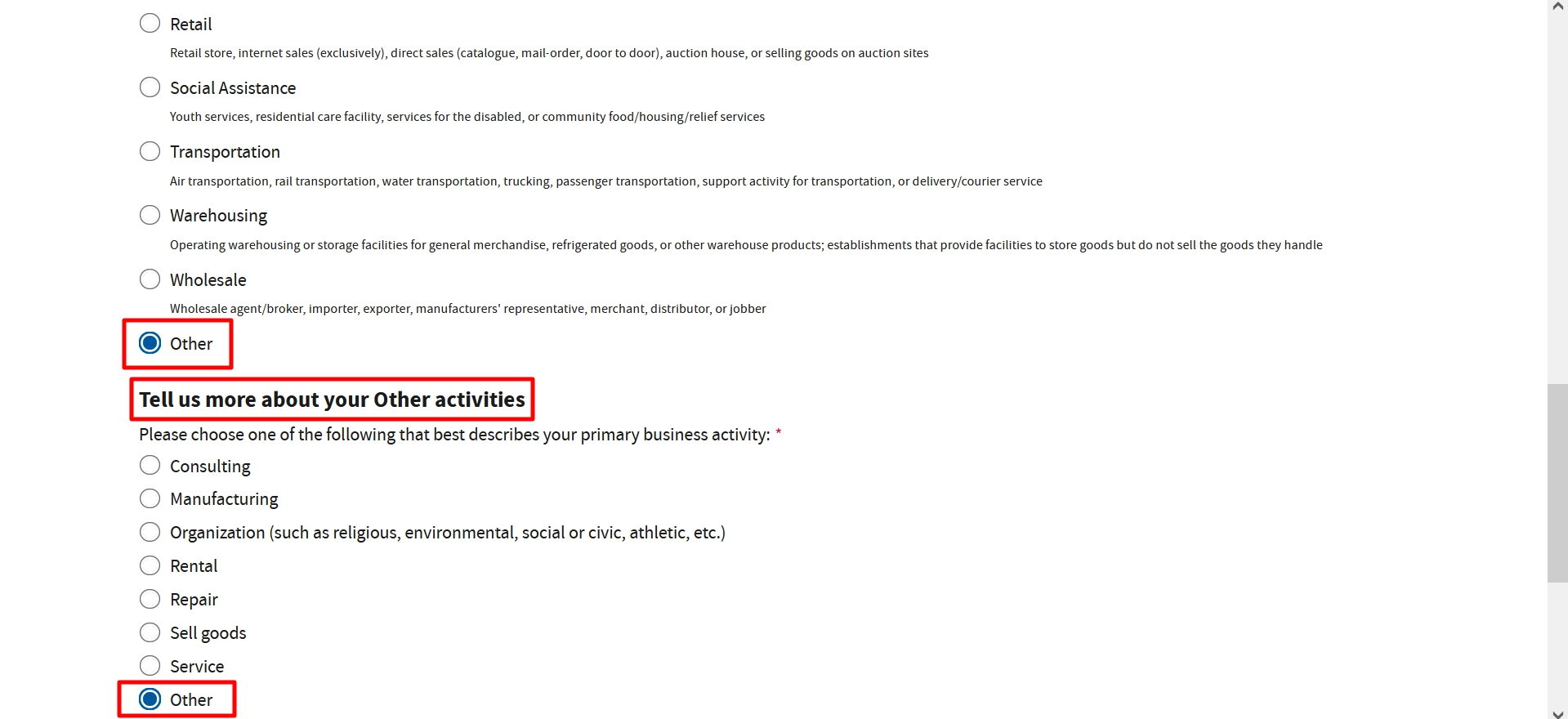
Then select your category such as:
- Choose: Other
Example: Selling on Amazon - Click Continue

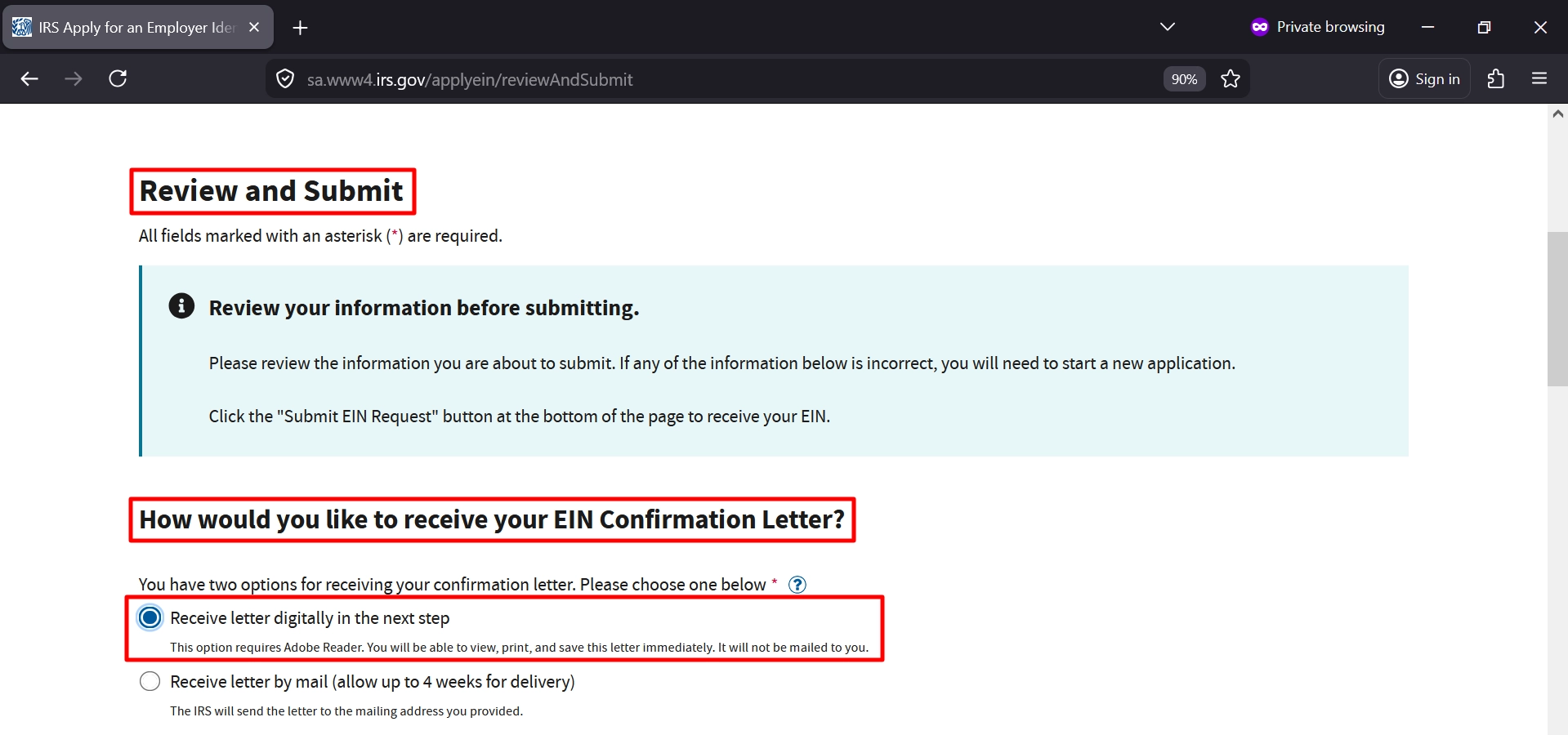
Step 9: Choose EIN Delivery Method – Review Your Information & Submit EIN Application
✔ Select: Receive EIN confirmation letter online (Recommended)
- Instant download
- No waiting
✔ Carefully check:
- LLC name
- SSN
- Address
- Business activity
✔ Submit EIN Request
- Click Submit EIN Request
- Wait about 1–2 minutes
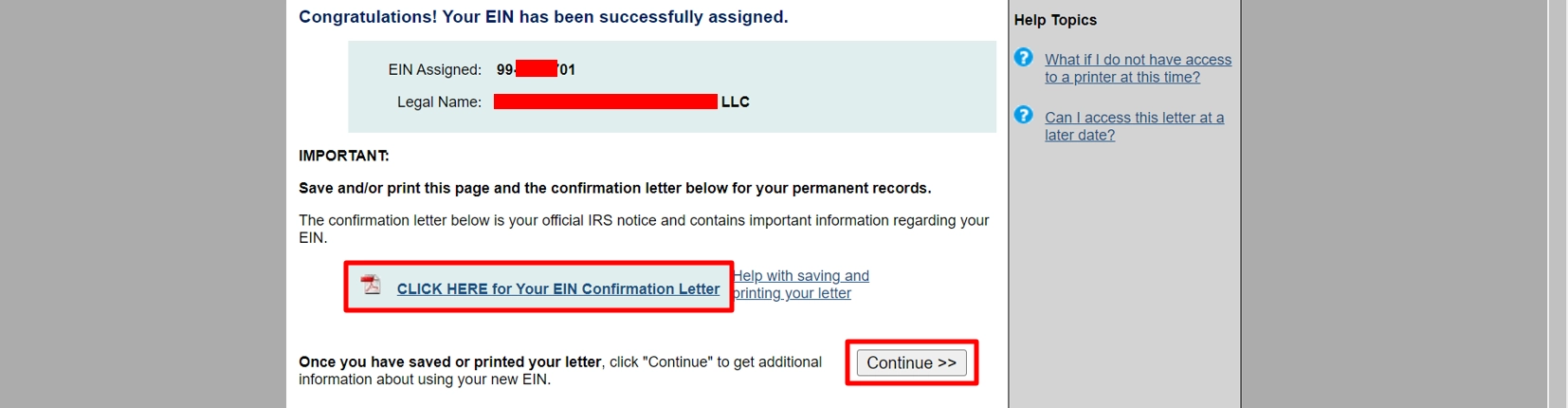
Step 10: Get Your EIN Instantly
You’ll see: “Congratulations! Your EIN has been assigned”
- Your EIN number will appear
- Click: Download EIN Confirmation Letter (PDF). Save this immediately.
- Click Continue
Step 14: Finish
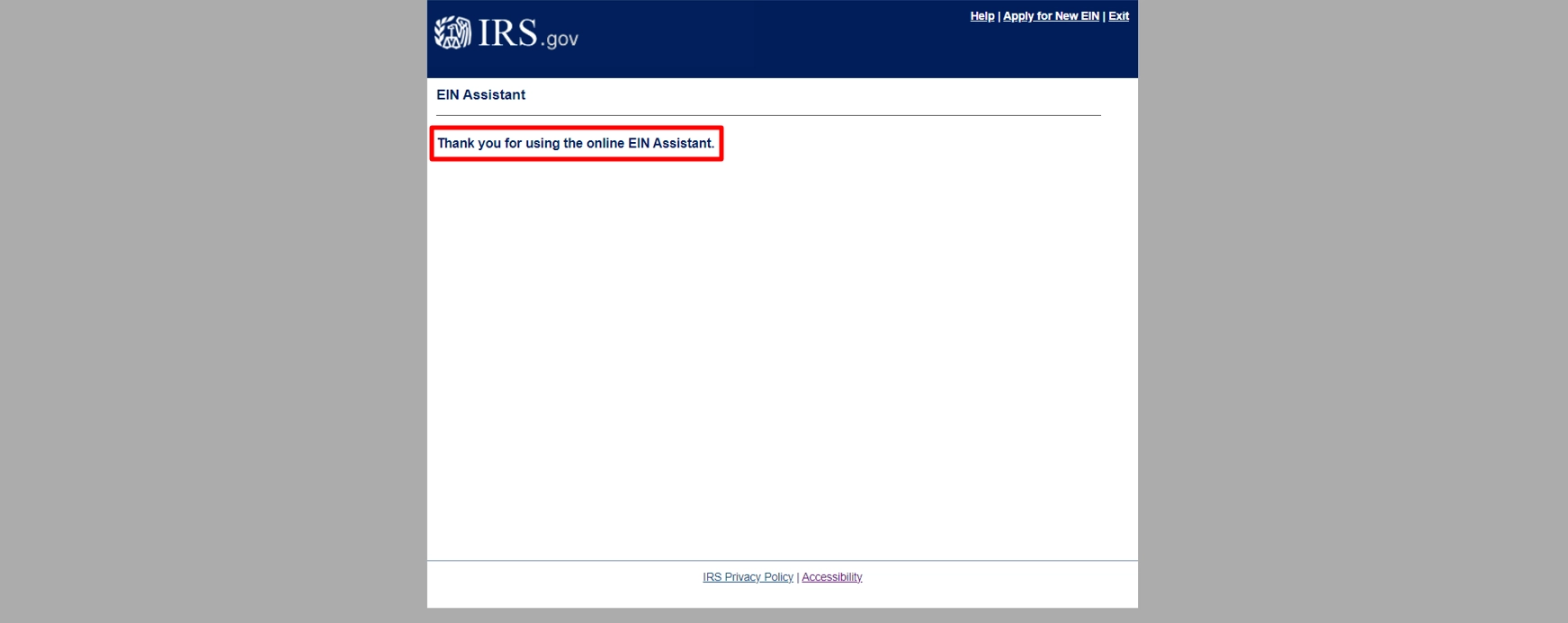
You’ll see:
- Thank you for using the EIN Assistant
- Done
⚠️ IMPORTANT TIPS
- EIN is 100% FREE from IRS
- Only 1 EIN per day per person
- Session expires after 15 minutes
- Always use official IRS website
💡 PRO TIPS
- Save your EIN letter instantly
- Use EIN to open a business bank account
- Keep EIN safe for taxes and compliance
🎯 FINAL THOUGHTS
Applying for an EIN online for an LLC is one of the fastest and easiest steps in starting your business. By following this step-by-step IRS guide, you can complete your EIN application in minutes and receive your EIN instantly without paying any unnecessary fees.
- If you have not formed your LLC yet, make sure to complete that step first from here.
- If you are a non US residents and need to apply for an EIN officially then you can follow this post.
Disclaimer: LLCTutor.com is an educational platform and does not provide legal or financial advice. We promote lawful and ethical business practices in line with Islamic principles. We do not support unlawful activities, deceptive practices, gambling, interest-based business models, or arrangements that lack real ownership, responsibility, or commercial risk. Viewers are responsible for ensuring their activities comply with applicable laws and ethical standards. And some links in this description are affiliate links. This means if you click on them and purchase a service, I may receive a small commission at no extra cost to you. I only recommend services I have personally used and trust. This helps support the blog/channel so I can continue to make free content like this!