If you are a non-US resident and want to apply for an EIN for your LLC, the IRS does not allow you to apply online. Instead, you must submit Form SS-4 using the official fax method.
In this step-by-step guide, you will learn exactly how to get an EIN without an SSN or ITIN, including how to buy a fax number online, fill out the SS-4 form correctly, and send your application to the IRS the right way.
This method is fully legal, safe, and used by thousands of international business owners to get their EIN for banking, Stripe, Amazon, and other business activities.
Follow this guide carefully to avoid delays, rejections, or mistakes in your EIN application process.
Note: If you need help with Form SS-4, check out my guide here. I show you exactly how to fill it out yourself without making any mistakes.
Why Use an Online Fax Number for IRS Form SS-4
Many business owners need to fax IRS Form SS-4 because the EIN application process for some applicants, especially non-US residents, often requires sending the signed form directly to the IRS. Instead of searching for a local fax machine, an online fax service allows you to do everything from your computer or phone.
This is useful because it helps you send the EIN application quickly, keep a digital record, and avoid the hassle of printing and visiting a fax shop. It is also a practical solution if you are outside the United States.
Step 1: Visit the Online Fax Website
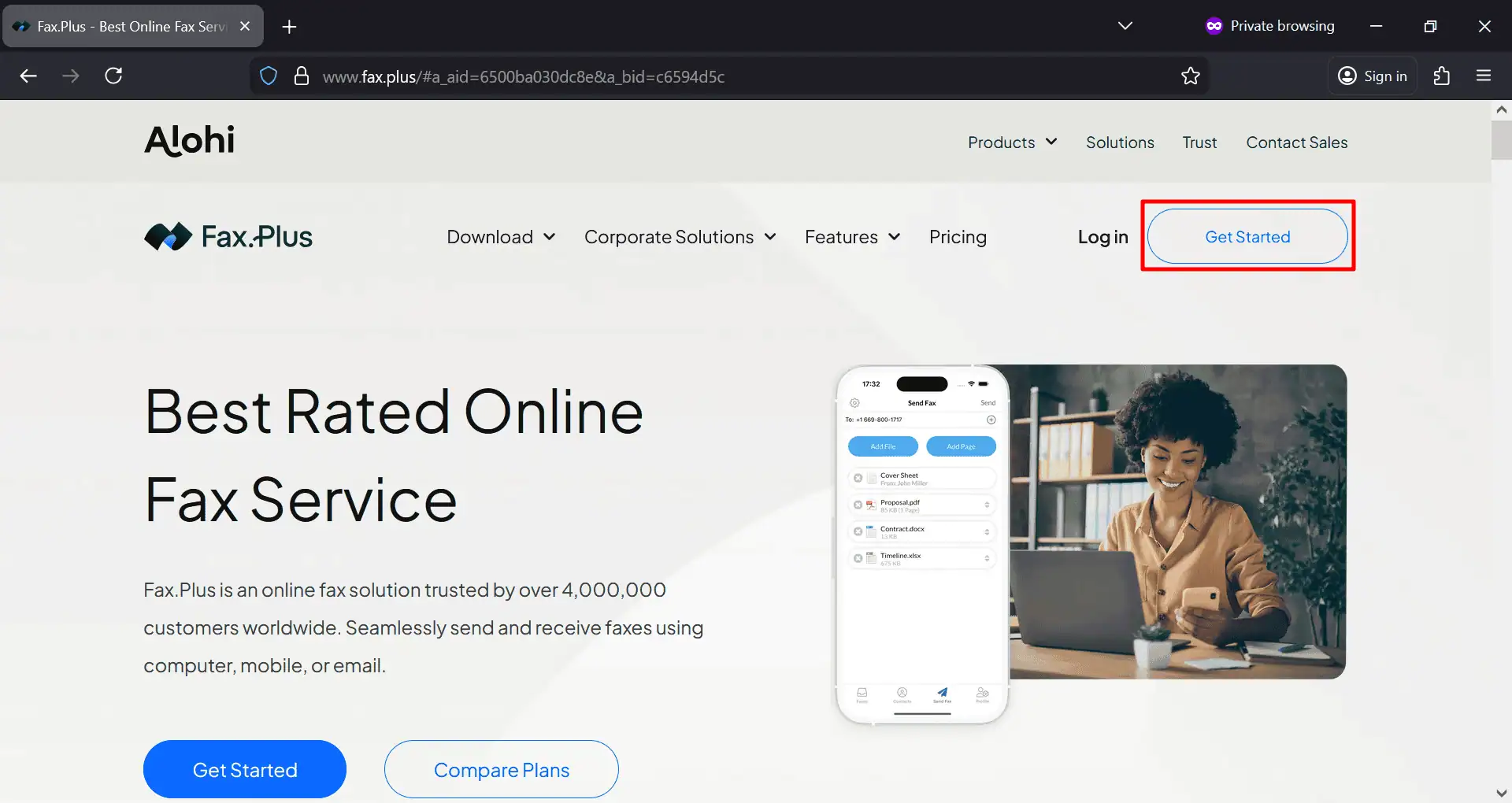
First, go to the fax service website homepage from here. On the main page, click the Get Started button. This will take you to the account registration page where you can create your new fax account.
Step 2: Create Your Account
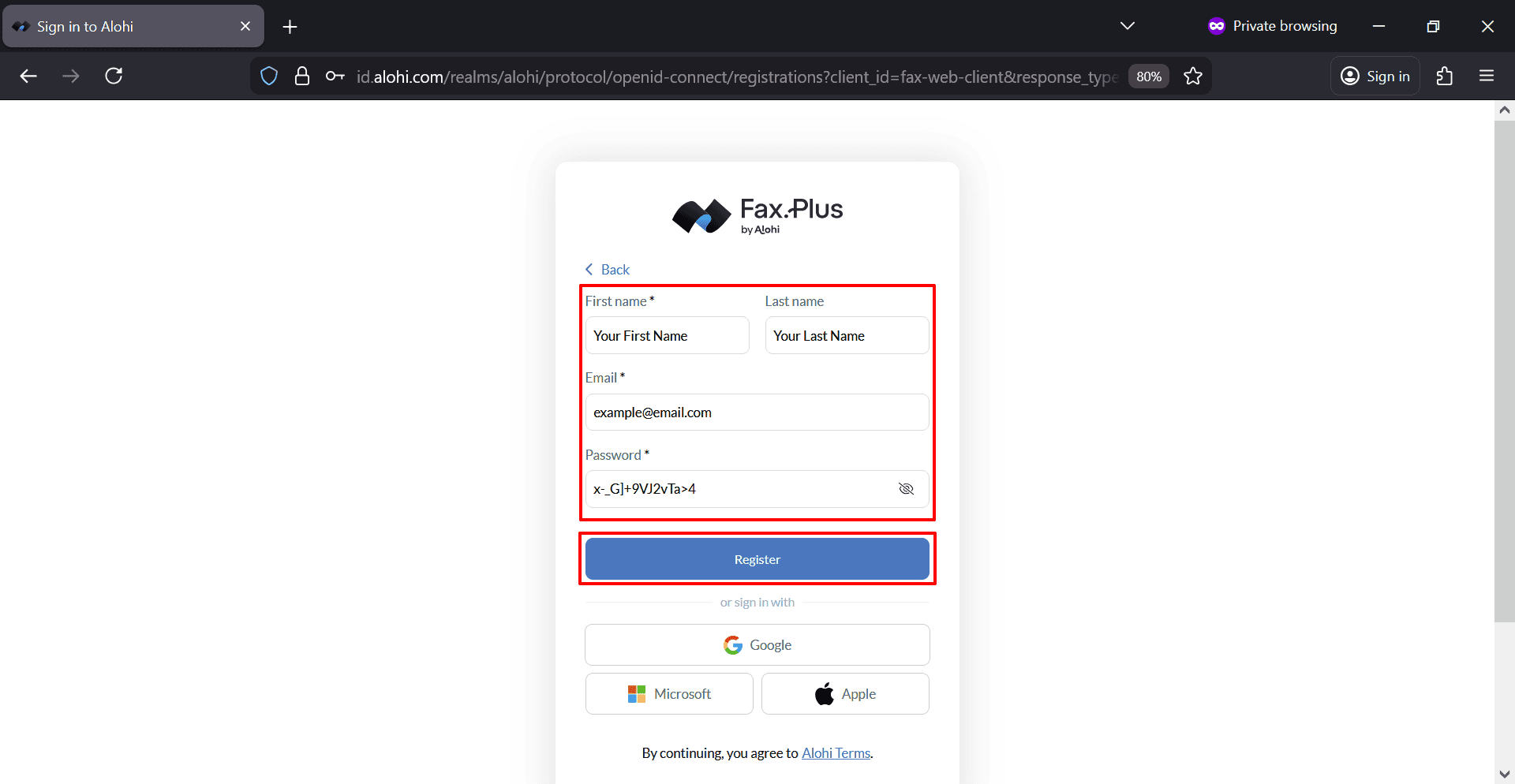
On the registration page, enter your first name, last name, email address, and password. After filling in the required information, click Register.
Make sure you use an email address that you can access immediately because the next step requires email verification.
Step 3: Verify Your Email Address
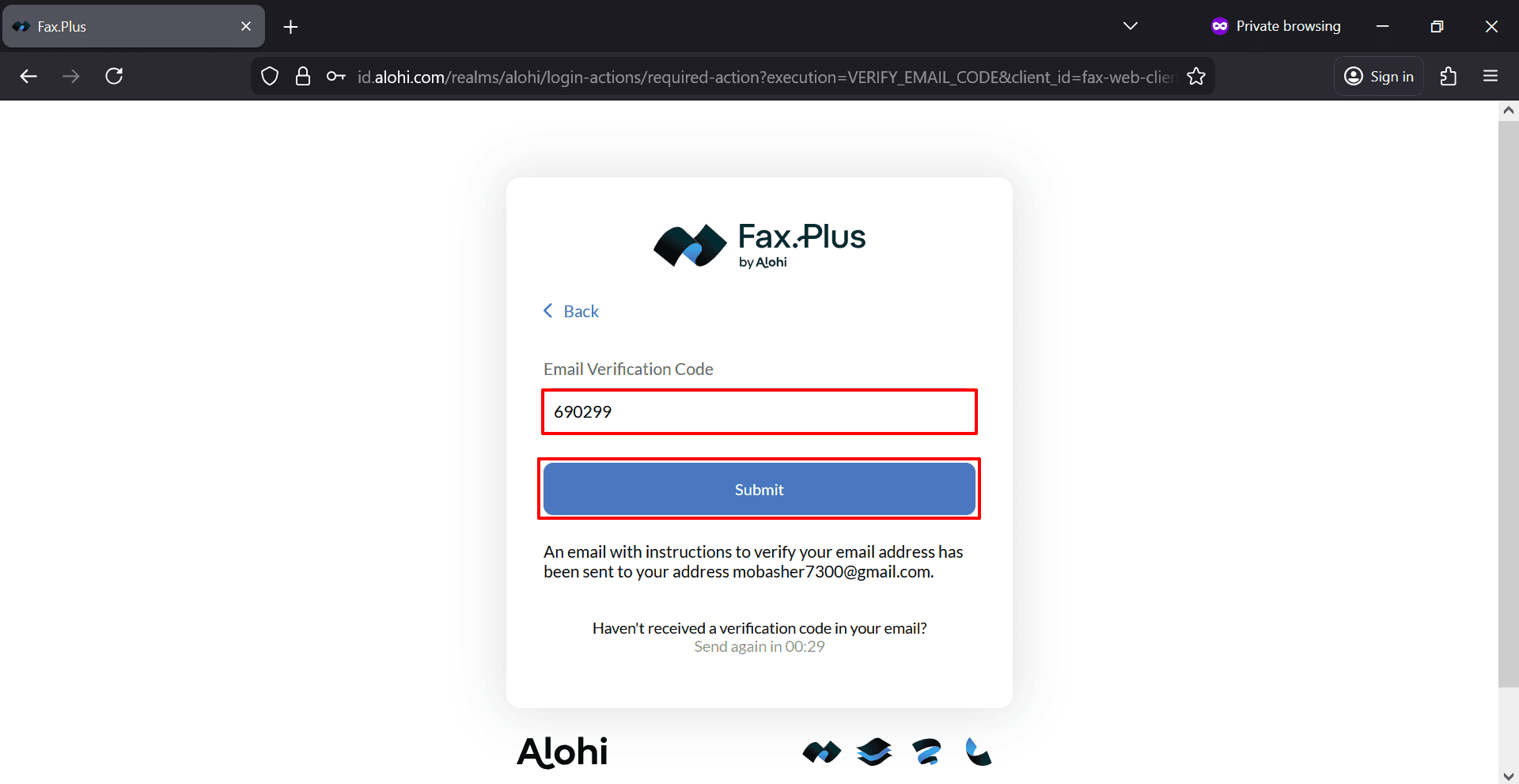
After registration, the system will send a verification code to your email address. Open your inbox, copy the verification code, enter it in the verification box, and click Submit.
Once the code is accepted, your account setup will continue and you will be taken into the dashboard.
Step 4: Access the Fax Dashboard
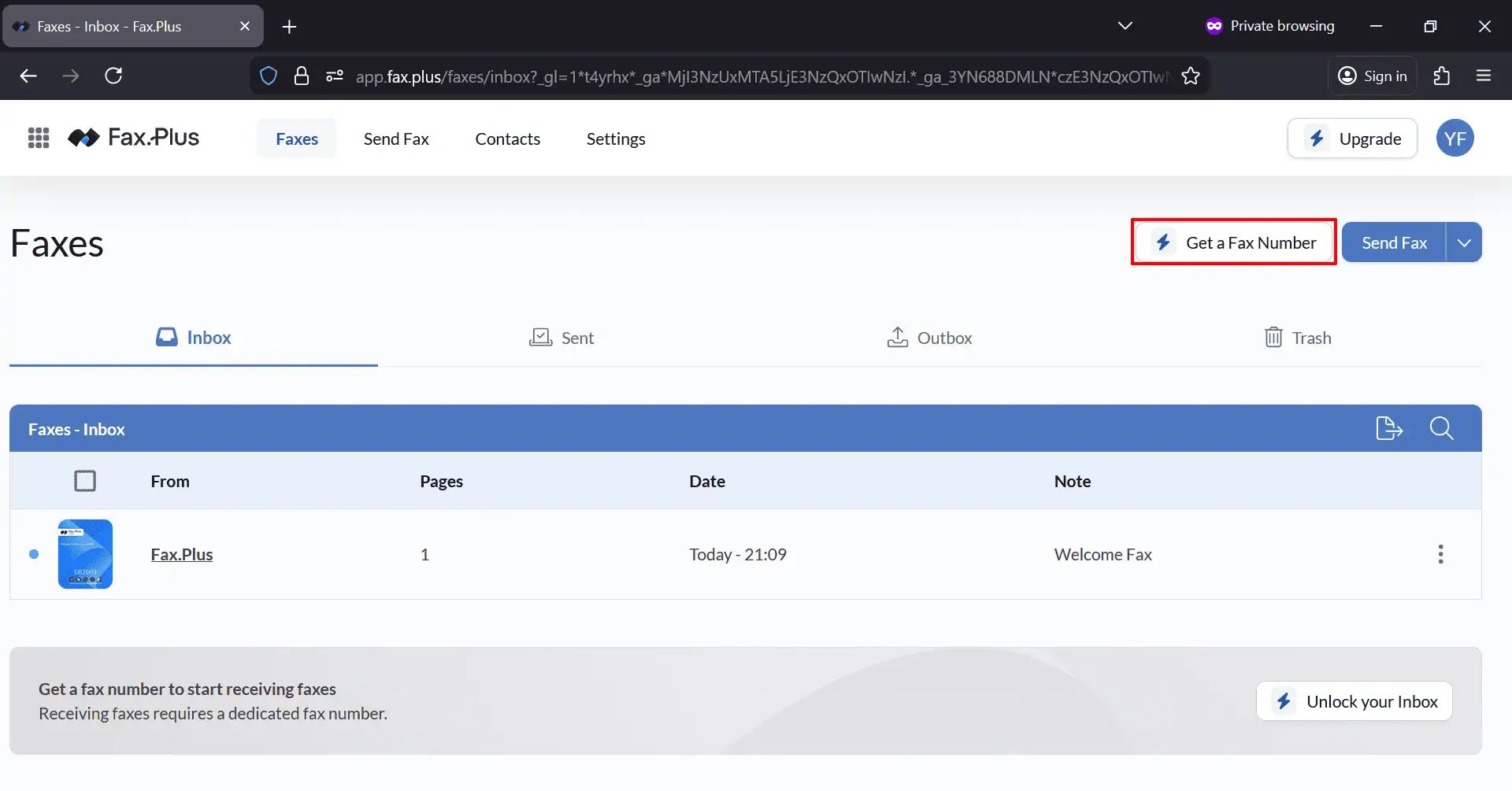
After logging in, you will land inside the fax dashboard. From here, you can view your inbox, sent items, outbox, and trash. Since you want to receive or use a dedicated fax number, click the Get a Fax Number button or the Unlock your Inbox option.
This starts the process of choosing a plan and getting your fax number.
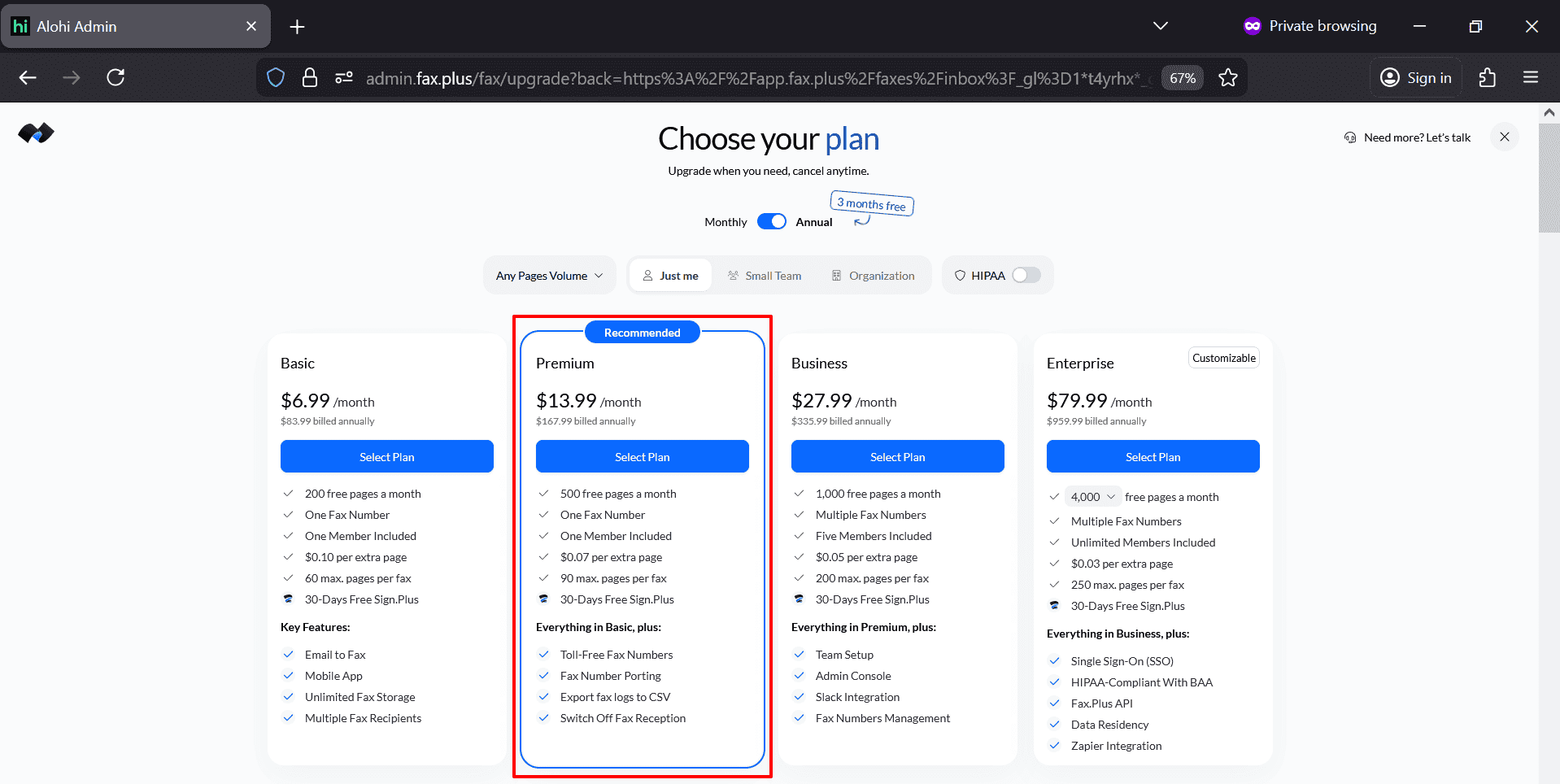
Step 5: Choose a Plan
You will then see the pricing page with different plans. In the example shown in the screenshots, the Premium plan was selected. Choose the plan that best matches your needs. If you have low budget then Basic plan is also okay for it, even you can take it only for 1 month.
Step 6: Select Your Fax Number and Confirm Purchase
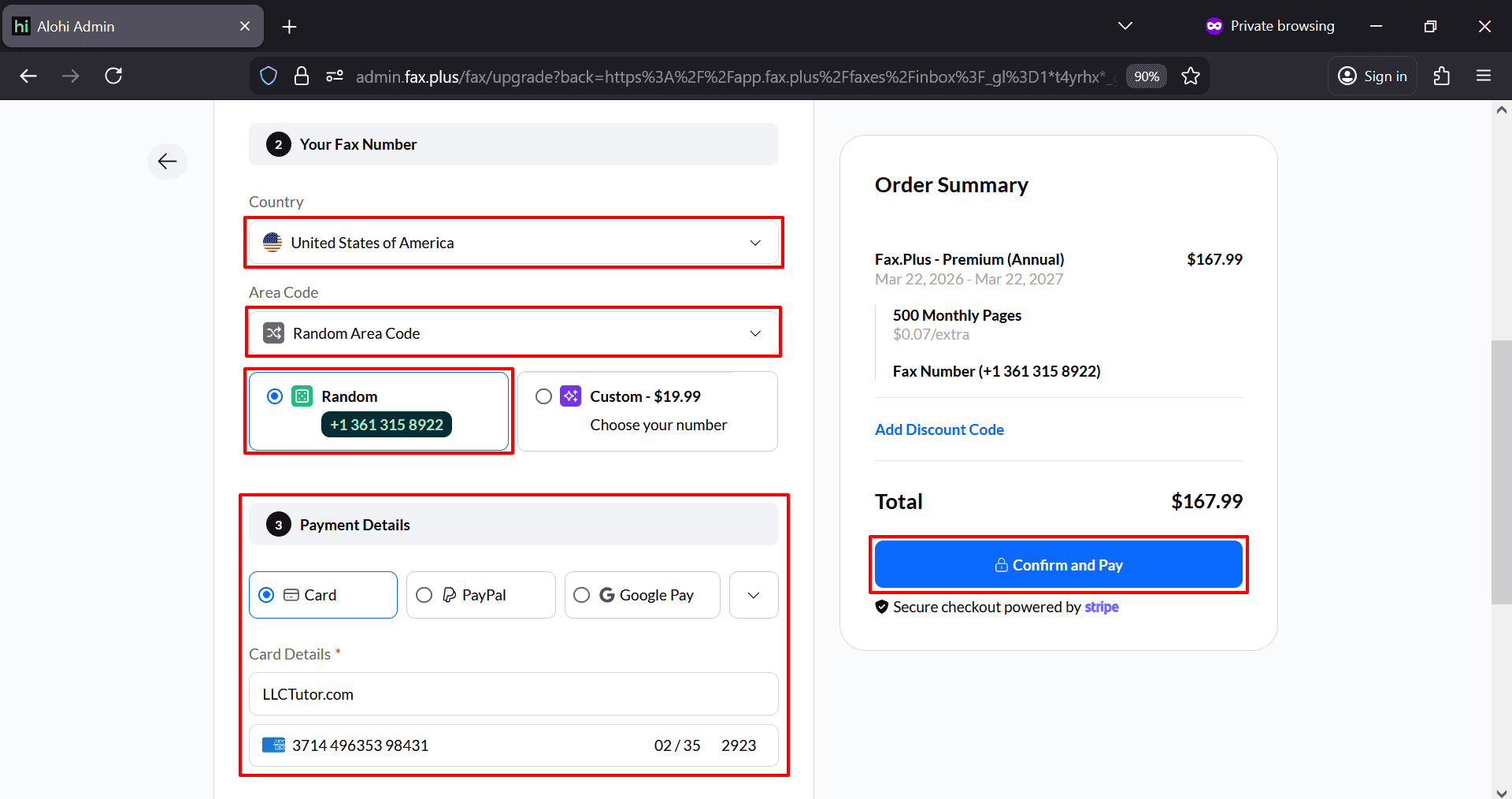
Next, you will be asked to choose the country and area code for your fax number.
Select United States of America as the country. Then choose an area code. In the screenshots, a random area code was used, and a random fax number was assigned automatically. There was also an option to choose a custom number for an extra fee. For most users, the random number option is enough.
Now enter your payment details. Review the order summary carefully to make sure the selected plan and fax number are correct. Then click Confirm and Pay.
After payment is successful, your fax number will be activated and your account will be ready to send documents.
Step 7: Prepare Your EIN Application Documents & Send Fax to The IRS
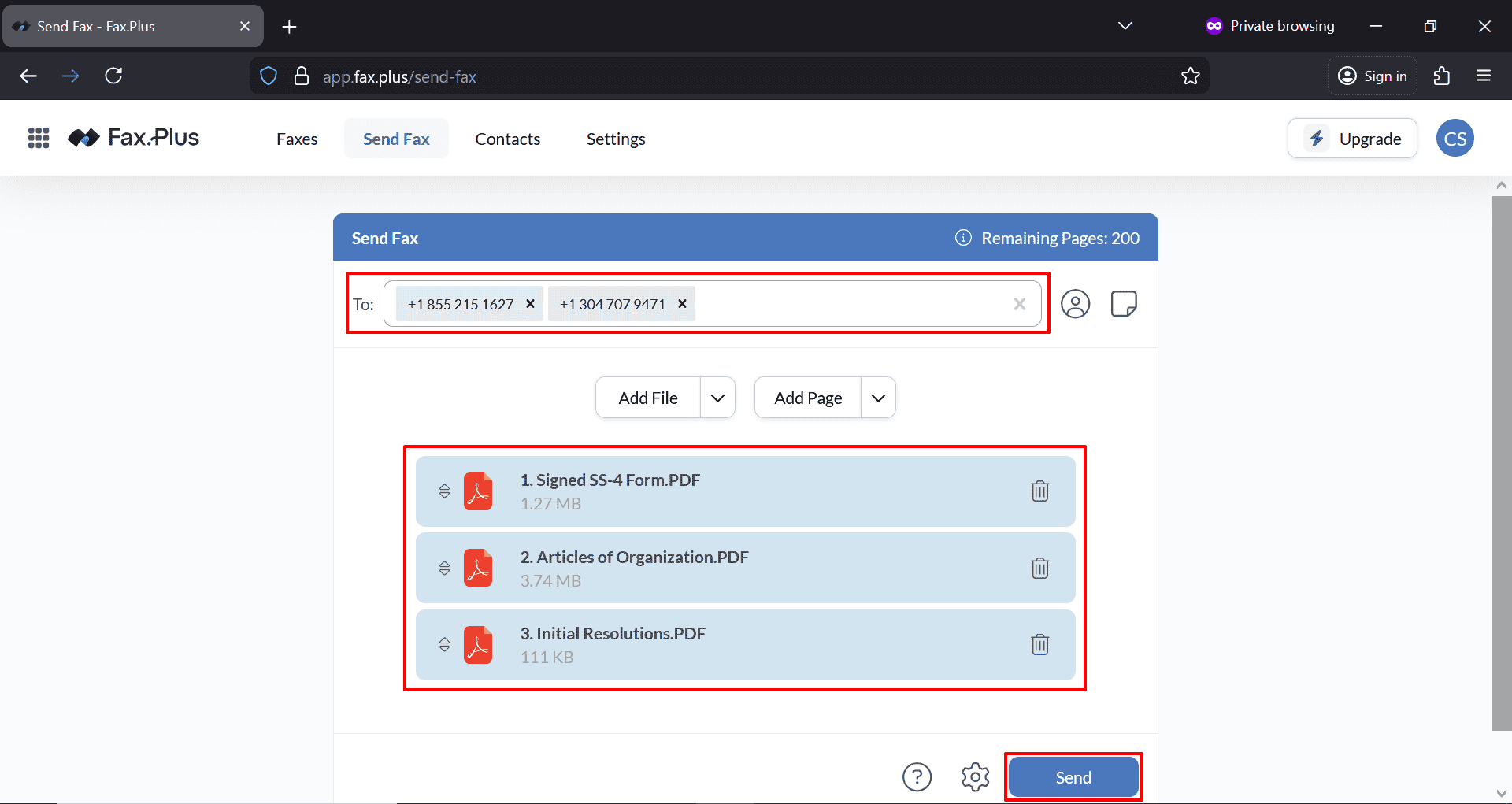
Inside the dashboard, click Send Fax. This will take you to the fax sending screen where you can enter the recipient fax number and upload your files. Be very careful here. A single wrong digit can send your SS-4 form to the wrong destination.
Before sending the fax, make sure your documents are ready. In the screenshots, the following files were uploaded:
- Signed SS-4 Form
- Articles of Organization
- Initial Resolutions
For the EIN application, the most important file is the signed SS-4 form. However, some business owners also include supporting documents such as the Articles of Organization and Initial Resolutions to strengthen the application package and keep everything organized. Make sure your files are clearly scanned, readable, and saved as PDF files before uploading.
IRS EIN Fax Numbers for Form SS-4:
For applicants with a principal business, office, or legal residence in one of the 50 U.S. states or the District of Columbia: Fax to: 855-641-6935. This is the primary fax number used for domestic EIN applications not for non US residents.
For applicants with no legal residence, principal place of business, or principal office in any U.S. state or DC (e.g., international applicants, U.S. territories):
- Within the US: Fax to +1 855-215-1627
- Outside the US: Fax to +1 304-707-9471
Important Notes:
- Always include a return fax number on Form SS-4 if you want the IRS to fax your EIN confirmation back to you.
- Processing time is typically 4 business days when faxing.
The IRS will not send the EIN via fax unless a return fax number is provided; otherwise, it will be mailed. - Verify current numbers at IRS.gov before sending.
Once your files are uploaded and listed correctly, review everything one more time. And click the Send button.
Step 8: Transmission Optimization
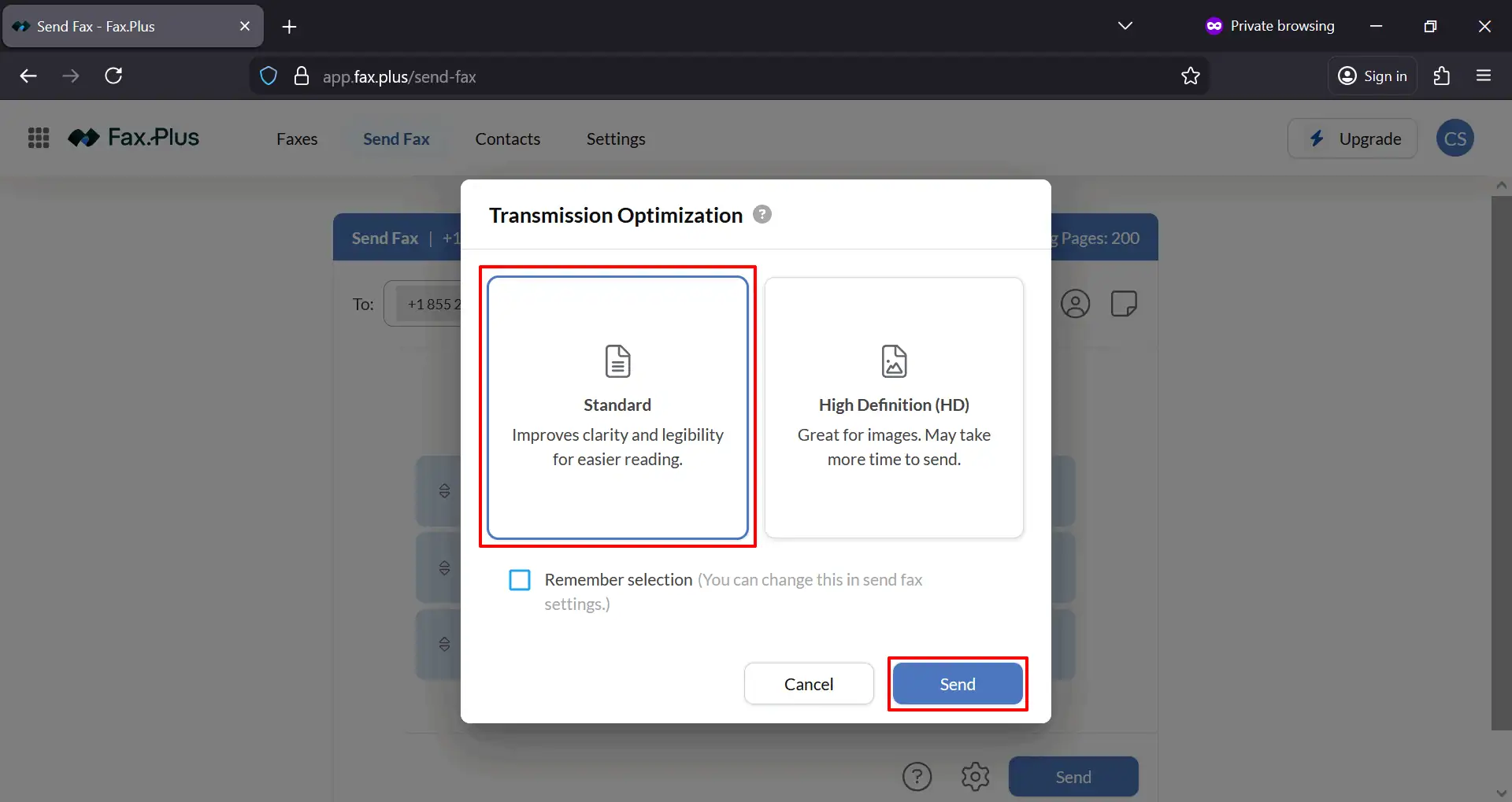
A transmission optimization box may appear with options like Standard and High Definition. In the screenshots, Standard was selected. For IRS forms, Standard is usually a practical option because it improves clarity and legibility for document reading.
Select Standard and then click Send again.
Step 9: Monitor the Fax Status
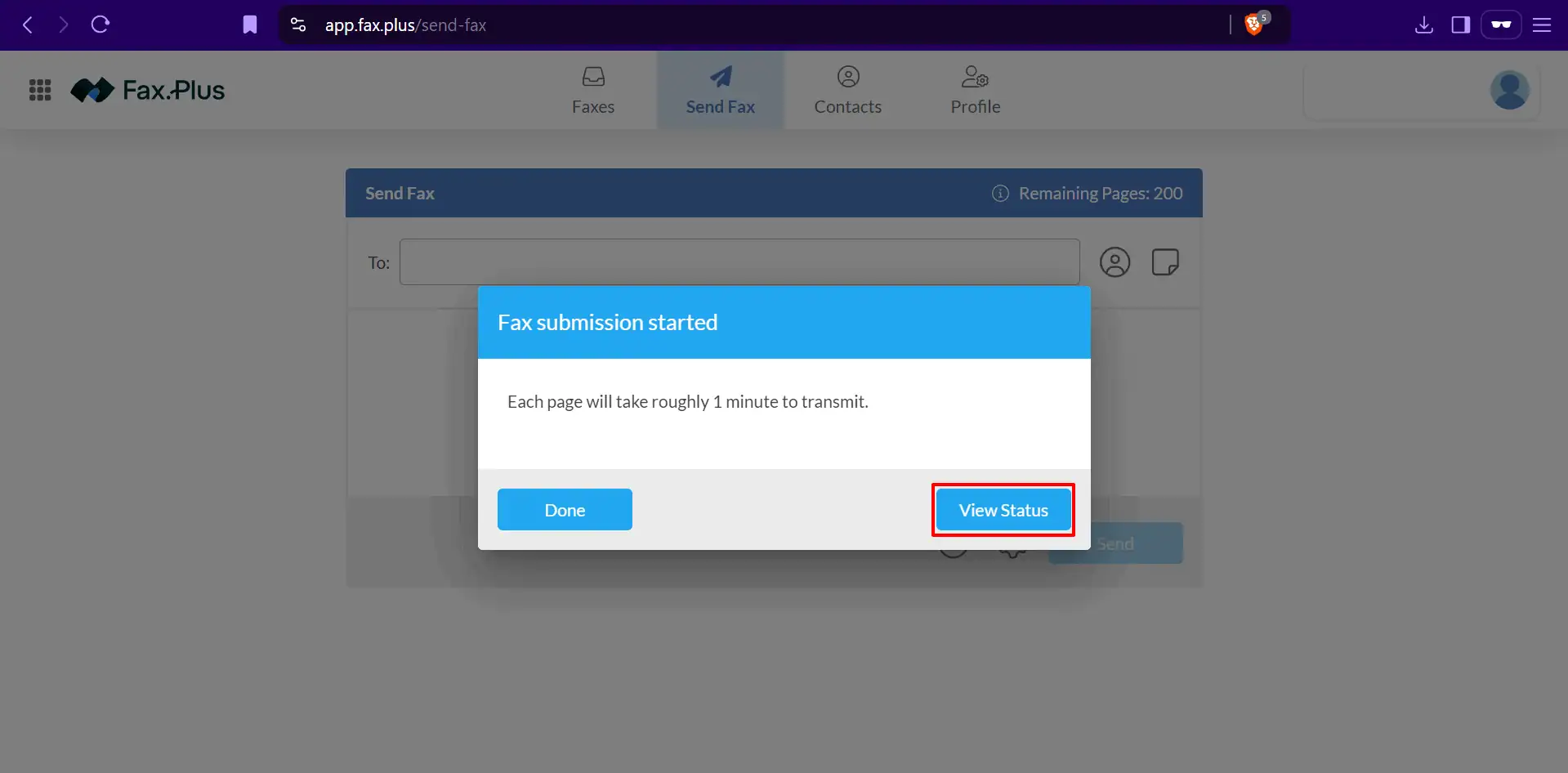
After sending, the system will show a message saying the fax submission has started. You can then click View Status to monitor the transmission progress.
Next, go to the Outbox tab. In the screenshots, the status showed Sending for the submitted faxes. This means the system had started transmitting the documents.
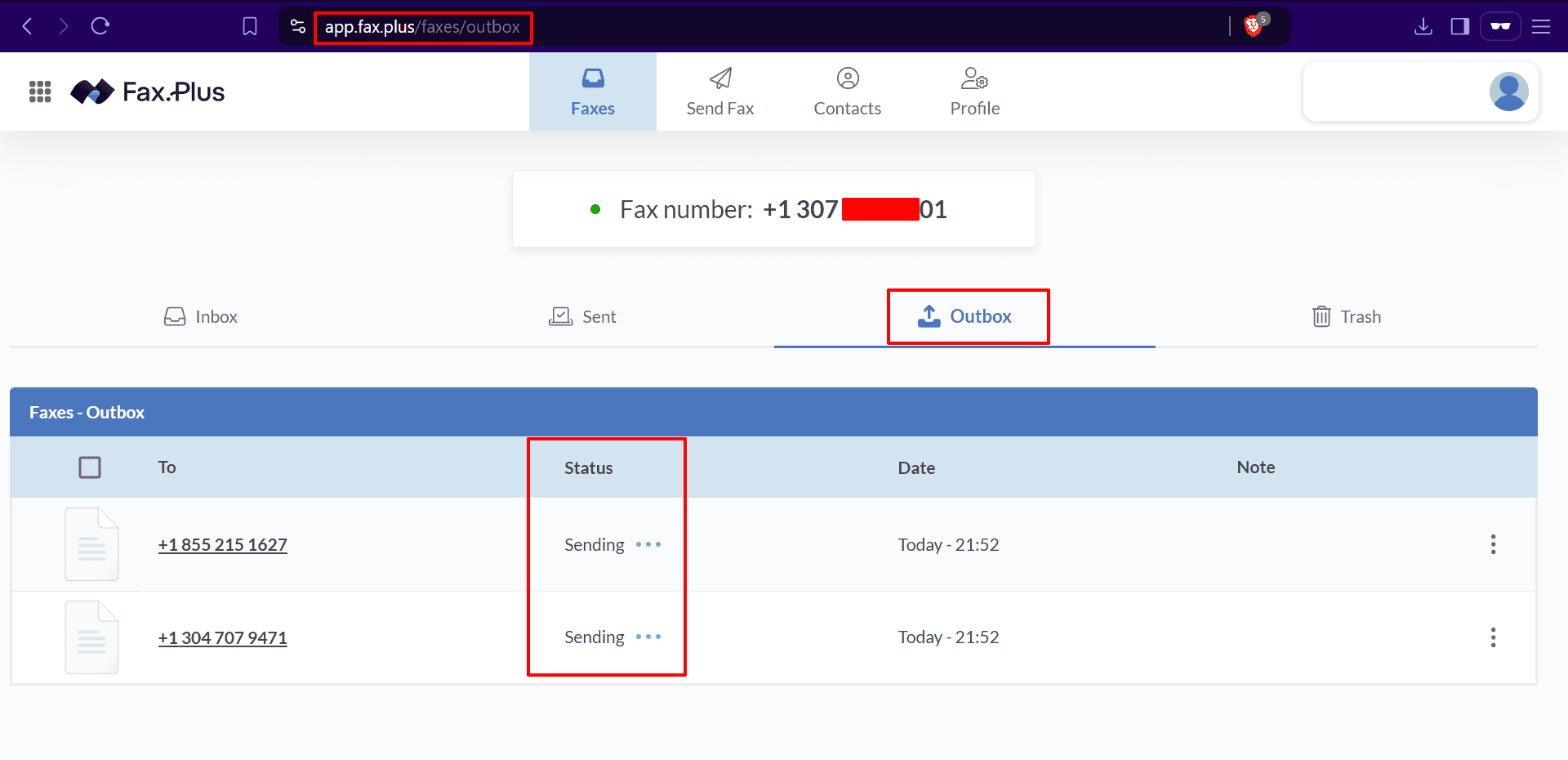
You should continue checking until the status changes from Sending to a final result such as Sent, Delivered, or another completed status shown by your provider.
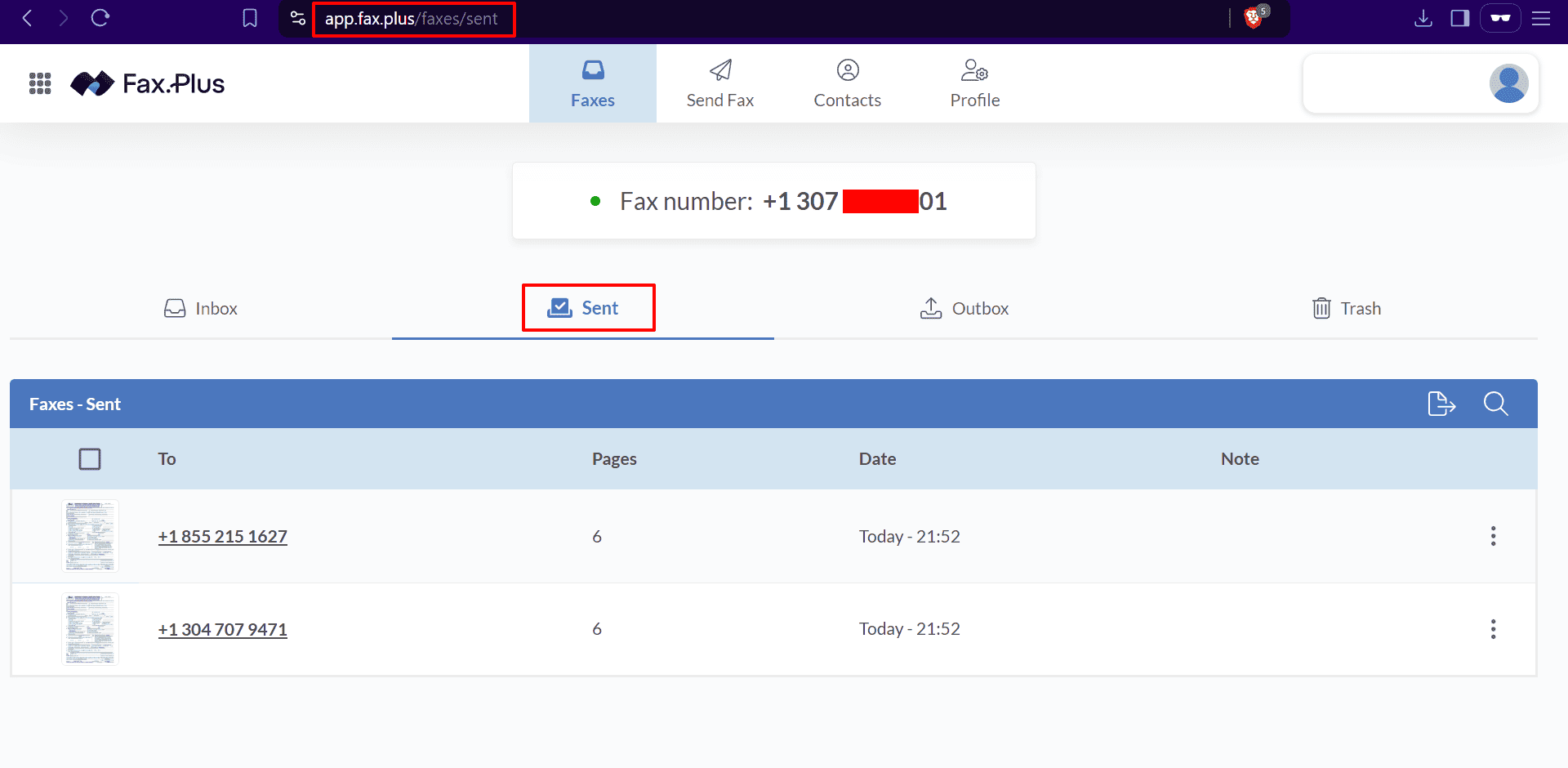
Step 10: Get Your EIN Confirmation or Verification Letter
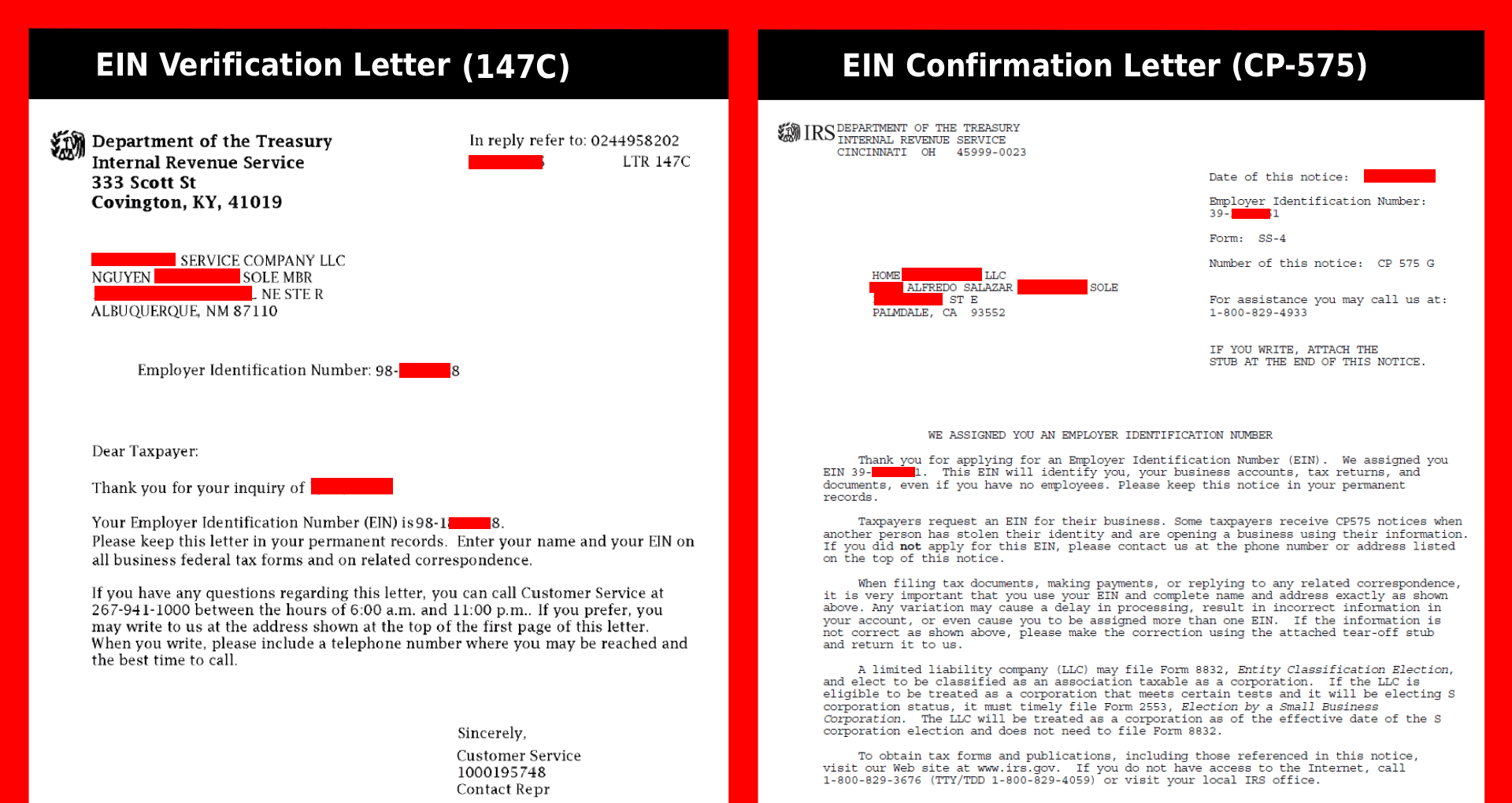
After you send your SS-4 form to the IRS, the final step is to receive your EIN letter. The IRS provides two main types of EIN letters.
- The first one is the EIN Confirmation Letter (CP-575). This is the official letter issued after your EIN is approved.
- The second one is the EIN Verification Letter (147C). This is a replacement letter that you can request if needed.
Once your application is submitted, the IRS officially states that EIN processing for non-US residents takes about 4 business days. However, due to high application volume, it may take longer in some cases. In most situations, within around 2 weeks, the IRS sends the CP-575 letter to your US business address. If you are using a registered agent service, they will receive the letter, scan it, and upload it to your dashboard so you can access it online.
If you do not want to wait and need your EIN quickly, you can request the 147C Verification Letter directly from the IRS by phone (after 4 business days of applying).
- Call the IRS Business and Specialty Tax Line at +1 800-829-4933.
- Follow the menu options by selecting English (option 1), then Employer Identification Number (option 1), and then the option for EIN help (option 3).
- When connected to an IRS agent, tell them that you have already applied for an EIN by fax and need your EIN Verification Letter (147C).
- The agent will ask you some security questions to confirm your identity. These usually include your LLC name, business address, and formation details. It is best to keep your completed SS-4 form in front of you during the call so you can answer accurately.
After verification, request the letter to be sent by fax. If the agent asks whether you are near a fax machine, simply confirm yes. They may also inform you that fax is not a fully secure method. You can acknowledge this and proceed.
Provide your online fax number that you purchased earlier. The IRS agent will then send your 147C EIN Verification Letter instantly to your fax inbox.
One important thing to remember is that wait times can be long. It may take anywhere from 10 minutes to over an hour to reach a live representative. The best time to call is early morning between 7:00 AM and 10:00 AM or later in the afternoon between 3:00 PM and 7:00 PM local time. Try to avoid Mondays, as it is usually the busiest day.
This method is the fastest way to receive your EIN confirmation without waiting for postal delivery.
Final Words
If you need an EIN and do not have access to a physical fax machine, buying a fax number online is a smart and simple solution. You can complete the entire process from registration to fax submission in one place.
By following the steps above, you can create your fax account, get a fax number, upload your signed SS-4 form, and send your EIN application to the IRS with confidence.
- If you also need help filling out the EIN form correctly, read our full SS-4 guide here.
- If you want to form an LLC first, follow this complete guide here.
Disclaimer: LLCTutor.com is an educational platform and does not provide legal or financial advice. We promote lawful and ethical business practices in line with Islamic principles. We do not support unlawful activities, deceptive practices, gambling, interest-based business models, or arrangements that lack real ownership, responsibility, or commercial risk. Viewers are responsible for ensuring their activities comply with applicable laws and ethical standards. And some links in this description are affiliate links. This means if you click on them and purchase a service, I may receive a small commission at no extra cost to you. I only recommend services I have personally used and trust. This helps support the blog/channel so I can continue to make free content like this!